
AI Party Portrait Generator for D&D Group Art
Use an ai party portrait generator to make D&D group art with character heights, reference images, scene presets, and VTT assets.
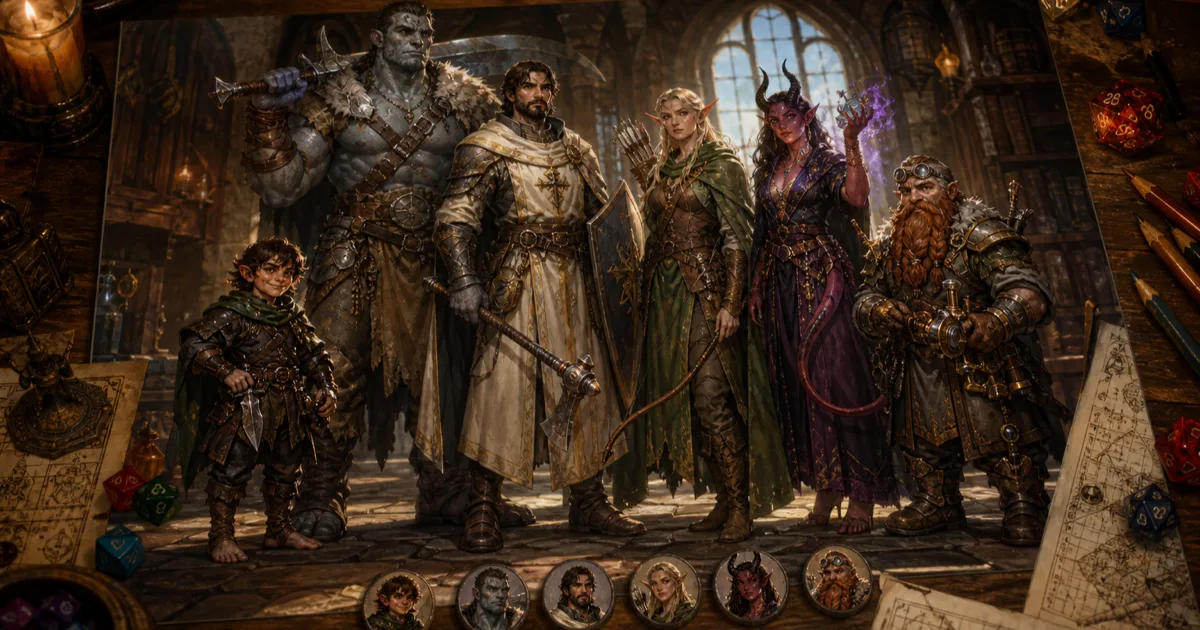
An ai party portrait generator dnd workflow solves one of the strangest little art problems in tabletop games: getting the whole party in one frame without turning everyone into the same height, the same pose, or the same oddly handsome sword owner. Single-character portraits are easy now. A full D&D party portrait is harder because group art has to respect scale, personality, spacing, gear, lighting, and the shared story behind the campaign.
I have used plenty of AI image tools that can make a strong paladin portrait. Fewer can handle the paladin next to a halfling rogue, a goliath barbarian, a tiefling warlock, and a druid whose antler crown keeps eating half the composition. That is why CharGen's Party Portrait Generator is interesting. It is not just a prompt box. It asks for party members, heights, reference images, a scene, a model, an art style, and which characters should appear in the final image.
The hook is simple: you can make a full party image for session zero, a campaign memorial, a stream overlay, or a social banner without waiting weeks for a commission slot. That does not mean commissioned art is obsolete. It means AI group art now has a useful role for tables that want something visual before the campaign has gone cold.
Why an AI party portrait generator dnd workflow is different
Most AI character art guides focus on one person. That makes sense, because one person is a much easier job. The model only has to keep one face, one outfit, one pose, and one focal point under control.
Group art adds problems fast:
| Group portrait problem | What goes wrong in generic AI tools | What I want instead |
|---|---|---|
| Height | halflings, dwarves, humans, and goliaths all come out nearly equal | visible scale differences that read at a glance |
| Identity | characters swap gear or faces between rerolls | reference images and short descriptions per member |
| Composition | everyone stands in a stiff line | a scene that feels like one party, not six pasted portraits |
| Readability | small characters vanish behind armour, props, or spell effects | clear spacing and face visibility |
| Reuse | final image sits in a downloads folder and dies there | handoff to tokens, campaign pages, banners, and recaps |
That last row matters more than people expect. A d&d party portrait is not only a pretty picture. It becomes the Discord banner, the campaign start screen, the recap image, the group gift, the post-finale memory, or the "here is who we are playing" handout for a new player.
I also think the price context matters. A recent FramedFantasy guide on D&D party portrait commissions puts professional full-body party art for five characters with a background in the hundreds of dollars, often more depending on detail and artist demand. That is fair. Artists should charge properly. It also means an AI option is useful when the goal is quick campaign art, a draft concept, or a visual record of a party that keeps changing.
Right, so I use AI party art for speed and iteration. I still think a human artist is the right call for a wedding-style campaign finale gift, a paid product, or a piece where you want exact creative judgement and revision discussion. Different job.
Start with the roster, not the scene
The mistake I see in group prompts is starting with the background. People write epic adventuring party in a ruined temple, dramatic lighting, fantasy art, then wonder why the characters look generic. The model spent its attention on the temple because that is where the prompt gave it detail.
CharGen's party tool pushes you in a better order. You build the party first.
In the current flow, the useful roster controls are direct:
Add Memberfor a new character.Import from Campaignif the party already lives in CharGen.- member fields for character name, race, class, height, short description, and reference image.
- active member toggles, so a retired character can stay in the roster without appearing in every portrait.
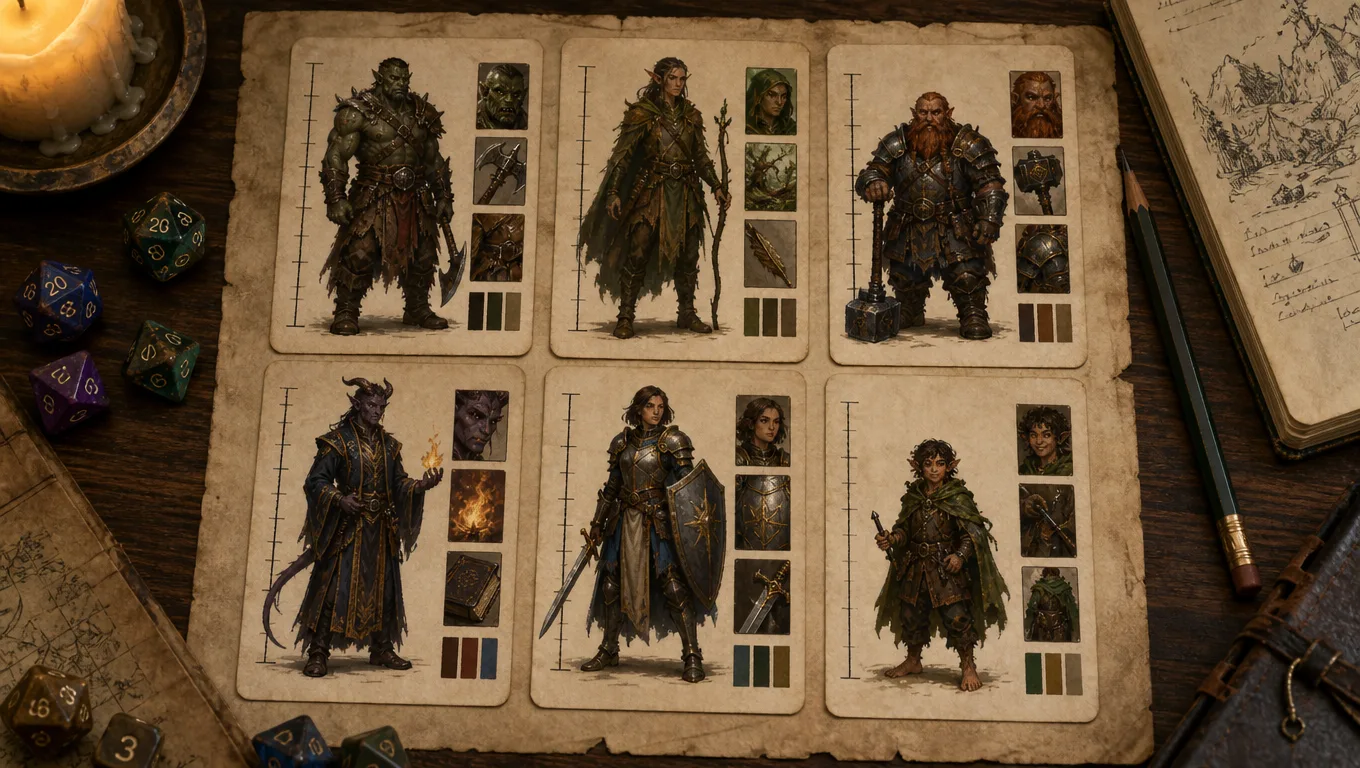
For a real example, I would not enter "elf ranger" and stop. I would enter:
Lirel, wood elf ranger, 5'6", ash-blonde braid, green travel cloak patched at the shoulder, longbow wrapped in red thread, watchful expression, reference portrait attached.
That is enough. I do not need her whole childhood, her favoured enemy, or every piece of equipment. The group portrait needs visual anchors, not a character sheet dump.
Height is the field I would not skip. It is one of the main reasons to use a purpose-built dnd group portrait generator rather than a generic image prompt. If the party includes a 3'2" halfling, a 4'5" dwarf, and a 6'8" goliath, the scale should be part of the image. Otherwise the portrait feels wrong before anyone can explain why.
My roster rule is blunt: give each character one body fact, one costume fact, one personality cue, and one reference if you have it.
| Character | Body fact | Costume fact | Personality cue |
|---|---|---|---|
| Pip, halfling rogue | 3'2", wiry build | oversized burgundy coat | grin that says he already touched the cursed object |
| Thorn, half-orc barbarian | broad shoulders, chipped tusk | dented scale armour, fur mantle | quiet rage rather than shouting |
| Mirelle, human cleric | scar through left eyebrow | sunburst pendant over travelling robes | calm, tired, still kind |
| Vex, tiefling warlock | one broken horn | black velvet coat with silver cuffs | amused, too pleased with bad news |
Those notes give the generator something to preserve. Without them, it fills gaps with fantasy defaults.
Pick a scene preset only after the party has a job
CharGen gives eight party portrait scene presets: Epic Group Pose, Tavern Gathering, Battle Formation, Campfire Rest, Throne Room, Journey's Path, Victory Celebration, and Wanted Poster. I like presets when I know the image's purpose and dislike them when I am just avoiding a decision.
The question I ask first is not "which looks coolest?" It is "where will this image be used?"
| Use case | Preset I would start with | Why |
|---|---|---|
| session zero intro | Tavern Gathering | relaxed, social, good for a first campaign page |
| campaign poster | Epic Group Pose | clear silhouettes and strong hero framing |
| mid-campaign Discord banner | Journey's Path | works well when the party is still travelling |
| boss fight teaser | Battle Formation | lets weapons, spells, and formation matter |
| finale gift | Victory Celebration | shows cost, survival, and relief |
| outlaw campaign | Wanted Poster | funny, readable, and easy to share |
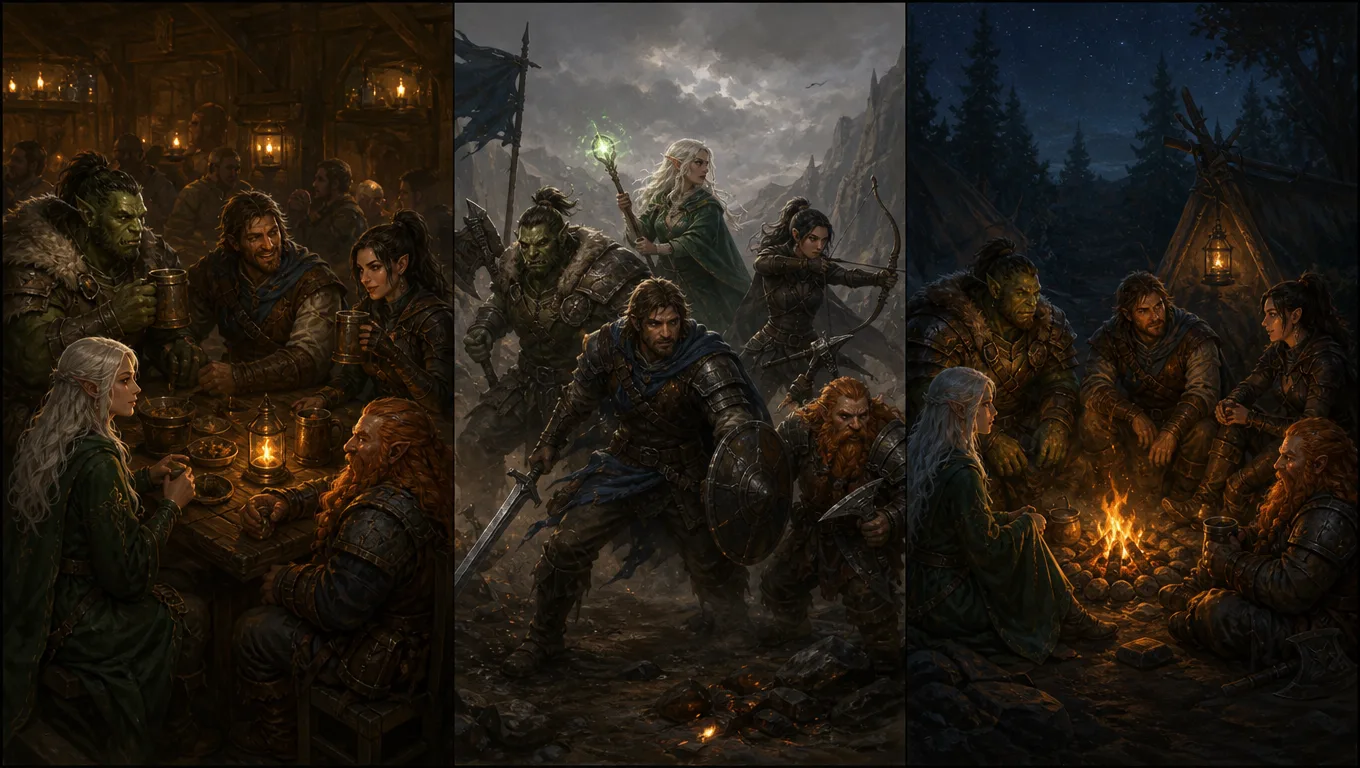
My favourite test case is a tavern image three sessions into a campaign. The party has met, but they are not legends yet. I would choose Tavern Gathering, then edit the scene description so it is not a generic inn.
Here is the kind of Scene Description I would use:
The party gathers around a scarred oak table in the back room of a riverside tavern. Tankards raised after surviving the flooded shrine. A wet map is pinned under a dagger, a blackthorn wand lies between them, and rain streaks the window behind the group. Keep every face visible. Make the halfling clearly shorter than the others. Warm firelight, painterly fantasy realism.
Notice the last two instructions. Keep every face visible and Make the halfling clearly shorter are not flavour. They are quality controls.
The Poster Text fields are useful too, but I use them sparingly. Title might be The Lantern Road Company. Subtitle might be After the Flooded Shrine. Short text works better than a long campaign slogan. Tiny lettering inside AI art can still be messy, even with newer models, so I do not build the whole image around text unless the final format is forgiving.
The model and art style choice matters more for groups
Single portraits can hide a lot. A face has one main area of attention, and the model can spend detail there. Group images spread that attention across several characters, which means weak model choices show up quickly. Armour becomes vague. Hands multiply. Small characters lose identity. Matching light across the group gets odd.
CharGen exposes Model and Art Style inside the party portrait form. I use them as a pair.
| Goal | Model behaviour I want | Art style I pick |
|---|---|---|
| clean campaign poster | strong prompt following and character spacing | Fantasy Realism or Oil Painting |
| cosy table memory | warm faces and soft lighting | Storybook or Ink Drawing |
| stream overlay | high contrast and readable silhouettes | Comic Book or Fantasy Realism |
| joke handout | graphic clarity over painterly detail | Ink Drawing or Wanted Poster style |
| anime campaign | line clarity and expressive faces | Anime |
The recent image-model race helps here. OpenAI's April 2026 release notes for ChatGPT Images 2.0 call out improved handling of more complex visual tasks. Midjourney's current model docs also point at stronger prompt reading and detail retention in newer versions. That wider trend is good news for group character art, because party portraits are basically stress tests for composition.
That said, I still expect rerolls. My first output usually tells me what the model misunderstood. Maybe it made the dwarf too tall. Maybe it ignored the cleric's pendant. Maybe the warlock's broken horn vanished. I edit the roster note or scene description, then generate again.
For group character art dnd work, I prefer concrete fixes:
keep the dwarf shoulder-height beside the human clericshow the warlock's left horn broken near the tipplace the wizard behind the front line but keep the face visibleavoid masks, helmets, and heavy hoods unless specifieddo not add extra party members
That last one is worth adding when a scene gets busy. Some models love inventing background companions. I do not need a mystery seventh adventurer turning up in the campaign poster unless the table has already adopted them, which they probably will if I show the image.
Create a Party PortraitMy practical CharGen party portrait workflow
Here is the full routine I use when I want an ai party artwork ttrpg asset that I can actually show players.
| Step | What I do | Time |
|---|---|---|
| roster pass | add every active character with race, class, height, short description, and reference image | 6-10 minutes |
| scene pass | choose one preset, then rewrite the Scene Description around a real campaign moment | 3-5 minutes |
| settings pass | choose Model, choose Art Style, add short Poster Text only if needed | 2 minutes |
| member check | use Members and Deselect all if the portrait should exclude hirelings, dead PCs, or guests | 1 minute |
| generation pass | click Generate Portrait, review identity, height, face clarity, and composition | 2-8 minutes |
| handoff pass | save the best image, crop variants for campaign page, Discord, recap, or tokens | 5-15 minutes |
The member selector is more useful than it looks. Campaign parties are messy. A guest player joins for one arc. A hireling becomes important. A PC dies, comes back, then dies again because the dice have no manners. I like keeping a bigger roster and choosing who appears in each portrait.
One concrete version from my prep would be a five-person party after a swamp shrine session:
Tavern Gathering preset, title The Sable Bell Company, subtitle Shrine Survivors, include Pip, Thorn, Mirelle, Vex, and Oryn. Scene: back room of a riverside tavern, wet cloaks drying on chair backs, shrine map on the table, black candle in the centre, everyone exhausted but alive. Keep Pip visibly shorter. Keep Oryn's blue glass eye. No extra characters.
That prompt contains a campaign moment, visual props, roster constraints, scale rules, and one specific identity note. It is not poetic. It is useful.
How I judge the result before I show players
I do not accept the first good-looking image. I run a quick table check.
| Check | Pass condition | Fix if it fails |
|---|---|---|
| identity | every player recognises their own character | strengthen roster notes or attach better reference images |
| height | short and tall characters read correctly | add explicit height comparison language |
| face clarity | all active PCs have visible faces | ask for clear faces, reduce smoke, helmets, and extreme backlighting |
| gear | signature items appear without clutter | keep only one or two signature items per character |
| scene | image shows the intended campaign moment | rewrite the scene around one specific event |
| extras | no unwanted extra party members | add "no extra characters" to the prompt |
The harshest rule is identity. If a player cannot point to their character without hesitation, the image is not done. A pretty group image with swapped details is worse than a plain one that gets the party right.
I also watch for sameness. AI group images often drift towards everyone facing forward with heroic posture. That can work for a poster, but it gets dull quickly. For a more natural image, I include different actions: the cleric cleaning a cup, the rogue leaning over the map, the barbarian standing behind the table, the wizard reading the wrong note with absolute confidence.
Worth mentioning though, exact weapons can be fiddly. If the fighter's sword has a very specific guard shape or the ranger's bow is a treasured commission design, expect to reroll or edit. Group art is good at shared feeling and broad identity. It is not always perfect at tiny bespoke props.
Turn the portrait into useful campaign assets
A finished party image should not sit alone. I normally make three derivatives:
- campaign banner crop
- Discord or group chat image
- recap or session summary visual
If the party portrait reveals particularly good faces, I may also crop sections into individual references, then use Token Maker for VTT use. For Roll20 and Foundry, asset specs matter. Roll20's partner guidance recommends larger token art to avoid pixelation when zooming, and Foundry's media guide recommends WebP for a strong quality-to-size balance. That is dry advice, but it prevents ugly tokens later.
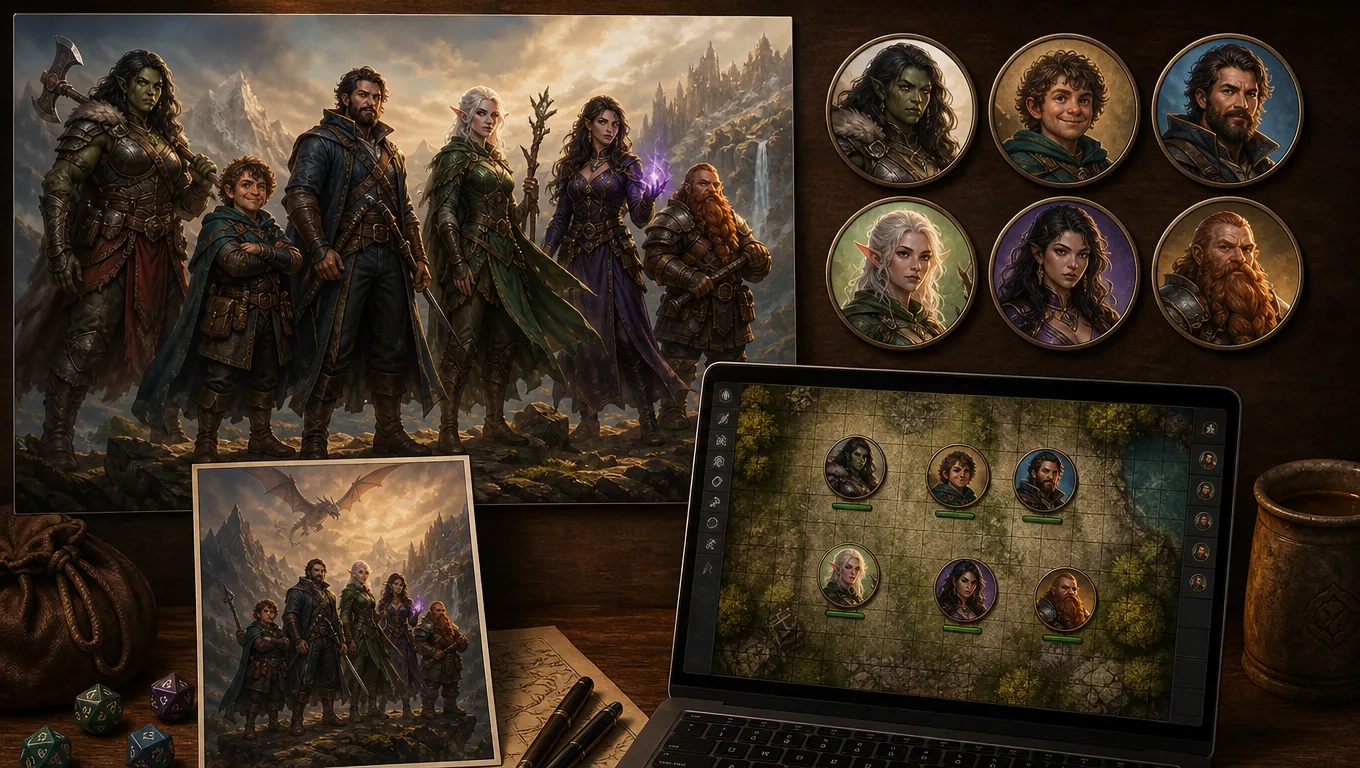
CharGen fits that follow-up nicely because the party portrait sits near the broader tool stack. I can generate a Character, make a party image at Party Portrait, crop or frame assets with Token Maker, then mention the image in a session summary when it becomes part of campaign memory.
That joined flow is the main reason I prefer a purpose-built party portrait maker dnd tool over a generic image generator. I am not only making art. I am feeding campaign assets back into play.
When I would still commission human art
I do not want this to read like "AI replaces artists". It does not.
I would commission a human artist when:
- the final piece is a gift and emotional accuracy matters
- the campaign has ended and the portrait is meant to last
- the art will be used commercially
- the party needs exact costume, pose, expression, and symbol control
- the group wants a collaborative revision process
AI is better for quick drafts, living rosters, mid-campaign updates, and table-facing assets that may change again in three sessions. A human commission is better when the image deserves time, conversation, and exact intent.
For my own table, that split feels healthy. I can use CharGen to make a session zero image in minutes, update the roster when the bard joins, then later commission a final version once the story has earned it. The AI version becomes the sketchbook, the campaign log, and sometimes the thing that helps the group decide what they actually want.
Common party portrait prompt mistakes
Most weak party portraits come from asking for too much in the wrong place.
| Mistake | Why it hurts | Better version |
|---|---|---|
| listing every item | clutter steals attention from faces | one signature prop per character |
| vague scale | everyone becomes the same height | give heights and comparison language |
| too much setting detail | background wins over party identity | make the party the subject, scene second |
| no roster roles | characters blur together | name, race, class, short description per member |
| overusing spell effects | faces and hands get buried | one or two magic effects, placed away from faces |
| asking for exact text | lettering may distract or misrender | keep title and subtitle short |
My best prompt habit is cutting. If the portrait has six characters, the scene cannot also carry twenty props, four weather effects, three pets, a castle, a battle, a dragon, and a readable poem on a banner. Pick the moment. Let the image breathe.
FAQ
What is an AI party portrait generator for D&D?
An AI party portrait generator creates one image of several tabletop RPG characters together. A good D&D-focused version lets you define each party member with race, class, height, visual notes, reference images, and a shared scene, rather than relying on one generic group prompt.
How many characters should I put in one D&D party portrait?
Four to six characters is the easiest range. CharGen supports up to eight, but the more characters you add, the more important clear spacing, simple props, and face visibility become. For eight characters, I would avoid busy backgrounds and heavy spell effects.
Can AI party artwork replace a commissioned group portrait?
Not for every job. AI party artwork is excellent for quick campaign art, drafts, roster updates, stream assets, and session zero visuals. A human commission is still the better choice for a final gift, commercial work, or exact creative control.
What should I include in each party member description?
Use one body fact, one costume fact, one personality cue, and one signature item. Add height whenever scale matters. If you have a reference image, attach it, because group art benefits from stronger identity anchors.
Which CharGen preset should I use first?
Use Tavern Gathering for social campaign intros, Epic Group Pose for posters, Battle Formation for combat-focused parties, and Victory Celebration for finale or milestone images. Pick the preset based on where the portrait will be used.
Final practical advice
Build the roster before you write the scene. Give every character a height, one recognisable visual anchor, and a reason to be in the same frame. Then use CharGen's Scene Preset, Model, Art Style, Members, and Generate Portrait controls to test the image as a campaign asset, not just a pretty picture.
Start with CharGen's Party Portrait Generator, make one clean group image, and save the prompt that worked. Future party art gets much easier once the first roster is solid.
Image credits
All article images were generated for this CharGen blog post with WaveSpeed using GPT Image 2 at medium quality, then converted to WebP for web delivery. The hero image was cropped and resized to 1200x630.