
DnD Session Summary Tool + VTT Dice Sync: My CharGen Workflow
Use a DnD session summary tool with CharGen VTT dice sync to keep rolls, encounters, and campaign notes connected without extra admin work.
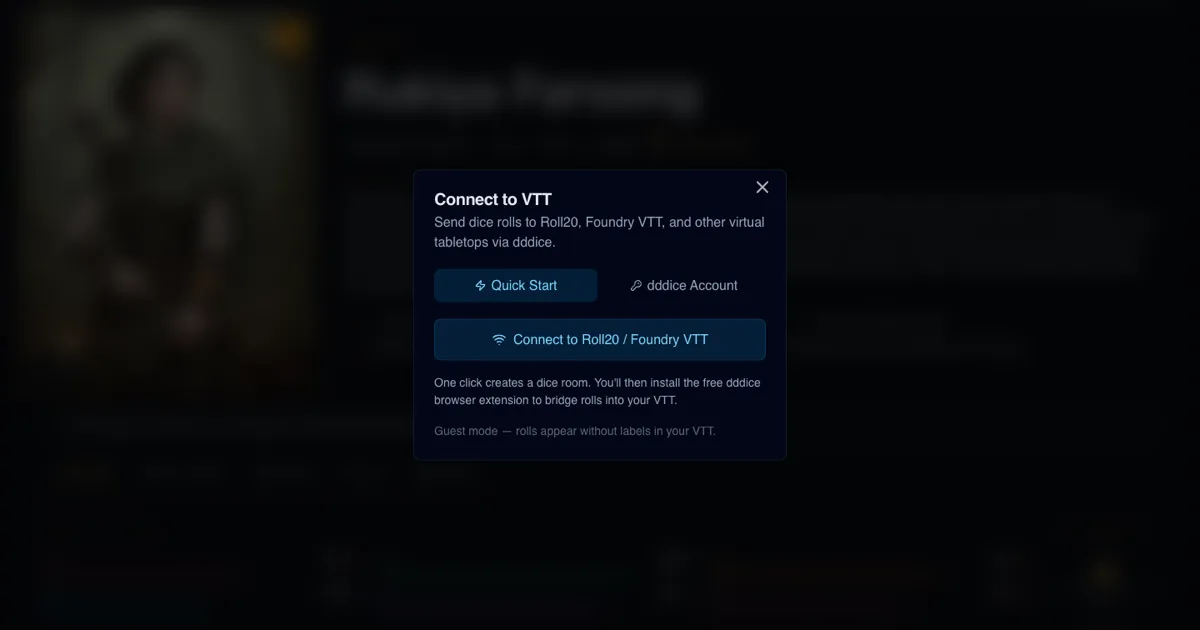
A DnD session summary tool is only useful if your rolls, encounter choices, and session notes all point to the same reality. Mine did not, for a long time. Rolls lived in one place, monster tweaks in another, and recap clean-up happened at midnight when I was already too tired to care. The new VTT connection flow in CharGen fixed that routine for me, because it lets me move from rolling to recap with less context loss.
I now run prep and play with one habit in mind: every important roll should either drive a decision now or help me write a clean session recap later. That means I care about speed, but I care even more about continuity.
Why I changed my stack this month
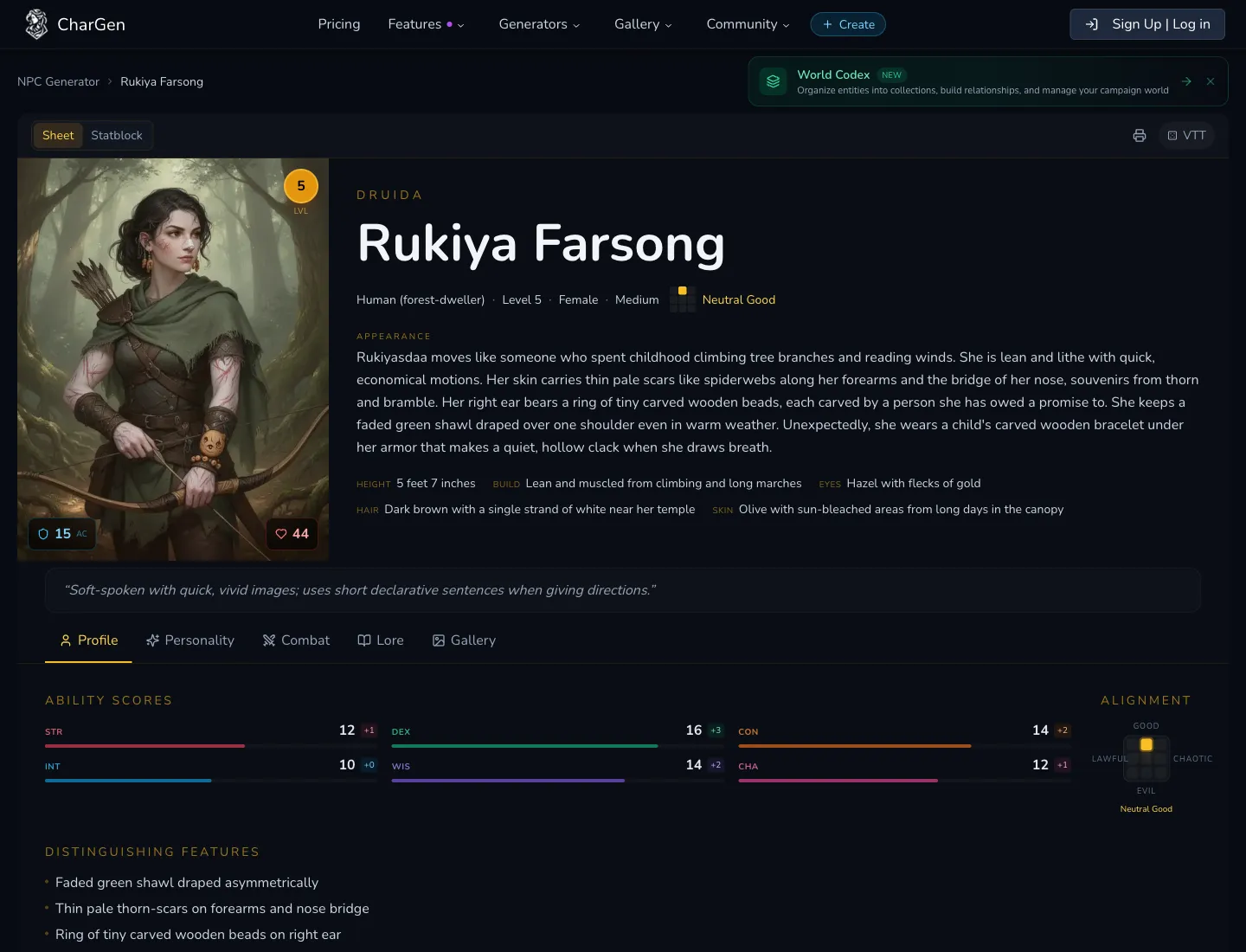
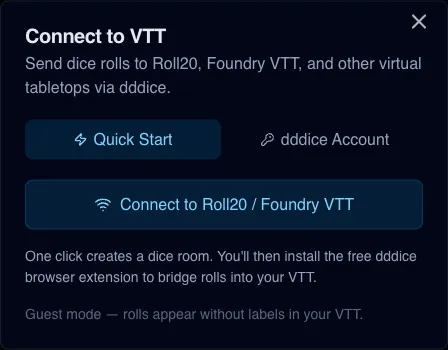
The last round of CharGen updates added a proper VTT connection path instead of a loose collection of dice helpers. In practice, I now get a VTT status pill in the entity toolbar, a Connect to VTT dialog with a Quick Start path, and a dddice Account path when I want labelled rolls. There is also a full VTT tab in profile settings with VTT Dice Sync, dice appearance controls, and Discord webhook options.
That combination matters because I can pick a simple path for one-shots and a more controlled path for longer campaigns. One click for guest mode when I am rushing. API key + room slug when I need labelled events I can audit later.
A lot of posts about AI dungeon master tools focus on generation speed only. Speed is nice, but bad records cost more time than slow prep. When players ask "why did the captain switch tactics last session" I want a real answer, not a shrug.
DnD session summary tool problems I kept hitting
Before this workflow, my post-game notes suffered from three repeated failures.
I had roll results but not context. A line that says 19 tells me nothing on its own. Was that a stealth check for the scout, an intimidation check on the magistrate, or a saving throw against a ghoul swarm?
I had context but no retrieval path. I might remember the exact scene, yet finding that detail again during next-week prep took far too long.
I had summaries that sounded polished but missed tactical turning points. Players felt the recap was "correct" but incomplete, because the key swing moments were flattened into one sentence.
Once I accepted that, I stopped treating recap writing as a writing problem. It is a capture problem first, then an editing problem.
My exact CharGen setup: 10-minute baseline
I use this setup before every session. Not every field is mandatory, but skipping steps usually costs me time later.
Step 1: connect from the VTT pill in the toolbar
When I open an entity page with dice interactions, I click the VTT pill in the top-right area of the toolbar.
If disconnected, it shows VTT with a neutral dot.
If connecting, it shows Connecting....
If linked, it shows the room slug.
That visual state check is important. I do it before any initiative-heavy scene, so I do not discover a missing connection after six combat rolls.
Step 2: choose Quick Start or dddice Account
Inside Connect to VTT, I choose one of two tabs.
Quick Start: fastest route, creates a guest token and room automatically.dddice Account: requires API key + room slug, but enables roll labels and cleaner audit trails.
For casual tables, Quick Start is enough. For campaign arcs with recurring enemies, I pick the account route because labels make post-session review far easier.
Step 3: complete bridge steps to Roll20 or Foundry
After connecting, I follow the on-screen sequence:
- Install the dddice extension.
- Open Roll20 or Foundry VTT.
- Join the same room in the extension.
- Click dice in CharGen and confirm they appear in VTT.
Official links I actually use:
Step 4: tune profile-level behaviour in VTT settings
In profile VTT settings, I check these once and keep them stable for several sessions.
Show creature/NPC name with rolls in VTTShow attack/ability description with rolls in VTT- Dice appearance theme
- Discord webhook test state (optional)
When names and short ability context are enabled, recap drafting becomes much less guessy.
The live play loop I use at the table
Prep is only half of it. My goal is to keep the loop stable while players are making chaotic choices.
During roleplay scenes
If a social scene matters, I roll directly from the relevant entity view where possible. I keep the context near the roll source, instead of jumping to a separate dice app and hoping I remember why I rolled.
Example from last week:
- NPC: harbour quartermaster
- Player action: forged manifests presented as "urgent customs release"
- Roll: deception contested by insight
- Result: failure by 2
- Immediate outcome: quartermaster delays shipment and alerts dock patrol
That one exchange generated two future hooks in my notes and changed the session route. Capturing the roll context fast meant the recap reflected what actually happened, not what I vaguely remembered.
During combat scenes
I keep one practical rule: if a roll changed tempo, I flag it in a short note immediately.
Tempo shifts include:
- First failed concentration that flips battle pressure
- Critical hit that forces retreat
- Save that keeps a boss phase alive
I am not writing novels mid-combat. I am writing anchors. Three or four anchor lines per major fight are enough for a useful recap.
After each major encounter
I do a 90-second reset while players take a break.
- Confirm VTT link still active
- Add one sentence for consequences
- Mark one unresolved thread
Without this mini reset, the final 30 minutes of any session blur together in memory.
How I turn rolls into a clean recap draft
My recap flow uses CharGen tools in sequence, not in isolation.
- I keep encounter entities tidy in Monster Generator outputs and related records.
- I keep social pivot characters tracked in NPC Generator entries.
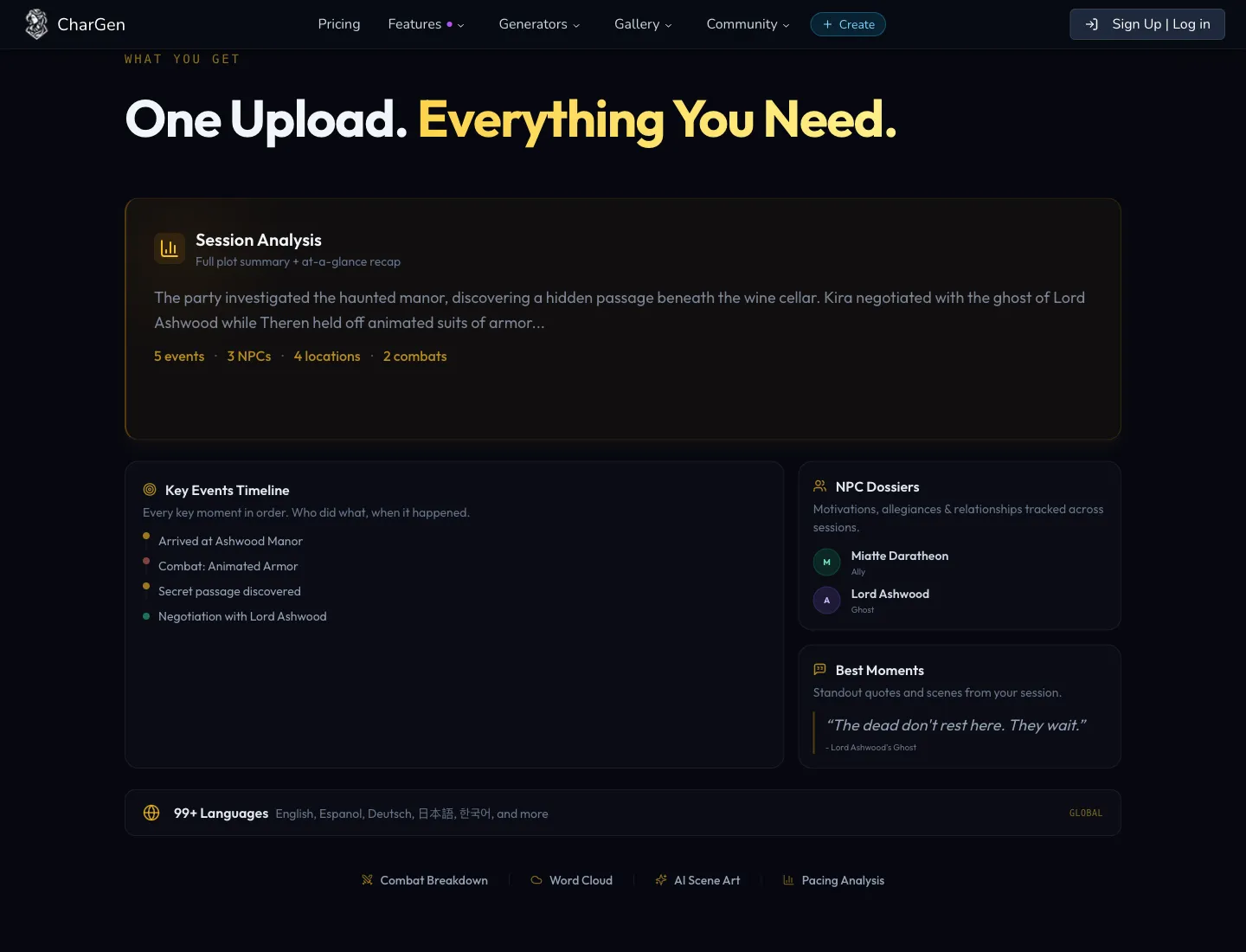
- I run the post-game pass through RPG Session Notes.
The key is that each stage feeds the next stage with concrete context instead of generic prose.
My recap template (copyable)
I keep a short structure and fill it fast:
- Scene goal:
- Key roll swing:
- Immediate consequence:
- New risk for next session:
- Named NPC or faction affected:
If I cannot fill one of these, I probably missed a turning point and need to scan logs before publishing the recap to players.
Example recap fragment from an actual one-shot
Scene goal: recover the shard map before rival crew escape.
Key roll swing: failed stealth at the dry dock gantry exposed the party rogue before lockpick attempt.
Immediate consequence: patrol arrived early, forcing loud combat and burning one healing resource.
New risk for next session: harbour office now has detailed witness sketch of the party wizard.
Named NPC or faction affected: Black Gull brokers now demand double fee for discreet transport.
That level of detail is enough to keep continuity alive without drowning in admin.
Guest mode vs API key mode: what I recommend
Both modes work. I use them for different session types.
| Use case | Quick Start guest mode | dddice Account mode |
|---|---|---|
| One-shot prep tonight | Excellent | Fine, but slower to set up |
| Ongoing campaign continuity | Acceptable | Strongly preferred |
| Labelled roll context | Limited | Yes |
| New player onboarding | Very easy | Slightly more setup |
| Post-session audit quality | Medium | High |
I treat guest mode as a fast bridge, not my long-term default.
If you run Foundry or Roll20 every week, the API key route pays off because labelled rolls reduce recap editing time and reduce continuity mistakes.
Where Discord webhook fits, and where it does not
Profile VTT settings include Discord webhook support for roll forwarding. I use it for campaign logs and player transparency, but I do not treat it as the source of truth.
Why not? Chat feeds are noisy. Important information gets buried under memes, scheduling chatter, and off-topic jokes five minutes later.
My rule:
- Webhook feed for live table visibility
- CharGen session summary for durable campaign memory
That split keeps the fun social flow in Discord while preserving serious notes where they belong.
Practical mistakes I made before this workflow settled
I left connection checks too late
If I waited until initiative, I lost two or three early rolls to local-only history and had to reconstruct sequence later.
Now I verify VTT status before opening scene one. Boring habit, huge payoff.
I over-edited recaps and under-captured pivots
I used to polish phrasing and miss core decisions. Better sentence rhythm does not fix missing facts.
Now I capture anchors first, then clean wording at the end.
I tracked outcomes without naming who was affected
"Party escaped" is weak memory.
"Party escaped, but magistrate Thorne now distrusts the cleric" is campaign fuel.
Names matter. Factions matter. Roll context only becomes useful when tied to people and consequences.
A 30-minute emergency version for busy weeks
Some weeks are messy and I cannot do the full cycle. I still keep a short version that works.
Minutes 0 to 5:
Connect through the VTT pill, pick Quick Start, verify one test roll appears in your VTT.
Minutes 5 to 12: Open likely scene-driving NPC and monster entries, pre-tag one risk line on each.
Minutes 12 to 20: During play, capture only turning-point rolls and one-line consequences.
Minutes 20 to 26: Post-game, run session summary and populate five recap fields from my template.
Minutes 26 to 30: Publish recap draft to players and pin next-session risk list.
Minimal version, still effective.
Why this topic is getting attention right now
DM communities are still split on AI tooling, especially around image use and prep quality. Fair criticism exists, and I share some of it. People do not want bland output, and they do not want one more disconnected app.
A combined flow is where I see real value: entity generation, VTT roll sync, and recap memory in one practical path. That addresses a problem many DMs mention repeatedly, which is not "how do I make one cool image" but "how do I keep campaign continuity without drowning in admin".
If you want battle-balance checks after sessions, I still cross-check important encounter calls against official guidance like D&D Beyond encounter building rules. I use that as guardrails, then adapt for table pace.
FAQ
Is this DnD session summary tool workflow useful if I do not use Foundry or Roll20?
Yes. You can still use the same recap template and CharGen summary flow without VTT sync. VTT linking adds cleaner roll context, but the core recap process still works.
Should I always use API key mode instead of guest mode?
Not always. If you need speed for a one-off session, guest mode is fine. For a long campaign where continuity matters, API key mode is worth the setup.
How many roll anchors should I capture per session?
I aim for 8 to 15 anchors in a 3 to 4 hour game, depending on combat density. More than that often becomes noise.
What is the fastest CharGen path to get started tonight?
Open any dice-enabled entity page, click VTT, choose Quick Start, run one test roll, then keep short pivot notes for major scenes.
Can I still keep player-facing recaps short?
Absolutely. My internal notes are longer than what I publish. Players get a concise version. I keep detailed anchors for DM prep only.
What to do next
If your notes are drifting and your players keep asking what happened last time, run one session with this exact setup and measure your clean-up time afterwards. Start by linking VTT from the toolbar pill, keep only turning-point anchors during play, then finalise with RPG Session Notes. If you want full feature access while testing, use CharGen pricing and pick the plan that fits your campaign pace.
Sync VTT Dice and Summarise Free
Image credits:
- Hero and in-content images captured with Playwright from live CharGen UI pages.
- Capture sources:
https://char-gen.com/npcs/055119d9-f2da-4726-b9d9-f83fc41972cb(entity toolbar + VTT connect dialog)https://char-gen.com/rpg-session-notes(session analysis and timeline workflow section)