
D&D Token Maker: Turn Any Portrait into a VTT Token
My practical dnd token maker guide for turning portraits into Roll20 and Foundry-ready PNG tokens in CharGen in under 30 seconds.
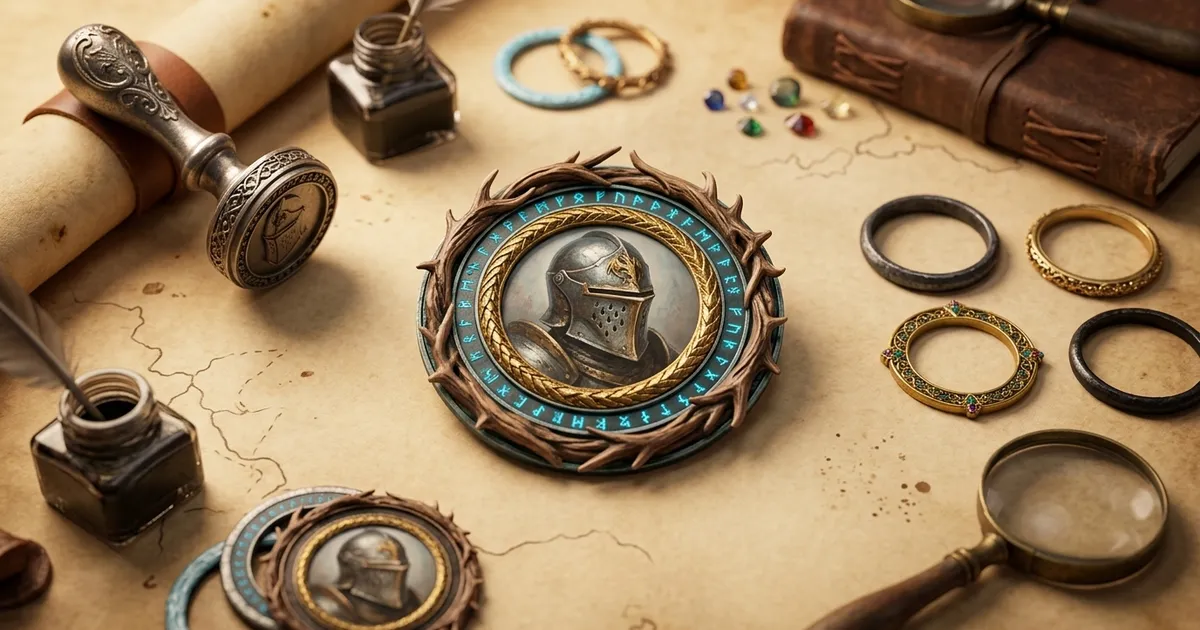
Most bad VTT prep dies in the same place, right after you find a portrait that looks brilliant full size and awful once it is shrunk into a circle. That is why I still care about a dnd token maker even now, when generating portraits is easy and decent fantasy art is all over the place. The hard part is not getting a face. The hard part is getting a token that reads clearly on a busy map in Roll20 or Foundry without dragging the whole job into Photoshop.
CharGen's Token Maker is built for that exact handoff. You upload a portrait, crop it, choose a border, tweak Scale and Rotation, then hit Download PNG. If you are logged in, you can also use Save to Gallery and file the result into one of the built-in content categories. If you are not logged in, it still works, which I like, because a free tool should act like a free tool.
I am not writing another roundup of every token site on the internet. I already covered the bigger batch-prep workflow in How to Make DnD Tokens Fast for Roll20 and Foundry. This tutorial is narrower on purpose. I am focusing on the single quickest job most DMs and players actually need: take one portrait you already have, or one you just generated, and turn it into a VTT-ready token in about half a minute.
Why a dnd token maker still saves time in 2026
Search results for this topic are crowded with generic token tools, official VTT help pages, and a few dedicated web apps. The search intent is not complicated, though. Most people are trying to do one of three things:
- get a token ready before tonight's session
- make a portrait readable at small size
- keep Roll20 and Foundry assets consistent without more manual editing
That matches my own use almost exactly. I do not open a token tool because I want another art playground. I open it because the portrait is done and the game asset is not.
There is also a practical difference between a portrait and a token that newer DMs sometimes underestimate. A portrait can survive extra shoulder detail, background clutter, or dramatic lighting. A token cannot. Once it is sitting on a gridded map, you need the face, silhouette, and border contrast to do the work fast. If the important detail disappears at token size, the art has failed the job.
One recent example made that painfully obvious. I had a half-orc harbour enforcer with a split tusk, wet hair, and a tar-black coat. Full portrait looked great. My first crop looked muddy once I imagined it over a dock map at table distance. I pushed the face higher, increased Scale, and swapped to a brighter border. Same art, much better token.
That is the whole value of a good token maker. It gives you a fast correction loop after the portrait stage instead of forcing you to regenerate the art from scratch.
The CharGen Token Maker workflow I actually use
The current page copy is refreshingly direct: Create circular tokens for your VTT characters. Under that, the interface shows the main promise straight away: Free, No signup required, 20+ borders, and All VTTs supported. Good. That is exactly what a token page should say.
When you open the tool, the empty state says Drop image here or click to upload, with Pick from Gallery underneath. That matters more than it sounds. A lot of token tools assume you already have a tidy local art folder. In real prep, I am often pulling from a fresh CharGen image, an older PNG, or some half-forgotten WebP I made three sessions ago. Being able to upload locally or pull from the gallery covers both habits.
Here is the basic flow I use:
| Step | UI control | What I do | Typical time |
|---|---|---|---|
| 1 | Drop image here or click to upload | load a PNG, JPG, or WebP portrait | 5 seconds |
| 2 | Border Style | choose a ring that fits the campaign or faction | 5 seconds |
| 3 | Scale and Rotation | tighten the crop until the face reads clearly | 10 seconds |
| 4 | Download PNG | export the transparent token for VTT use | 5 seconds |
| 5 | Save to Gallery | optional if I want the token stored inside CharGen | 5 seconds |
That is the whole job. No layer stack. No detour into a design suite. No wrestling with a canvas that thinks I am building a poster.
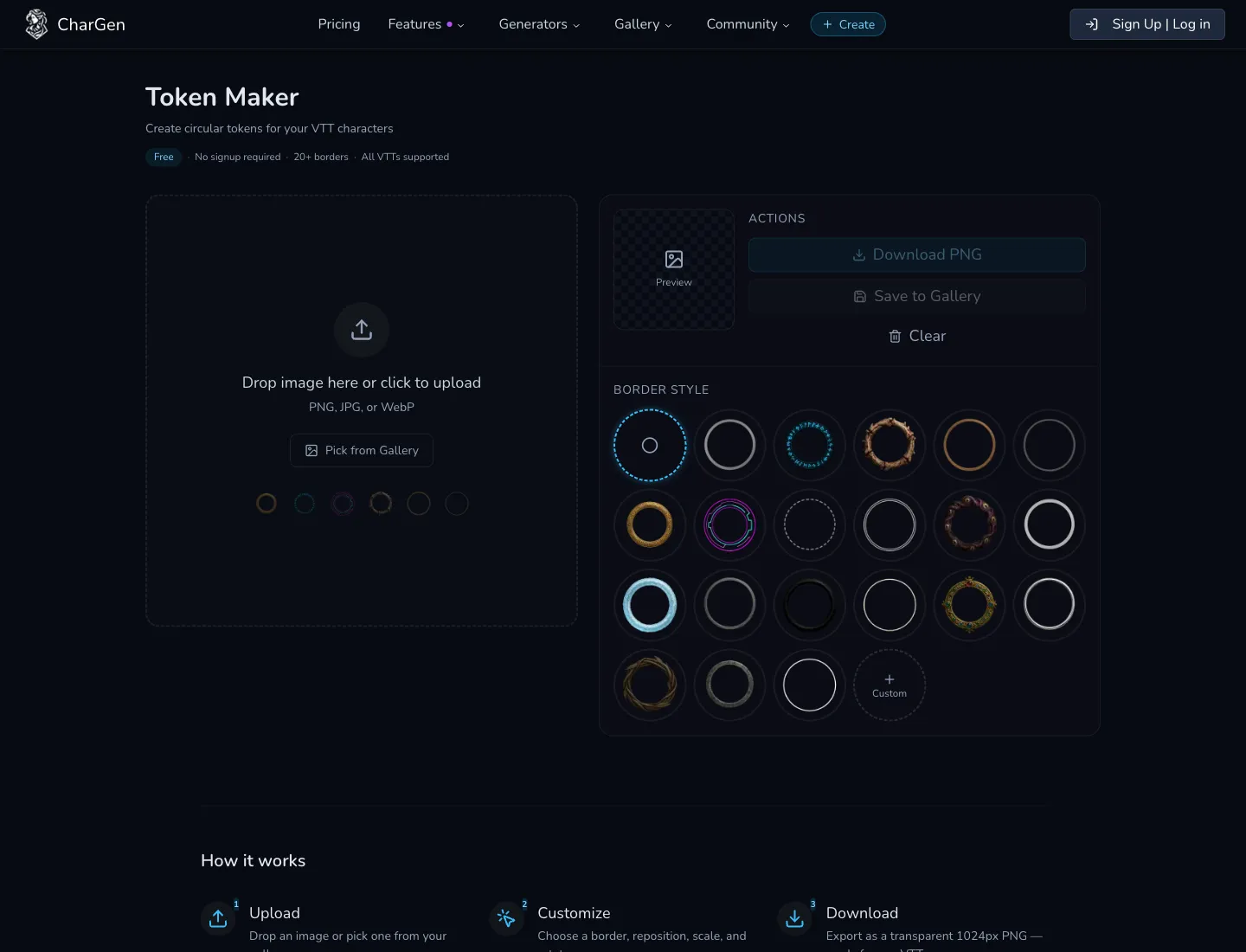
The preview on the right is the part I trust most. You see the finished token small enough that bad crops become obvious quickly. If the chin is clipped, or the border disappears into the hair, you know straight away. The Clear button is also worth mentioning. It sounds minor, but it keeps experiments cheap. I would rather clear and restart than drag a bad crop around for two more minutes out of stubbornness.
Turning one portrait into a Roll20 or Foundry token
Right, so here is the exact use case that sold me on this workflow.
I generated a dwarven quartermaster for a city militia arc. The portrait had a brass monocle, cropped beard, and a blue officer's sash. Lovely image. Useless token on the first pass. The monocle sat too close to the ring, the beard ate half the lower frame, and the sash vanished completely.
Inside Token Maker, I fixed it in three moves:
- I zoomed in until the face filled more of the circle
- I nudged the crop up so the monocle stayed visible
- I used a warmer ring so the token would still pop on a cold stone battlemap
That was enough. I did not need a second render.
I had a similar result with a goblin courier who wore a red scarf and an oversized satchel. Full portrait was busy in a fun way. Token version only worked once I accepted that the satchel did not matter. I centred the sneer, kept the scarf knot, dropped the rest, and exported. Players recognised him immediately the next time he appeared.
The main lesson people miss when they search for a vtt token maker is simple. You are not preserving the whole composition. You are preserving the fastest readable identity cues.
If you want a quick rule, I use this one:
- faces first
- signature detail second
- everything else only if it survives the crop
For a paladin, that might be a scar and a white tabard edge. For a vampire courtier, it might be the eyes and the high collar. For a kobold alchemist, it might be the goggles and a green splash of poison light. The token does not need to carry every design choice. It needs to carry enough.
From generated NPC to saved token without leaving CharGen
CharGen pulls ahead of generic token makers for me here. The tool is free on its own, but it is better when you use it as part of the wider stack.
If I need faces first, I start in NPC Generator. If I already have portraits in my account, Pick from Gallery keeps the handoff short. If I want to reuse older assets or check which characters I have already finished, Browse is useful as a quick memory jog. The point is not that CharGen invented circular crops. The point is that the portrait, token, and campaign prep jobs can sit next to each other instead of living in separate tabs and separate services.
That becomes even more useful for recurring NPCs. I do not generate tokens for everyone. I am too lazy for that, and frankly most tables do not need it. I do generate tokens for people who will show up again and whose face needs to land fast on a VTT. Tavern owner. Rival knight. Smugglers' broker. Militia captain. Those are the faces worth preserving cleanly.
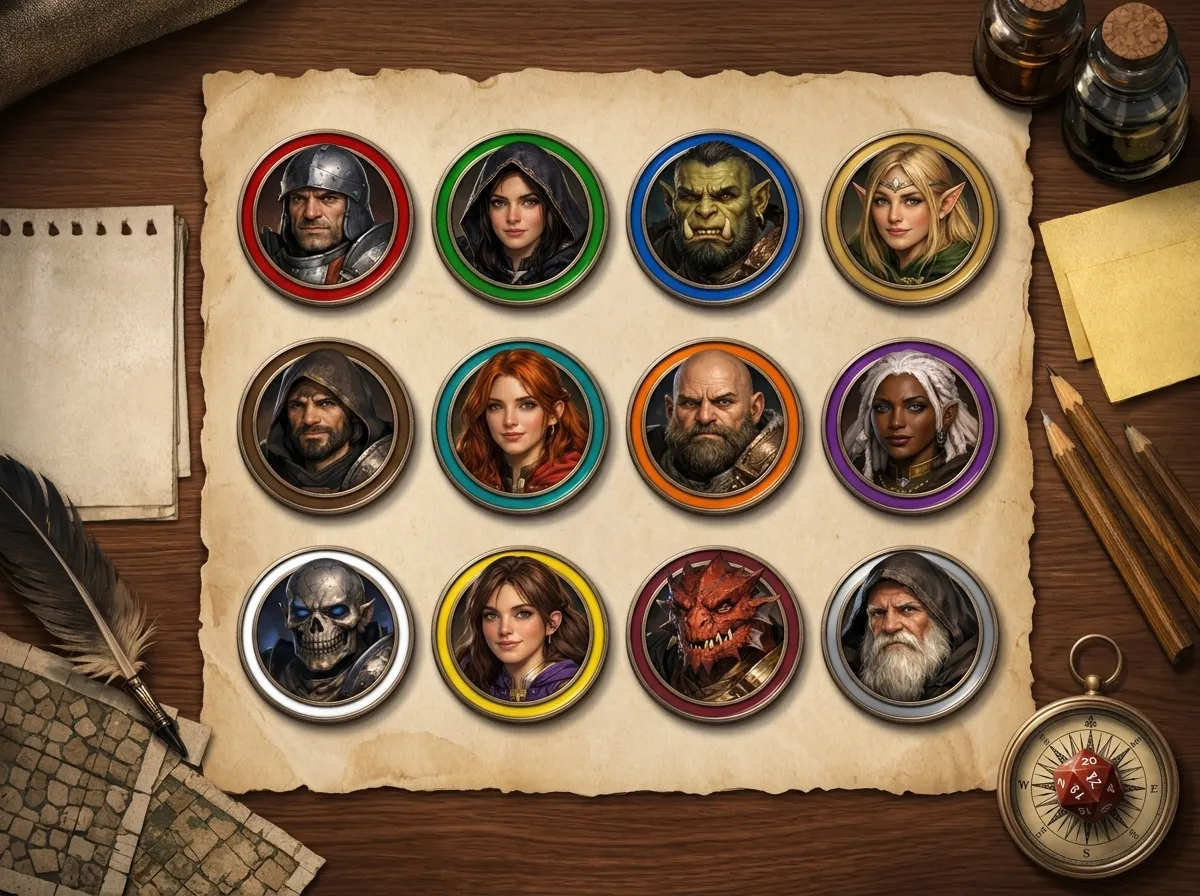
If I am logged in, Save to Gallery does one more useful thing. It forces a naming decision. That sounds boring, but boring is good here. One of the more common Foundry complaints I still see is portrait or token confusion caused by generic names, duplicate defaults, or sloppy file habits. Unique names stop a lot of nonsense before it starts.
My naming pattern is plain:
campaign-location-role-name
So instead of token-final-2.png, I end up with something like blackwake-watch-quartermaster-ivril. It is dull. It also works.
If you are running a game with a dozen recurring NPCs, that tiny bit of discipline saves far more time than people expect.
Try the Free Token MakerWhere CharGen beats generic token makers, and where it does not
I think CharGen wins this search because it keeps the job short. That is not the same thing as saying it does everything.
Here is the honest version:
| Tool | Best when | Where it wins | Where it falls short |
|---|---|---|---|
| CharGen Token Maker | you want portrait-to-token speed inside a broader RPG workflow | free, no signup needed, quick crop, clean PNG export, easy handoff from generated art | less elaborate than specialist editors if you want lots of decorative extras |
| Heroic Token | you want a big border library and cloud organisation | strong border catalogue, folder-style organisation, batch-friendly feel | extra account and feature depth can be overkill for one fast token |
| Token Stamp 2 | you want a simple browser crop with no platform ecosystem | still quick, still familiar, light mental load | weaker if your portraits live elsewhere and your wider prep is already in CharGen |
| Foundry native token tools | you already manage everything inside one Foundry world | close to the table, no export hop if you stay in Foundry | weaker if you need the same asset in Roll20, Owlbear, or elsewhere |
The key difference is context. If you live entirely inside Foundry, native token handling may be enough. If you hop between systems, prep on one machine and run on another, or build the portrait in one step and the token in the next, CharGen is far more convenient.
I also like that the tool does not pretend to be a full-blown art editor. Some competing token makers pile on so many border, text, and embellishment options that the quick fix becomes its own mini-project. That may suit pack creators. It does not suit me on a Wednesday night.
That said, there are real limits.
- If you want animated tokens, CharGen is not the deepest option today.
- If you want text overlays or highly custom frames for every faction, a specialist tool may offer more knobs.
- If the source portrait itself is weak, no token crop will save it completely.
I would rather be honest about that. CharGen is the tool I reach for when I want a clean static token fast, not when I am producing a premium token pack for sale.
Roll20 and Foundry tips that stop ugly token crops
The token export is only half the job. The other half is not sabotaging it when you import.
Roll20's own token features guide is a useful reminder that tokens can be resized, snapped to the grid, and edited after import. Foundry's official token guide is worth reading too, especially if you want to understand grid dimensions, scale, and when Foundry's own ring system is doing part of the visual work for you.
Even so, I still prefer exporting a clean transparent PNG first. That gives me one stable asset I can move across Roll20, Foundry, or Owlbear without rebuilding the crop every time.
The three import rules I use most are:
- do not rely on the VTT to find the correct crop for you
- test the token against one real map tile before you mass-import anything
- keep bright borders for dark maps and quieter borders for pale maps
One example: I had a bone-coloured token ring that looked gorgeous on parchment-style encounter maps and nearly vanished on a snowy pass. Same token, wrong map, bad result. I switched to a darker ring and the problem went away in seconds.
Another one: a basilisk token with lots of spines looked dramatic at full size, then became unreadable once the spikes touched the outer ring. The fix was not a new portrait. The fix was a tighter crop on the eyes and jaw.
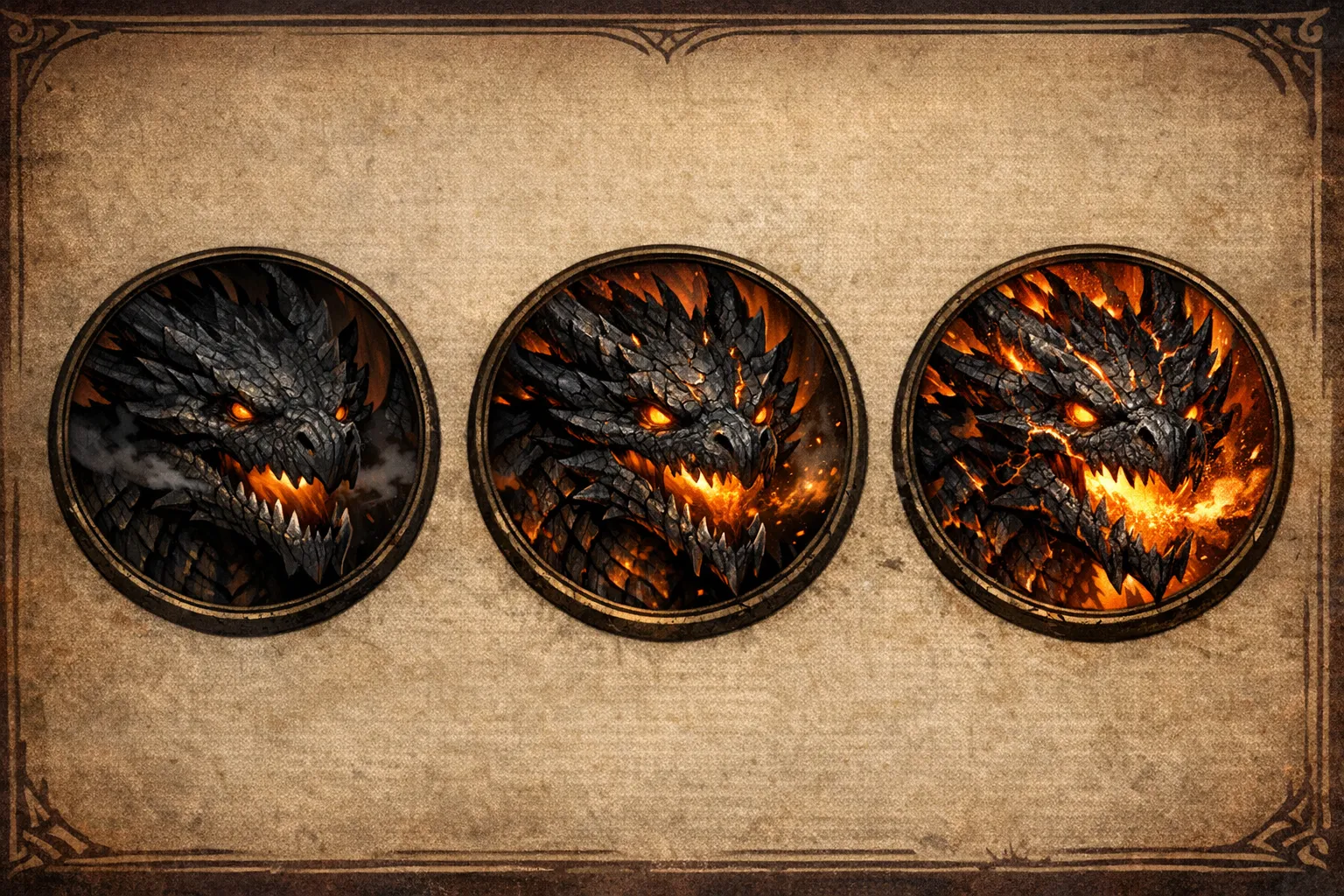
The thing is, readability beats perfection every single time. Your players see tokens in motion, over maps, next to status markers, often on a laptop screen. You are building for clarity, not for a portfolio.
My recommendation if you just need a token before tonight's session
Use the shortest route that gets you to a readable PNG.
If you already have the portrait, open Token Maker, upload it, choose a border, tweak Scale, export, done.
If you do not have the portrait yet, generate the face in NPC Generator, then send it through Token Maker immediately while the character is still fresh in your head.
If you are building a larger recurring cast, save the finished results, give them sensible names, and keep the pretty-but-useless experiments out of your live prep folder.
That is the practical version. No mystique. No fiddly detour. Just a solid token you can drop into Roll20 or Foundry and recognise instantly when initiative starts.
FAQ
What is the fastest way to make a D&D token for Roll20?
Upload a portrait into CharGen Token Maker, pick a border, adjust the crop with Scale and Rotation, then hit Download PNG. That is the quickest route I have found when the art already exists.
Does CharGen's dnd token maker need an account?
No. The core token workflow is free and works without signup. You only need an account if you want to save the finished token back into your gallery.
Can I use the same token in Foundry and Roll20?
Yes. That is one of the reasons I prefer exporting a transparent PNG first. It gives me one clean asset I can reuse across both platforms.
Should I make tokens for every NPC in my campaign?
Probably not. I only do it for people likely to recur, or for encounters where visual clarity matters. Throwaway tavern extras do not usually deserve five extra minutes of prep.
What matters more, the portrait quality or the crop?
Both matter, but the crop decides whether the token actually works at table size. A decent portrait with a smart crop usually beats a gorgeous portrait with a muddled token frame.
Image credits
- WaveSpeed retry update on 22 April 2026: text-to-image requests were still blocked by content review, but
editrequests succeeded. The hero image and portrait-sheet image were replaced with WaveSpeed-edited versions derived from CharGen-owned local source assets. - Remaining in-content images use existing CharGen UI screenshots and token example assets already stored in this repository.