
How to Make DnD Tokens Fast for Roll20 and Foundry
Learn how to make dnd tokens with a batch NPC workflow in CharGen for Roll20 and Foundry VTT, including sizing rules and prep shortcuts.
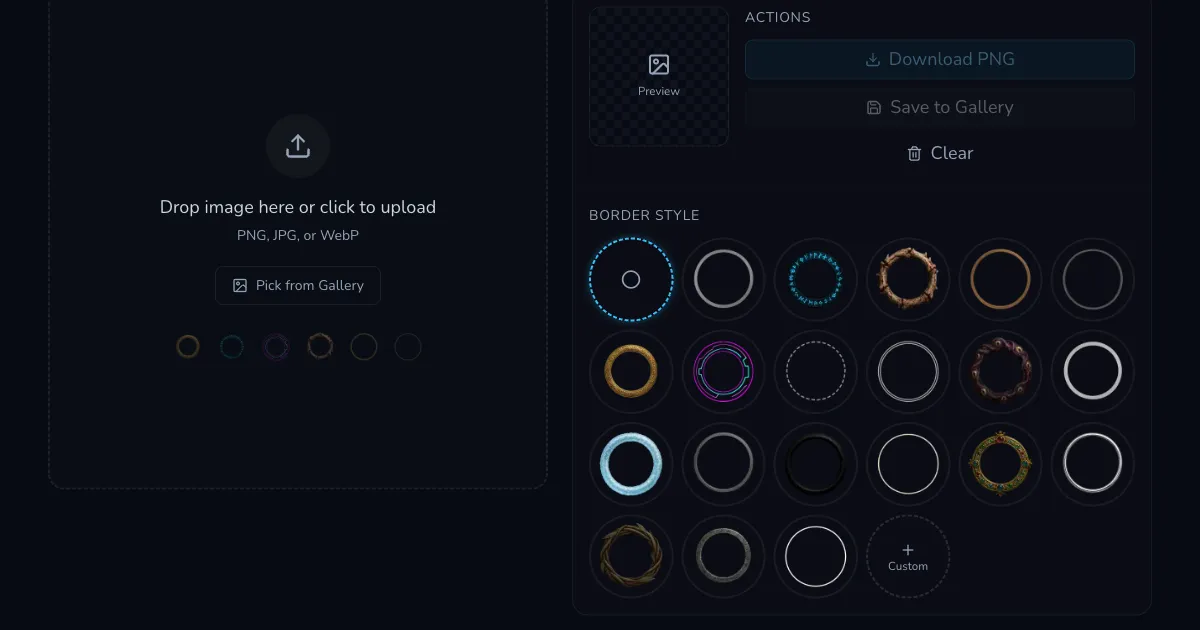
How to make dnd tokens stopped being a chore for me once I treated token prep as a weekly pipeline, not a last-minute art task. I used to generate one portrait at a time, crop each image by hand, then discover mid-session that half the tokens looked unrelated. The fix was not artistic talent. The fix was a repeatable batch flow in CharGen that connects NPC generation, token framing, and VTT export in one place.
Prep pressure has gone up for most DMs I know. Players expect visual consistency now, especially in long campaigns where named NPCs return across several arcs. Reddit threads in r/DMAcademy and r/DnD keep circling the same frustration: you can improvise a tavern voice quickly, but visual continuity falls apart when your folders are chaos and your token process changes every week.
I run Roll20 for one campaign and Foundry for another, so I need a workflow that survives both. What follows is the exact routine I use to build 12 to 20 NPC tokens in under an hour, with fewer rerolls and far less confusion during play.
Why token prep breaks for most tables
Many guides explain tool features, then leave you alone with the messy part: turning raw character art into campaign-ready tokens at scale. That gap is where people lose evenings.
My old process failed in predictable ways. I had good portraits but inconsistent framing. I had token borders but no naming convention. I had exported files but no link back to the relevant NPC record. Every time I opened the VTT library, I saw versions like guard_final_3_really_final.png, and none of them matched the recap notes.
Token quality problems usually come from process drift, not from weak models. One week you export square crops with close-up faces. Next week you export chest-up portraits with wider margins. Both can look fine individually, yet your board looks like three different campaigns stitched together.
Right, so the goal is simple: one pipeline, fixed framing rules, clear filenames, and direct links to NPC context.
My batch workflow in CharGen
I use three connected areas:
- NPC Generator for fast cast creation.
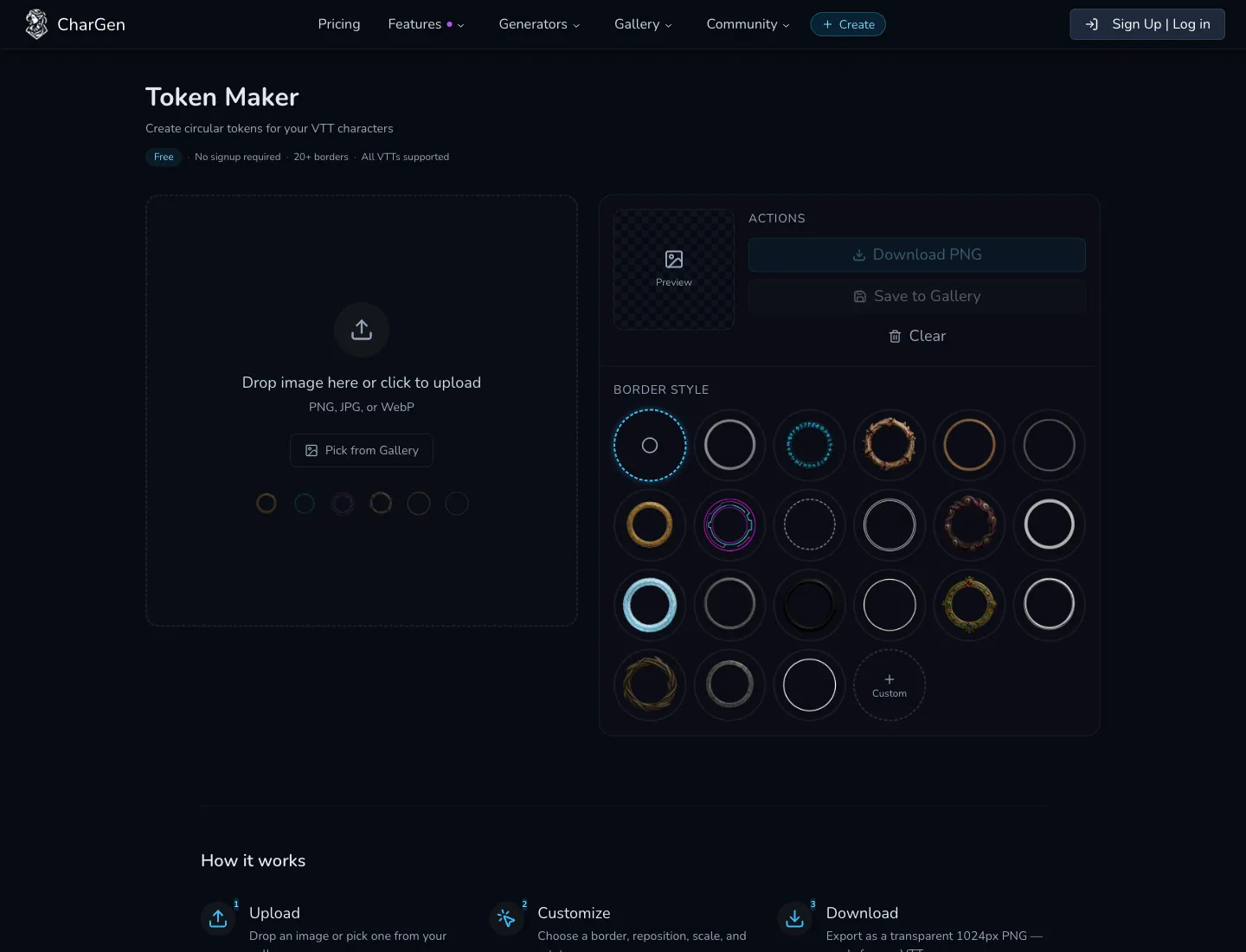
- Token Maker for border and framing output.
- Paid Arena A/B tests for occasional prompt sanity checks when portraits drift.
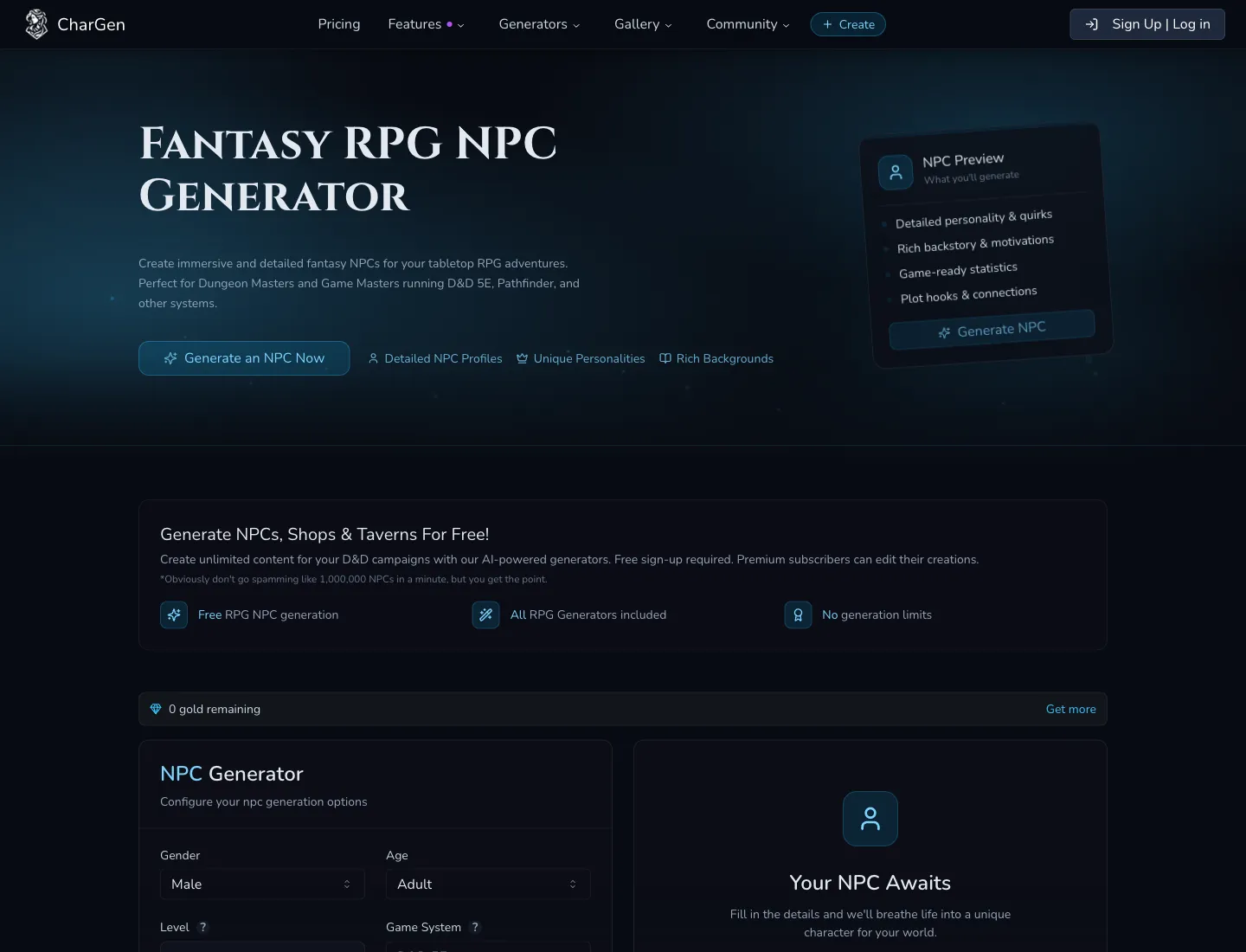
A quick summary table first:
| Stage | Time budget | Output |
|---|---|---|
| NPC briefing | 12-15 min | 10-16 usable NPC records |
| Portrait pass | 15-20 min | One approved image per recurring NPC |
| Token framing | 12-18 min | Transparent PNG tokens with consistent borders |
| VTT export check | 8-10 min | Roll20/Foundry-ready library with clean naming |
I stay close to that budget every week. When I skip one stage, I usually pay for it later with rework.
How to make dnd tokens with stable framing rules
Token framing is where most continuity breaks happen, so I lock four rules before touching exports:
- recurring social NPCs are chest-up
- elite enemies are head-and-shoulders with tighter crop
- background extras are broader crops to save detail effort
- all tokens keep the face centreline at roughly the same vertical position
Anyway, that last rule matters more than people think. Consistent eye-line makes a mixed board look intentional, even when art style varies slightly.
In CharGen Token Maker, I keep one border family per faction arc. City watch gets metal borders, cult cells get darker arcane borders, and neutral townsfolk get simple clean rings. A border set becomes visual shorthand for your players. After two sessions they identify allegiance before reading a single label.
File naming that prevents chaos
I renamed everything manually for years, and it was a waste of life. My current format is:
[campaign]-[location]-[npc-role]-[tier]-token.png
Example real filenames from a dock arc:
blacktide-quay-harbormaster-major-token.pngblacktide-quay-dock-clerk-minor-token.pngblacktide-quay-night-watch-elite-token.png
When a player says, "who was that quartermaster again", I can search by location and role in seconds.
Roll20 and Foundry sizing choices that save rework
Roll20 and Foundry both handle transparent PNGs well, but sloppy export habits still cause pain.
Roll20 runs happily with standard square tokens in most setups, while Foundry often benefits from slightly larger source images before in-app scaling. CharGen Token Maker exports transparent PNGs already suited for VTT use, so I avoid extra resizing unless I see a specific blur issue.
My practical rule:
- keep one master token export per NPC
- only create platform-specific variants when a real display issue appears
- never create duplicate sets "just in case"
For platform references, I still check official docs when I am changing a campaign setup:
Those links save argument time in DM chats because you can point to the source rather than guessing from old forum posts.
CharGen token exports also upload cleanly into Quest Portal using the same drag-and-drop workflow. If you are comparing VTT platforms, I wrote a field report on Quest Portal alternatives covering how its free tier stacks up against Roll20 and Foundry.
Prompt structure for faster NPC token batches
Prompting for token production is different from prompting for splash art. Token art needs readability at small size, not dramatic full-scene composition.
I keep a compact template:
[role] | [species + age band] | [2 visual anchors] | [mood] | [lighting] | portrait framing
Three examples that worked for me recently:
City toll captain | human late 40s | broken nose bridge, brass jaw clasp | sceptical | cold dawn light | chest-up portraitTemple bursar | dwarf adult | ink-stained gloves, silver prayer ring | guarded | warm lantern light | chest-up portraitSmuggler mediator | tiefling mid 30s | horn chip, weathered naval coat | amused but tense | dockside fog | head-and-shoulders portrait
Concrete anchors are doing most of the work there. If I write vague style terms and no physical anchors, consistency drops immediately.
Where the paid Arena helps, and where it does not
I do not use the paid Arena for every token. I use it when an NPC group needs matching visual language and my first two outputs drift.
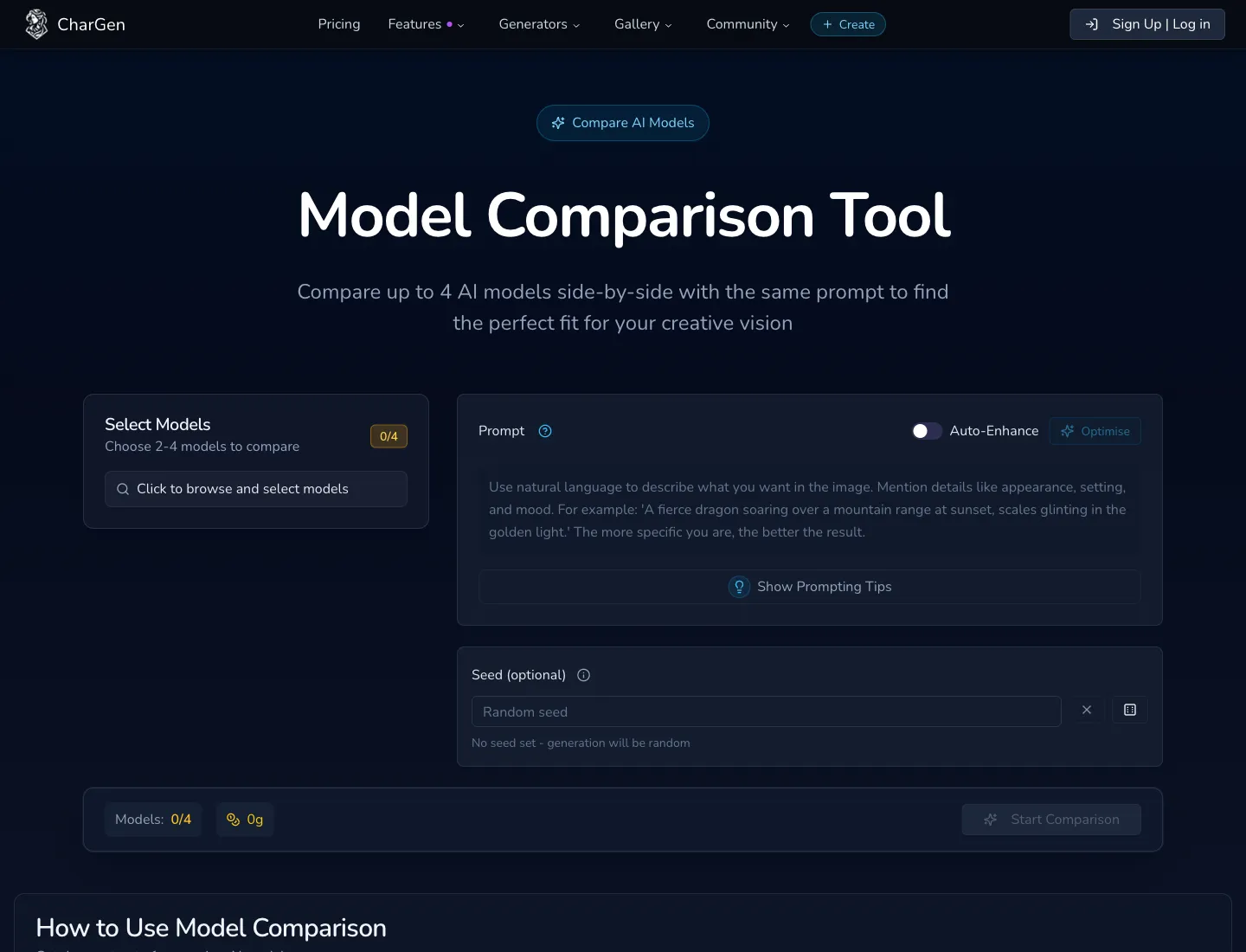
This screenshot shows the retired four-model comparison tool. The current paid Arena uses one prompt and exactly two models.
A short A/B pass is usually enough. I run one prompt across exactly two models, check armour readability, skin tone stability, and border contrast after token framing, then lock a lane for that batch.
CharGen supports several current model families in this workflow, including Midjourney V7, Flux 2, and GPT Image 1.5. Realistically, no single model wins all fantasy token tasks. I pick based on failure cost:
- if facial clarity fails at token size, I switch
- if metal texture is noisy, I switch
- if reroll count climbs past my cap, I switch
Worth mentioning though, I do not chase perfect art for minor NPCs. Table readability beats gallery perfection every time.
Try the Free Token MakerA realistic 50-minute prep session
Here is the exact cadence I used before session 17 in one of my weekly games.
Block A, 15 minutes, cast prep
I generated 14 NPC records in NPC Generator with role-first descriptions. Four were likely recurring, six were medium priority, and four were disposable extras for market scenes.
I added one-line notes under each recurring NPC:
wantsfearsoffers
Those lines later helped me write recap notes without reopening half the campaign wiki.
Block B, 17 minutes, portrait selection
I generated portraits for the four recurring NPCs first, then only six of the medium-priority group. Extras stayed text-only until needed.
One specific case: a half-orc dock enforcer looked great in full-body renders but unreadable in token crops. I switched to chest-up framing and kept the chipped tusk plus stitched collar as anchors. Result was less dramatic, far clearer in VTT.
Block C, 13 minutes, token framing and export
I moved selected portraits into Token Maker, used one border style for city watch affiliates, another for criminal factions, and exported transparent PNGs with final names.
Then I imported to Roll20, checked map contrast on a dark dock tile set, and adjusted only two tokens with brighter border rings.
Block D, 5 minutes, continuity lock
I added file references in my session prep notes so each recurring NPC had a direct token filename next to their latest state.
That tiny admin step stopped the usual "which version is current" scramble on game night.
Common failure points and fixes
Failure: every token looks like a different campaign
Fix: lock one prompt scaffold and one border family per faction arc. Keep experiments isolated to disposable NPCs.
Failure: exported files are impossible to search mid-session
Fix: enforce a strict naming pattern with campaign, location, role, and tier.
Failure: tokens are pretty but unreadable on busy battlemaps
Fix: choose clearer framing and stronger contrast over art flourish. Test one map tile before bulk export.
Failure: you regenerate everything after each session
Fix: regenerate only when narrative state changes. Injury, promotion, betrayal, or major costume shift are good triggers.
Failure: prep time explodes on weeks with low energy
Fix: run a reduced version with five key NPC tokens only, then expand later. Half a usable system beats a perfect system you cannot sustain.
Search intent reality check
People searching how to make dnd tokens usually want one of three outcomes:
- faster prep tonight
- cleaner Roll20 or Foundry imports
- more consistent NPC visuals across sessions
Most top-ranking posts still focus on tool lists or art-first tutorials. Tool lists are handy, but they rarely explain how to run 10 to 20 NPC tokens without burning your entire prep night. That practical gap is why I prefer a pipeline guide over another ranking article.
Recent AI-image news also pushes this direction. Model quality keeps improving, so generation speed is less of a bottleneck than workflow discipline. OpenAI's recent image updates are a good example of that shift toward stronger prompt adherence and editing quality: OpenAI image update.
Better output is nice. Better process is what keeps your campaign coherent.
Internal workflow links I actually reuse
If you want to connect token prep to broader campaign continuity, these pages are the ones I keep open during prep:
I also reuse two related CharGen blog guides when training a co-DM on this system:
Keeping those references in one tab group has saved me a silly amount of time.
FAQ
FAQ: how to make dnd tokens for VTT campaigns
How many NPC tokens should I prep before one session?
For a normal 3 to 4 hour session, I target 8 to 12 tokens. Four high-priority recurring NPCs, four medium-priority situational NPCs, and a few generic extras.
Should I use different token borders for every character?
No. Border variety looks fun in isolation but hurts readability during play. Use border groups by faction or narrative function, not by individual character mood.
Is Roll20 or Foundry better for token-heavy campaigns?
Both can work well. My choice depends more on table habits than raw token features. If your group already has strong routines in one platform, keep that platform and improve the token pipeline first.
Do I need to regenerate token art after every level-up or story beat?
Only when visual identity changes in a way players should notice. Small gear upgrades usually do not need a new token. Facial injuries, rank insignia, or major allegiance changes often do.
What is the minimum setup if I only have 20 minutes tonight?
Generate five NPC portraits, frame them in Token Maker with one border family, export with clean names, and stop. Leave paid model tests for another day.
Final practical recommendation
Run this workflow for three sessions before tweaking anything. Keep one prompt scaffold, one naming pattern, one framing rule set, and one border grouping method. Consistency over novelty wins in long campaigns.
If you want the fastest starting point, open Token Maker, build a first batch of five recurring NPC tokens, and connect those names to your session summary workflow. That single loop will give you cleaner boards and fewer continuity mistakes by next session.
If you have not created an account yet, you can start here: Sign up to CharGen.
Image notes
Images in this post were captured from live CharGen pages using Playwright fallback after OpenAI image generation precheck failed on connectivity (api.openai.com DNS/HTTPS unreachable in this run).