
AI Session Notes D&D Workflow for Consistent Campaign Art
Build an AI session notes D&D workflow that turns recaps into consistent NPC art, faster prep, and cleaner campaign continuity in CharGen.
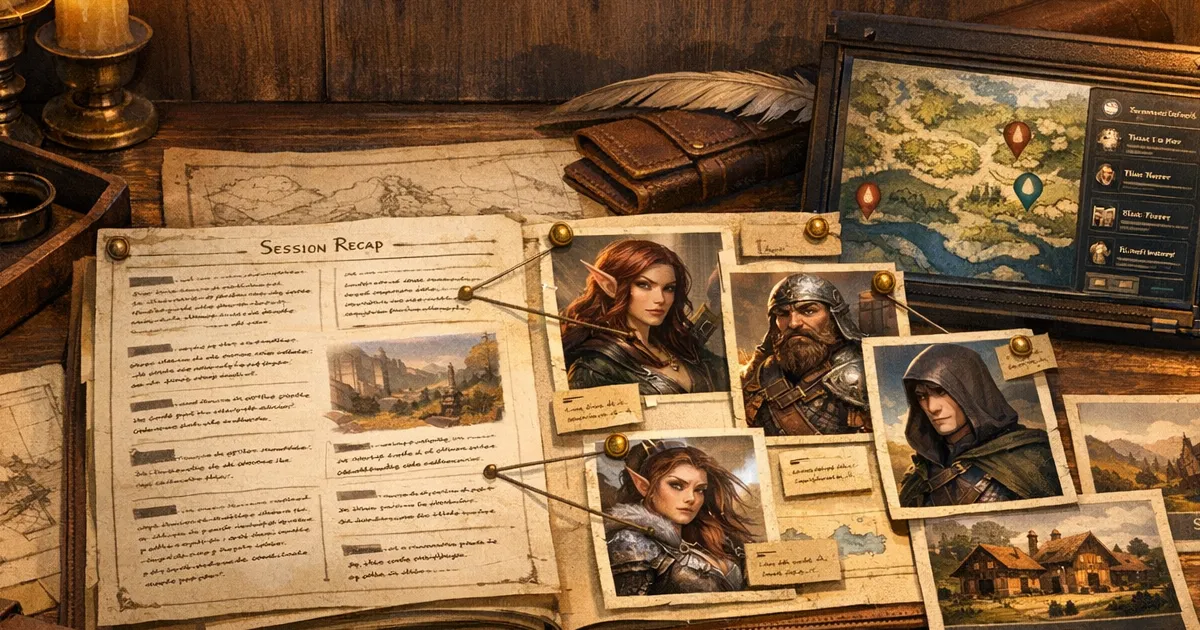
My campaign got better the moment I treated ai session notes d&d as production data, not diary text. I used to write recaps in one app, generate portraits in another, then lose track of which NPC version was current by week three. The story was fine, but continuity was a mess. Names drifted. Gear changed. My players remembered details that I had already contradicted in the next image set.
Right, so this guide is the exact workflow I now use inside CharGen to connect session recap output with image and NPC generation. It is practical, slightly obsessive, and built for people running weekly games with limited prep time. If your notes are scattered across Discord, Notion, and random screenshots, this will save you hours and reduce continuity mistakes.
Why this matters right now
I keep seeing the same two pain points in DM communities. One is recap fatigue. The other is character inconsistency when people generate new art every session. A recent r/DMAcademy thread on recap habits shows how many tables still rely on memory plus rough bullet points, then feel lost after a month. You can read one example discussion here: r/DMAcademy recap thread.
At the same time, image models keep improving, so it is easier than ever to create striking fantasy art quickly. OpenAI’s image updates have pushed prompt adherence and editing quality forward, which is great, but better generation speed can actually make continuity drift worse if your source notes are weak. Their update is here: OpenAI image update.
The thing is, fast output is not the same as reliable campaign memory. If you want your cast to feel coherent across ten sessions, the recap pipeline and art pipeline need to live together.
Why ai session notes d&d workflows break for most DMs
Most groups separate their workflow like this:
| Job | Typical tool setup | What breaks |
|---|---|---|
| Session recap | Notes app or chat thread | Important NPC traits get buried in prose |
| NPC creation | Generator or manual docs | Recap details are not copied over reliably |
| Portrait generation | Image app with ad-hoc prompts | Visual identity changes each week |
| Token export | VTT prep folder | Final assets lose source context |
I ran that setup for months, and it always failed in the same way. My recap said the guard captain lost two fingers, but next session I generated a clean-hand portrait because the detail never reached the image prompt. Then I burned extra renders fixing a mistake I had already documented once.
Anyway, the fix is simple in theory: one source of truth for campaign events, then structured extraction into reusable NPC and image prompt blocks.
My CharGen workflow that keeps notes and art in sync
I use four linked parts:
- RPG Session Notes for transcript and recap extraction.
- NPC Generator for structured character records.
- World Codex for campaign-level organisation.
- D&D AI Art generation for portraits and scene art tied to those records.
Step 1: Capture recap data with retrieval in mind
Inside RPG Session Notes, I upload the session recording and wait for transcript + timeline output. Then I create a quick extraction pass with four labels only:
- NPC state changes
- faction relationship changes
- visual clues worth preserving
- unresolved hooks that might affect next-session art
That label set matters because it maps directly to prompt input later. I am not trying to produce literary notes. I am creating data blocks that I can search and reuse.
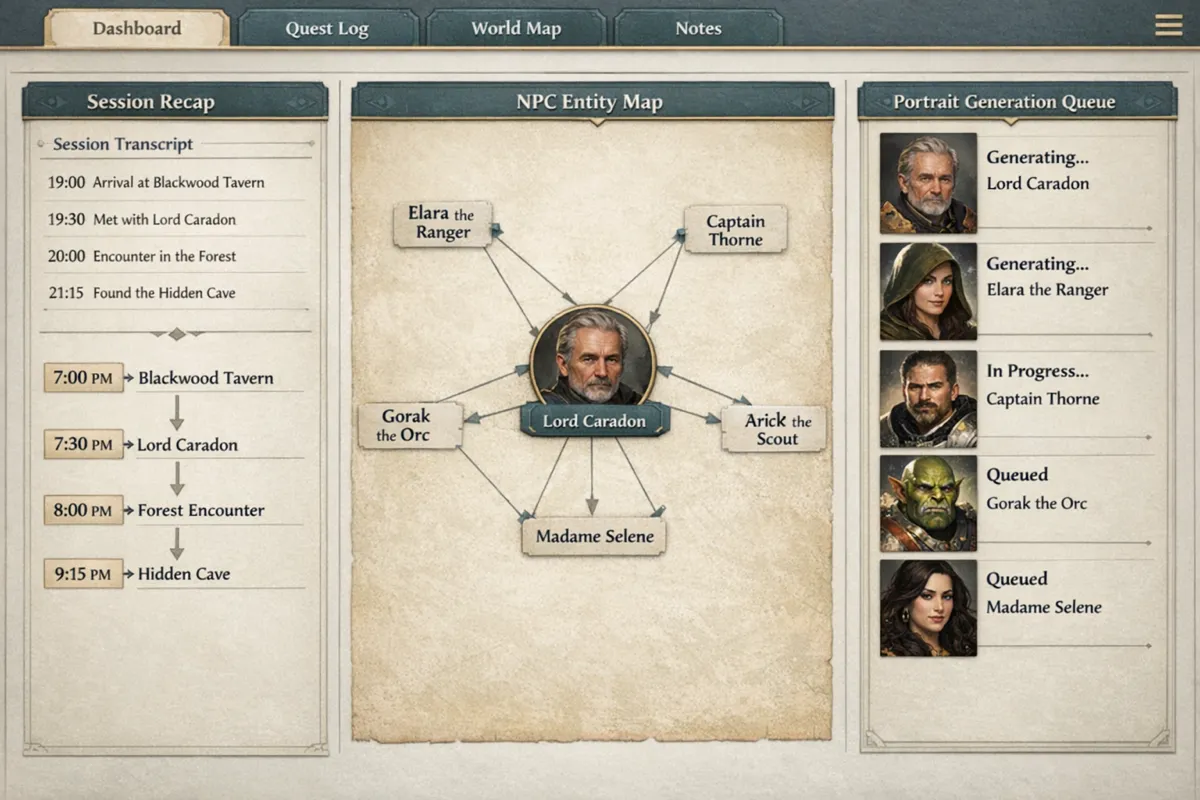
A concrete example from my table:
- Session event: Captain Rhyl got acid burns on left cheek, and her cloak clasp cracked.
- Stored recap note:
Rhyl visual update: fresh acid scar left cheek, cracked brass clasp, mood hardened after failed treaty. - Next image prompt fragment:
left-cheek acid scarring, cracked brass cloak clasp, stern posture, sleepless eyes.
One minute of structured note writing saved me six regeneration attempts later.
Step 2: Push recap details into NPC records before generating art
After recap extraction, I open NPC records and update appearance plus behavioural fields immediately. In CharGen, I treat the NPC card as the canonical reference, not the recap paragraph.
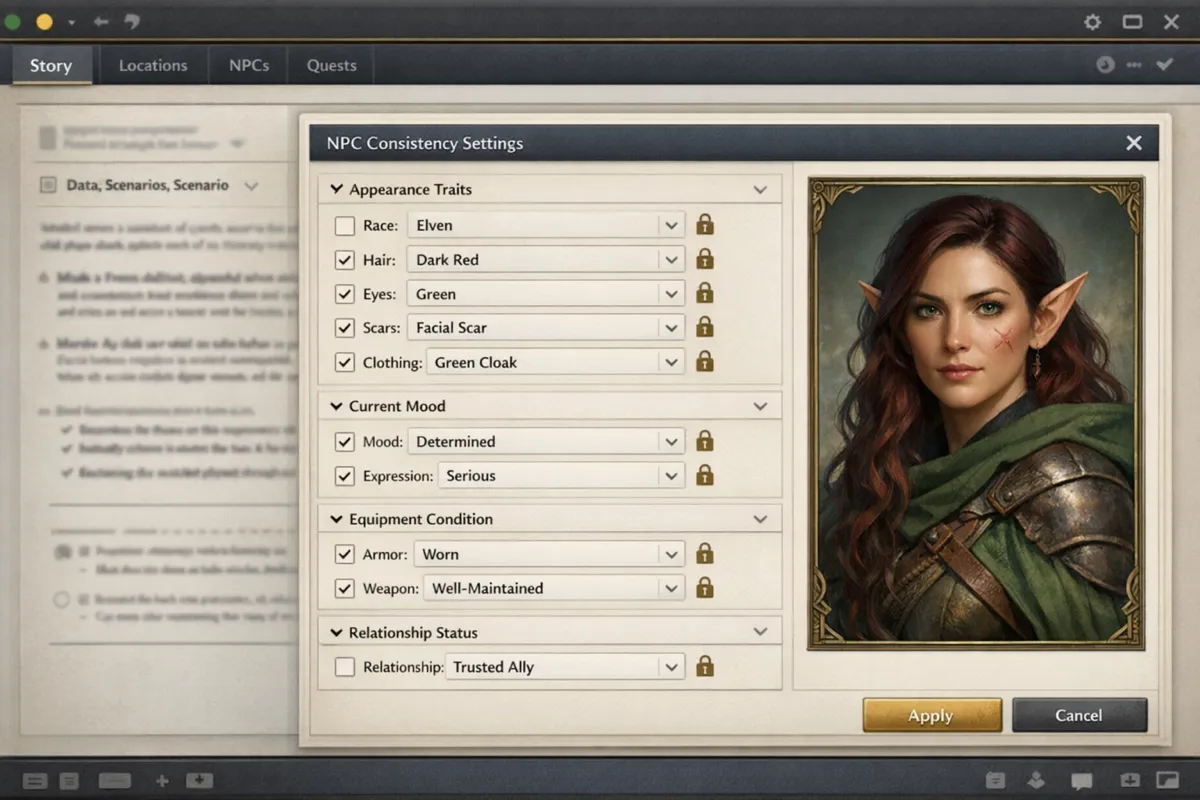
The fields I always touch:
- physical markers: scars, jewellery, posture, age cues
- equipment state: damaged, upgraded, replaced
- emotional baseline: tense, relieved, paranoid, arrogant
- relationship flag: ally, neutral, hostile, ambiguous
Worth mentioning though, I never write these as full prose in the field. I keep them compact so they copy cleanly into prompts.
Step 3: Generate portraits in two passes, not one
I used to try one perfect prompt and wonder why results drifted. My current routine is much more stable:
- pass A: low-cost composition checks with 3 to 4 variants
- pass B: final render once identity markers are clear
In the image generation panel, I lock the same aspect ratio and style lane for recurring NPCs. If I need a cinematic scene render later, I do it separately, not in the portrait pass. Splitting those jobs keeps portrait continuity tighter.
For recurring characters, I keep a mini prompt scaffold:
[Role + species + age band] | [3 fixed visual markers] | [current emotional state] | [lighting style] | [camera framing]
Example:
Human city marshal, late 40s | left cheek acid scar, iron signet ring, cracked brass clasp | exhausted but defiant | lantern-lit dusk | waist-up portrait
That scaffold is boring. Good. Boring is what creates consistency.
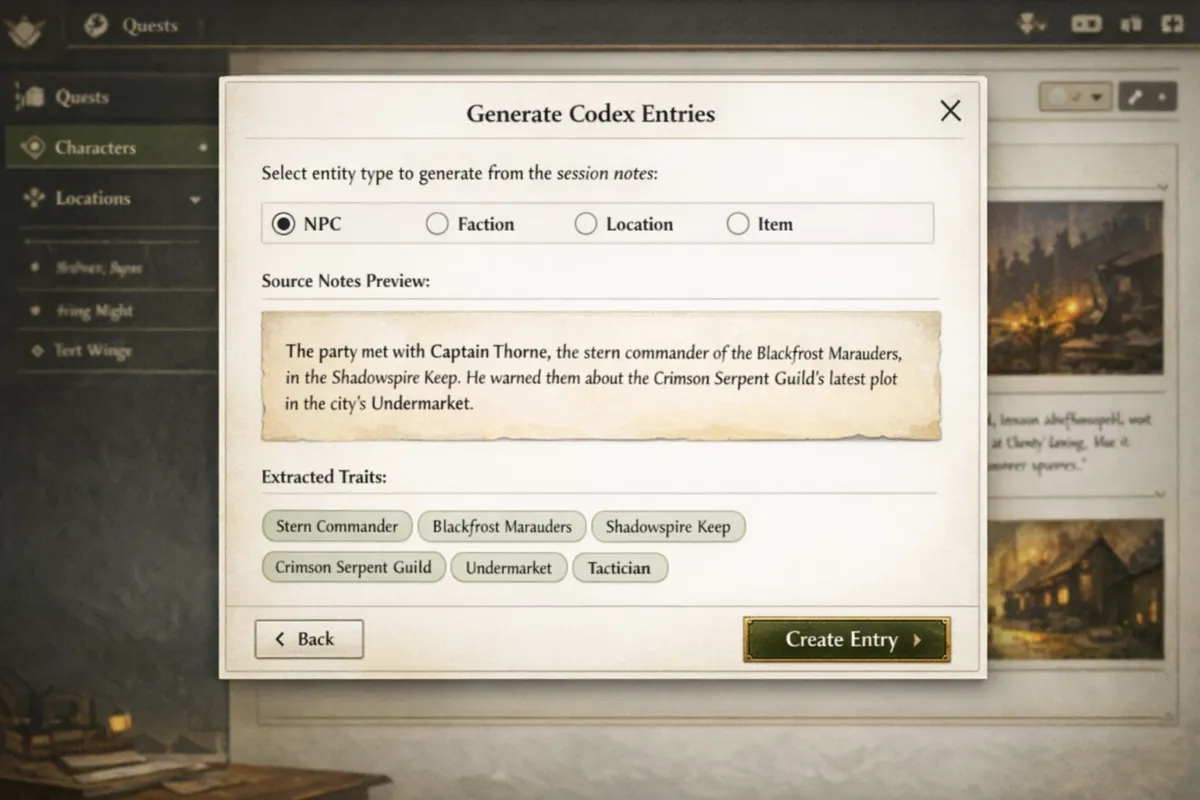
Step 4: Store final outputs in World Codex with date stamps
I save final art back into the relevant entity and add one date-stamped note line under it, like:
2026-03-13 portrait refresh after treaty collapse arc
This tiny habit stops version confusion. When I prep session 18, I can see exactly which image belongs to which narrative beat.
A weekly schedule that actually fits real life
I run this in three short blocks instead of one giant prep marathon.
Block A: Post-session, 15 minutes
Try RPG Session NotesI upload audio, trigger recap extraction, and tag the four labels. No art work yet. Just data hygiene.
Block B: Midweek, 20 minutes
I open NPC records, apply visual and emotional changes, and queue portrait updates for only the characters likely to appear next session.
Block C: Day before session, 15 to 25 minutes
I generate final portraits or one scene image, export tokens if needed, and post a recap snippet for players.
This cadence feels light enough to sustain. The old approach, where I did everything at midnight before game day, never lasted.
Search intent reality: what people actually want from session-note tools
When someone searches dnd session recap generator or campaign note taker rpg, they are rarely asking for prettier text. They want fewer continuity mistakes and less admin drag.
Here is how I map common intent to outputs:
| Search intent | What the DM needs | What I produce in CharGen |
|---|---|---|
| "I forget what happened last time" | quick factual recap | one-paragraph recap + timestamp timeline |
| "My NPCs keep changing" | stable reference traits | NPC card updates + locked prompt scaffold |
| "Prep takes too long" | repeatable process | 3-block weekly routine with capped time |
| "Players forget threads" | shareable summary | short recap post + 1 visual update |
If your pipeline cannot produce those four outputs reliably, it will not hold up for a long campaign.
Model choice notes from my own testing
I do not stay loyal to one model family for every task. I pick based on failure cost.
- Draft pass: cheaper and faster options for prompt shape checks.
- Final pass: higher-quality options only when identity markers are already right.
- Scene art: separate lane, because atmospheric shots need different prompt weight than portraits.
I cross-check two options in a paid Arena A/B test, then keep a short shortlist per campaign style. For grim campaigns, I bias toward stronger texture control. For brighter heroic games, I choose outputs that keep facial readability high at token size.
My opinion after months of trial: a slightly less dramatic portrait that remains recognisable across ten sessions is better than one spectacular render that you cannot reproduce.
Three real examples from my table
Example 1: The quartermaster who became a main character
A dock quartermaster started as background flavour. Players latched onto him, so he came back repeatedly.
Without structured recap extraction, I would have regenerated him from memory and changed his look each time. Instead, I carried three locked markers forward: broken nose bridge, braided beard bead, salt-stained coat. Five sessions later, players still recognised him instantly.
Example 2: Villain reveal with continuity intact
My antagonist had a calm public persona early on, then switched to scarred war regalia after a failed coup.
Because recap notes captured the story beat and the NPC record stored the visual transition, I could show a believable evolution rather than a random redesign. The change looked intentional, and players noticed.
Example 3: Emergency one-shot in 40 minutes
I had to run a side session when two players cancelled. I pulled recap entities from World Codex, generated three supporting NPC portraits, and built a coherent short arc around existing factions. No panic improvisation, and no contradictory art.
That session would have collapsed if my notes and visuals lived in separate tools.
Common failure points and quick fixes
Failure: recap is too long to use
Fix: enforce a template with capped bullet length per entity. If you cannot skim it in 90 seconds, it is too dense.
Failure: every image prompt starts from scratch
Fix: keep a reusable prompt scaffold tied to NPC records. Only swap current emotional or equipment state.
Failure: players ignore recap posts
Fix: pair each recap with one visual update and one unresolved hook line. Engagement jumps when the post includes a face they remember.
Failure: token exports look inconsistent
Fix: standardise portrait framing before token export. Use one framing rule per campaign tier, such as chest-up for social NPCs and full-body for elite enemies.
Frequently Asked Questions
Is an AI session recap tool worth it for small groups?
Yes, especially for small groups. Fewer players often means deeper roleplay, and that creates more subtle continuity details to track. A recap tool prevents those details from disappearing.
How often should I regenerate NPC portraits?
Only when story state changes enough to justify it. New injury, major status shift, faction promotion, or dramatic costume change are good triggers. Weekly re-rolls with no narrative reason usually create confusion.
Can I use this workflow if I play on Roll20 or Foundry?
Yes. I still run recap and entity updates in CharGen, then export final images or tokens for the VTT. The prep logic stays the same.
What is the minimum setup to start?
Start with RPG Session Notes plus NPC Generator. Add World Codex once you have enough recurring entities that retrieval gets messy.
Do I need paid plans for this to be useful?
You can start small, then scale once your workflow is stable. If you want the full routine with regular image generation, check current options here: CharGen pricing.
What I recommend you do next
Set up one campaign as a pilot and run this workflow for three sessions before changing anything. Keep the four recap labels, keep the two-pass portrait flow, and keep date-stamped image notes in entity records. By session three, you will know whether your continuity problems are solved because your players will stop asking who that NPC was meant to be.
If you want to try the same stack I use, begin with RPG Session Notes, then connect it to NPC Generator and World Codex. It is the cleanest way I have found to keep story memory and visual memory aligned without turning prep into a second job.
Image notes
Images for this post were generated with OpenAI image generation via gpt-image-1.5 after a successful retry precheck on 2026-03-13.