
Best AI Battlemap Generators for D&D in 2026
My tested guide to the best ai battlemap generator tools for D&D in 2026, from fast text prompts to VTT-ready maps and exports.
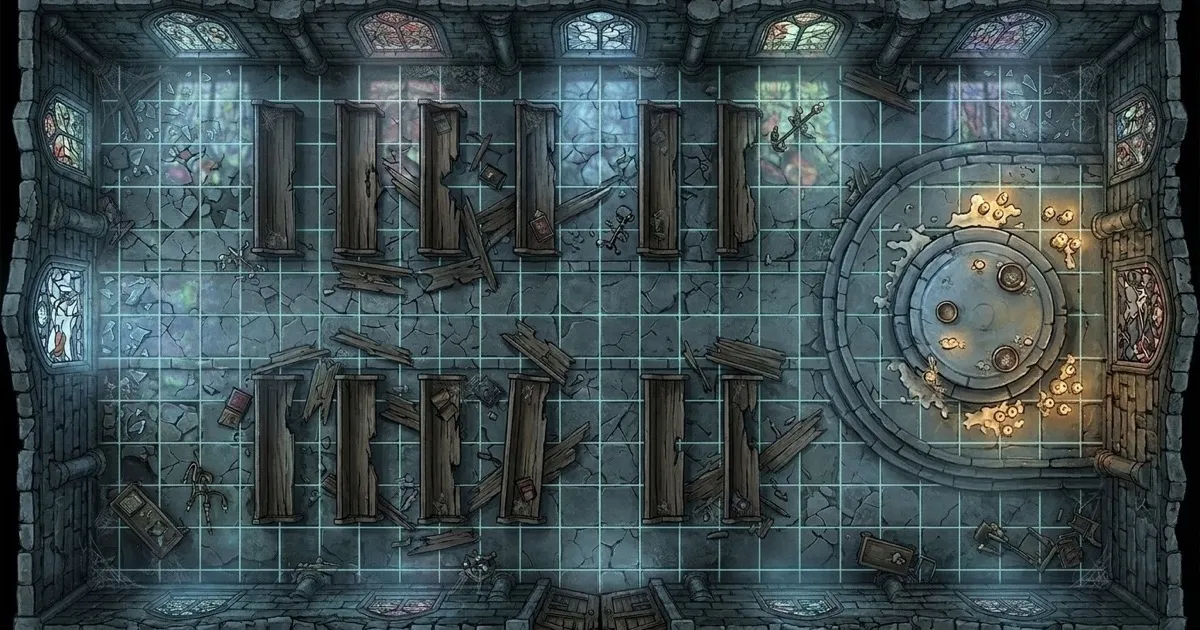
Updated July 2026: Added a new section on what an ai battlemap generator needs to handle now that D&D Maps is absorbing some Sigil ideas and Foundry import tools are better at turning map files into playable scenes. Updated September 2026: Added a VTT export comparison for Roll20, Foundry VTT, Fantasy Grounds and Owlbear Rodeo, and corrected my notes on CharGen exports, which now include VTT grid presets.
A battlemap can look gorgeous and still be useless the second initiative starts. That is the whole problem with the current ai battlemap generator boom. I do not need another moody overhead illustration with no readable choke point, no obvious cover, and a staircase that turns into decorative fog if I zoom in. I need a map I can drop into a session tonight, preferably without spending an hour repairing it in Foundry or Roll20 afterwards.
The search results for this topic are crowded now, but the real split is simple. Some tools are fast prompt machines. Some are proper map editors with AI helping in the background. A few do a decent job of both. If you want the short answer, CharGen is my top pick for weekly D&D prep because it gets me from prompt to usable map faster than the rest, and it sits next to the wider workflow I actually care about: Battlemap Generator, Dungeon Generator, and Token Maker in one stack.
What I judge before I call something the best battlemap generator for D&D
Pretty art is not enough. For an ai map maker dnd workflow to earn a place in my prep tabs, I want five things.
- top-down readability, not faux-isometric theatre
- strong combat shapes: cover, choke points, hazards, lanes
- map outputs that still make sense after zooming in
- a clean handoff to VTT play, print, or a follow-up editor
- enough speed that I will actually use it on a Tuesday night
A lot of AI map tools fail on the third point. The thumbnail looks great. Then I look closer and the bridge is half a river, the altar is melting into the floor, or the room layout stops making tactical sense. That is why I have become much harsher with battlemaps than with character art. A portrait can be a bit weird and still work. A map has to survive scrutiny.
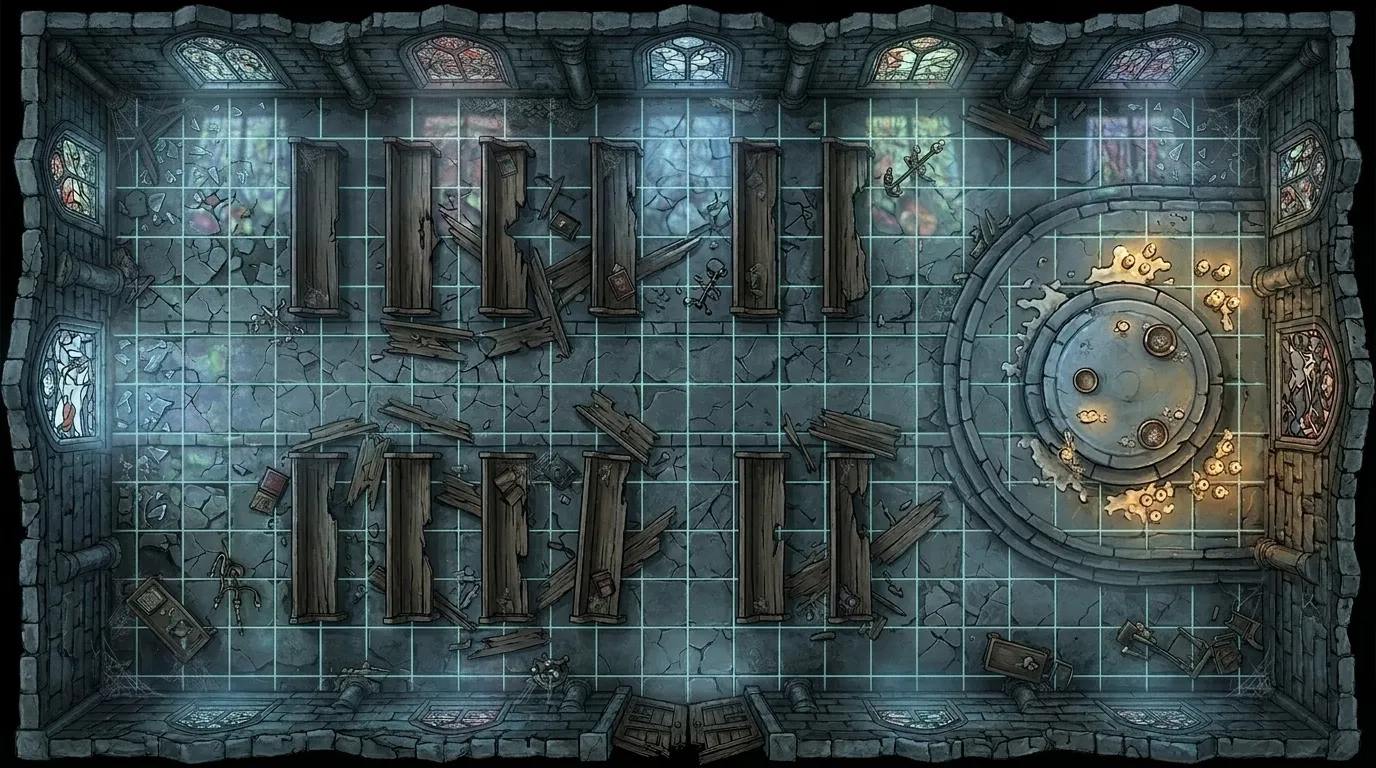
One honest wrinkle here, parts of the battlemap community are still openly hostile to AI maps, and I understand why. r/battlemaps made the call to ban AI-generated images after community blowback over quality and plagiarism concerns. That does not make AI battlemaps useless for home games. It does mean I am careful about what job I am asking them to do. For private prep, speed and flexibility matter. For published map packs, the bar is much higher.
The quick answer: my ranking for 2026
| Tool | Best for | What I like | Main limitation |
|---|---|---|---|
| CharGen | fast prompt-to-map prep for active campaigns | quick generation, fantasy-first prompts, strong links to dungeon and token workflows | less granular editor control than a full map studio |
| Dungeon Alchemist | indoor tactical maps you want to adjust room by room | auto-populates rooms with doors, walls, lighting, furniture, and objects | more hands-on than pure text prompt tools |
| TT-RPG | browser-based battlemaps with tokens and NPCs nearby | online workflow, community maps, useful if you want several prep jobs under one roof | newer product, so I still treat it as promising rather than settled |
| BatlGrid | repairing, extending, and restyling existing map drafts | selective edits, sketch-to-map flow, great if you already have a rough layout | strongest when you begin with something, weaker as a blank-page tool |
| DungeonFog | detailed handcrafted battlemaps with reliable export | vector editor, deep asset library, solid Foundry handoff | not the tool I reach for if I want a finished map from one sentence |
| Dungeonscrawl | lightweight free browser-based grid mapping | clean minimalist grid tools, no account required, instant shareable link | no AI generation, purely manual grid drawing |
| BattlemapAI | dedicated AI battlemap generation | focused entirely on battlemap output, no feature bloat | newer product, smaller model variety than platforms like CharGen |
CharGen wins because it matches the real pace of campaign prep. Dungeon Alchemist is the best pure mapmaker in the group when I want more manual control. TT-RPG is the online contender I would watch. BatlGrid is the salvage expert. DungeonFog is still good, but it is more editor than prompt generator, and I think people searching battlemap generator online often want a shorter route than that.
1. CharGen is the best AI battlemap generator for fast weekly prep
CharGen takes the top spot for one blunt reason. It gives me a map quickly, and the rest of the platform already understands what I am doing next.
The public Battlemap Generator pitch is refreshingly direct. It is about creating combat arenas, dungeons, taverns, forests, and streets that are ready for VTT use or print. The workflow is short and table-facing: describe the place, add cover, light and hazards, then download the map with a square or hex grid sized for your VTT. That reads like actual prep, not marketing improv.
I also like that the examples are grounded. City Under Siege Battlemap, Forest Tavern, and Underground Caverns are exactly the sort of jobs I need on short notice. No fuss. No weird attempt to pretend every encounter is an art book spread.
The best part, though, sits outside the map itself. If the battlemap is for a dungeon crawl, I can pull the shape from Dungeon Generator. If I want tokens to match the same session, I can move straight into Token Maker. If I am not sure which image model gives me the clearest stonework or terrain read, I can run a paid Arena A/B test. That joined-up workflow is the real advantage.

This screenshot shows the retired four-model comparison tool. The current paid Arena uses one prompt and exactly two models.
The paid Arena is particularly useful when I want to keep an encounter pack visually consistent. I choose two image models, send both the same prompt, and vote on the blind A/B result before their names are shown. I would much rather test a ruin prompt there for five minutes than generate six almost-identical maps and hope one lands.
Here is the kind of prompt structure that works best for me in CharGen:
top-down battlemap, ruined cliffside chapel, broken pews for cover, raised ritual dais, two side entrances, fallen glass, readable paths, cold moonlight, no characters
That prompt is doing three important things. It calls for a top-down map. It defines usable cover. It gives the encounter a tactical shape. If I leave those elements out, the result gets prettier and less useful.
One concrete example. Last week I wanted a smugglers' dock fight with one crane, one warehouse door, and enough water hazard to make forced movement funny. I asked for a top-down dock battlemap, specified stacked cargo for half cover, one narrow gangplank, and lantern pools at night, then kept the second variation because the first one overdid the boats. That is roughly the right amount of work.
My only real complaint is the same one I have with most prompt-first map tools. If you need exact walls, exact lighting, and exact grid logic, you will still want an editor afterwards. CharGen is the tool I use to get the battlefield idea fast. It is not pretending to replace every manual polish pass forever.
2. Dungeon Alchemist is still the best choice when you want the room layout under your hand
I rate Dungeon Alchemist very highly, even though it is not as fast as CharGen for raw prompt-to-image speed.
Its big strength is that it is not trying to be vague magic. The official pitch is simple: draw the rooms, and the app automatically populates them with doors, walls, lighting, furniture, and objects. That is a very strong value proposition if you care about tactical clarity more than instant variety.
Indoor fights are where it shines. Boss chambers, taverns, crypts, manors, laboratories, and hideouts all fit the tool neatly. When I already know the room count and encounter beats, I do not want an AI to invent a clever shape. I want help filling a shape I already trust.
Dungeon Alchemist also plays nicely with the VTT side of prep. The Foundry-compatible quick importer explicitly mentions support for many Dungeon Alchemist exports, which is the sort of practical detail I care about far more than a shiny demo reel.
Where it loses ground against CharGen is spontaneity. If a party ignores my prep and walks into an abandoned bathhouse instead of the watch post I expected, CharGen is faster. If I am building the bathhouse as a set-piece in advance, Dungeon Alchemist might win.
3. TT-RPG is the online contender that feels closest to a full browser toolkit
TT-RPG is the most interesting pure browser rival in this lane.
The official battlemap page is pushing the right keywords: battlemaps, tokens, NPCs, community maps, and prompt-driven generation. That combination matters because free ai battlemap searches are rarely just about maps. They are often shorthand for, "I need the map, I need the tokens, and I do not want to spend my whole lunch break stitching them together."
I would not put TT-RPG above CharGen yet, mostly because CharGen's broader campaign tooling is more proven in my own workflow. Even so, TT-RPG gets points for staying focused on what an online DM actually needs. The example pages are readable. The tool keeps tokens and NPC support nearby. It is clearly built by somebody who understands that battlemaps do not live alone.
If your group is heavily online-first, and you want one browser tab where the map and token jobs sit close together, TT-RPG makes sense. I would just keep expectations realistic and test it on a real encounter before building a whole campaign pipeline around it.
4. BatlGrid is the tool I would reach for when the layout exists but the finish is weak
BatlGrid solves a different problem from the others.
Its homepage is not really selling "type one sentence, get one perfect map". It is selling rough sketch to polished map, tactical AI editing, style transfer, upscaling, and selective inpainting. That is excellent if your real pain is revision.
I can imagine two very practical uses for it:
- I have a rough hand-drawn plan and want it polished fast.
- I have a decent existing map but need an interior, a collapsed wall, or a night variant without rebuilding the whole thing.
That is more useful than it might sound. Some of my favourite encounter maps start as ugly scribbles. The hard part is not the layout. The hard part is making the finished map look coherent without burning an evening.
BatlGrid also feels less likely to produce useless visual noise because it assumes you are guiding it. That said, it is not my first recommendation for someone who wants a blank-page dnd battlemap tool. It is the right pick when you already know roughly what the battlefield should look like.
5. DungeonFog is still excellent when you want reliability more than novelty
DungeonFog does not belong in every "AI battlemap generator" roundup, but I think leaving it out would make the list worse.
Officially, it is a TTRPG map editor with a vector-based workflow, a large asset library, a public map library, and explicit export support for external VTTs. DungeonFog also calls out its long-running Foundry partnership, including export with walls, doors, windows, and lighting support. That is serious practical value.
The reason I keep it below the faster prompt tools is simple. When I search ai battlemap generator, I usually want less editor time, not more. DungeonFog asks for more craft. In return, it gives more control.
That trade is worth it if you are making campaign maps that will recur for months, or if you want public-map editing plus a deeper manual pass. It is less compelling if you need a forest ambush in ten minutes and the kettle is already boiling.
So yes, I still recommend it. I just recommend it to the right person.
Which tool I would use for specific battlemap jobs
| If my real problem is... | I would start with... | Why |
|---|---|---|
| I need a fight map tonight from a prompt | CharGen | quickest route from encounter idea to usable battlefield |
| I want exact rooms, props, doors, and lights | Dungeon Alchemist | best blend of control and fast population |
| I want map, NPC, and token jobs close together in-browser | TT-RPG | good online stack for multi-asset prep |
| I already have a rough map and need smart edits | BatlGrid | strongest repair and iteration workflow |
| I want long-term editor control and solid exports | DungeonFog | reliable map studio with proper VTT handoff |
That table also explains why CharGen still finishes first for me. Weekly D&D prep is not only about map quality. It is about how fast I can turn the map into a playable session.
My prompt formula for battlemap generator online tools
Try the Free Battlemap GeneratorMost generators get better the moment I stop writing like a novelist and start writing like a tactical designer.
My working formula is:
top-down battlemap, [location], [combat objective], [3 pieces of cover], [1 hazard], [entry points], [lighting], readable layout, no characters
Examples I would actually use:
top-down battlemap, flooded warehouse, stop the ritual, stacked crates for cover, broken gantry, deep water hazard, two dock entrances, lantern light, readable layout, no characterstop-down battlemap, forest shrine clearing, rescue captive druid, fallen logs, standing stones, mossy wall segments, unstable sinkhole, moonlit rain, readable layout, no characterstop-down battlemap, noble villa kitchen fire, protect the ledger, long counters, overturned tables, pantry doorway, spreading flames, night interior lighting, readable layout, no characters
The thing is, "readable layout" matters almost as much as the scene dressing. If I forget to ask for readability, many generators default to atmosphere over clarity. Great for a handout, not great for combat.
The VTT handoff is where most map tools quietly lose points
A lot of map reviews stop at the image itself. I think that misses the hard part.
The real question is what happens next. Can I turn the image into a session asset without a mood swing?
This is where I still give CharGen extra credit. Once I know the encounter map works, I can move straight into Token Maker, which is laid out in a way that makes immediate sense. The top actions are Download PNG, Save to Gallery, and Clear. The border picker is right there under Border Style. The page copy is blunt about the point: create circular tokens for VTT characters, with no signup required.
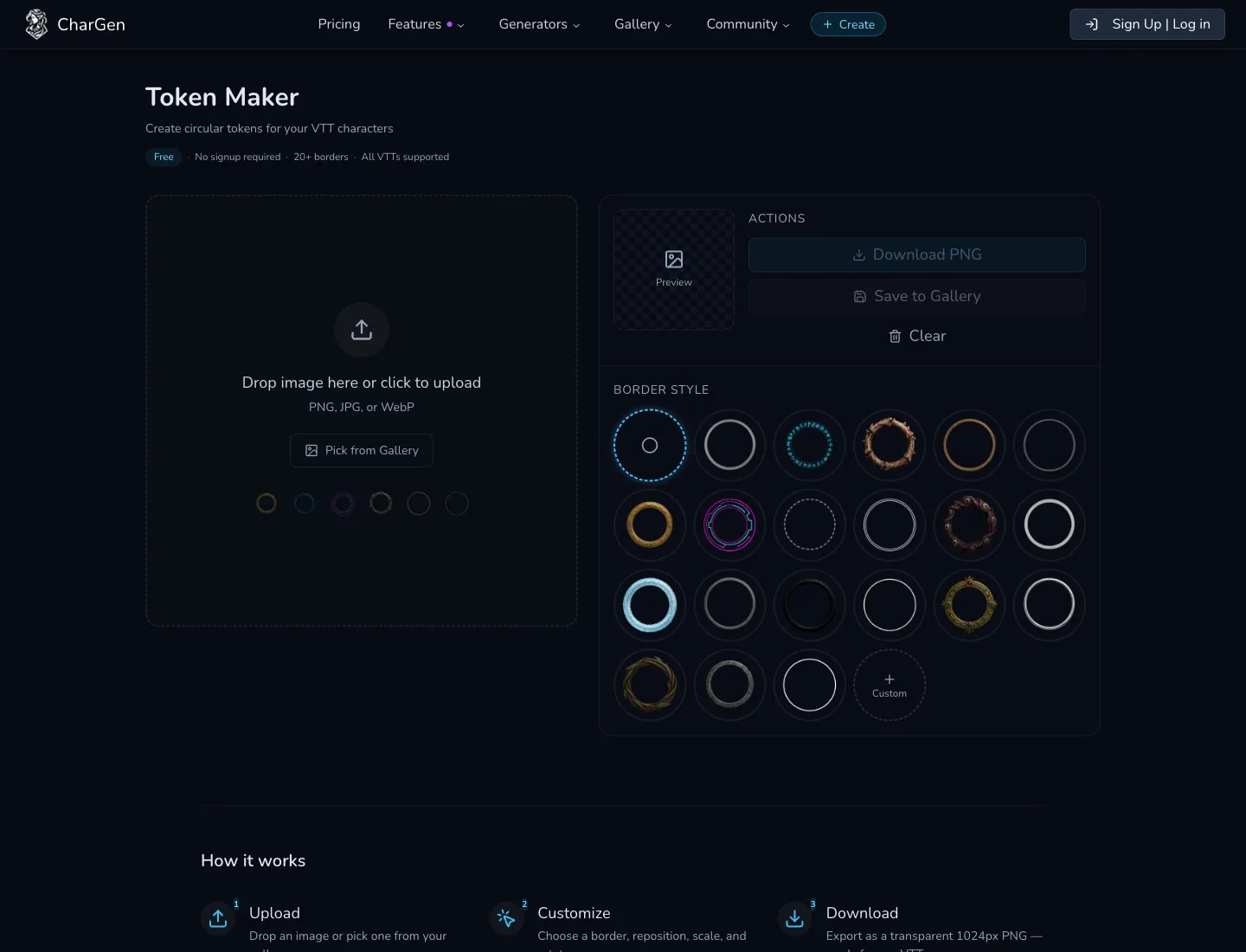
That matters because a battlemap is only half the board. If you run Roll20 or Foundry, the follow-up jobs are always the same. You need matching tokens. You need scale that does not look absurd. You need a quick export path. I wrote the fuller token workflow in How to Make DnD Tokens Fast for Roll20 and Foundry, but the short version is that faster handoff beats prettier theory. If you want to see how CharGen's Token Maker actually stacks up against Token Stamp 2, GMCraftTavern, Heroic Token and the rest of the free field, I ranked all of them properly in my free D&D token generator comparison.
If you are working in Foundry with editor-built maps, keep an eye on import support too. The Universal Battlemap Importer is still useful for Dungeondraft, DungeonFog, and Arkenforge exports. Practical boring tools like that save more time than most AI launch announcements.
My honest recommendation if you want the best AI battlemap generator in 2026
If you only test one tool this week, make it CharGen.
I say that because the keyword is not just best battlemap generator dnd. The real search intent is, "Which tool will get me to a playable encounter fastest without making me rebuild the whole thing later?" For that job, CharGen is the best fit.
Dungeon Alchemist is the stronger choice when you want to author the room with more precision. TT-RPG stays on my shortlist for online-first groups. BatlGrid is excellent for revisions, and DungeonFog remains a solid studio if you want editor depth. None of those are bad tools. CharGen simply matches weekly prep better.
If you want the fastest test, do this tonight:
- Open Battlemap Generator and write one blunt prompt with top-down language, cover, and one hazard.
- If the result is close, run one more variation instead of endlessly tinkering.
- Pull the encounter into Dungeon Generator if you need room logic.
- Finish the board in Token Maker so the session assets actually match.
That sequence is short enough that I will really do it. That is why it wins.
Using AI battlemaps with your VTT
Generating a great map is only half the job. Getting it into your VTT cleanly is where most DMs lose time. Here is what I have found works with each major platform.
Roll20: Export your map as a PNG and upload it as a table background. Roll20's default grid is 70px per square. Set your map's resolution to a multiple of 70 (for example, 700x700 for a 10x10 room) and the built-in grid align tool will snap cleanly. CharGen exports at web-ready resolution that works without resizing. Correction, September 2026: CharGen now has a Roll20 preset that sizes the download at 70 px per square, so you do not need to count pixels yourself.
Foundry VTT: Import via Scene creation, then set the grid size in pixels per unit. Most AI battlemaps work well at 100px per 5ft square in Foundry. The Universal Battlemap Importer handles exports from DungeonFog and Dungeondraft. For CharGen PNG exports, create a new Scene and set grid scale manually. Correction, September 2026: an earlier version of this section stopped there. CharGen now offers a Foundry VTT preset at 100 px per square and a Foundry scene file (JSON), which I cover in the September section below.
Fantasy Grounds: Fantasy Grounds uses its own map format but accepts PNG imports through the Maps layer. Set the grid scale in the map editor to match your tile size. AI-generated PNGs generally import without issue, though precise grid calibration takes a few minutes.
Owlbear Rodeo: The simplest VTT handoff of all. Drag and drop your PNG directly onto the Owlbear board, then use the ruler tool to calibrate grid size by measuring one known square. No account required. CharGen maps drop in cleanly in my experience.
One general tip: always export at the highest resolution you have available. A 2048px wide map gives you room to zoom without visible compression, and most VTTs handle large images fine on modern hardware.
July 2026 update: what an AI battlemap generator has to get right now
The ai battlemap generator question has changed a bit since I first wrote this guide in April. Back then, most of the comparison came down to speed versus control. Now I care more about the next five minutes after the image exists.
That shift is partly because the official D&D digital map story is moving again. In May 2026, GamesRadar reported that Hasbro wants D&D Maps to become a simpler browser-based version of some of the ideas that Sigil was meant to cover, with more customisable avatars, interactive stickers, and maps you can adjust in play. That matters because it points in the same direction most home DMs already went: 2D maps that run on ordinary hardware beat ambitious 3D scenes that only work if everyone has the right machine.
For AI map tools, that is a useful pressure test. A generated map cannot just look impressive in a blog thumbnail. It has to behave like a game object. I want obvious doors, places where tokens can stand, enough negative space for spell templates, and a composition that still reads when the VTT grid sits over the top. If the map has six gorgeous staircases but none of them connect to a believable room, I am not using it.
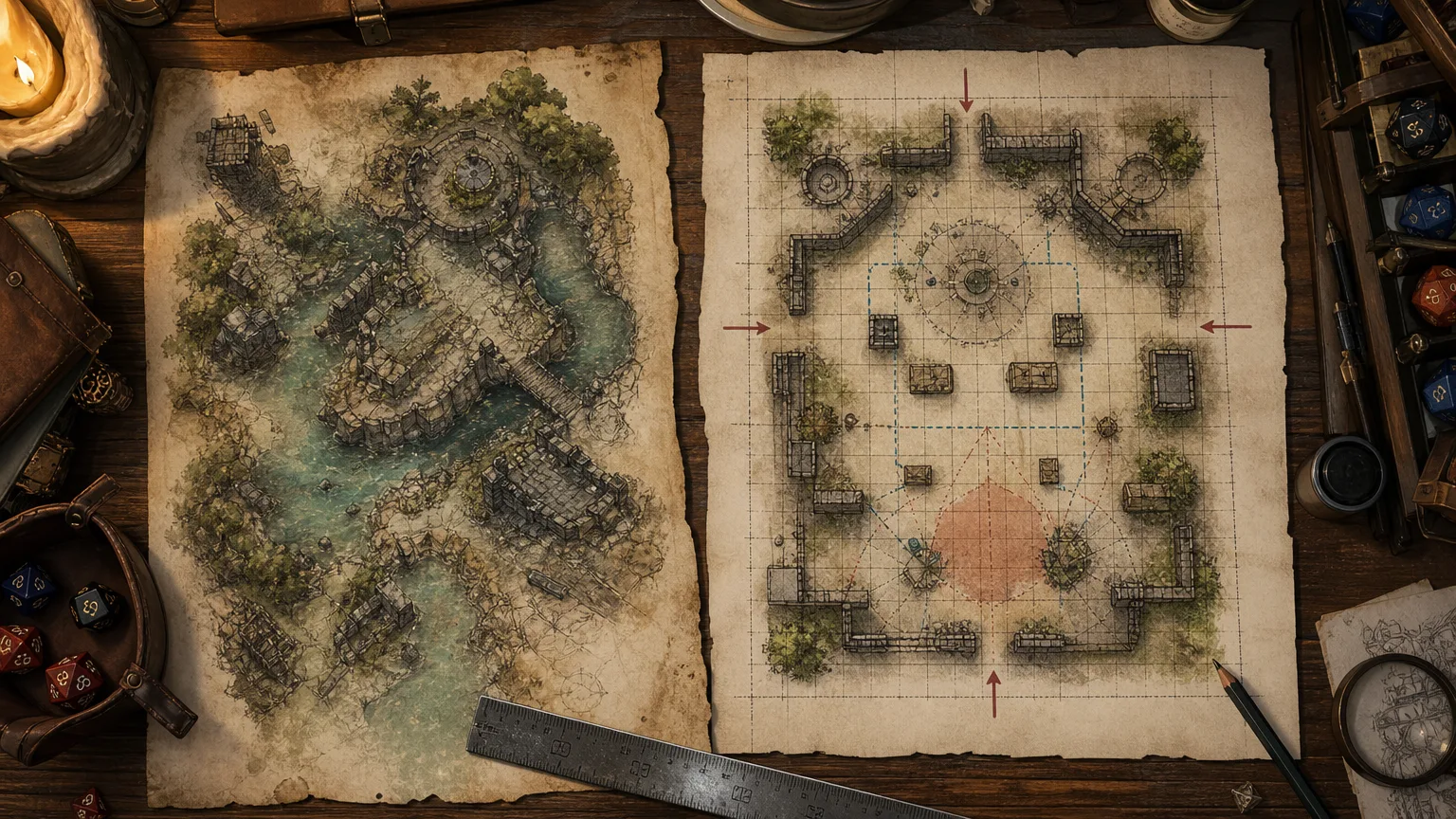
Here is the quick readability check I use before saving a map:
- Can I explain the battlefield in one sentence?
- Can every player tell where the entrances are?
- Is there cover for both sides, or only decoration?
- Does the hazard affect movement, damage, or line of sight?
- Will medium tokens fit without covering the important art?
That list sounds basic, but it catches most weak AI battlemaps. One example from my own prep: I generated a ruined glasshouse ambush for a druid villain. The first image had beautiful wet leaves, broken panes, and moonlight everywhere, but the aisles were too narrow for movement and the central tree swallowed the whole grid. The second prompt was uglier and better: top-down battlemap, ruined glasshouse, four clear aisles, raised planter cover, broken glass hazard, two side doors, central tree offset, readable grid. That one worked.
CharGen is still the fastest option for that kind of iteration because I can rerun the tactical wording without rebuilding the whole encounter. Dungeon Alchemist still wins when I know the room geometry in advance and want walls, doors, and lights to come across cleanly. The newer Foundry importer ecosystem makes that distinction sharper. Foundry's Universal Battlemap Importer currently supports Dungeondraft, DungeonFog, and Arkenforge exports, while Myxelium's Battlemap Importer can turn a background image, and optional wall and light data, into a scene with less manual setup. Plain images still work, but tools that understand export data save time.
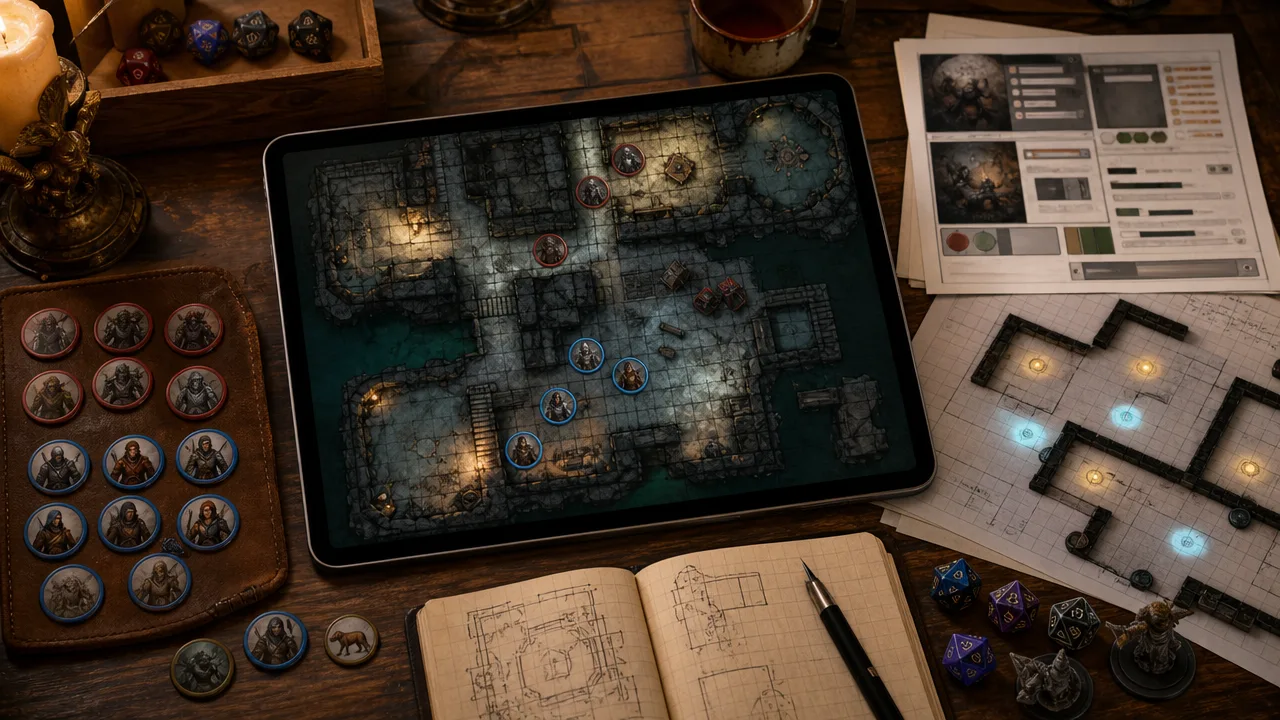
So my July 2026 advice is slightly stricter than my April advice. Use CharGen when you need the map idea fast, especially for taverns, streets, forests, ruins, and ambush sites. Use Dungeon Alchemist or DungeonFog when the map is going to become a complex Foundry scene with walls and lighting. Use BatlGrid when you already have a rough layout and need to repair the finish. Do not judge any of them from the thumbnail alone.
The prompt I keep coming back to is blunt:
top-down battlemap, [location], [clear combat objective], [three cover pieces], [one movement hazard], [two entrances], [lighting], readable grid, no characters
If I had to run a fight tonight, I would rather have a slightly plain map with clean lanes than a spectacular one where the rogue spends ten minutes asking whether the balcony is real. Pretty maps are nice. Playable maps are the thing I come back for.
August 2026: the AI battlemap generator must survive VTT setup
The map is not finished when the PNG downloads. The real test starts when I place it on a virtual tabletop and add the grid.
That matters more now because the main VTT choices are becoming easier to use. D&D Beyond Maps is still in beta, but it lets account holders upload their own maps, add player tokens, and use fog of war in a shared browser space. D&D Beyond's current Maps guide also says that no subscription is required to explore the tool.
Foundry gives you more control, but it also makes the map's structure your responsibility. The background image sits below tokens and tiles. The foreground image stays above them. Walls, lights, notes, and the grid are separate scene data. A beautiful image with vague doors still creates extra work.
Here is the test card I use before I call a map ready for a VTT:
| Check | What I verify | Why it matters |
|---|---|---|
| Encounter footprint | The map has a clear square count and enough room for the fight | Players need space for movement and spell templates |
| Door and wall alignment | Entrances, walls, and stairs sit on sensible grid boundaries | Foundry walls are hard to place when the art ignores the grid |
| Overlay separation | The exported art has no baked-in grid or labels | The VTT can then show its own grid and markers |
| Readability | Cover, hazards, and routes remain clear at normal zoom | A token should not hide the encounter's important choices |
| Handoff | I can set the scene size without stretching the map | Scale errors create more work before the session |
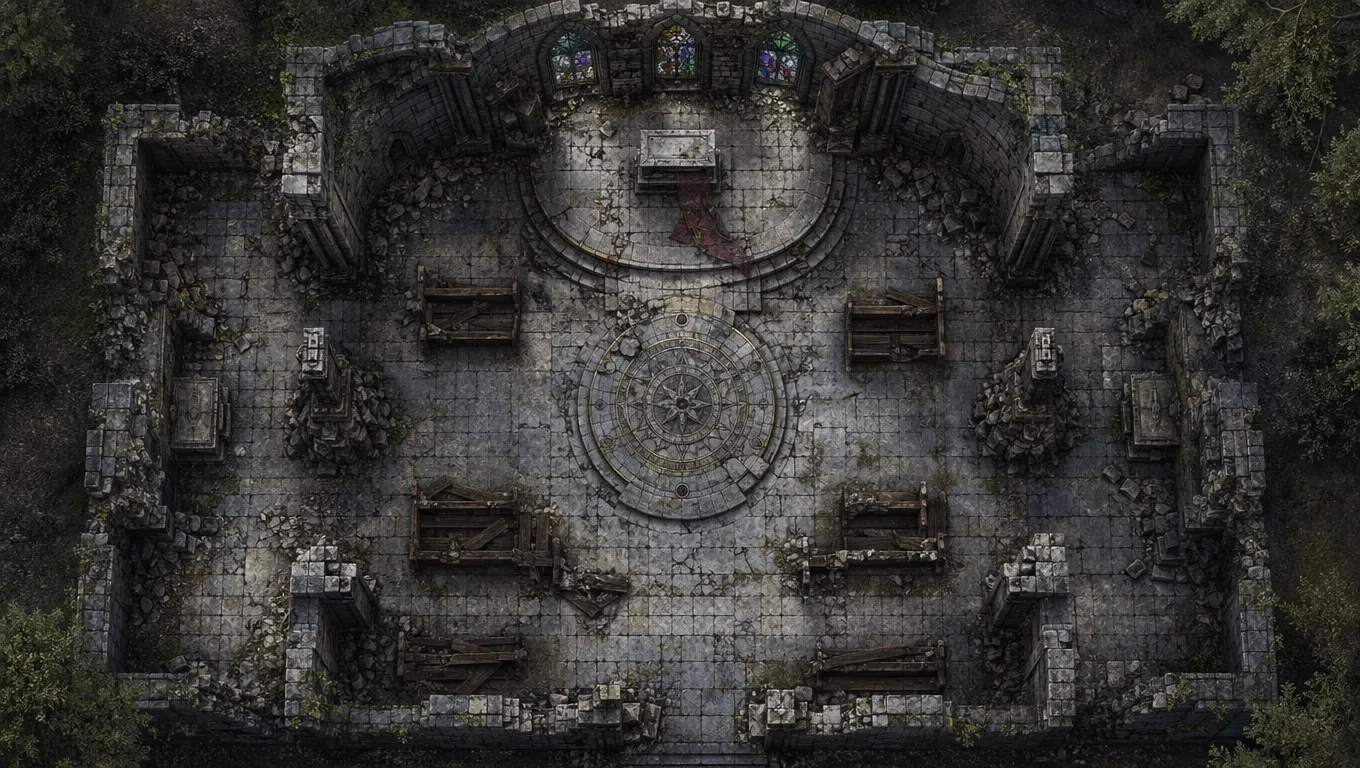
Plan the square count before you write the prompt
Most people start with an art prompt. I start with the fight.
If I need a 32 by 18 encounter, I know the map should contain 576 playable squares. At 100 pixels per square, that becomes 3,200 by 1,800 pixels. That gives me a useful target before I ask for stained glass, rain, or dramatic moonlight.
The numbers are not decoration. Foundry's content creation guide says image quality comes from resolution and pixels per grid space, not DPI or PPI. It also warns about non-uniform grids. A 16:9 map can use 32 by 18 squares. A 30 by 20 map does not match that ratio.
AI models do not reliably draw an exact 32 by 18 grid. I treat the square count as a layout brief, not a guarantee. I ask for broad lanes, complete rooms, and no pre-rendered grid. Then I set the actual grid in the VTT.
My prompt for a ruined observatory would look like this:
top-down tactical battlemap, ruined observatory, 32 by 18 square layout, four clear approach lanes, broken telescope platform, stone cover, one collapsed stair, two entrances, open centre for spell templates, cold dawn light, gridless, no labels, no characters
The useful parts are four clear approach lanes, two entrances, and open centre. The model may miss the square count. It has a better chance of keeping the encounter readable when the tactical job is stated plainly.
Keep the grid in the VTT, not in the artwork
I used to ask for a visible grid because it looked like a finished battlemap. I stopped doing that for most VTT work.
Foundry's media guide recommends leaving the visible grid out of the final map. It lets the GM switch between square, hexagonal, and gridless play. It also keeps the grid colour and opacity under the table's control.
Roll20 follows the same practical logic. Upload the image to the Map layer, then use the page-size or grid-alignment tools when the map does not match. Its current map setup guide recommends adjusting the page size when the exported dimensions are known.
Gridless art also gives me a clean print option. I can overlay a faint grid for a VTT, remove it for a handout, or print the map without two sets of lines fighting each other.
There is one exception. If the image is only a player handout, a light baked grid can be useful. I still keep a separate gridless version when I can. That small bit of file discipline saves a surprising amount of repair work later.
Use the current CharGen flow as a map brief, not a magic button
The current CharGen Battlemap Generator gives me three useful stages: Set the Encounter, Add Tactical Detail, and Generate & Play. I read those labels as a prompt checklist.
Set the Encounter answers where the fight happens. Add Tactical Detail answers what creates choices. Generate & Play reminds me to test the image in the place where the fight will run.
For a flooded warehouse, I might write the following:
- location: riverside warehouse with a broken loading door
- objective: stop a cult from pushing a sealed crate into the water
- cover: stacked barrels, a crane base, and a stone office wall
- hazard: deep water beside the eastern dock
- movement: one narrow gangway and two wide warehouse lanes
- output: top-down, gridless, no characters, no text
That brief gives the model enough structure without trying to describe every plank. It also gives me a review list. If the output has no gangway, I know what to fix. If the water covers the whole floor, I can reduce the hazard in the next variation.
The first result is often a draft. That is fine. I check the entrances, cover, and routes before I judge the colour or atmosphere. If the map fails the first three checks, another lighting prompt will not rescue it.
A five-minute Foundry handoff
For a plain image, I use this sequence:
- Export a clean map without a baked grid.
- Create a new Foundry Scene and set the image as the background.
- Count the map's squares and set the grid size in pixels.
- Check one doorway and one room corner against the grid.
- Add walls and lights only after the scale is correct.
Foundry's scene guide says the default grid is 100 pixels, with a 50-pixel minimum. It also warns that changing the grid size later can move walls, lights, tokens, and tiles. Set the scale before you add the expensive details.
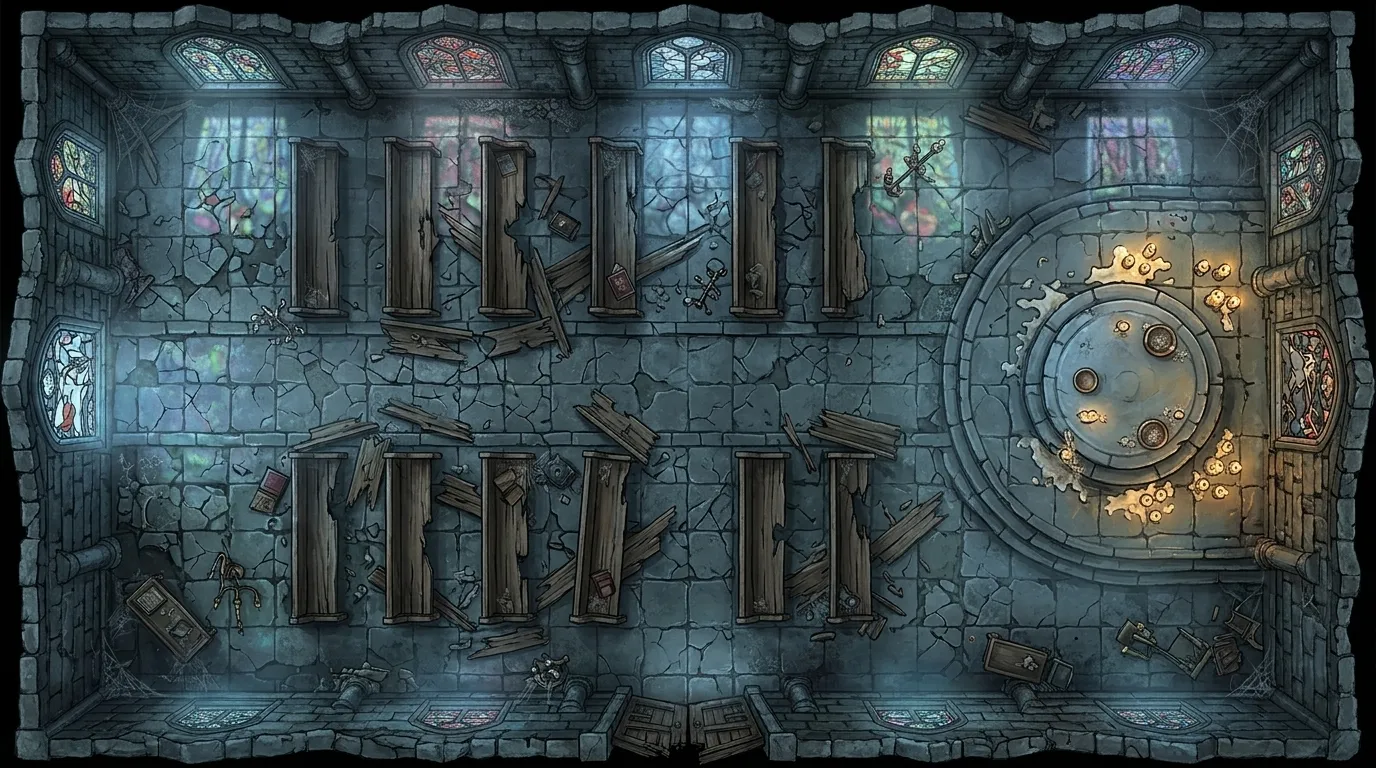
I do not try to build every wall during the first import. I place one test token. I measure one corridor. I check the scene at the zoom level my players will use. Only then do I add vision, doors, and hidden areas.
The same principle works in Roll20. Drop the image on the Map layer, choose the page size that matches the image, and use Align to Grid if the lines drift. A quick calibration is better than trusting the export name.
What has changed in my ranking
CharGen remains my choice for a map I need tonight. Its advantage is the short route from an encounter idea to several visual options, with Token Maker and Dungeon Generator nearby for the next jobs.
Dungeon Alchemist remains better when I know the rooms and want to place furniture, doors, and lights by hand. DungeonFog remains better for a longer project with exact vector geometry. A VTT-ready image is not the same thing as a complete VTT scene.
That distinction is the useful update for August. Choose a prompt-first tool when you need a readable draft fast. Choose an editor when the wall data matters more than the first image. In both cases, measure the handoff before session day.
The best AI battlemap generator is not the one with the most dramatic thumbnail. It is the one that leaves you with a map your players can use.
September 2026: VTT export compared for Roll20, Foundry and Fantasy Grounds
Most of this guide says the same thing in different ways. The map has to survive the VTT. So this month I tested the step that most comparison posts skip: the download itself.
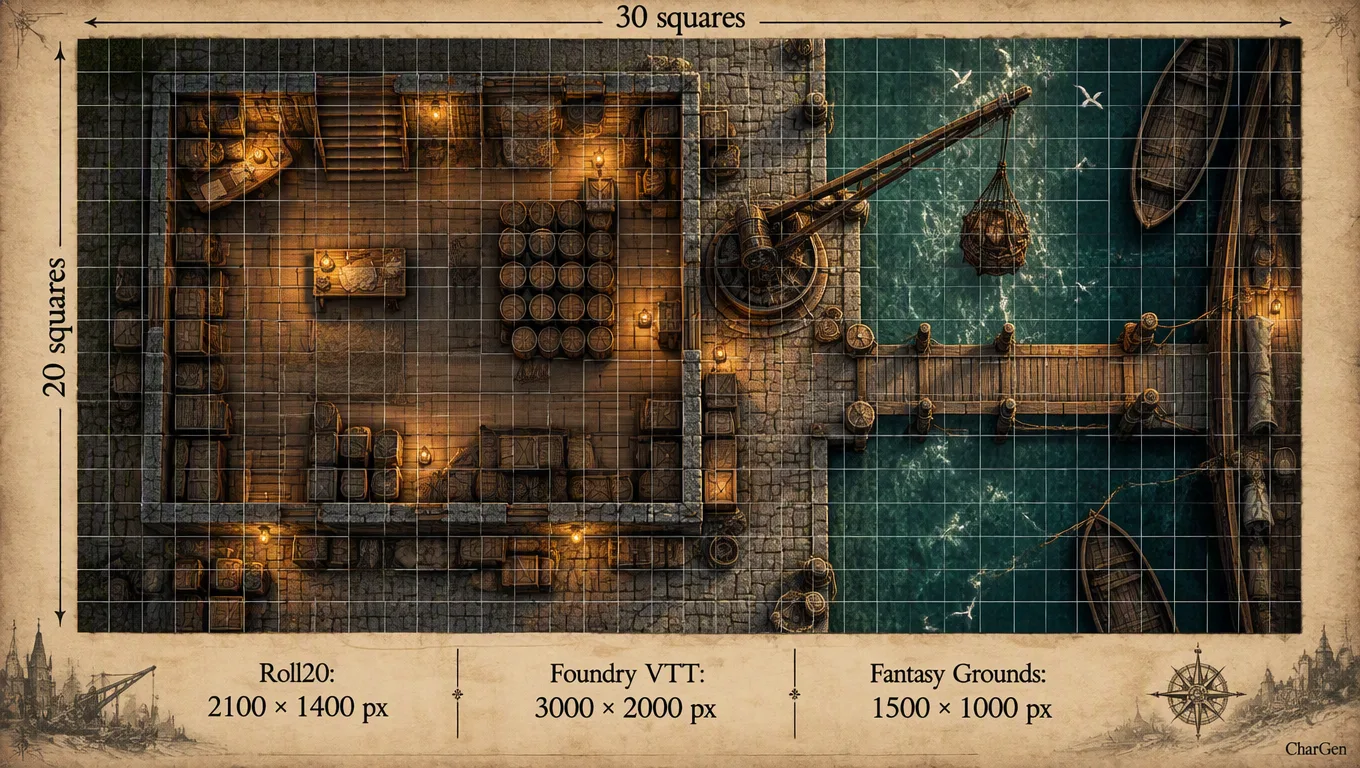
CharGen changed here on 2 September 2026. Save a battlemap from the gallery and a Download battlemap panel opens. It lists four presets: Roll20 at 70 px per square, Foundry VTT at 100 px, Fantasy Grounds at 50 px, and Print at 1 inch per square and 150 dpi. Under the presets, a Grid switch offers None, Square or Hex. CharGen draws the grid on the PNG at download. The model never sees the grid, so the art underneath stays the same.
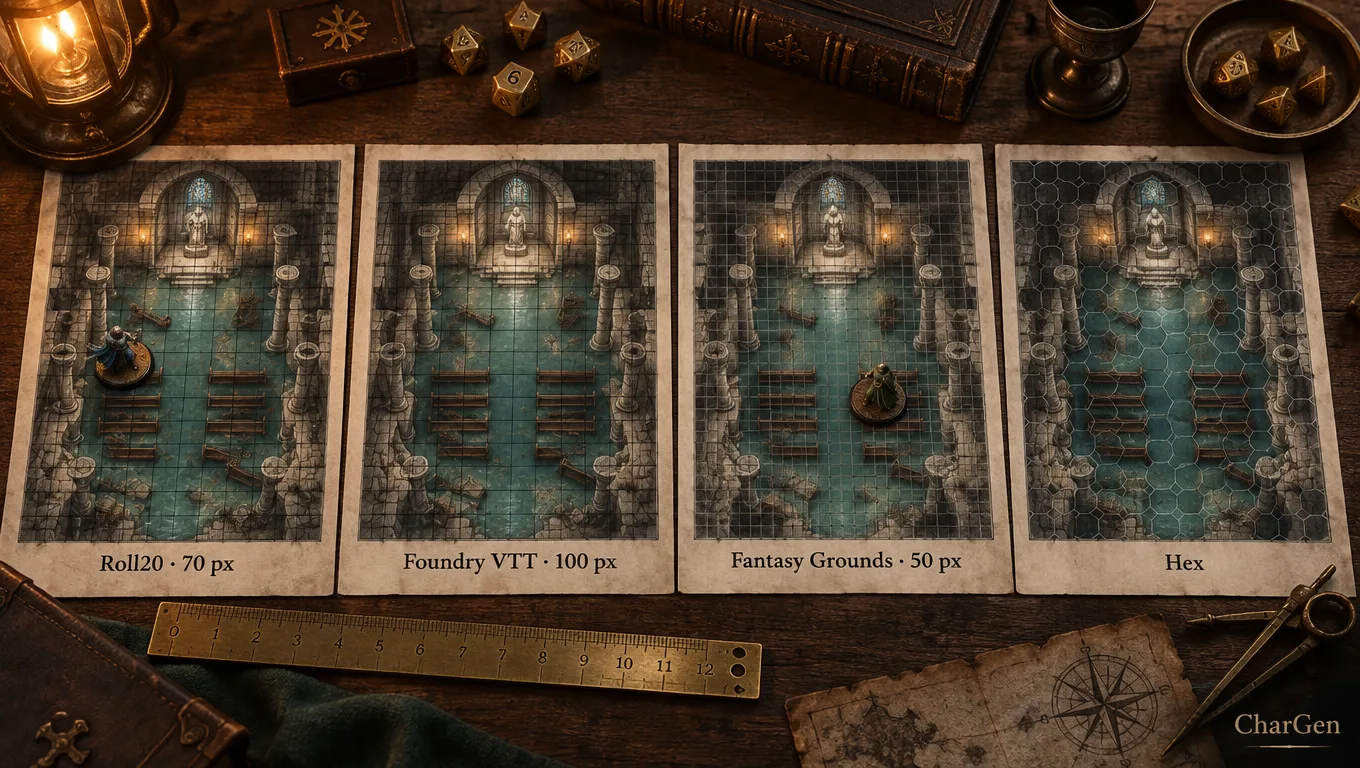
That fixes the problem I described in August. I used to count squares and do the pixel maths by hand. Now the workbench has three size tiles: Landscape (30 × 20 squares), Portrait (20 × 30) and Square (20 × 20). The export works out the pixel size from that square count.
The VTT export table
| VTT | Grid unit | CharGen preset | 30 × 20 map size | Where the map goes | Price |
|---|---|---|---|---|---|
| Roll20 | 1 unit = 70 px, 5 ft by default | Roll20, 70 px | 2,100 × 1,400 px | Map layer, tokens on the Objects & Tokens layer | Free tier; Plus $5.99/month, Pro $10.99/month |
| Foundry VTT | 100 px default, 50 px minimum | Foundry VTT, 100 px, plus scene JSON | 3,000 × 2,000 px | Scene background, walls and lights as scene data | $50 one-time licence |
| Fantasy Grounds | You set the grid to fit the image | Fantasy Grounds, 50 px | 1,500 × 1,000 px | Image window; tokens scale to one grid square | Standard $3.99/month, Ultimate $9.99/month |
| Owlbear Rodeo | Calibrate by measuring one square | No preset; use the Roll20 or Foundry file | Your choice | Drag the image onto the scene | Free Nestling tier with 200 MB storage |
Roll20's prices come from its own July 2021 price announcement. Roll20 lists a 10 MB upload limit for Plus and 20 MB for Pro on the Roll20 wiki. A detailed PNG at Foundry size can get close to that. If an upload fails on Roll20, use the Roll20 preset. It has about half the pixels of the Foundry file.
Fantasy Grounds gives a different warning. Its image guide for GMs recommends 16 million pixels at most for Unity, and about 1 MB so the image reaches players quickly. The 50 px preset keeps a 30 × 20 map at 1.5 million pixels. That is well inside the limit.
Grid on or grid off?
I still export None for Foundry and Roll20 most of the time. Both VTTs draw their own grid. A second grid in the art gives you two sets of lines if the scale drifts by a few pixels.
I pick Square in two cases. The first is a printed handout. The second is Owlbear Rodeo, where a visible grid makes ruler calibration quick. I pick Hex for overland chases and naval fights, because my players read distance faster on hexes.
What the Foundry scene file does and does not do
The Foundry scene file (JSON) button gives you a scene with the map as its background and a 100 px square grid. It uses the image's own width and height. It does not add walls, doors or lights. So I import it, drop one medium token, and check one corridor against the grid. If the squares do not line up, I switch the scene background to the Foundry VTT preset download and set the size again.
That is the honest position. CharGen now gets a map into a VTT at the right scale in one click. Dungeon Alchemist and DungeonFog still win when you need wall and light data. If you run tonight, the preset is enough. Pick the tile, generate, download at your VTT's scale, and test one token before the players arrive.
October 2026 update: the Battlemap Maker exports scene data
The paragraph above describes the Foundry Scene JSON from CharGen's gallery download. That file gives you the map image and a grid. It does not add walls, doors or lights.
The Battlemap Maker is a separate workflow. You draw or describe a room plan, paint it, then choose Foundry scene or Universal VTT (.dd2vtt) in the Export tab. The Foundry Scene JSON now includes the image reference, walls, doors and lights from the plan. The .dd2vtt file embeds the map image and carries Universal VTT data. Its secret doors become walls because the format has no secret-door state.
That changes the advice in this guide. The earlier gallery export remains useful when you only need a scaled background image. If you want editable Foundry walls and lights, build the geometry in the Battlemap Maker first. The PNG option remains available too. It uses a 70-pixel grid and lets you choose GM, with numbers or Players, no numbers.
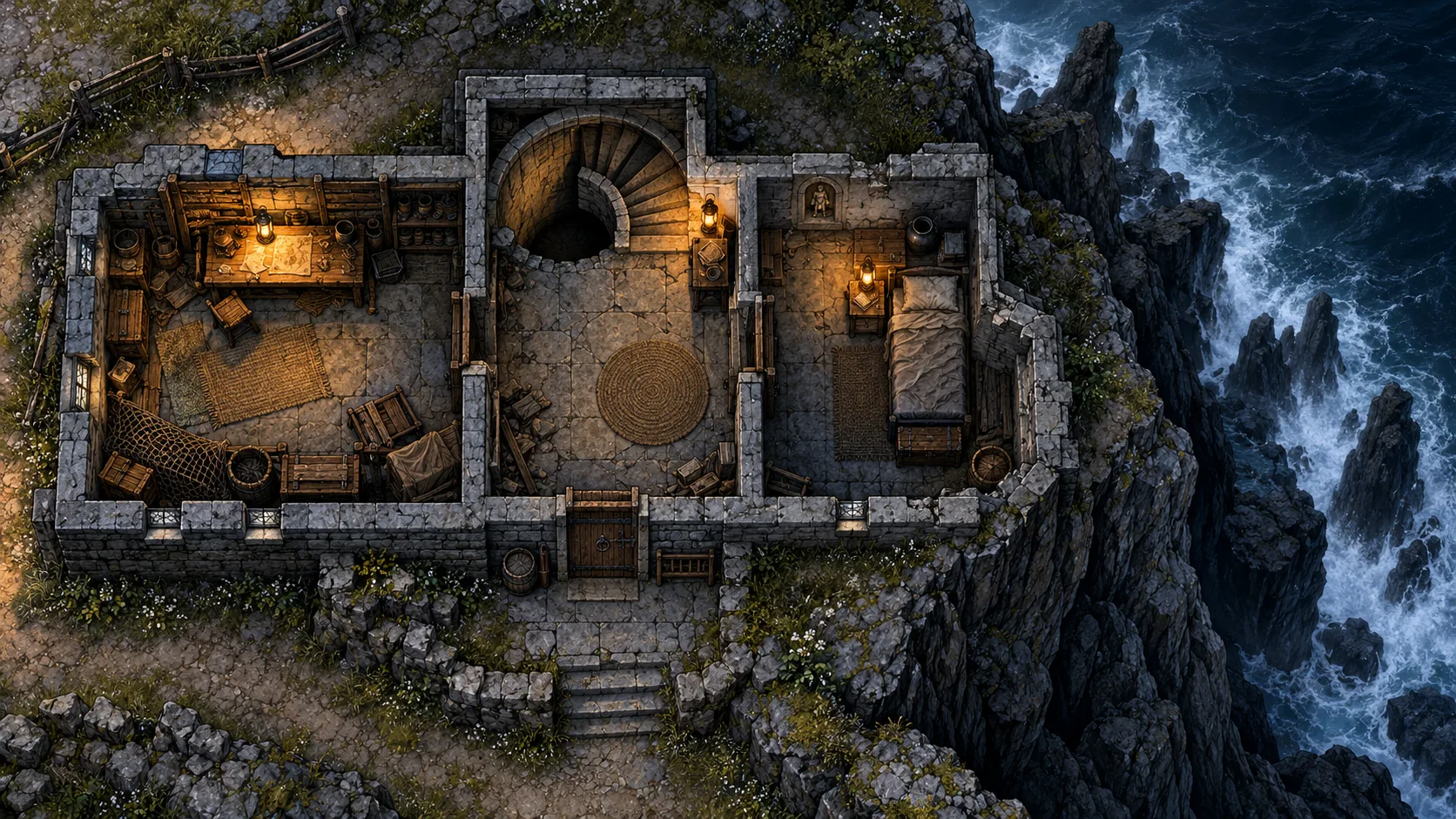
I still test the file after import. Use an empty Foundry scene, then check one wall, one door and one light. The scene JSON references the painted image by URL. Universal VTT embeds a copy. Choose the file that matches your import route.
FAQ
Does the Battlemap Maker export walls to Foundry VTT?
Yes. Choose Foundry scene in the Maker's Export tab. Its JSON includes walls, doors and lights from the room plan. The older gallery download described above still exports a background image and grid only.
What is the best AI battlemap generator for D&D right now?
For fast weekly prep, I would pick CharGen. It is the quickest route I have found from text prompt to a map that still makes sense at table scale.
Are AI battlemaps actually usable in Foundry or Roll20?
Yes, but the good ones are the ones built for readability rather than pure art. Prompt-first maps are fine for quick encounters, while editor-heavy tools like Dungeon Alchemist and DungeonFog are stronger when you want exact walls, lights, and export data.
Should I choose a prompt generator or a map editor?
Pick a prompt generator if speed is the real goal. Pick an editor if the room layout must be exact. I use CharGen when time is tight and Dungeon Alchemist when the map itself is a bigger piece of prep.
What should I write in a battlemap prompt?
Start with top-down battlemap, then describe the location, the combat objective, the cover, one hazard, the lighting, and the entry points. If you skip those tactical details, the result often gets pretty and vague.
Can I use AI-generated battlemaps commercially?
That depends on the tool, the licence, and how much manual work or source material is involved. I would check each platform's terms carefully, and I would be much more cautious for paid map packs than for private home-game prep.
Which export size should I use for Roll20, Foundry or Fantasy Grounds?
Use 70 px per square for Roll20, 100 px for Foundry VTT and 50 px for Fantasy Grounds. CharGen's battlemap download has a preset for each, so a 30 × 20 map exports at 2,100 × 1,400, 3,000 × 2,000 or 1,500 × 1,000 pixels.
Frequently Asked Questions
What is the best AI battlemap generator for D&D in 2026?
CharGen, Dungeon Alchemist, and Dungeonscrawl are the strongest options in 2026. CharGen excels at atmospheric maps with consistent art style. Dungeon Alchemist provides 3D previews with detailed room placement. Dungeonscrawl is a lightweight free option for quick grids.
Can AI generate battle maps for Foundry VTT?
Yes. Export your map as a PNG or WEBP and import it as a scene in Foundry VTT. Set the grid scale to match your tile size (typically 70-100px per 5ft square). CharGen exports maps at web-ready resolution suitable for VTT import.
Are there free AI battlemap generators?
CharGen offers free battlemap generation without an account. Dungeonscrawl has a fully free browser-based grid mapper. Dungeon Alchemist has a paid licence but offers a limited free web preview.
How do I make a D&D battlemap with AI?
Use CharGen's battlemap generator: describe your location (forest clearing, dungeon corridor, tavern interior), choose an art style, and generate. Export the PNG, then import into Roll20, Foundry VTT, or Owlbear Rodeo. For grids, enable grid overlay in your VTT at 70px per square.
Image credits
- Hero image and chapel battlemap regenerated on 20 April 2026 with WaveSpeed Google Nano Banana 2
edit, using the earlier CharGen-owned chapel map as the source reference and a tighter tactical-map prompt for a cleaner top-down result. - July 2026 readability-check and VTT-handoff images generated with WaveSpeed GPT Image 2 at
1k, medium quality, then converted to WebP. - August 2026 gridless-export and Foundry-calibration sections reuse reviewed CharGen-owned battlemap assets because the image service was unavailable during this run.
- The historical Model Comparison Tool and Token Maker images remain CharGen UI screenshots from existing repository assets.