
Best D&D Character Sheet Creators in 2026, Tested
I tested six D&D character sheet creators in 2026. Real prices, real export formats, and where each one stops being useful at the table.
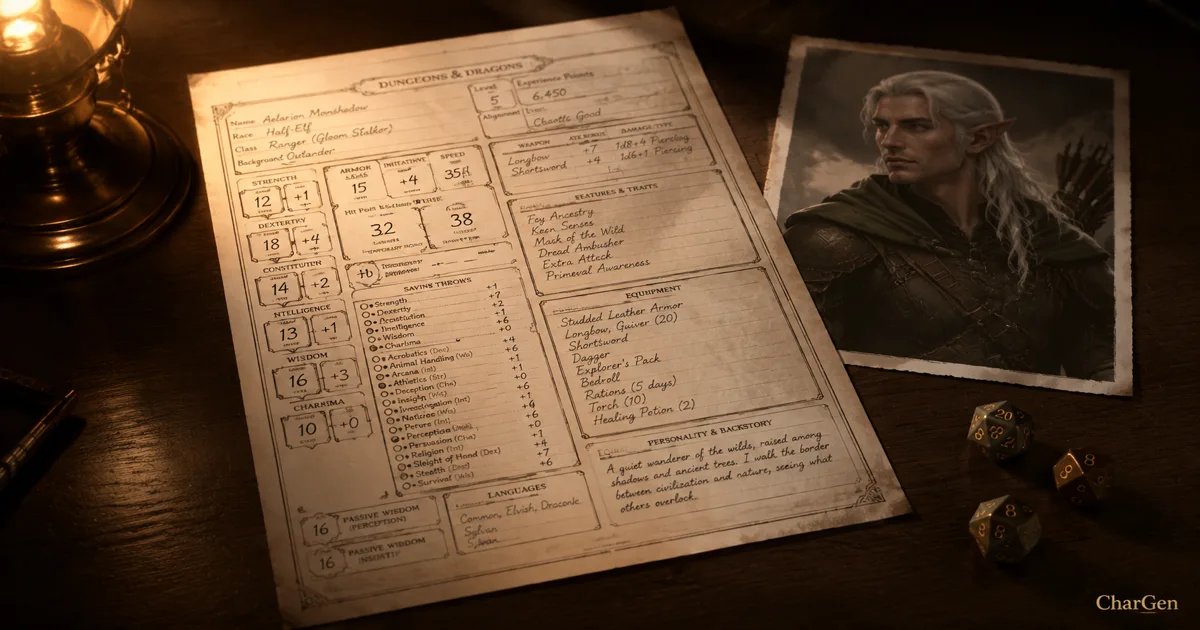
I have built the same level 5 half-orc cleric in six different D&D character sheet creators this year. The fastest gave me a legal sheet in about ninety seconds. The slowest gave me a beautiful page I could not print. That gap is the whole point of this post.
Below are the six tools, what each one costs in 2026, what it exports, and where it stops. After that I show the workflow I use now. The older guide to art, voice and sheets is still here, further down the page.
The six D&D character sheet creators, compared
| Tool | Price in 2026 | Free limit | Sheet export | Rules |
|---|---|---|---|---|
| D&D Beyond | Free, Hero $2.99/mo, Master $5.99/mo | 6 character slots | print from sheet view | official 5e 2014 and 2024 |
| Roll20 | Free, Plus $5.99/mo, Pro $10.99/mo | unlimited games | sheet lives inside a game | 5e plus 100+ other systems |
| Dicecloud | Free, funded by Patreon | 5 characters on v2 | browser sheet, shareable link | 5e, custom formulas |
| AideDD | Free | no slot limit | fillable PDF download | 5e 2014 and 2024 |
| Vondy | Free, premium upgrade | standard resolution art | download from the browser | 5e core races and classes |
| CharGen | Free, Plus £8/mo, Elite £16/mo, Ultimate £32/mo | 10 gold daily | PDF, Markdown, JSON, Foundry .json | 5e 2014, 5e 2024, Dungeon World, Cypher |
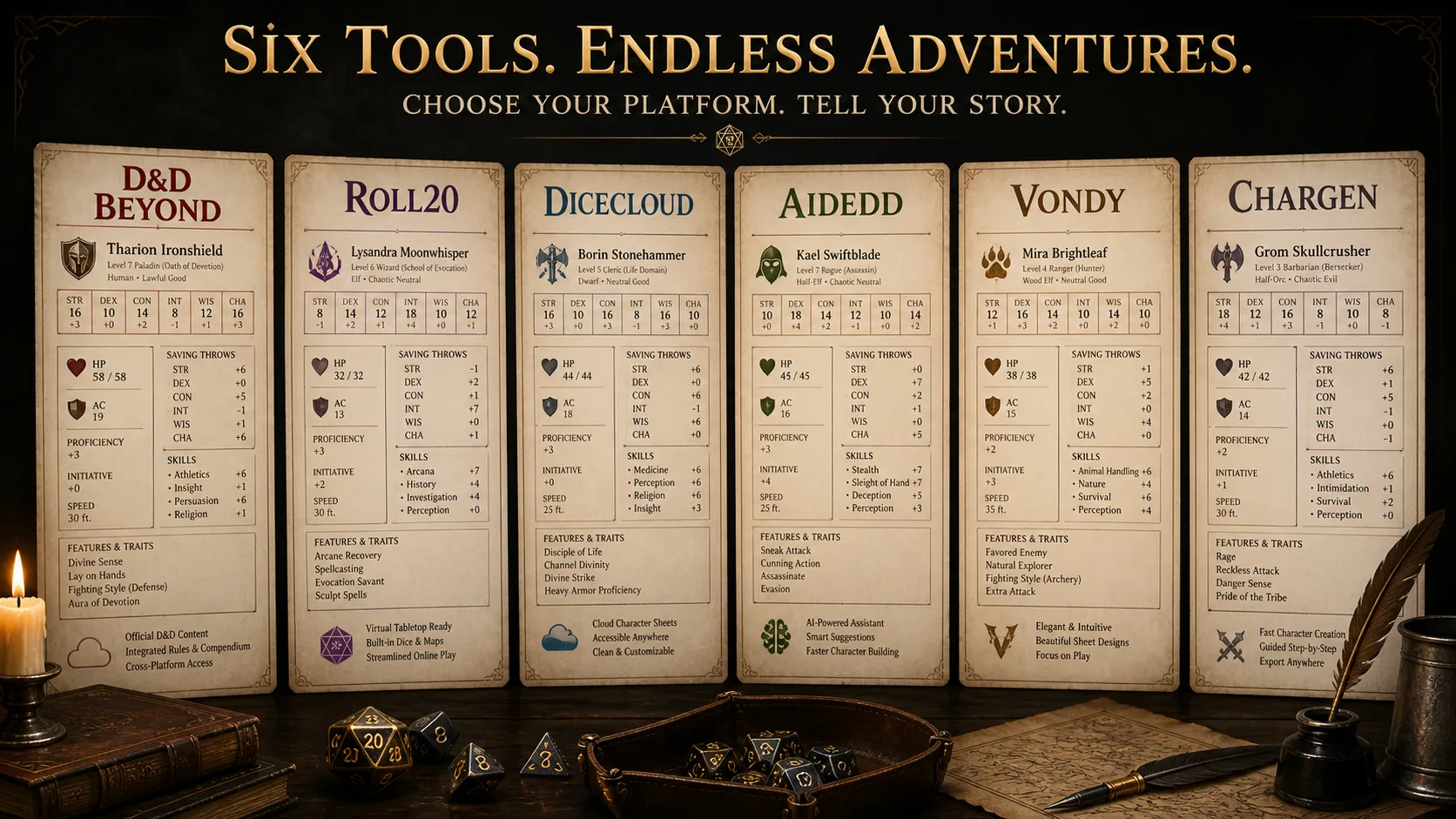
D&D Beyond
D&D Beyond is still the default answer, and I think that is mostly fair. It holds the official Wizards of the Coast content. The sheet updates itself when you buy a book. A free account gets six character slots. The Hero tier at $2.99 per month removes that cap. The Master tier at $5.99 per month adds content sharing to as many as three campaigns, so twelve players can read a book you paid for.
The cost is lock-in. Your character lives on their servers, in their format. There is no clean JSON or Markdown export to take somewhere else. If your group already owns books there, that trade is worth it. If not, you are buying the same rules twice.
Roll20
Roll20 charges $5.99 per month for Plus and $10.99 per month for Pro. The free tier is genuinely free and hosts unlimited players and games.
The sheet is the part people misunderstand. On Roll20 a character sheet is an object inside a game, not a standalone document. That is excellent during play, because the sheet rolls dice into the chat log and reads your tokens. It is poor before play. You cannot easily hand a new player a Roll20 sheet the week before session one. Build elsewhere, import for the table.
Dicecloud
Dicecloud is free, funded through Patreon, and the source code is published on GitHub under a GPL licence. That last fact matters more than it sounds. An open licence means the tool does not vanish when the funding does.
Version 2 caps free users at five characters. In exchange you get the most flexible maths of anything on this list. Dicecloud lets you write your own formulas, so homebrew subclasses and third-party feats actually calculate. The interface is dense. New players will struggle. Rules tinkerers will love it.
AideDD
AideDD is the quiet winner for anyone who just wants a printable page. It is free, it runs in the browser, and it keeps two separate builders: one for the 2014 rules and a Character Creator for 2024. It downloads a fillable PDF. It also exists in French and English, which is rare.
There is no art, no campaign storage and no VTT integration. It does one job. It does that job without asking for a card.
Vondy
Vondy generates a sheet from a text prompt and writes the flavour for you. It covers the core races and classes from the Player's Handbook. Free users get standard resolution images. Premium users get up to 4K, which matters if you plan to print the portrait.
My honest test result: the prose was good and the numbers were not reliable. I would not take a Vondy sheet to a table that cares about rules accuracy. I would take it to a one-shot where speed beats precision.
CharGen
I built CharGen, so read this section with that in mind. I will keep it to checkable facts.
The builder walks through species, class, ability scores and background. It applies Point Buy, Standard Array or 4d6 rolls with the official bonuses, then calculates proficiencies, skills, AC, HP, attacks and starting spells. It writes a backstory, ideals, bonds and flaws, and generates matching portrait art.
Four systems are supported, not one: D&D 5e 2014, D&D 5e 2024, Dungeon World and the Cypher System. The 5e species list runs to fourteen entries including Aasimar, Goliath, Orc, Aarakocra and Genasi.
The free tier gives 10 gold per daily login. Paid plans are £8 per month for Plus, £16 for Elite and £32 for Ultimate, verified against the pricing page on 26 August 2026.
What it does not do: it does not hold the official D&D Beyond sourcebook library, and it will not replace Roll20 during live play.
The four tests I run on any character sheet creator
Marketing pages all promise the same three things. These are the checks that separate them.
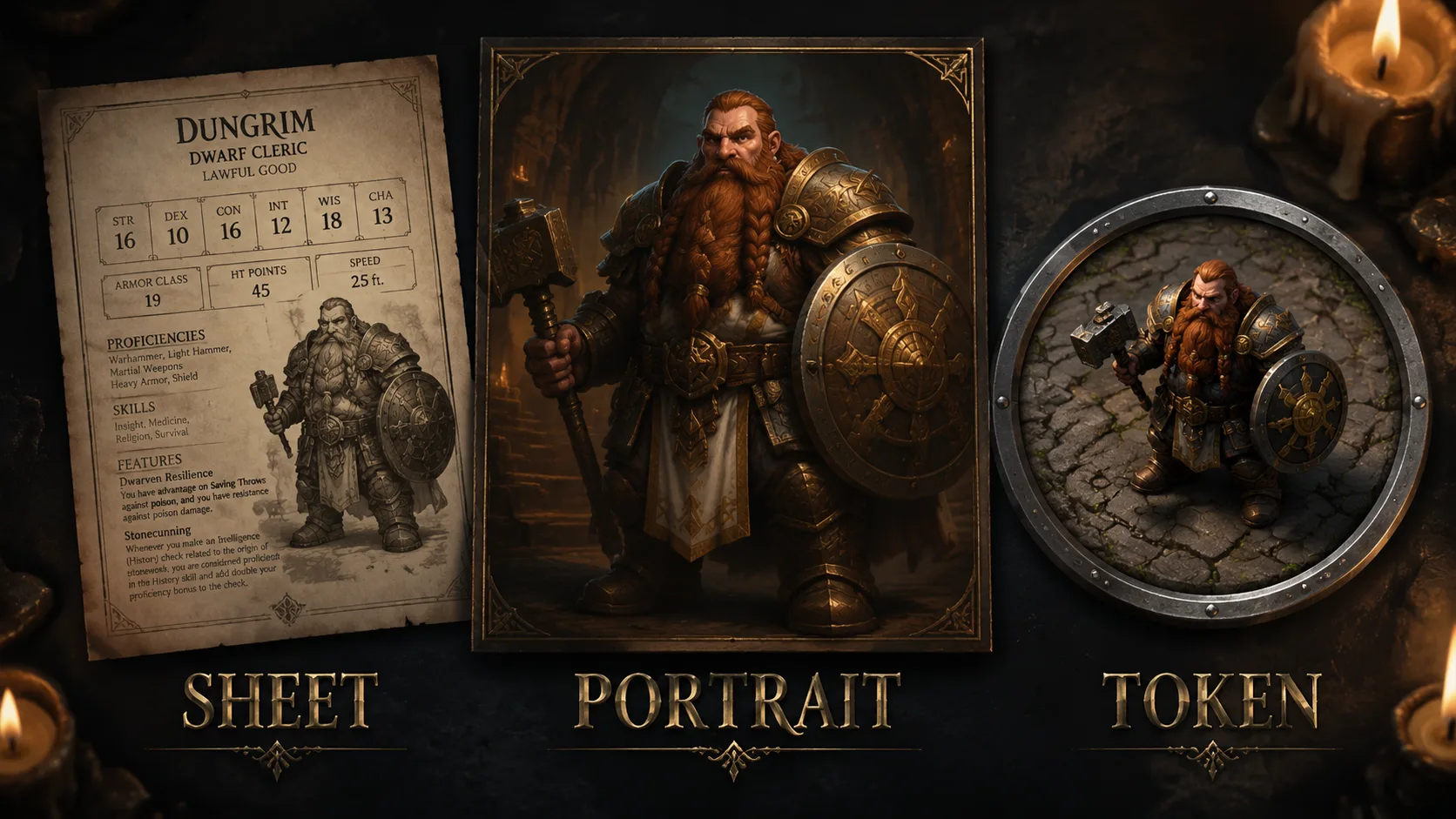
1. Does it produce legal numbers? Ask for a level 5 cleric. Check the proficiency bonus is +3, not +2. Check that heavy armour proficiency appears if the domain grants it. Two of the six tools I tested got a spell slot count wrong on the first try.
2. Can I get the character out? A sheet you cannot export is a rental. Look for PDF, Markdown or JSON. A Foundry VTT .json file is the strongest signal, because it means the tool understands the data rather than just drawing it.
3. Does it survive a rules edition? The 2024 Player's Handbook changed backgrounds and species bonuses. Tools that hardcoded 2014 assumptions broke. AideDD solved this by shipping two builders. CharGen solved it by treating each ruleset as a separate system module.
4. Can a new player use it alone? This is the one most tools fail. Dicecloud is powerful and intimidating. D&D Beyond's Quickbuilder is the current benchmark here.
Four rules systems, not one
Most sheet builders assume you play D&D 5e. Most people do. But roughly a third of my own table time in 2026 has gone to something else.
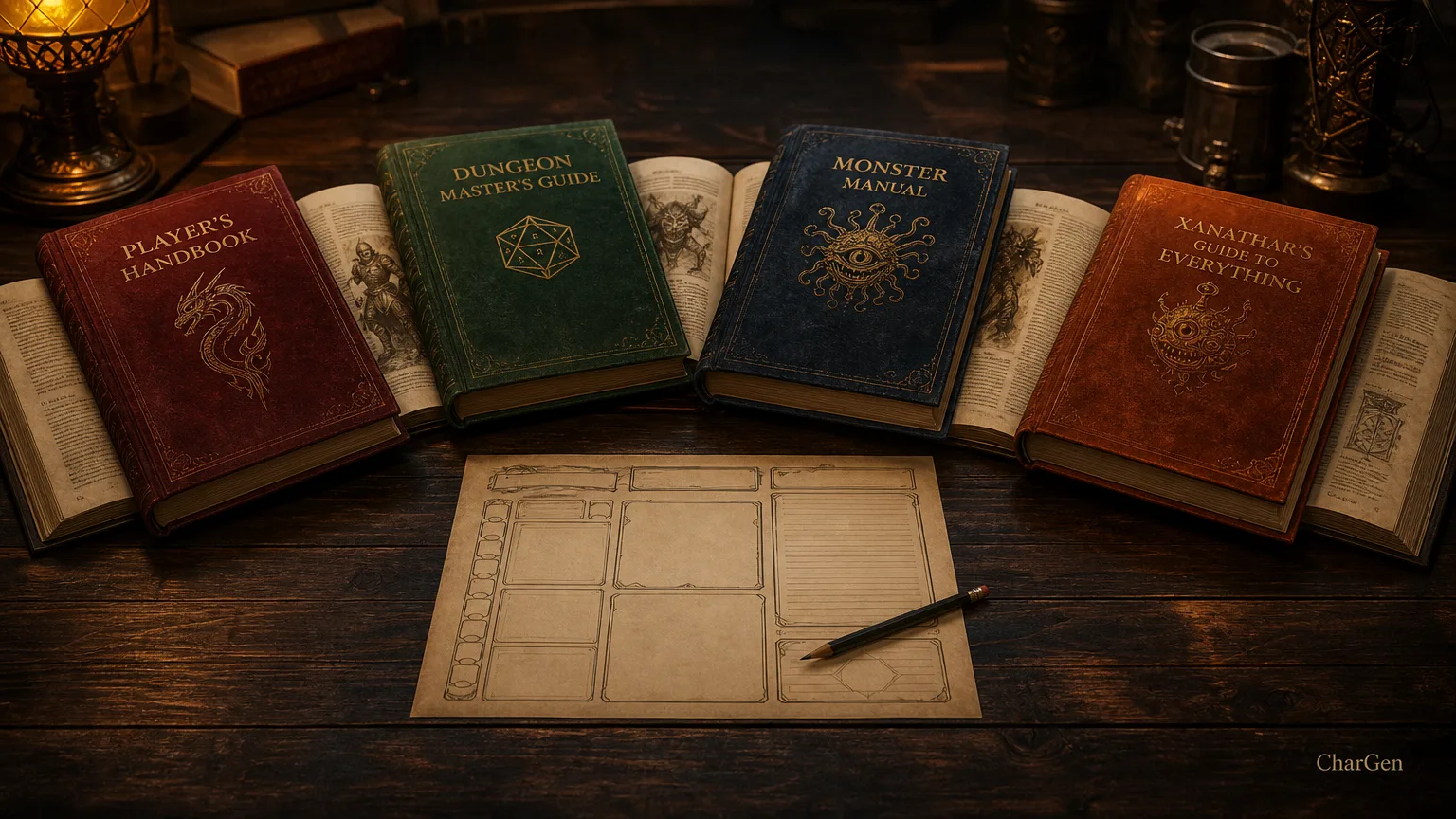
CharGen's builder treats the ruleset as a first choice, before species or class. Dungeon World replaces spell slots and ability bonuses with moves, drives and bonds. The Cypher System builds from a Descriptor, a Type and a Focus, and covers Tier 1 through Tier 6. Those are different data shapes, so a single 5e sheet template cannot hold them.
If you only ever play 5e, this is not a reason to switch. If your group rotates systems between campaigns, it saves you learning a second tool.
What actually exports, and why it matters
The export list is the least exciting part of any tool page. It is also the part you notice six months later, when the campaign moves to a new VTT.
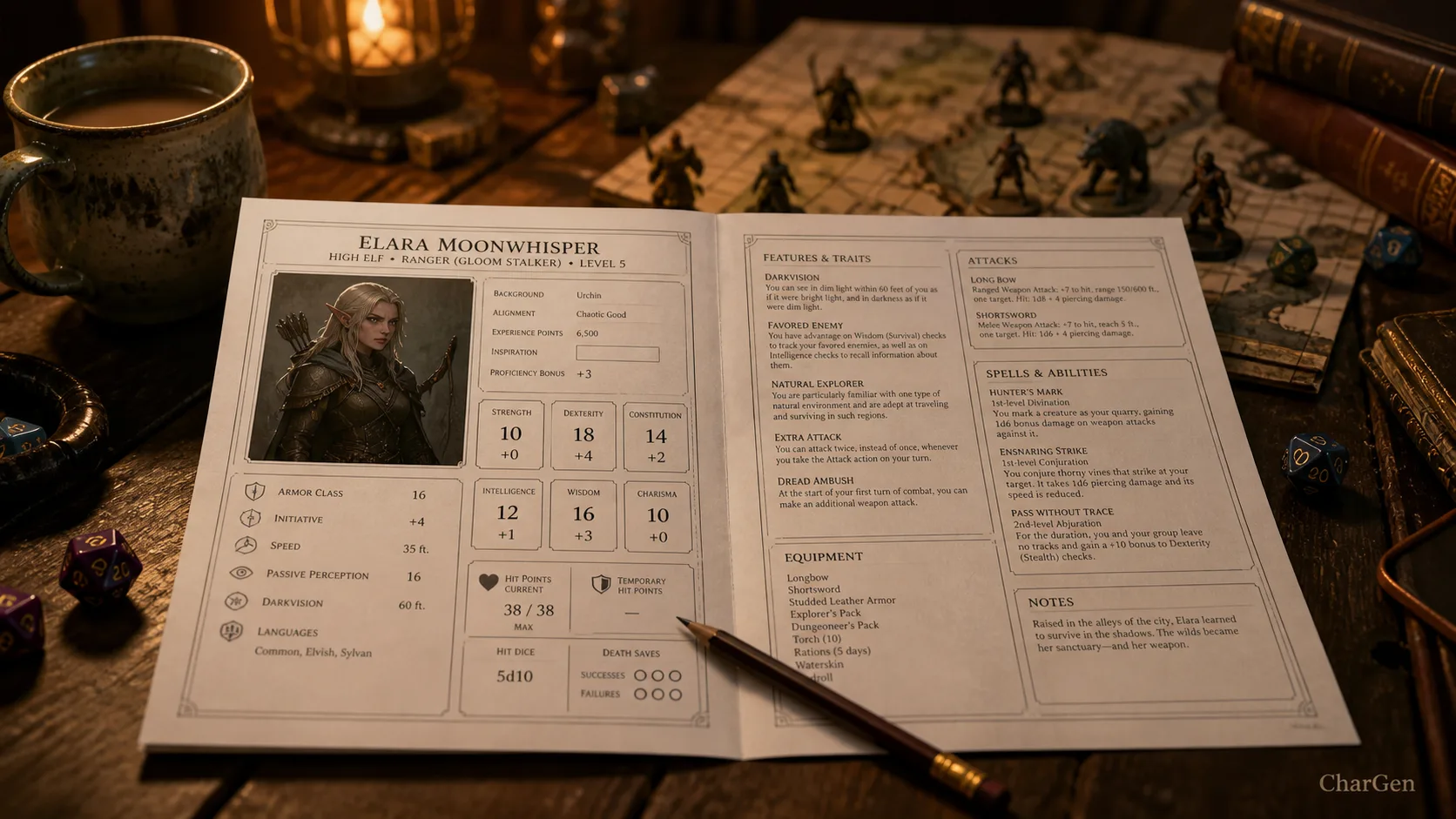
CharGen exports four formats from the character view:
- a PDF character sheet in a traditional layout, saved as
Character_Grom.pdffor a character called Grom - Markdown, for campaign notes in Obsidian or a wiki
- JSON, if you want the raw structure
- Foundry VTT (.json), which imports straight into a Foundry world
I print the PDF for players who like paper. I keep the Markdown in my campaign vault. The Foundry file is the one that saves the most time, because it removes a manual retype at the start of every campaign.
Worth being straight about the rest of the field: D&D Beyond has no equivalent open export, Roll20 keeps the sheet inside its own game object, and AideDD gives you a PDF and nothing else.
Which one I would pick
If your group already buys books on D&D Beyond, stay there. The rules integration is worth the subscription and nothing else matches it.
If you want a free printable sheet and no account, use AideDD.
If you write your own subclasses, use Dicecloud and accept the learning curve.
If you want the sheet, the portrait and the VTT token from one build, and you want to take all three away as files, build a character in CharGen. The free tier is enough to test the whole loop before you pay anything.
One last practical tip. Whichever tool you pick, export the character the day you make it. Do not wait until the campaign moves platform. That is when sheets get lost.
Create a Character FreeThe longer guide: art, voice, and sheets in one workflow
Late March 2026 reminded me how hungry people still are for a better dnd character creator. D&D Beyond's newer Quickbuilder got attention because it cuts the rules admin and gets a playable sheet on screen fast, which is useful, especially for brand-new players. Fair enough. The problem is that most quick builders stop the moment the maths is done. You still need portrait art, a voice players remember, a backstory with some bite, and a printable sheet you can actually bring to the table. That gap is exactly why CharGen's newer Character Generator has become interesting to me.
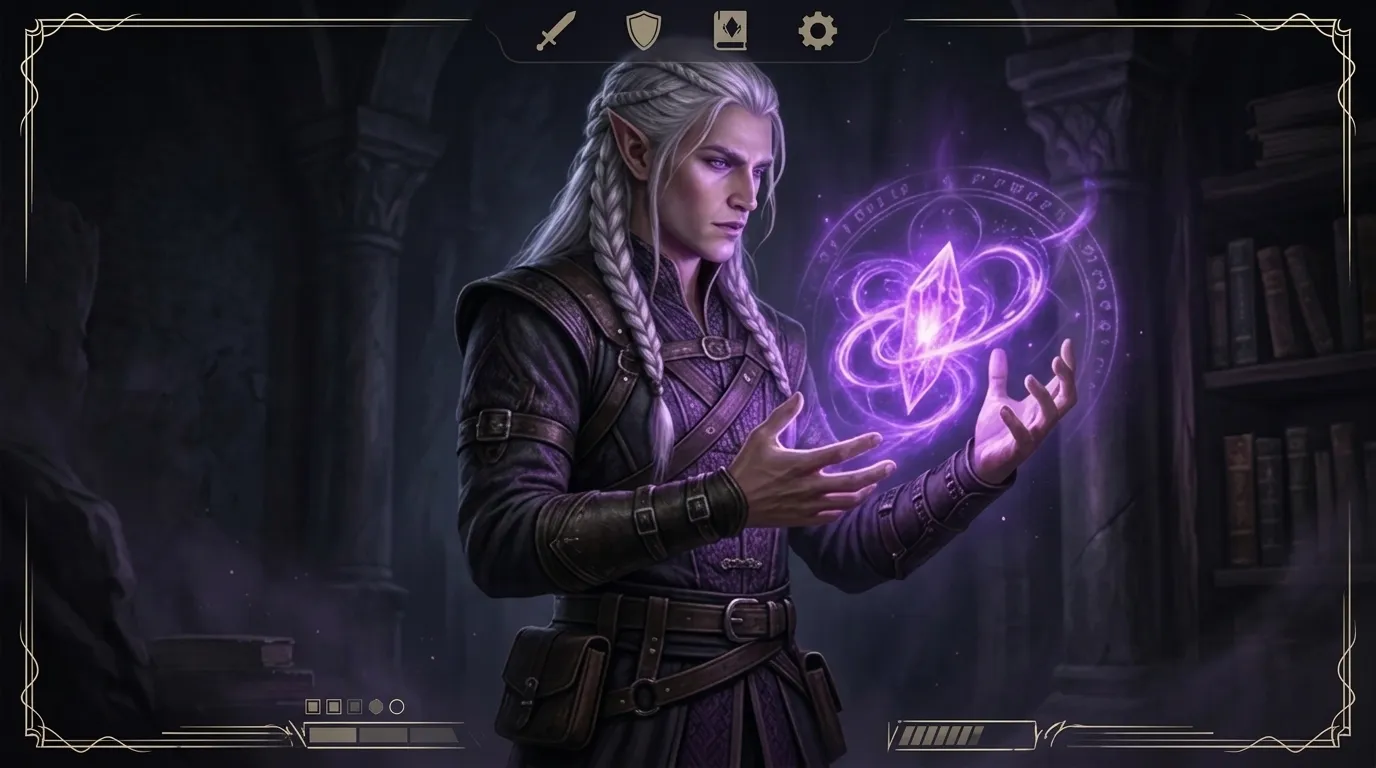
I do not think every character needs a full dramatic package. Sometimes you just need a level 3 fighter before the pizza arrives. Even so, the renewed buzz around D&D Beyond's Quickbuilder made one thing obvious to me: people want speed, but they also want a character that feels like more than a list of modifiers. PC Gamer's coverage of the newer Quickbuilder in March 2026 pushed the "hero in seconds" angle hard, and the older official D&D Beyond guide still frames Quick Build as the fast route when you want a sheet with minimal fuss. I get the appeal. I also think that is only half the job if your group cares about presentation, memory, or roleplay. Read the PC Gamer piece here and the official D&D Beyond character guide here if you want the rules-first view.
What CharGen now does differently is practical. The current builder lets me switch between Character Builder and Quick Generate, move through System, Species, Class, Abilities, Background, and Details, then turn the result into something table-ready with portrait art, inline edits, voice, ambience, share cards, PDFs, and markdown exports. That matters more than a flashy landing page. If I can move from "I need a warlock for next Thursday" to "here is the portrait, sheet, and voice intro" inside one workflow, I am much more likely to finish the job.
What most dnd character creator tools still miss
Most character builders are good at the same three things:
| Job | Usually handled well | Usually left hanging |
|---|---|---|
| Rules setup | class, species, stats, equipment | memorable presentation |
| Fast onboarding | a legal sheet in a few clicks | campaign-specific flavour |
| Shared understanding | everyone sees the numbers | nobody hears the character |
That last bit is where things start to fall apart.
At my table, the character sheet is not the finished product. It is the receipt. The actual character becomes real once the group can picture them, quote them, and recall one or two details without shuffling through notes. A half-elf paladin with 18 Strength is mechanically sound. A half-elf paladin with chipped blue armour, vineyard vows, and a voice that sounds like she has not slept properly in a fortnight is memorable.
That is why I no longer judge a dnd character creator only on how fast it fills out AC and hit points. I want five things:
- a clean rules foundation
- a believable backstory that is short enough to use
- character art I would not be embarrassed to show in Discord
- a printable or shareable format for actual play
- one sensory hook, usually voice or ambience, that the group can recognise quickly
Plenty of tools do one or two of those well. Very few do all five in one place.
Where CharGen's new Character Builder actually helps
The biggest improvement is that CharGen now treats a player character like a proper entity, not a one-off prompt result. The builder itself is structured, and the generated character view is designed for ongoing use rather than a single screenshot.
When I open the page, the first choice is straightforward:
Character Builderif I want to make meaningful decisionsQuick Generateif I only have a concept line and need the AI to do the heavy lifting
That split is sensible. Some nights I want to choose every detail. Other nights I want to type "human warlock who used to be a tax clerk and now owes favours to a lighthouse spirit" and move on.
Inside Character Builder, the wizard steps do a decent job of keeping me honest.
| Step | What I use it for | What it stops me from doing |
|---|---|---|
System | locking the rules frame | pretending system assumptions do not matter |
Species | anchoring traits and ability bonuses | building in pure flavour fog |
Class | defining role and spell access | making a concept with no play shape |
Abilities | choosing Point Buy (27), Standard Array, Roll 4d6, or Manual Entry | getting lost in stat indecision |
Background | adding skills and one social angle | forgetting why the character existed before session one |
Details | name, gender, alignment, level, and Personality / Backstory Prompt | producing a blank, generic hero |
That is the part I like. The page is not trying to be mysterious. It is giving you a sensible sequence and letting you move.
One honest limitation though, CharGen is not pretending to replace everything in the official rules ecosystem. The current builder is aimed at D&D 5e SRD content, and the app itself already says Pathfinder 2e support is still coming later. If you need every paid rules option, every subclass edge case, and sourcebook-specific automation, D&D Beyond still has the better claim there. I would rather say that plainly than pretend one tool should do every job.
My actual workflow for making a character people remember
Here is the routine I would use on a normal weeknight.
Start in Character Builder when the concept matters
If the character is going to stick around for a campaign, I use the wizard rather than Quick Generate.
I begin with class first in my head, even though the page starts with system and species. I want to know the party role before I fuss over hair colour or tragic childhoods. Once I know the role, I can make cleaner decisions.
For example, a recent concept I tested went like this:
A human paladin who survived a failed pilgrimage and now treats every oath like a debt ledger.
From there, I would set:
System: D&D 5eSpecies: HumanClass: PaladinAbilities:Point Buy (27), because I want predictable numbersBackground: something that implies duty or travelDetails: level 4, lawful leanings, and a shortPersonality / Backstory Promptabout guilt, ritual discipline, and not trusting miracles
That prompt is where the app starts paying off. I do not write a novella there. I write one sentence with tension inside it. Something like:
Carries herself like a clerk of the divine, but she is privately convinced the pilgrimage massacre was her fault.
That gives the AI enough direction to build a personality, ideals, bonds, and flaws without sounding like it swallowed a lore encyclopaedia.
Use Quick Generate when you need a spark, not full control
Quick Generate is the mode I would use for one-shots, guest players, or NPC-adjacent companions who need full player-facing stats.
The mistake people make here is typing a mushy concept. If you want a good result, give the tool a role, one contradiction, and one visual clue.
Try the Character CreatorThree prompts I would genuinely use:
Tiefling bard with chapel choir training, dry humour, and burnt-gold eyesDwarf ranger who maps monster migration routes and hates heroic speechesHuman warlock, former barrister, now bound to a tide spirit, immaculate coat and terrible sleep
Those are short, but they are not bland. The contradiction does the work.
Worth mentioning though, I rarely accept the first result unchanged. The newer CharGen view makes that easy because so much is editable inline. I can adjust stats, tweak story sections, add spells, add equipment, and tidy the parts that came out too smooth. That last pass is important. AI is very good at producing tidy nonsense. You still need taste.
The bit I think CharGen gets more right than quick builders
Once the character is generated, the page stops looking like a form and starts behaving like a presentation layer for play.
The tabs matter:
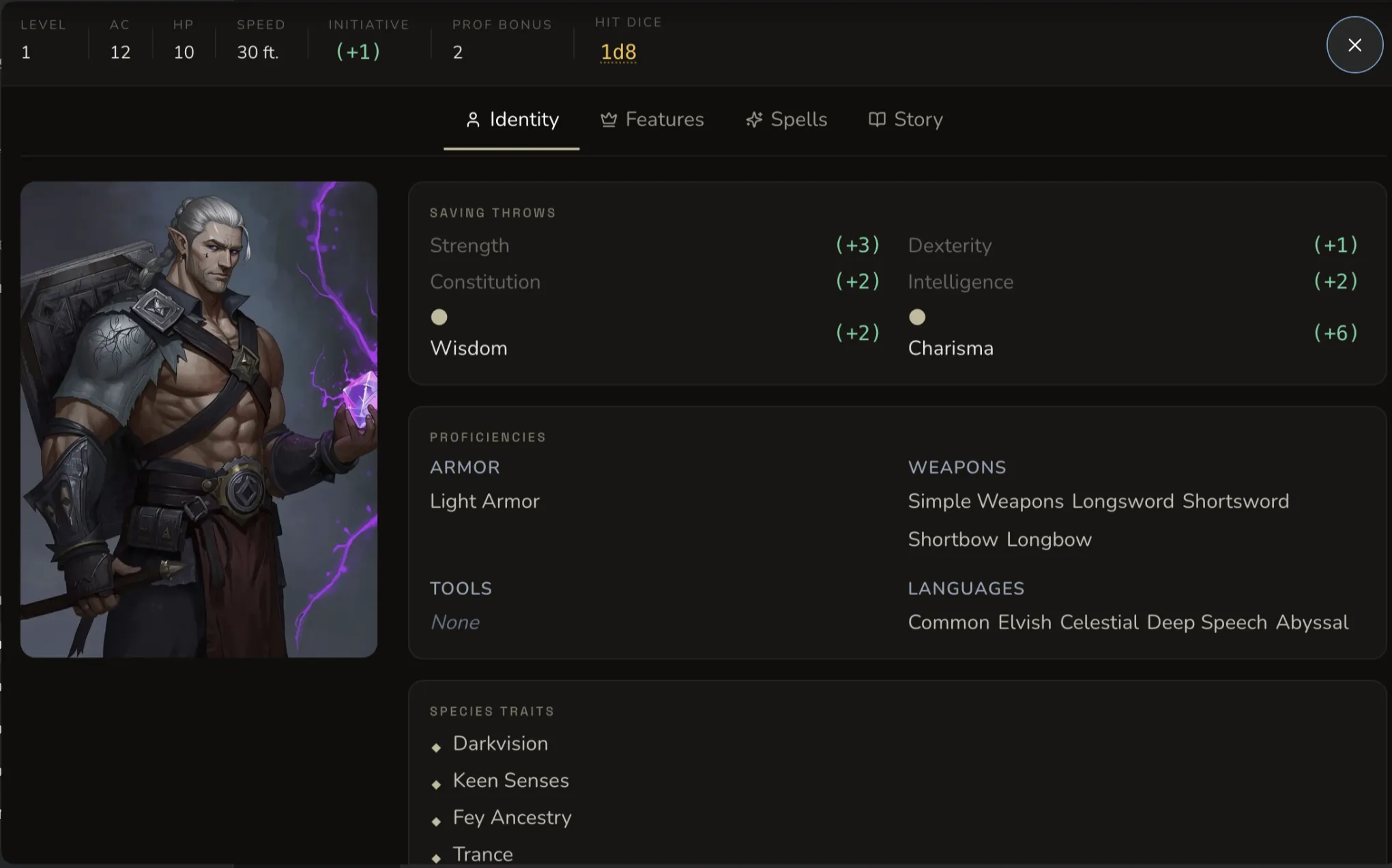
IdentityFeaturesSpellsStory
That sounds simple, but it changes how I use the result. I am not staring at one long document and hoping I remember where the flaw text went. I can jump to the part I need.
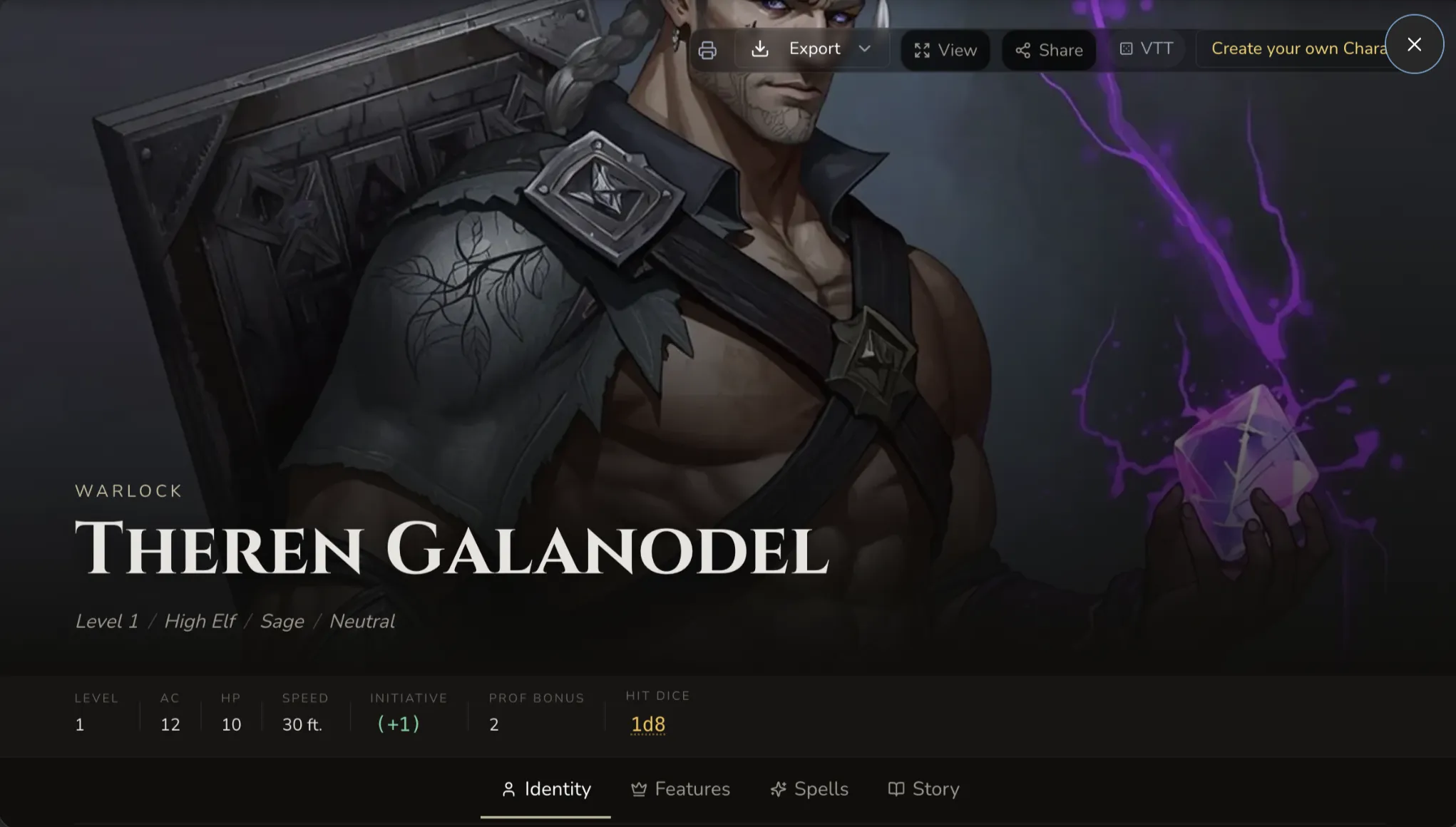
On the character page itself, a few details stand out:
- the sticky stat strip keeps
Level,AC,HP,Speed,Initiative,Prof Bonus, andHit Dicevisible - the portrait area has a visible
Animateaction on hover - the top-right toolbar gives me
ViewandShare - under the portrait, there are separate
VoiceandAmbiencestrips instead of one vague audio slot
That split between voice and ambience is a better decision than it might look on paper. Voice is identity. Ambience is context. I do not want those blurred together.
If I were prepping the paladin above, I would give her a ten-second intro voice that sounds clipped, exhausted, and formal. Then I would add a faint chapel-stone ambience track with rain on distant windows. Nothing huge. Just enough that when I reintroduce her three sessions later, the group recognises the mood immediately.
That is also where CharGen starts connecting neatly with other parts of the site. If I want to build out the campaign around the character, I can jump into the NPC Generator, RPG Session Notes, or even the Media Center when I want to turn a still portrait into something with a bit more theatre. I covered the audio side in more detail in my post on DnD ambience generator workflows, but the short version is this: once your character voice and ambience live in the same ecosystem as the notes, you are far more likely to use them.
Where D&D Beyond still wins, honestly
I do not think honesty hurts a comparison post. It makes it readable.
If your priority is strict rules implementation, fast official onboarding, and immediate access to the wider D&D Beyond ecosystem, their builder still has the cleaner story. That is especially true for groups who already live inside purchased books, encounters, and digital sheets there.
If your priority is presentation, export flexibility, and turning a legal character into a campaign object with art, story, and audio cues, CharGen has the more interesting workflow right now.
Here is the blunt version:
| If you need this most | Better fit |
|---|---|
| official D&D onboarding and sourcebook gravity | D&D Beyond Quickbuilder |
| art, backstory, and a more theatrical character handoff | CharGen Character Generator |
| one-shot speed with minimal editing | either, depending on whether visuals matter |
| printable narrative card plus traditional sheet export | CharGen |
| campaign presentation with voice and ambience hooks | CharGen |
I would not force a false winner here. I would use D&D Beyond when the rules container is the whole job. I would use CharGen when the sheet is only the beginning.
The export options are more useful than they sound
People underestimate this part until the first time they need to move a character between tools.
CharGen's exports are not just there for marketing bullets. The printable character sheet is obvious, but the narrative card, markdown, Obsidian, and JSON options are what make the workflow durable.
That means I can do things like:
- print a traditional sheet for the table
- send a share card to the group chat before session one
- drop markdown into campaign notes
- keep a clean JSON export if I want to reuse the structure elsewhere later
I especially like that the character does not feel trapped once it exists. Too many generators are good at making something and bad at letting you live with it.
Second example, because specifics matter. If I were building a tiefling bard for a city-intrigue campaign, I would:
- run the character through
Quick Generate - edit the backstory down from three paragraphs to five sharp sentences
- generate the portrait look I want
- attach a voice intro that sounds amused rather than theatrical
- export the sheet PDF for the player and the markdown file for my own campaign vault
That entire loop is much closer to how people actually prep than the old split between one sheet builder, one art tool, one notes app, and a fourth tab you forget to reopen.

My recommendation if you are choosing a dnd character creator today
If you are a brand-new player and you mostly need help getting legal numbers on a page, start with the fastest rules builder you already trust. There is no shame in that.
If you are a DM, a regular player, or the sort of person who cares how a character lands in the room, I would use a dnd character creator that handles more than the rules. That is where CharGen's current setup earns its keep. The Character Builder gives you just enough structure. Quick Generate gives you speed when you need it. The generated character view gives you a better place to edit. The Voice, Ambience, Animate, Share, and export options are the bits that turn a neat sheet into a playable character.
My advice is simple. Build the chassis fast, then spend ten extra minutes on the parts players actually remember. Add one image, one line of voice, one strong flaw, and one export you can reuse later. If you want to do that in one place, build your next character in CharGen.
Create a Character Free
Image credits:
- Hero image regenerated with WaveSpeed Nano Banana 2 edit using saved real CharGen UI screenshots plus existing CharGen reference assets.
- In-content screenshots use saved CharGen character-page captures from the Desktop screenshots supplied during this run.
- Remaining in-content artwork uses existing CharGen product imagery and edit-tool assets.
- Automation note: text-to-image failed repeated preflight test generations on moderation checks, but Nano Banana 2 edit succeeded when driven from existing reference images.
Frequently asked questions
- What is the best free D&D character sheet creator in 2026?
- For a rules-legal 5e sheet at zero cost, D&D Beyond and AideDD are the two strongest free options. D&D Beyond gives a free account six character slots. AideDD is free with no slot limit and downloads a fillable PDF for both the 2014 and 2024 rules.
- Can I print a D&D character sheet from these tools?
- Yes, from most of them. AideDD downloads a fillable PDF. D&D Beyond prints from the sheet view. CharGen exports a PDF character sheet named after the character, plus Markdown, JSON and a Foundry VTT .json file.
- Do I need an account to use a D&D character sheet creator?
- Tetra Cube and AideDD work in the browser with no account. D&D Beyond, Roll20, Dicecloud, Vondy and CharGen all need a free account to save a character.
- How many characters can I make on a free D&D Beyond account?
- Six. The Hero tier at $2.99 per month removes the slot cap. The Master tier at $5.99 per month adds content sharing across up to three campaigns.
- Which D&D character sheet creator supports the 2024 rules?
- D&D Beyond, AideDD and CharGen all build against the 2024 rules. AideDD keeps a separate 2014 builder and a separate 2024 creator. CharGen lists 5e 2014 and 5e 2024 as two of its four systems.
- What is the difference between a character sheet creator and a character art generator?
- A sheet creator produces the numbers: abilities, saving throws, proficiencies, AC, HP and equipment. An art generator produces the portrait. CharGen runs both in one place, which is why the export includes a sheet and a token.