
AI Monster Generator for DnD Boss Fights
Use an AI monster generator to build DnD boss fights with cleaner prompts, stronger monster art, and token-ready variants in CharGen.
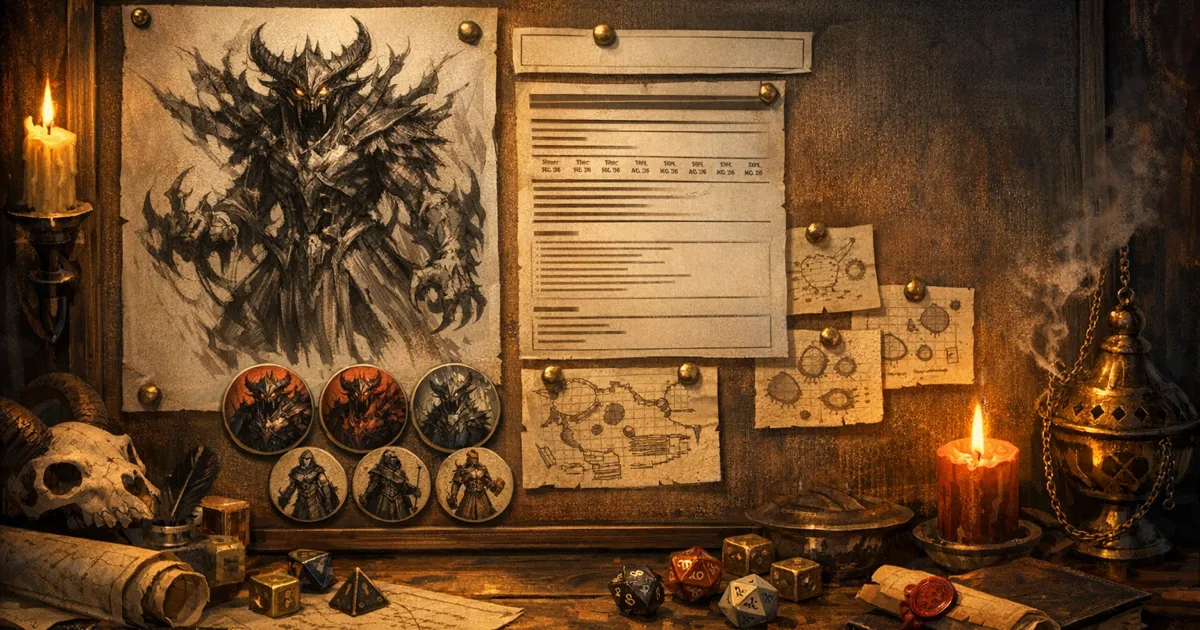
An ai monster generator only became properly useful to me once I stopped asking it for throwaway beasts and started using it for boss fights. A boss monster has to do three jobs at once. It needs a stat block that feels fair, art your players remember, and a token or handout version that still reads clearly once the battle starts. If one of those bits falls apart, the whole encounter feels cheaper than it should.
That is why I now build boss monsters as a small workflow instead of one prompt and a prayer. CharGen helps because the Monster Generator, D&D AI Art generation, paid Arena A/B test, and Token Maker all sit close enough together that I do not lose the thread halfway through prep.
March 2026 is a good moment to tighten that workflow as well. Image models have improved again. OpenAI's recent image update pushed prompt adherence and editing quality forward, and Midjourney kept iterating on V7. Better raw output is nice, but the practical problem for DMs has not changed. You still need the monster to make sense in play. Sources: OpenAI image update and Midjourney updates. These model details reflect my March 2026 review.
Search intent around this topic is fairly obvious. People looking for ai monster generator or dnd monster generator usually want one of three things:
- a fast way to build a boss with a fresh concept
- monster art that does not look like random fantasy sludge
- a route from concept to Roll20 or Foundry token without another hour of cleanup
That is the exact job I am solving here.
What most ai monster generator guides get wrong
Most guides stop too early. They show you how to get a cool picture, or they show you how to get a stat block, then they call it done.
At the table, that split causes problems fast.
I have made all of these mistakes:
- beautiful monster art with no clear combat identity
- a solid stat block attached to art that suggested a completely different threat
- a dramatic handout image that turned into useless mush at token size
- three versions of the same boss with no naming system and no clue which one was current
The thing is, a boss monster is not just a piece of art and it is not just maths. It is encounter design, visual communication, and memory management all at once. That is why I still start from official encounter guidance when I care about fairness. The D&D Beyond encounter-building rules are not glamorous, but they stop me from wandering into nonsense.
Once I know the encounter band I want, then I use AI to make the monster feel distinct.
My CharGen workflow for boss monsters
I use four connected passes. Not every creature needs every pass, but every boss does.
1. Build the creature logic in Monster Generator first
I start in Monster Generator, not the image tool.
That order matters.
On the page I usually fill in:
Quick DescriptionChallenge RatingGame SystemOptional SettingsMonster TypeRoleEnvironmentDifficultyReskin OfAdditional Details
If I skip those and go straight to art, I nearly always end up designing a creature that looks excellent but fights in a vague, forgettable way.
One recent example from my own prep:
Quick Description:Cathedral drake that feeds on incense, broken vows, and heat from brass censersChallenge Rating:9Role:Solo bossEnvironment:ruined hill shrineReskin Of:young red dragonAdditional Details:prefers short lunges, wing-buffet repositioning, and punishes clustered targets with burning ash
That gave me a proper monster spine before I generated a single image. The output already suggested movement, scale, lair texture, and combat rhythm. Art became easier because the creature had a job.
Worth saying clearly, I do not treat Reskin Of as a lazy shortcut. I treat it as a control knob. If I want a fight that behaves like a familiar chassis but feels new in the fiction, it is one of the fastest fields on the page.
If you want a full encounter-side guide before the art phase, my earlier post on building balanced encounters with CharGen's Monster Generator is still the one I would read first.
2. Translate the stat block into visual anchors
Boss art improves the moment you stop prompting with lore blur and start prompting with combat-readable details.
I pull three to five anchors from the monster output:
- one body shape cue
- one material cue
- one attack cue
- one environment cue
- one memorable damage or status clue
For the cathedral drake, my anchor list became:
- ash-crusted brass scales
- censers hanging from broken horn rings
- cracked wings that leak ember dust
- shrine tiles underfoot
- throat glow before the breath attack
That list is far more useful than writing something like "ancient terrifying sacred dragon of judgement". That sort of prompt sounds dramatic and gives me very little I can actually use.
Another example I liked:
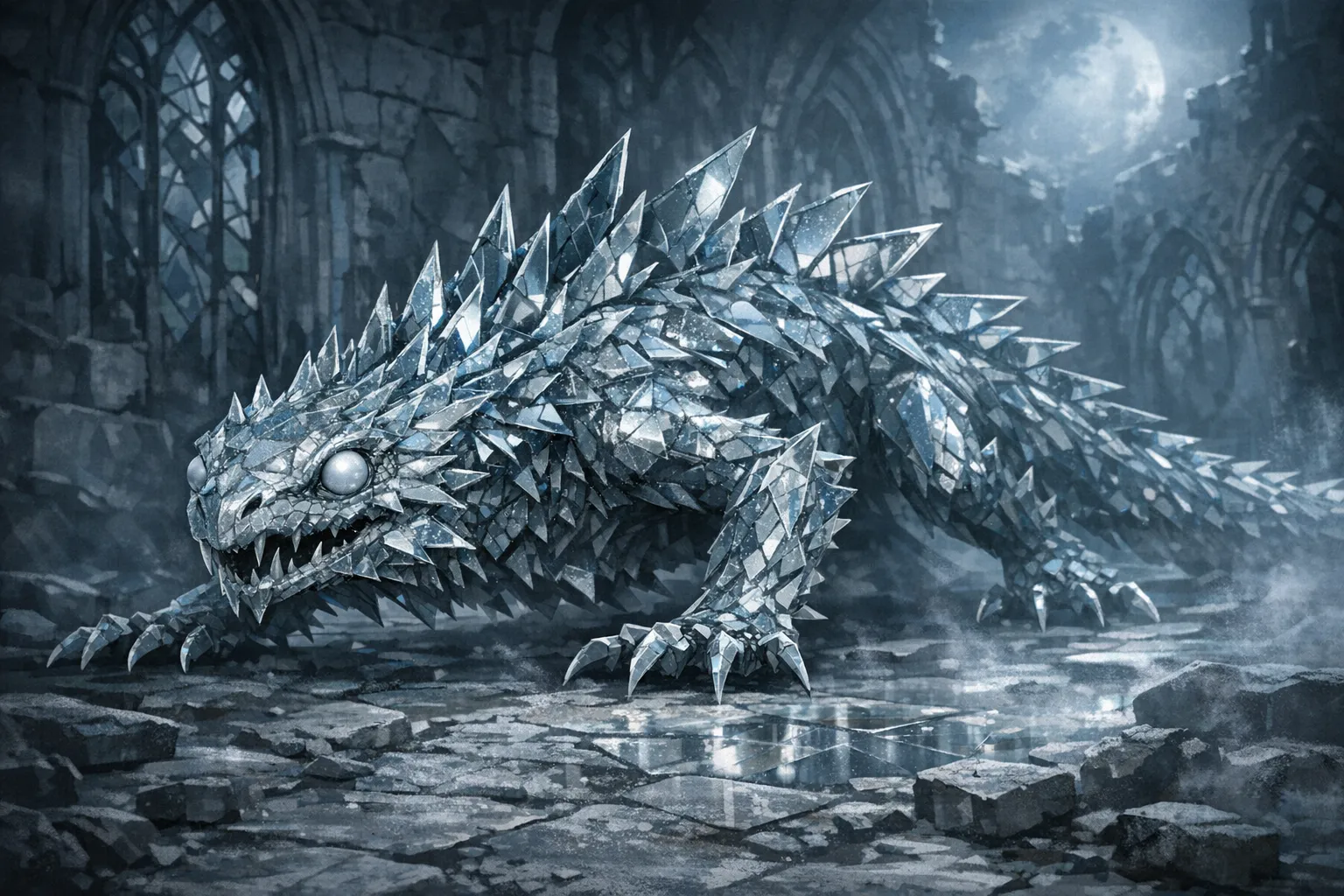
Glass basilisk from moonlit ruins, refracted light, fractured mirror plates along spine, blind pearl eyes, dust-white claws, low stalking posture
That prompt gave me a monster my players could identify instantly, and it also told me what the token had to preserve: spine silhouette, eye colour, and low profile.
3. Test one prompt across models before you commit
I do not compare models for every goblin or ghoul. For a boss, I absolutely do.
The paid Arena is where I check whether a prompt survives contact with different model habits. I choose two available image models, run the same boss prompt, then vote before the model names are shown.
My scoring is simple:
| Check | What I am looking for | Why it matters |
|---|---|---|
| Silhouette clarity | Can I recognise the monster at a glance? | Token crops live or die here |
| Material honesty | Does metal look like metal, bone like bone, ash like ash? | Bosses need believable texture |
| Attack readability | Can I see the clue for its signature move? | Handouts should support memory |
| Reroll pressure | Did I get a usable result fast? | Prep time still counts |
One honest opinion from my own testing: fantasy boss monsters fall apart faster than character portraits when the model gets too painterly. Soft, atmospheric output can look lovely in a full-screen image and still be useless once you crop it for play. I would rather keep a sharper, slightly less fancy result than chase a cinematic version that cannot survive a 128px token.
That is why I usually split my generation into lanes:
| Lane | Purpose | Prompt emphasis |
|---|---|---|
| Boss portrait | Player handout or article image | scale, mood, material detail |
| Token crop | VTT readability | face shape, eye-line, contrast |
| Variant sheet | elite or phase changes | one evolving anchor only |
Keeping those lanes separate cut my rerolls down immediately.
4. Make token and phase variants on purpose
The best boss fights often change state halfway through. Burning crown breaks. Wings tear open. Armour sloughs off. Parasites surface. You get the idea.
If that shift matters in the scene, I make a second visual version and only change one major anchor.
For a furnace drake I ran recently, my phase plan looked like this:
- phase one: plated neck, closed jaw vents, stable ember glow
- phase two: neck plates split open, jaw vents leaking fire, brighter throat core
- token variant: tighter crop, brighter eye socket, less background clutter
That kept the art progression readable without making it feel like I had swapped to a different creature by accident.
The Token Maker is where I finish that work. I keep one border style for the whole encounter and only adjust crop depth or contrast. If I also change border family, background, and framing at the same time, players stop reading it as a state change and start reading it as a new token.
If your current token process is messy, my batch guide on how to make DnD tokens for Roll20 and Foundry covers the framing discipline that keeps these assets usable.
Try the Free Monster Art Generator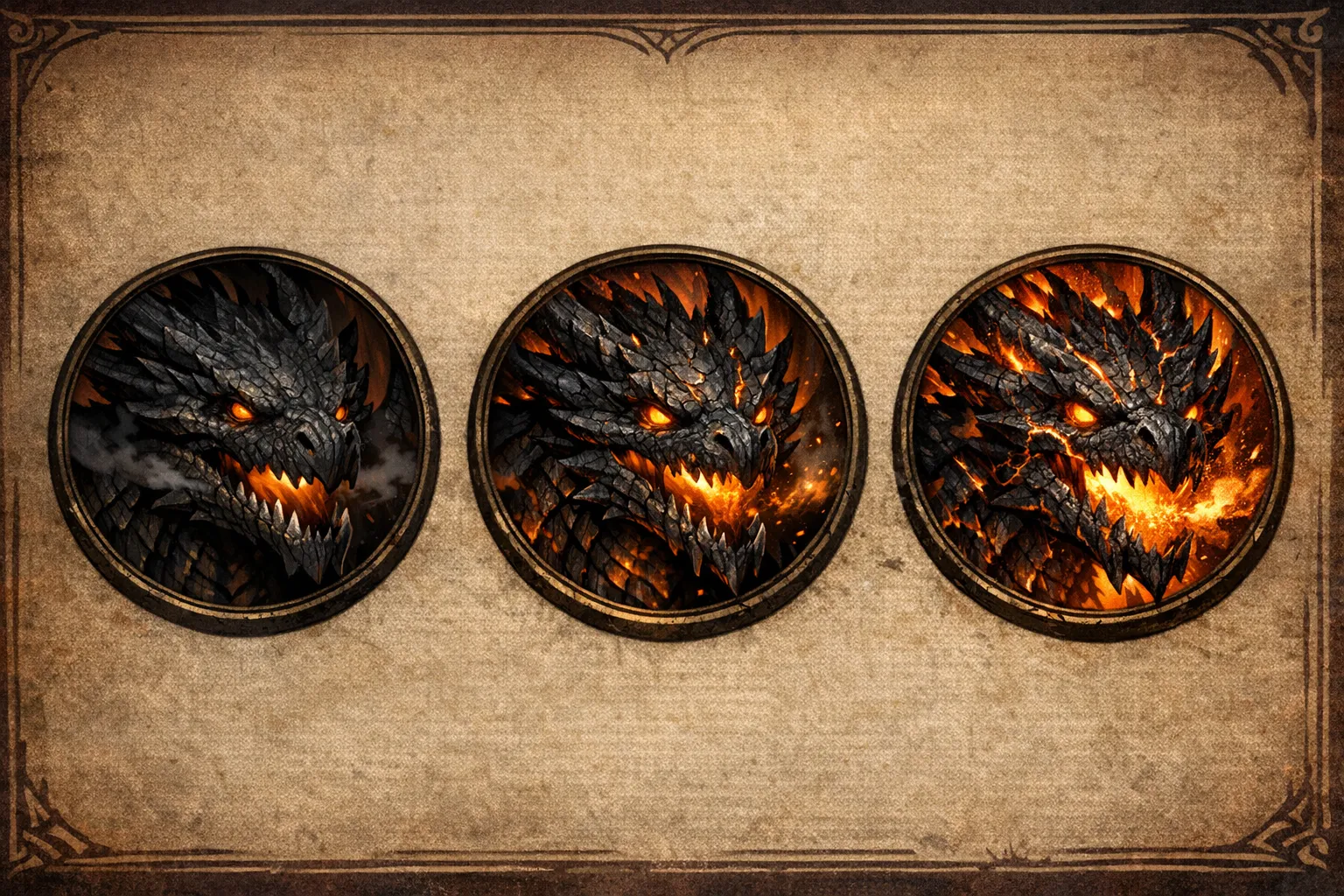
Three boss prompts I would actually use
Theory is fine. Real prompts are better.
Here are three I would happily run tonight.
The glass basilisk
Use case:
- ruin-crawler boss for levels 5 to 7
- best in moonlit or torchlit spaces
- works when you want petrification tension without a giant snake cliché
Prompt basis:
Crystalline basilisk formed from broken cathedral glass, fractured mirror plates along spine, blind pearl eyes, dust-white claws, low stalking posture, moonlit ruin floor, sharp silhouette, creature portrait
Why it works:
- clear body plan
- memorable material choice
- obvious environment
- one attack clue built into the look
The bog saint ogre
Use case:
- swamp shrine boss
- social horror build-up before combat
- good for a one-shot where villagers have fed it offerings for years
Prompt basis:
Ogre draped in flooded altar cloth, waterlogged prayer ribbons, barnacled iron censer chained to one wrist, reed-crowned skull mask, mud-dark skin, drowned shrine at dusk, heavy frontal pose
Why I like it:
- the censer becomes a combat prop immediately
- the shrine cloth tells story without extra exposition
- the silhouette survives token crop better than a cluttered full-body swamp scene
The furnace drake
Use case:
- forge boss
- cult stronghold finale
- excellent for phase changes
Prompt basis:
Forge drake with ash-black brass scales, split jaw vents, cracked wing membranes, chain-scored chest plates, heat haze around throat, ruined hill shrine forge, side-lit portrait, high contrast
The good bit here is the split jaw vents. Players noticed them before the breath weapon landed. That meant the picture was helping the fight instead of just decorating it.
A 45-minute prep routine that keeps me sane
My actual time budget for a single boss usually looks like this:
| Block | Time | Output |
|---|---|---|
| Monster Generator pass | 10-12 min | stat block, role, encounter logic |
| Art anchor extraction | 5 min | prompt scaffold |
| Paid Arena A/B test | 10-12 min | chosen model lane |
| Token Maker + variant crop | 10-12 min | VTT-ready token set |
| Notes lock | 5 min | current boss version saved in campaign notes |
That last block is easy to skip and always hurts later.
I usually store one line in RPG Session Notes or World Codex after the session:
Cathedral drake, phase two visible from round 4, right horn ring broken, throat glow now constant, ash plume fills choir steps
That note means next week's recap, art refresh, and token folder all agree with each other. Tiny habit, stupidly useful.
Where CharGen beats generic image-only tools for this job
Generic art tools can absolutely produce a strong monster image. I still use external comparisons when I need them.
The problem is not image quality on its own. The problem is workflow drag.
For boss prep, I care about:
- encounter rules and combat role
- art that matches those mechanics
- token exports
- variant control
- later session continuity
That full loop is where CharGen earns its keep for me. I can start in Monster Generator, test two visuals in the paid Arena, export through Token Maker, and then keep the result tied to campaign memory with RPG Session Notes.
When I used separate tools for each piece, I lost time on admin, not creativity. I also contradicted myself more often. One week the boss had brass plating. Next week the handout showed black iron because I had copied an older prompt into the wrong tab. Nobody died. I did feel daft.
Common failure points and quick fixes
Failure: the boss art is gorgeous but the fight feels generic
Fix: go back to Role, Environment, and Additional Details in Monster Generator. Your visual concept is probably outpacing your encounter design.
Failure: the token is unreadable on dark battlemaps
Fix: regenerate a token-specific crop with stronger contrast and less background. Do not reuse the handout image and hope for the best.
Failure: each phase looks like a different monster
Fix: keep the same silhouette and change one major anchor only, such as horn damage, glow intensity, or armour state.
Failure: players forget the boss after one session
Fix: add one weird practical detail. Censer chains. Glass spine plates. Prayer ribbons fused into skin. Concrete details stick.
Failure: prep time balloons because you keep rerolling
Fix: compare prompts once, lock a model lane, then stop. If you are five rerolls deep, the prompt scaffold is usually the problem.
Dark lords and domain horror: Ravenloft-style monster archetypes
Horror D&D runs differently from a standard dungeon crawl. The monsters are not just difficult. They are wrong in a specific, personal way. Ravenloft-style creatures work best when they carry a narrative function as well as a stat block, and AI generation handles this well if you prompt with the right framing.
The key distinction is the darklord archetype: a powerful creature that is trapped by its own nature or condemned to a specific domain. Unlike a generic boss monster, a darklord has a defined weakness that comes from its own history, not from a monster manual entry. A vampire count who cannot enter a home uninvited because his victims once kept the door open for him. A werewolf knight whose silver allergy comes from the coins he used to pay assassins. The mechanic and the lore point at the same event.
When prompting an AI monster generator for this type, I use four components:
- Domain context: the environment the creature rules and cannot leave
- Corruption source: what caused the curse or transformation
- Specific weakness: tied to the corruption, not a generic type vulnerability
- Behavioural constraint: something the creature compulsively does or cannot do
A working example from my own prep:
Quick Description: A noblewoman transformed into a wyvern-like creature after poisoning her household to prevent a forced marriage. Rules a fog-locked manor where she compulsively hosts dinner parties with animated corpse guests. Weakness: she cannot harm anyone who addresses her by her childhood nickname, which only her surviving lady-in-waiting still knows.
That prompt gives the AI enough horror logic to produce a creature with real thematic weight. The weakness is not "immune to fire." It is a narrative pressure point the players can discover and exploit.
Domain-specific corrupted creatures are the second Ravenloft archetype worth noting. These are not the domain ruler but the things the domain spawned around them. Peasants warped by the darklord's curse, guards who died serving the manor and still do, animals mutilated by the same event that created the ruler. When prompting for these, I frame them as consequences rather than independent threats.
Example: Reskin of: Ghoul. Additional details: Former manor cook, preserves her mistress's kitchen obsessively, offers poisoned meals to intruders with genuine hospitality, attacks only when food is refused.
How to prompt for horror stat blocks: The key difference from standard monsters is restraint. Horror creatures should feel weaker than they are when first encountered, then escalate. Prompt for stat blocks where the initial encounter has conditions (fog, darkness, social framing) that artificially suppress the creature's threat, with its true capabilities only revealed when those conditions shift. Role: ambush predator that behaves like a host until its true nature surfaces is a useful framing.
See also Dungeon Generator for horror-appropriate dungeon layouts, and Battlemap for domain environments with fog and decay aesthetics.
2026 check: use 2024 D&D encounter budgets for boss fights
The encounter math changed. I check current rules before I accept a generated Challenge Rating. The 2024 Dungeon Master's Guide starts with a target difficulty. It sets an XP budget from party size and character levels. Each monster's XP value counts against that budget. The official D&D Beyond encounter guide explains the method.
For example, five level-5 characters get 3,750 XP for a Moderate encounter. That is 750 XP per character. The budget is a planning limit. It cannot predict how every mix will play. A single boss, several minions and a timed ritual can spend the same XP in different ways.
I could not verify a blanket 2024 rule that says a monster's CR must never exceed a character's level. The 2024 guidance I checked uses party-level XP budgets and asks the DM to inspect unusual monster features. Use CR to find a shortlist. Then total the XP and read the full stat block before you choose the fight. Avoid repeating a 2014 threshold as if it were a 2024 rule.
The 2024 Basic Rules explain how to run monsters in line with their CR. Use a limited-use special ability as soon as it makes sense. Use Multiattack when a stronger ability is not taking its place. Use listed Bonus Actions, Reactions and Legendary Actions when their triggers occur. Read the official How to Use a Monster guidance before you add new actions to a homebrew stat block.
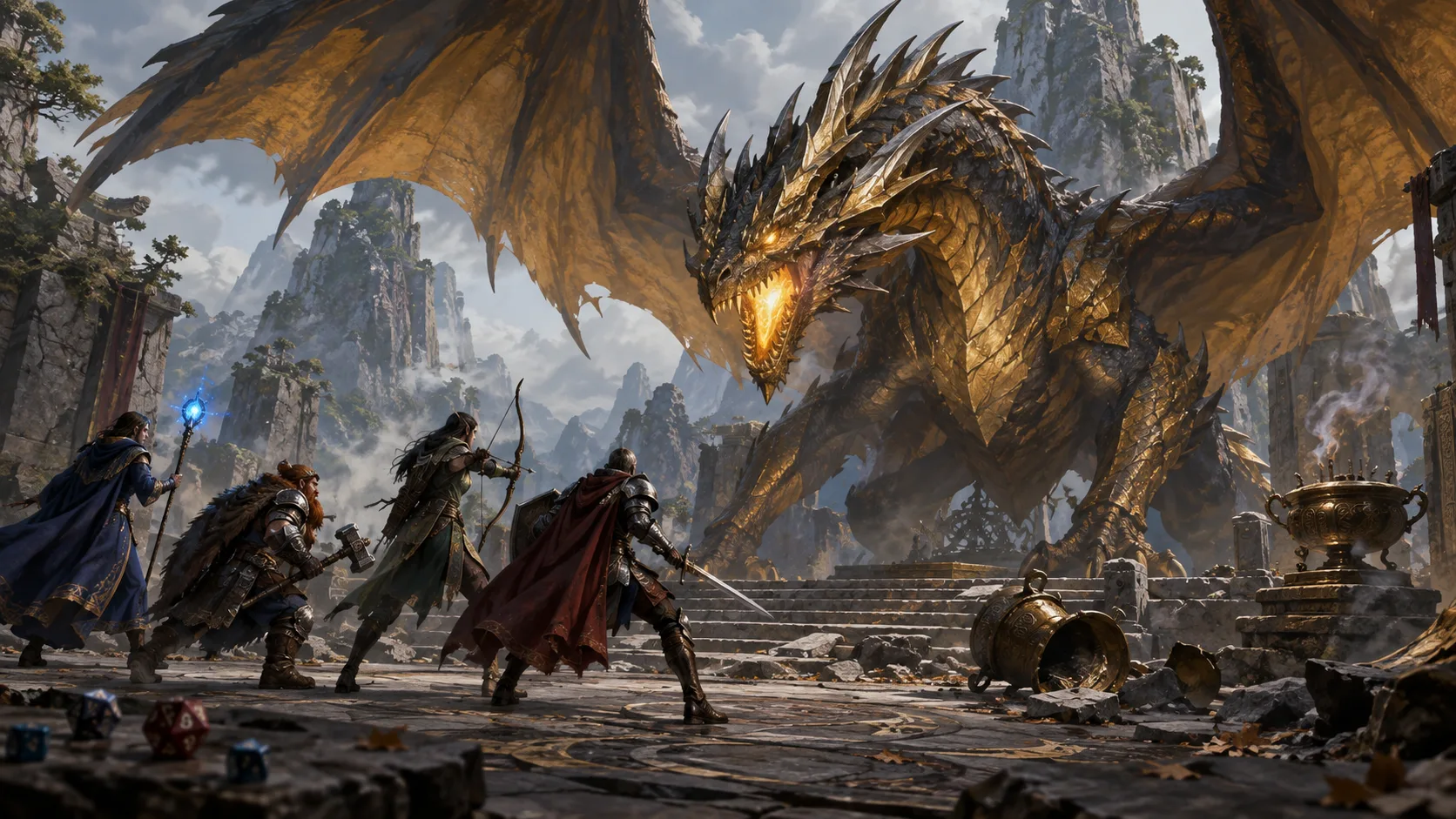
I treat legendary actions as part of the boss's action economy, not as decoration. They let a monster act after another creature's turn, within the limits in its stat block. Lair actions are different. Use a specific lair rule only when the creature or adventure gives you one, and tell players what the environment does before it causes harm.
For the cathedral drake example above, I would not stop at “CR 9”. I would check the party's target difficulty, add the drake's XP to any creatures fighting at the same time, and review its strongest attacks. Then I would decide what warning the players can see before the breath weapon lands. A glowing throat or a rattling censer chain gives them a clue and gives the fight a choice.
A generated monster is a draft. Check its XP, action timing and escape or objective conditions against the rules your table uses. If the total misses your budget, change the number of enemies or choose a different base creature before you polish the art.
FAQ
What is the best way to use an ai monster generator for D&D?
Start with the creature's combat job, not its art style. Build role, environment, and threat first, then translate that into visual anchors.
Can CharGen create both monster stats and monster art?
Yes. I use Monster Generator for stat logic and D&D AI Art generation for the visual pass, then Token Maker for VTT-ready output.
Should I make separate images for handouts and tokens?
Yes, most of the time. Handout art can carry more atmosphere. Tokens need cleaner silhouettes and stronger contrast.
How many visual details should a boss monster prompt include?
Usually three to five anchors is enough. More than that and the prompt often turns muddy.
Is an ai monster generator useful for non-boss creatures?
Of course, but bosses get the biggest benefit because they need stronger memory hooks and clearer visual continuity.
Frequently Asked Questions
How do I create a custom monster for D&D 5e with AI?
Use CharGen's monster generator: describe the creature type, setting, and combat role. The AI generates a stat block with CR, abilities, and flavour text. You can iterate with follow-up prompts to adjust CR or add legendary actions.
Can AI generate balanced encounter CR for D&D?
AI can generate monsters at a requested CR, but always cross-check with the D&D Basic Rules encounter difficulty table. CharGen's monster generator targets a specified CR but the DM should verify the stat block maths for high-stakes encounters.
What is a good AI tool for D&D boss monsters?
CharGen specialises in boss-tier monsters with legendary actions, lair actions, and multi-phase stat blocks. Friends & Fables has AI-generated encounters. CritForge focuses on encounter balance rather than individual monster creation.
How do I make a horror monster for D&D?
Prompt with domain, curse, and narrative function: "A cursed noble trapped in werewolf form, rules a fog-bound moor, cannot cross running water, hates music from their human life." CharGen's monster generator handles horror archetypes well. Give it a narrative hook rather than a generic type.
What is the best free D&D monster generator?
CharGen is free to start with no account required. CritForge has a free tier. The D&D Beyond Monster Maker is free but manual, with no AI generation.
My recommendation if you are prepping tonight
Open Monster Generator and build one boss with Quick Description, Challenge Rating, Role, Environment, and Additional Details filled in properly. Pull four visual anchors from that output, test one prompt against two models in the paid Arena, then make a token-specific crop in Token Maker. Keep the encounter notes and the art notes tied together from the start.
If you want a fast route into the same workflow, create the monster now, then save the version you actually use in World Codex before game night. If you are not using CharGen yet, you can sign up here: CharGen account.
Create Your Boss Fight Art Free
Image credits:
- Hero and supporting images generated with OpenAI Images (
gpt-image-1.5) after a successful precheck on 2026-03-25.