
Edit, Save and Cancel Workshop Entities
Edit Workshop entities safely, including draft snapshots, Save, Cancel and refresh read-back.
Use the shared entity editor when a result from the public NPC generator needs a deliberate, reviewable correction. This lesson uses Captain Ilyra Venn to separate an edit draft, a whole-entity Save, a Cancel and controls that persist immediately outside edit mode.
Start from the saved entity
1. Open the exact owner route
Open Captain Ilyra Venn and refresh once. Read the current field before entering edit mode. This baseline is the value that Cancel must preserve.
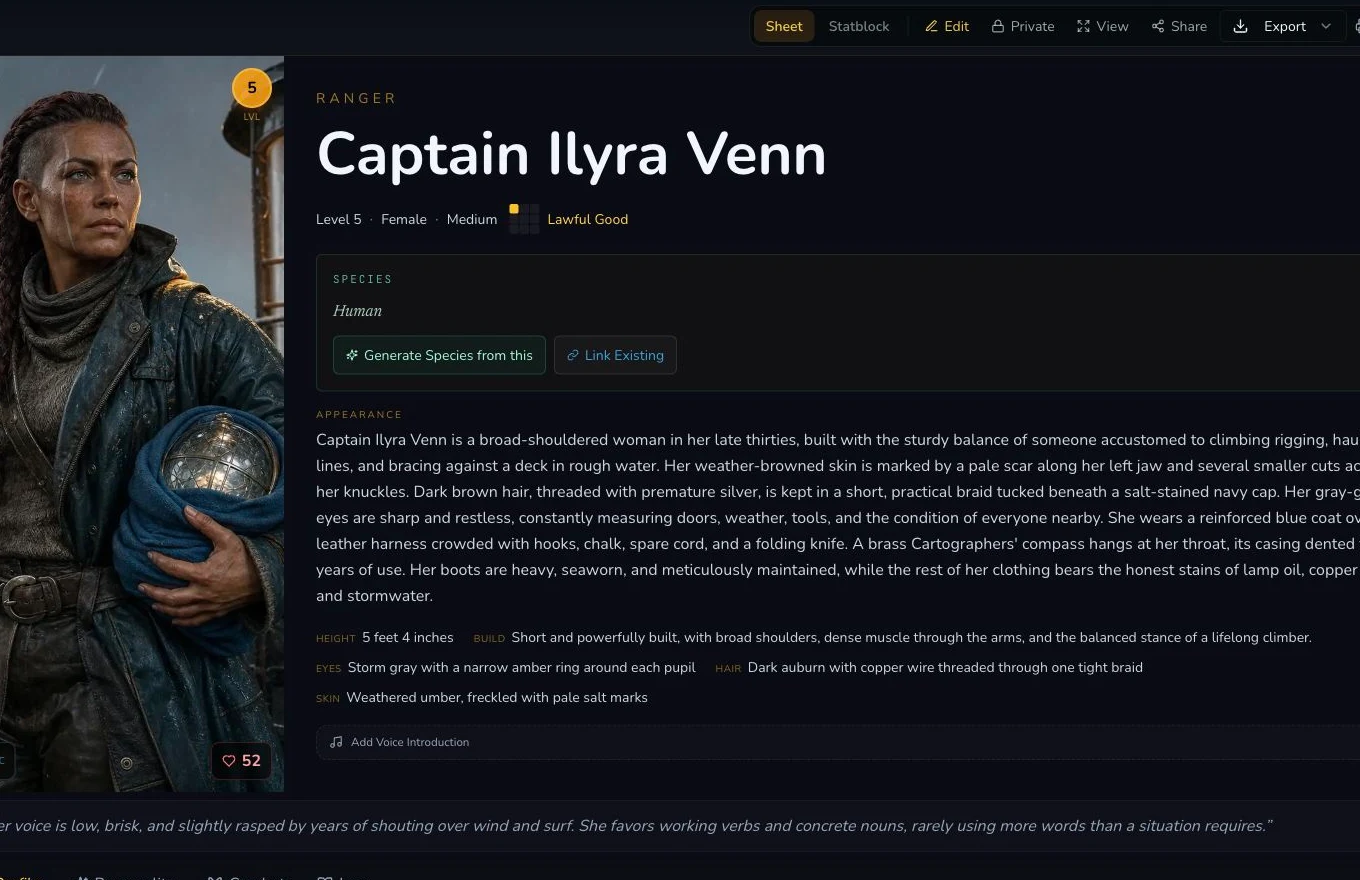
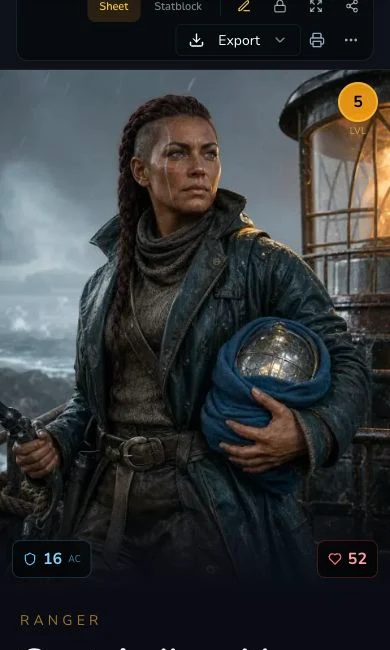
Mobile review starts from the same saved entity identity.
2. Enter edit mode and treat the form as a draft snapshot
Choose Edit. The mounted form is a draft snapshot of the entity. Change only the intended field, then review the whole draft before deciding whether to Save or Cancel. A local input change is not persistence.
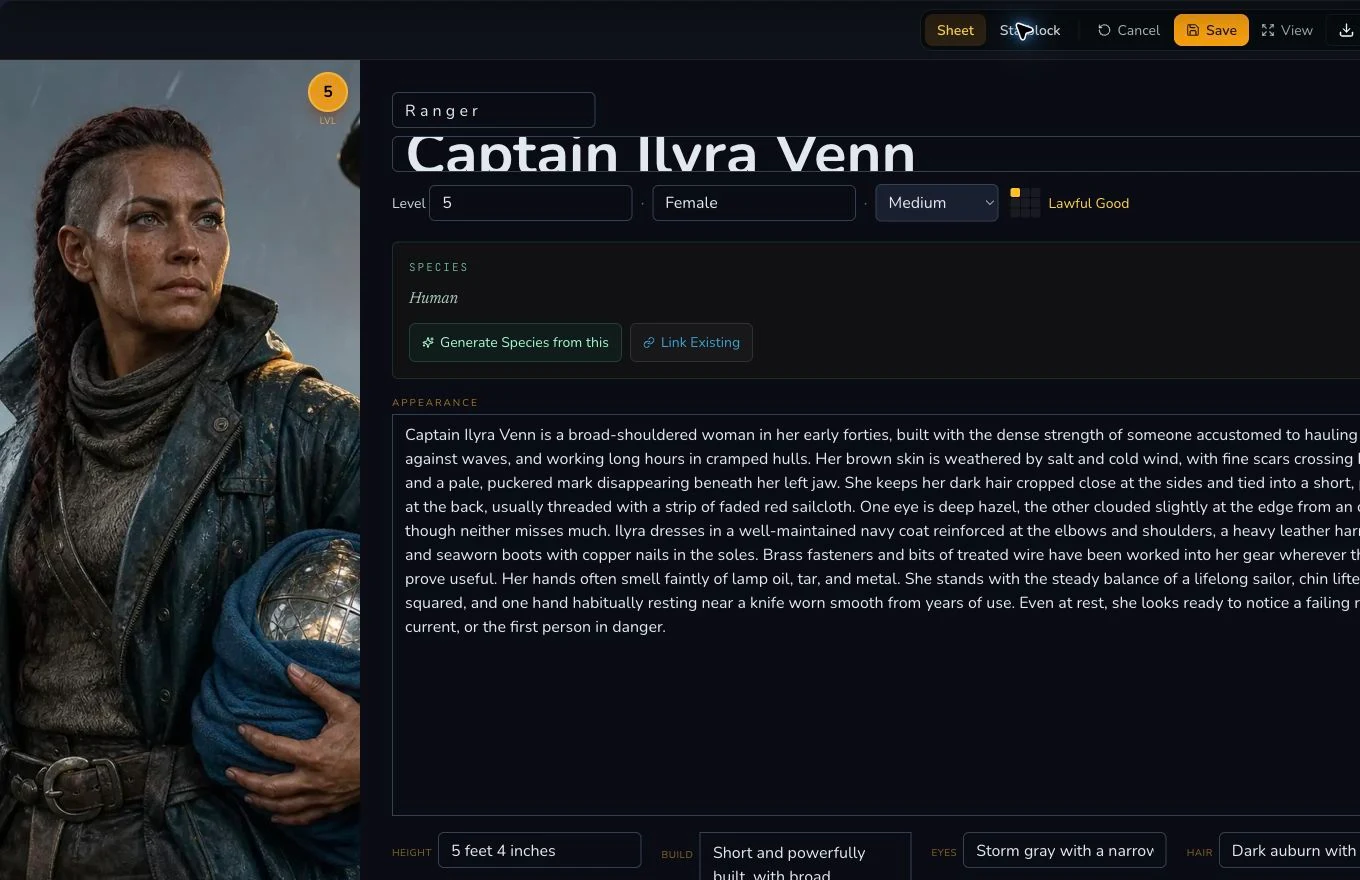
Save and Cancel apply to the whole draft shown in edit mode.
Save and verify
3. Save one public-safe field
The retained operation changed bodyLanguage once and chose Save. Wait
for the view state to return, then refresh the exact detail route. The saved
and refresh read-back hashes matched. Treat that read-back, not the editor
closing, as proof of persistence.
4. Use Cancel to discard a draft
Re-enter edit mode, make a distinct draft-only change and choose Cancel.
Refresh again. The earlier saved bodyLanguage value must remain. Cancel is
not an undo for changes that were already saved.
Keep immediate controls outside the draft contract
Visibility changes, relationship actions, image association and some bespoke controls persist immediately outside edit mode. They are not part of the whole-draft Save or Cancel snapshot. Invoke them separately and verify each after refresh. Plain local state, including a field changed only in the browser, is not a persisted entity change.
Mounted section rerolls are the sharpest example. Choosing a generic section reroll starts the request immediately, costs 1 Gold and does not open a confirmation dialog. Cancel cannot stop or reverse it. Read the exact control, preserve the current value and linked-item context, then select it only when you intend to replace that section.
Checkpoint
Check your result
- The exact owner route shows the expected saved value before editing.
- Save returns to view mode and the edited field matches after a full refresh read-back.
- Cancel discards the second draft and preserves the earlier saved value after refresh.
- Immediate controls are verified separately rather than treated as part of the draft snapshot.
If something looks wrong
Troubleshooting
- Symptom
- The form changed but the refreshed entity did not.
- Likely cause
- The value remained in local draft state or the Save did not complete.
- Next safe action
- Return to the exact owner route, edit once, Save once and verify the refreshed value before another action.
- Symptom
- Cancel did not reverse a relationship or visibility change.
- Likely cause
- That control persists immediately outside the entity draft.
- Next safe action
- Use the control's own inverse operation and verify it separately after refresh.
- Symptom
- Edit controls are missing.
- Likely cause
- Ownership or plan access can gate the editor.
- Next safe action
- Confirm the account owns the entity and the mounted entitlement before changing the workflow.