Skip to content
Create

Automatic session notes for RPG campaigns.

Use Discord, upload audio, paste a transcript or bring rough notes. CharGen writes the recap, tracks what changed and carries the details into your next session.

Your first audio or transcript session is free at Pro quality
01 · Bring the session
Source 01 / 05Ready

Brimstone Accord

Session 3 audio
city-attack-session-3.mp330:00 · 1 recording
100%
Pro analysisFirst audio or transcript session free
Audio, Discord, transcript or notes
02 · Get the useful record
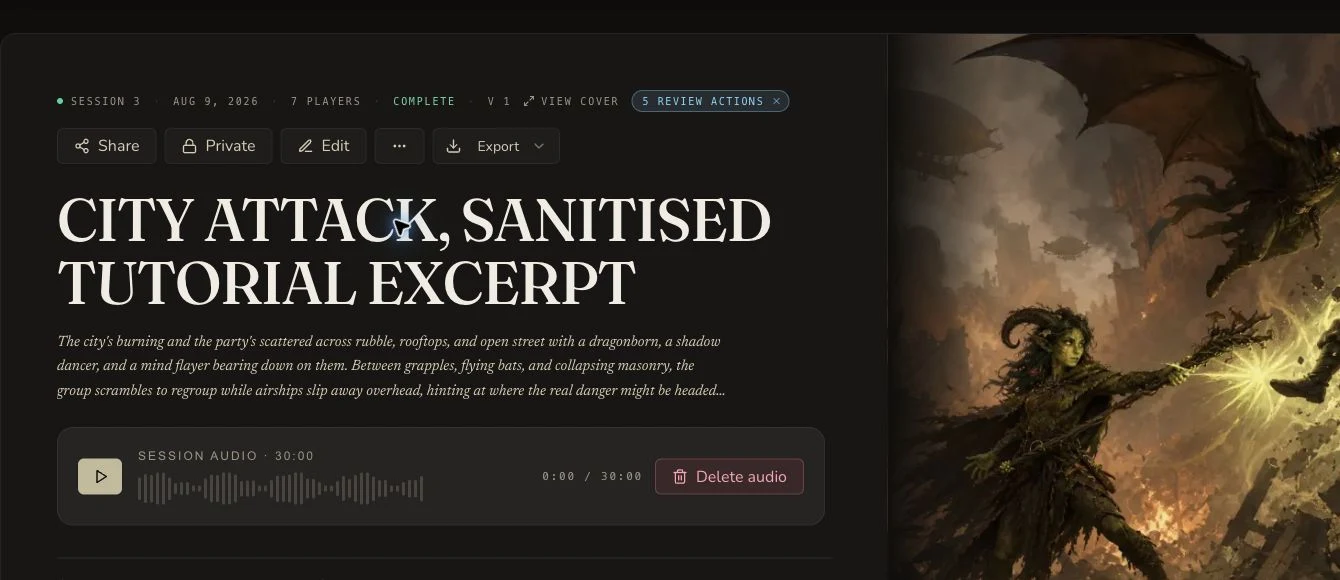
A completed CharGen session with its recap, audio and illustrated cover
Recaps, events, cast, quests and searchable detail
03 · Keep the campaign moving
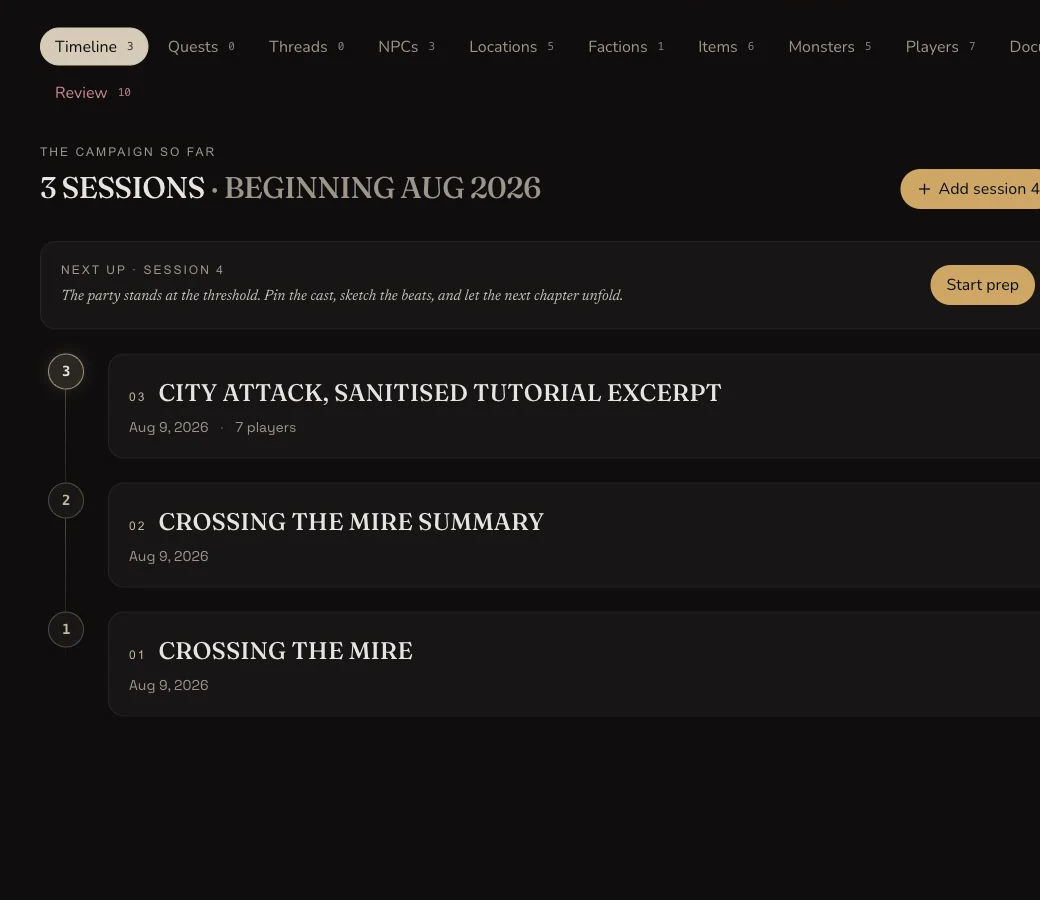
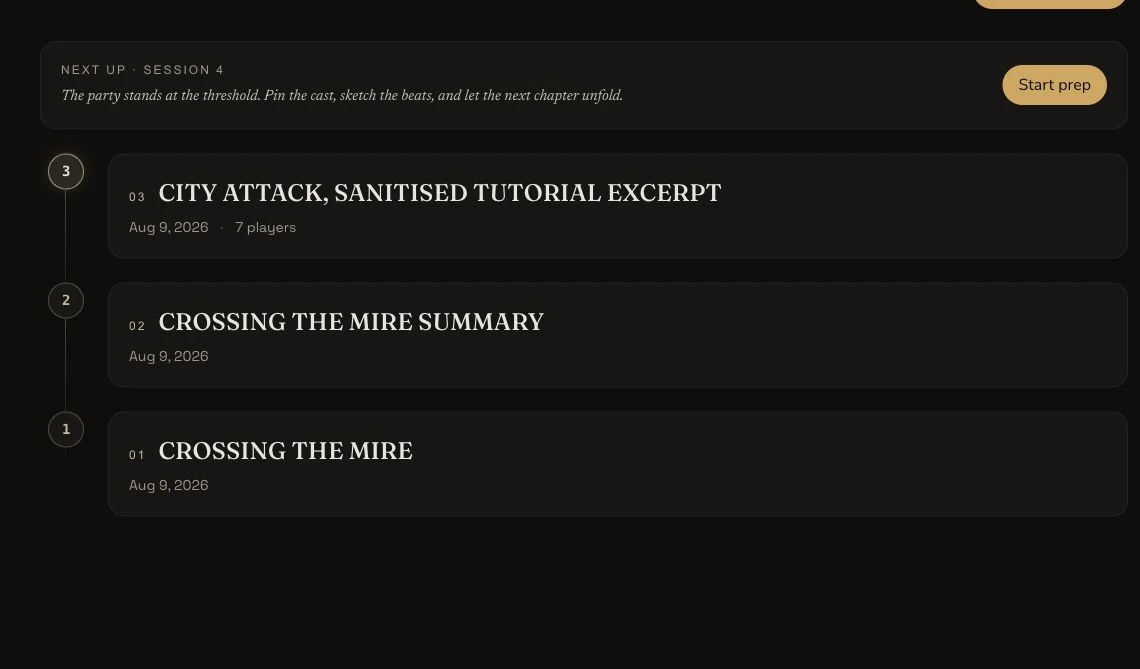
The real CharGen campaign timeline carrying three sessions into the next preparation step
Cross-session history and next-session prep

One source. One submission.

Start with audio, a transcript or rough session notes.

Choose what you already have. CharGen turns it into a structured recap, timeline, cast, World records and open story threads in one pass.

01Bring the session
Session Notes · no audio required

Dock attack. Krackle used chain lightning. The captain sent us to the ship.

02Session record readyComplete

Created from rough notes

City of Glass, session 3

Recap
Spoiler-free, short and full
Timeline
Ordered events and source detail
World
NPCs, locations and factions
Next session
Quests, threads and follow-ups
See the finished session record

See what one session becomes.

Explore a real City of Glass recap. Move from the spoiler-free summary to ordered events, highlights, World entries and the searchable transcript.

Preview of a completed CharGen session recapLoading the interactive recap
18ordered events
8quote-led highlights
11cast records
49World entries
3,581transcript lines

A recap for the group, and the detail you need.

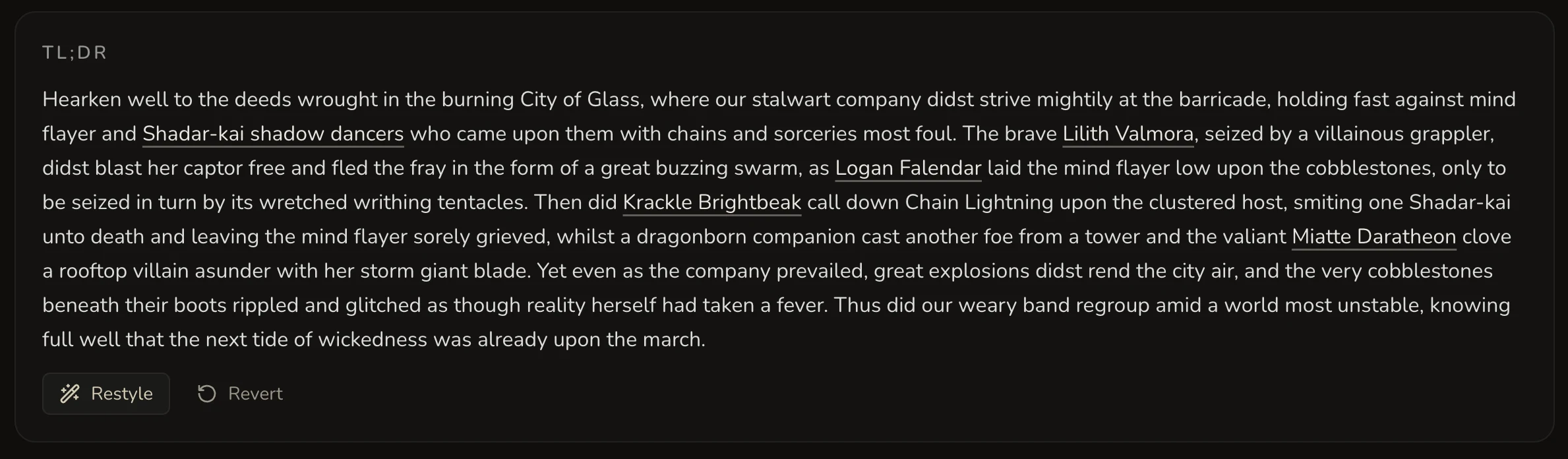
Read a spoiler-free teaser, a short summary or the full recap. Change the tone and length without losing the session facts. Names in the text stay linked to the people, places and creatures behind them.

  • Spoiler-free teaser
  • TL;DR and full recap
  • Tone and length controls
City of Glass TL;DR with Restyle and Revert controls

See what happened, in the order it mattered.

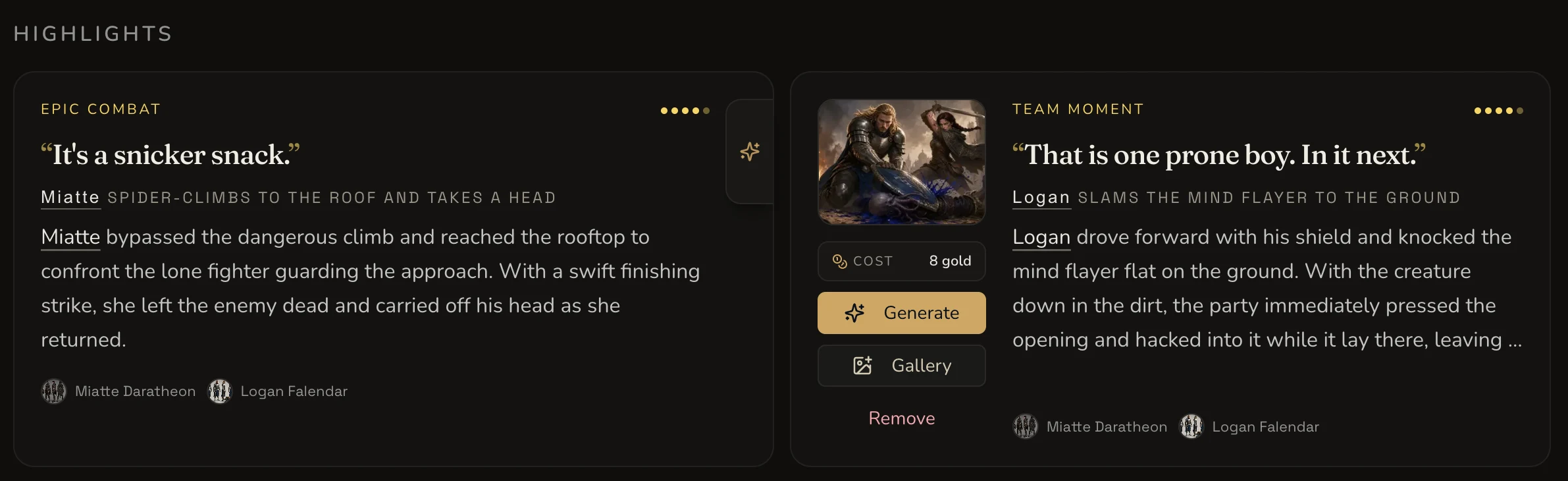
Events keep the chronology. Highlights keep the lines, reversals and table moments your group will still quote next week. Each entry keeps its source timestamp.

  1. 31:27
    The captain reveals the mission

    Reach the docks before the illithids take the portal.

    01
  2. 01:08:55
    An illithid takes the captain's form

    A strike reveals that reality is already changing.

    02
  3. 02:07:32
    Krackle reaches the boat

    The escape route opens as the behemoth closes in.

    03
  4. 02:31:23
    Eliseo makes the bridge real

    Illusory planks become a safe route across the mud.

    04
Two City of Glass highlights with memorable quotes, participants, importance and image controls

From session notes to world building.

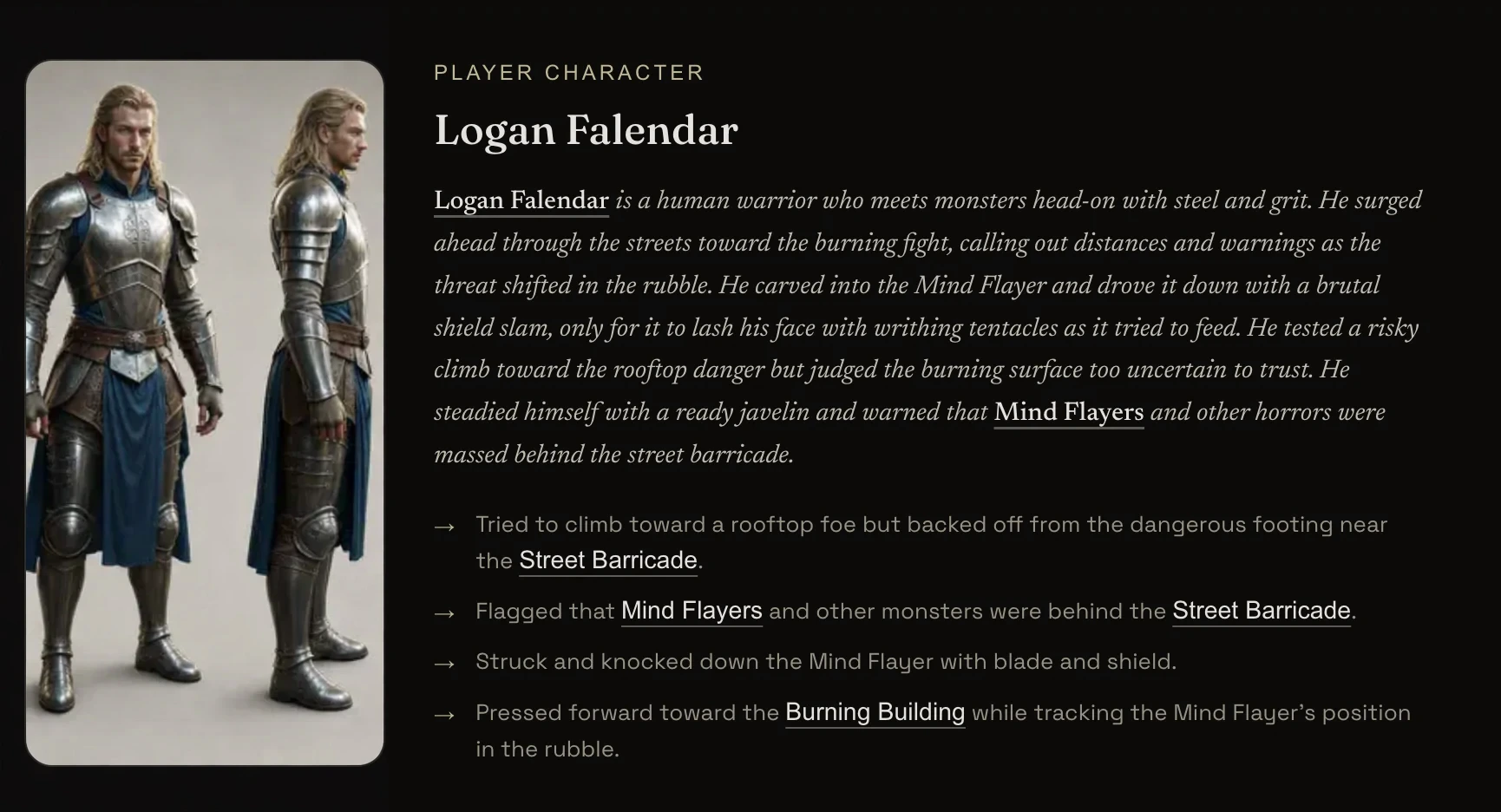
CharGen extracts NPCs, locations, factions, monsters, items and spells from the session. Review the records, add art and open them in a generator with the useful context already in place.

Logan Falendar character record with portrait, session account and linked actions
4 locations2 factions11 cast entries49 World records
Extracted from session 3
NPC · Miatte DaratheonLocation · City of GlassFaction · Shattered Concord

Carry the unfinished story forward.

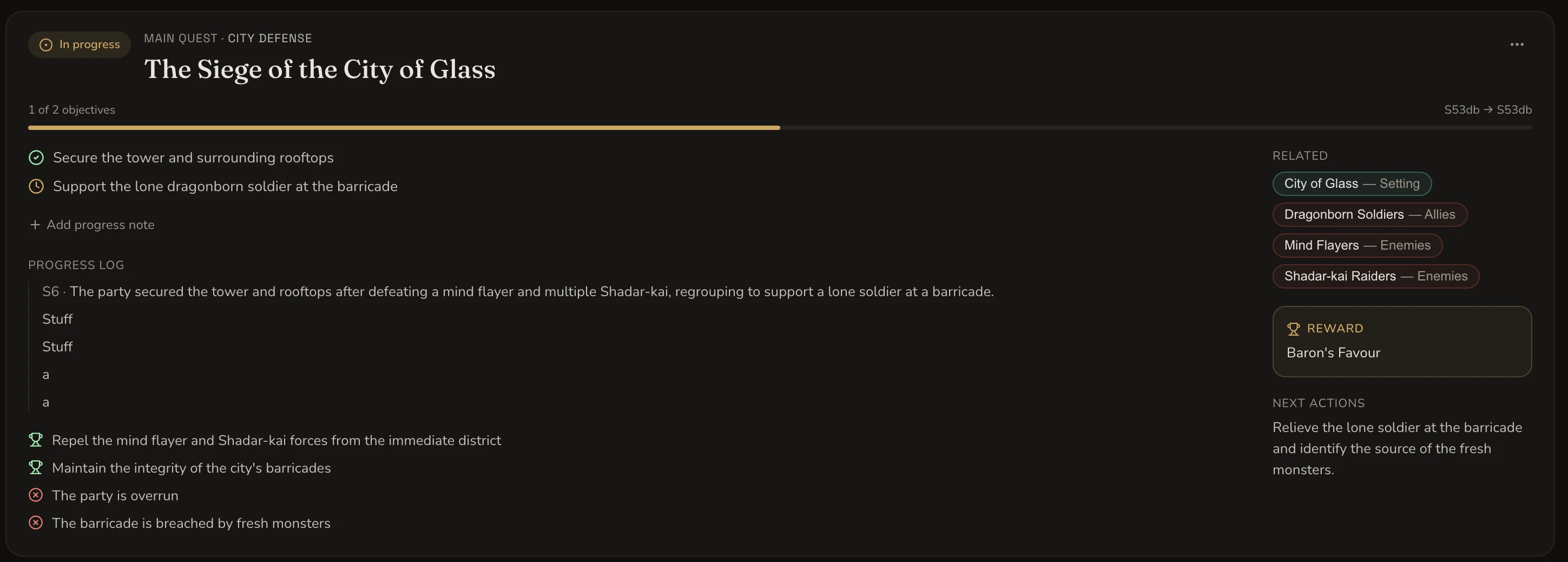
Keep quest objectives, progress logs, related people and places, rewards and next actions in one view. Add private plot threads and follow-ups while the session is still fresh.

Objectives
Track what changed at the table
Plot threads
Keep DM-only hooks beside the campaign
Next actions
Start prep from unresolved work
The Siege of the City of Glass quest with objectives, progress, related entities, reward and next actions

Your campaign remembers what happened.

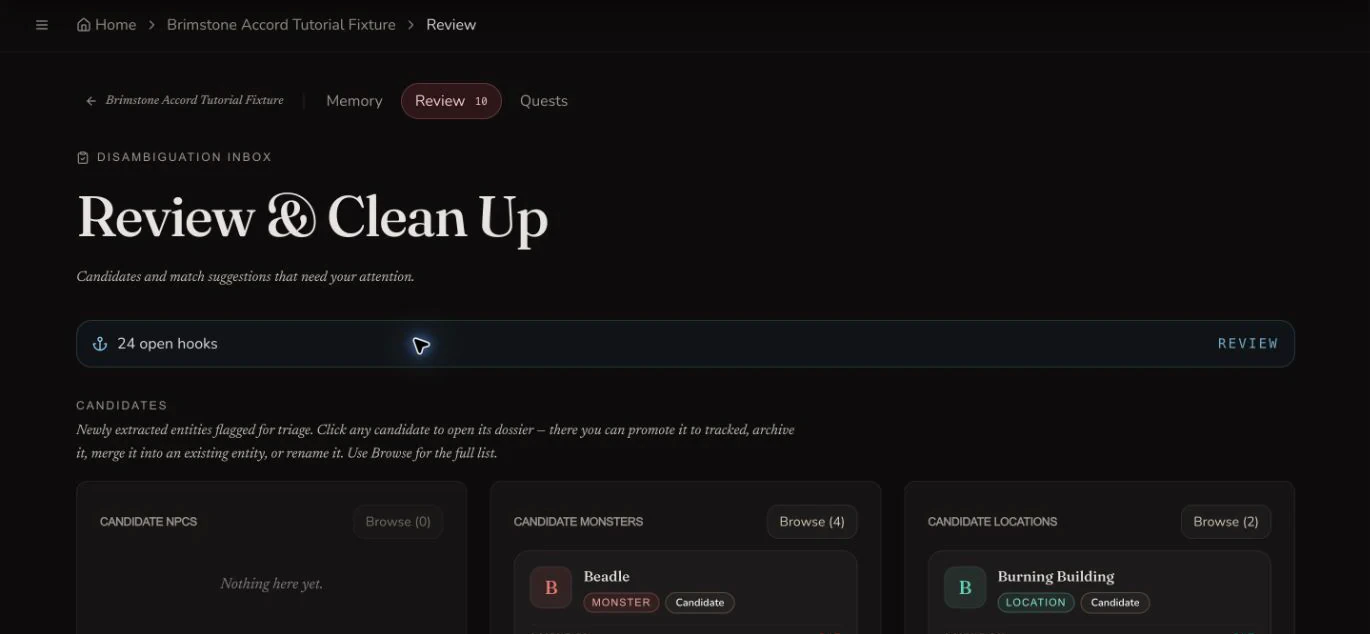
Review new people, places, relationships and quest progress before they become canon. Then use the approved history in your workspace, prep and player reveals.

01

Review what is new

Check extracted people, places and open hooks before they become part of campaign canon.

The real CharGen campaign review inbox for new entities and unresolved hooks
02

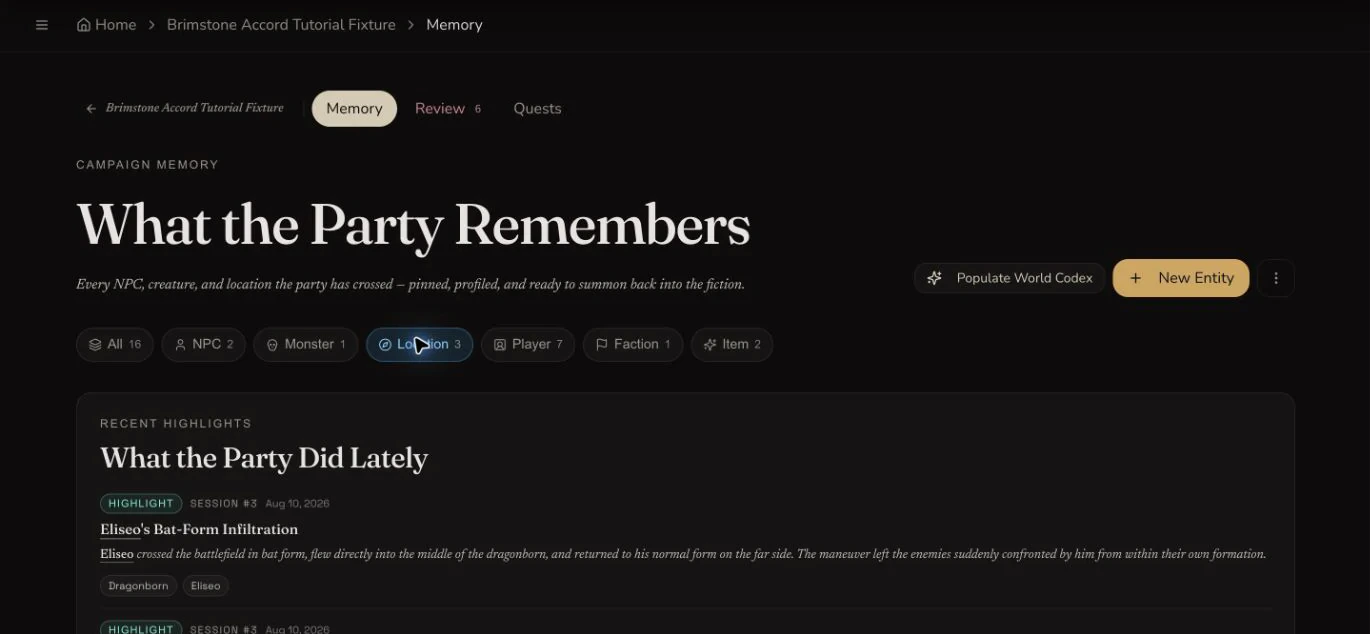
Keep the approved history

Store aliases, relationships and recent moments in one living campaign memory.

The real CharGen campaign memory ledger with tracked entities and recent highlights
03

Use it in the next session

Start prep with the timeline, cast and unresolved threads already in place.

The real CharGen campaign timeline leading into the next session preparation step

Plan the next session in the same campaign.

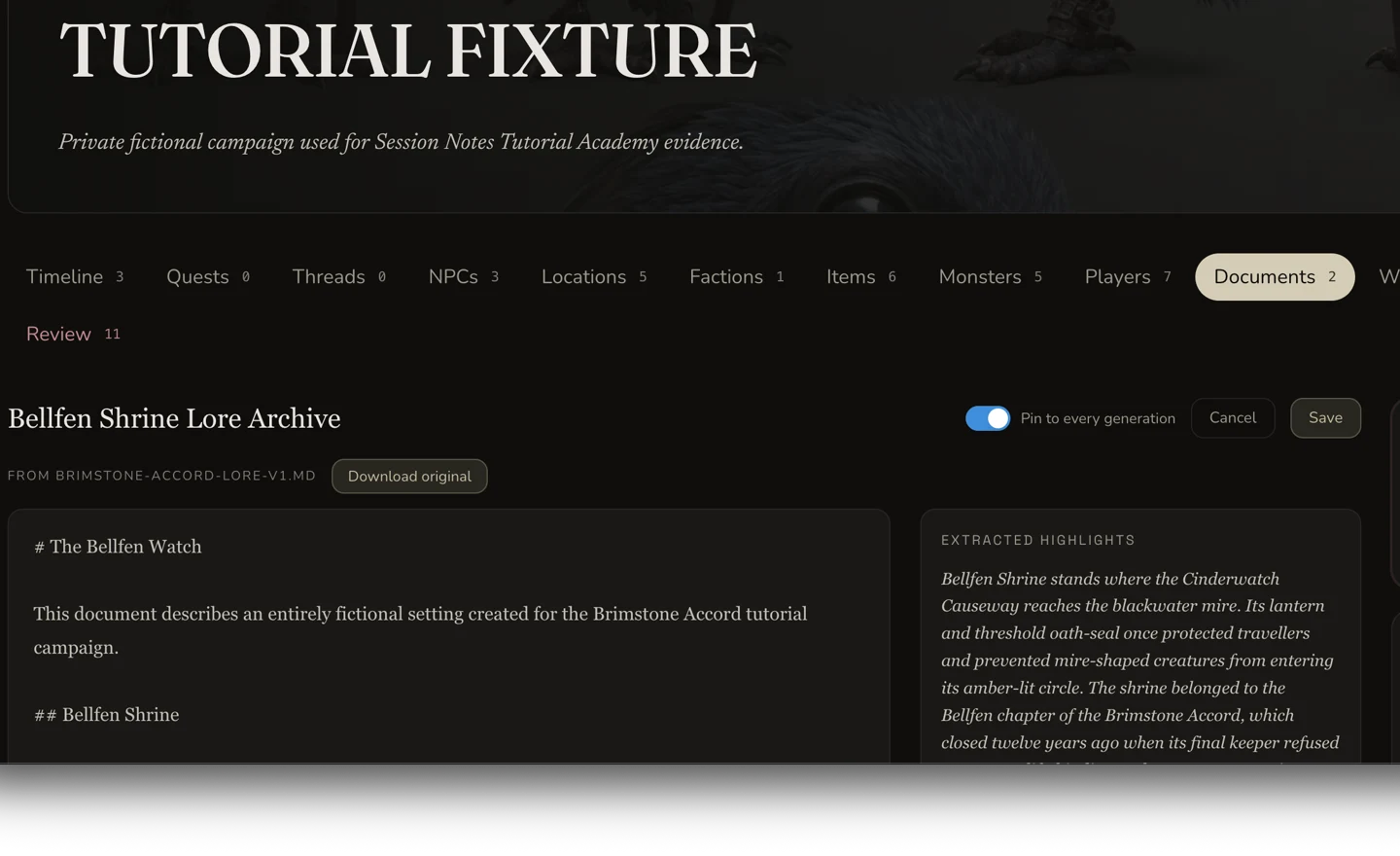
File sessions, entities and documents into nested folders. Draft private notes, pull in World Codex records and pin campaign documents so future generation uses the right context.

Campaign document editor with pinned generation context and extracted highlights

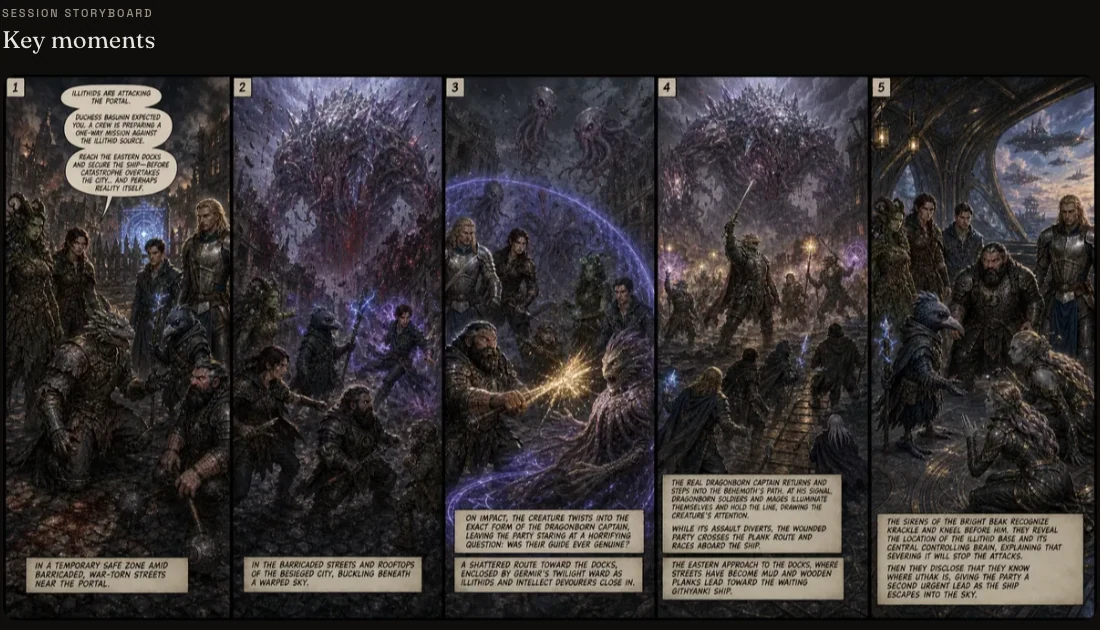
More than a storyboard. A visual record of the session.

Create a cover, add scene images, generate art for a highlight and build a five-panel storyboard. The transcript also keeps useful views such as the word cloud, search and speaker filters.

Five-panel City of Glass storyboard created from the session recap

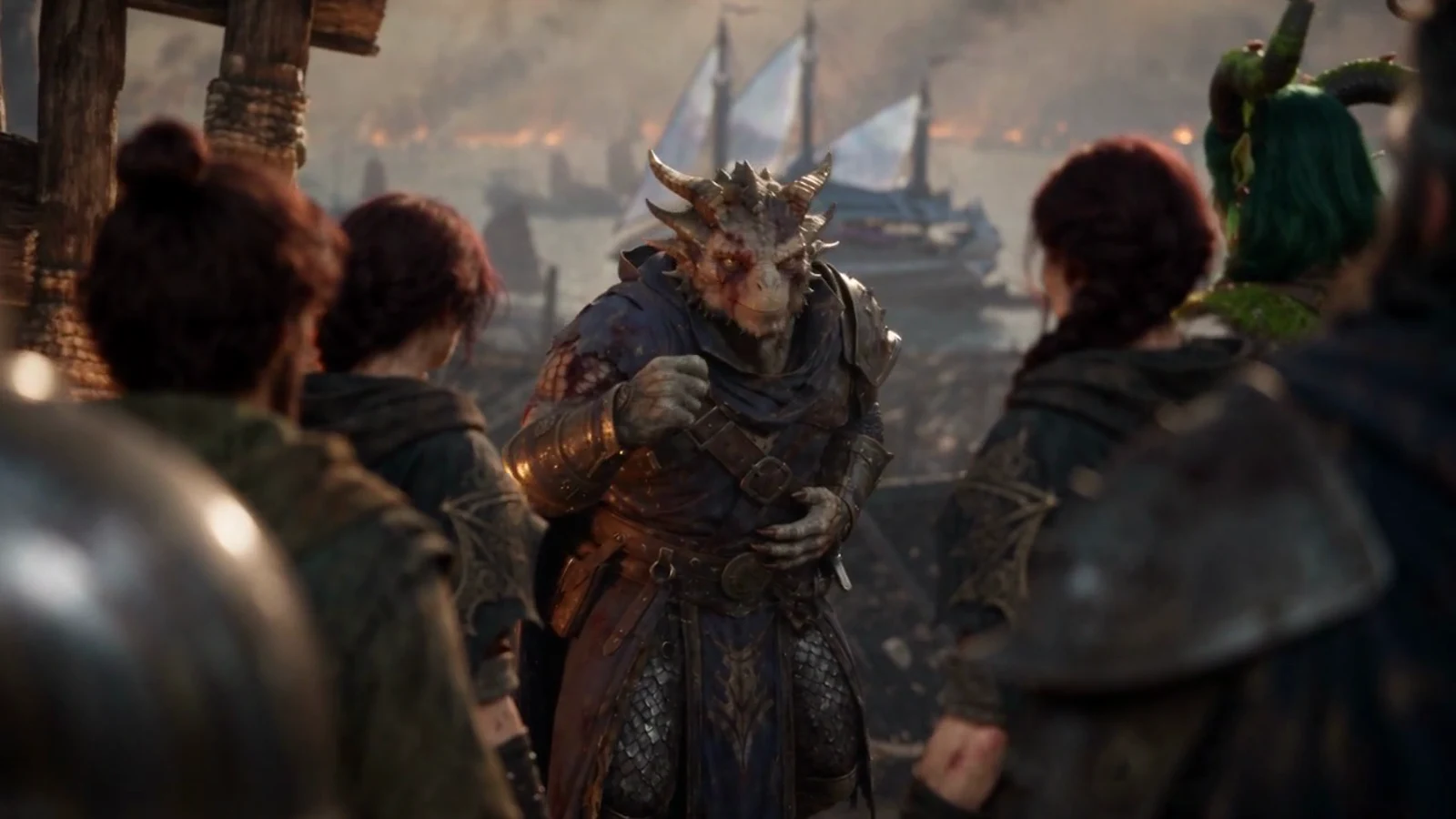
Turn the session into an editable film.

Start from the recap, review the scene plan and references, then approve the exact Gold cost before rendering.

See how session films work
A frame from the City of Glass session film

Start with what you have. Share only what you choose.

01 / Sources and cost

Five source options with the price shown up front.

Audio file or URL45g Standard · 100g Pro / rounded hour
Transcript text or URL30g Standard · 65g Pro / estimated hour
Existing session notes30g flat

Discord capture also feeds the same campaign record.

02 / Transcript and Voice ID

Search the transcript. Name speakers with consent.

Transcript10
Nikita31:27

"You're a sight for sore eyes. Duchess Basunin hoped you'd might come, but we weren't sure. The situation is worse than we feared. The illithid force is relentless. They've come for the portal.

You must continue through the docks and secure the ship. There's a crew there on a suicide mission to disrupt the illithids at the root and cut the bastards off, but they're gonna need you. It's our only hope. You need to hurry. You've got five minutes, less now that we've been prattling.

There's something coming, something big. You need to run."

Unknown31:58

Ah. I'm

Shifty31:59

gonna give him a thumbs up to say-

Nikita32:01

At that,

can you all do... Actually, no, you don't need to all do.

Can

Crackle and Lilith do a,

I'll call it an arcana?

  • Search by text, speaker and timestamp
  • Plain-text transcript export
  • Voice ID is off until every player agrees
  • Withdrawal deletes that player's stored profile data
03 / Share and export

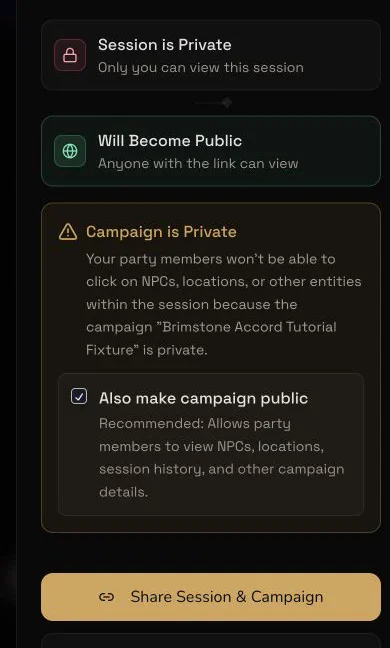
Private until you choose to share.

Private session sharing controls with separate session and campaign visibility

Foundry, Fantasy Grounds, Obsidian, Homebrewery, JSON, MCP and Discord.

See sharing and export options

See what your campaign would cost.

Choose how often you play, the average audio length and the analysis quality. The calculator uses the same rounded-hour rates as session creation.

Analysis quality

Choose Standard for a faster recap of a straightforward session. Choose Pro when stronger recall matters more than speed.

Estimated monthly Gold

1,200 Gold300 Gold per 3-hour session · 4 sessions

Elite includes 2,000 Gold each month for £19.99.

Your first audio or transcript session is free at Pro quality. This estimate does not subtract it.

RPG session notes FAQ

Before you upload a session.

What do CharGen RPG Session Notes include?

CharGen creates spoiler-free, short and full recaps. It can also extract ordered events, highlights, cast, locations, quests, plot threads, World entries and a searchable transcript when the source supports them. Paid plans can restyle the recap tone and length, and you can revert a restyle.

Which session sources and RPG systems can I use?

Upload an audio file, use an audio URL, paste transcript text, use a transcript URL or start from written notes. The Discord bot can also record a campaign voice channel. Session Notes works with D&D 5e, Pathfinder, Call of Cthulhu, Cyberpunk RED, Vampire: The Masquerade and other tabletop RPG systems.

Can I create session notes without audio or a transcript?

Yes. Type a rough account of what happened or paste a few useful bullets into Session Notes. CharGen turns the text into the same structured campaign record, including recaps, events, cast, World records and open story threads. Written Session Notes cost 30 Gold flat.

How much do automatic session notes cost?

Your first audio or transcript session is free at Pro quality. After that, audio costs 45 Gold per rounded hour at Standard quality or 100 Gold at Pro quality. Transcript processing costs 30 or 65 Gold per estimated hour, using 9,000 words per hour with a one-hour minimum. Written notes cost 30 Gold and do not use the free session credit. Choose Standard for a faster recap of a straightforward session. Choose Pro when stronger recall matters more than speed.

Does CharGen remember information across sessions?

Yes. Completed sessions appear in the campaign timeline. You can review detected people, places and other records before you keep them in Campaign Memory. The campaign owner controls aliases, relationships, context and player visibility before using that material for prep and generation.

Can I use extracted NPCs and locations in CharGen generators?

Yes. Review the NPCs, locations, factions and other World records extracted from a session, then open supported records in the NPC, Settlement and Faction generators. Their approved campaign context carries into the generation workflow.

Can CharGen turn a session recap into a film?

Yes. A processed session can start an editable short film in the Film tab. CharGen plans the story, shots, references and sound. You can review the sequence and exact Gold cost before paid rendering starts.

How do privacy, Voice ID and sharing work?

Sessions are private by default and the owner controls session and campaign visibility separately. Voice ID is optional, stays off until every player agrees and labels transcript speakers with approved names. Withdrawing agreement deletes that player's stored voice profiles and enrolment clips. Recaps can be shared or exported for Obsidian, Homebrewery, Foundry, Fantasy Grounds, JSON and Markdown, while transcripts have a separate plain-text export.

Start with one session

Finish game night with the recap already under control.

Your first audio or transcript session is free at Pro quality.

See the complete workflow