
Use Mentions, Links and Connected Knowledge
Connect campaign notes with mentions and reviewed knowledge links.
Campaign Studio connects notes and campaign records through explicit mentions and links. It does not silently turn prose into canon. Open Campaign Studio, select an owned campaign and open a public-safe note.
1. Insert a recognised mention
Use the editor's mention control and choose a campaign record from the mounted results. Select the intended record instead of typing a lookalike name and assuming it is linked.
2. Insert a note link
Use the note-link control to connect one campaign note to another. The retained example links The Glasswake Expedition to Save, Checkpoint and Recover, then links the other foundation notes in a short reviewed chain.
3. Verify the canonical display after refresh
Wait for the note to save, refresh and confirm that the linked title still renders as the intended campaign record. The stored token and the visible title serve different roles. Public tutorial copy should use the title, not a private record identifier.
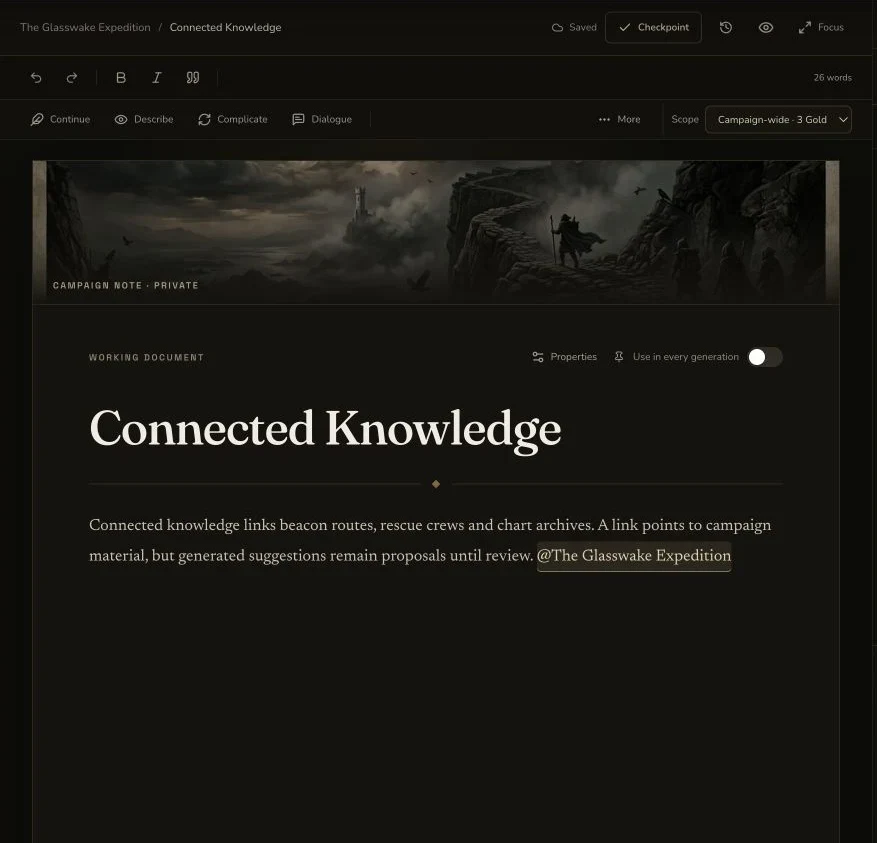
The desktop note keeps the recognised campaign mention visible after persistence.
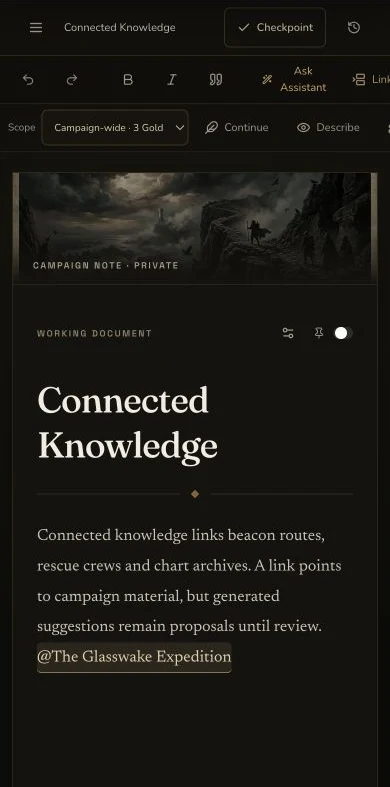
The mobile note preserves the same linked display text without exposing a private record identifier.
4. Open Connected notes
Inspect Links from this note for outgoing references and the backlink area for notes that point to the open note. Use Open for a normal navigation or Open beside when you need both records in view.
5. Review suggestions before linking
Connected notes can show an unlinked mention suggestion. The panel explains that nothing changes until you choose Link. Confirm the matched text and target before that action.
6. Add only useful context
Use Add context when the linked record is relevant to the next Assistant request. A link and an Assistant context choice are separate decisions. Remove context that is not needed for the current request.
Checkpoint
Check your result
- The selected mention resolves to the intended campaign record after refresh.
- The note link appears under outgoing references, and the target note shows the corresponding backlink.
- An unlinked suggestion changes nothing until the user confirms Link.
- Assistant context contains only the linked records selected for the current request, while all retained records remain private.
If something looks wrong
Troubleshooting
- Symptom
- A typed name does not appear in Connected notes.
- Likely cause
- Plain text is not necessarily a confirmed mention or link.
- Next safe action
- Use the mounted mention or note-link result and select the intended record.
- Symptom
- A suggestion points to the wrong record.
- Likely cause
- The same or similar name may appear in more than one place.
- Next safe action
- Do not link it. Open the candidate record and verify its type and title first.
- Symptom
- An Assistant answer uses too much campaign material.
- Likely cause
- More connected records were added to context than the request needs.
- Next safe action
- Remove unrelated context and submit one bounded request with the mounted quote.