
Fix Faces, Swap Faces, Upscale and Crop Safely
Finish an image after its composition is approved.
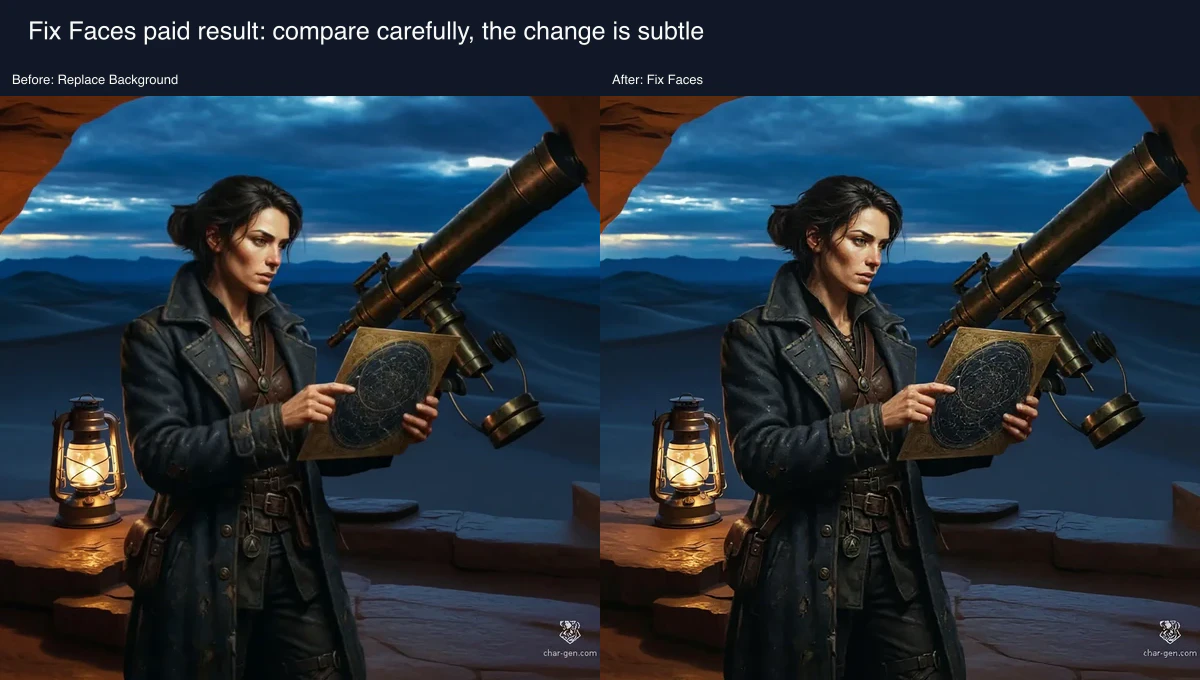
Finish an image in this order: repair, optional consented face swap, crop, then upscale. The owned Academy fixture establishes the upstream workflow, while the demonstrated Fix Faces before state is the owned Replace Background result. On 1 August 2026, only Fix Faces was submitted: 4 Gold displayed and 1 Gold settled, producing a subtle result. Face Swap, Crop and Upscale are reviewed controls only.
Use the least destructive next step
Fix Faces is a small repair. Face Swap changes identity and needs consent. Crop changes framing. Upscale changes dimensions and may create detail. Start with the least broad operation.
1. Repair first
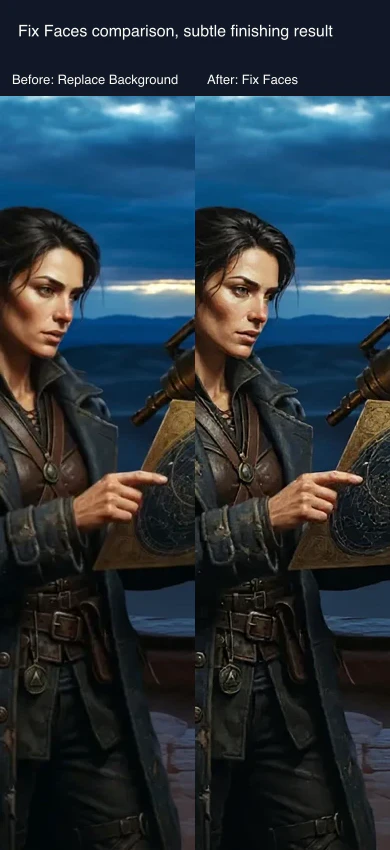
Use Fix Faces before changing framing. The reviewed request produced a subtle completed result, so compare facial features at useful zoom rather than expecting a dramatic rewrite.
2. Swap only with permission, then crop
If an identifiable face is involved, obtain consent before selecting a Face Swap target. Crop locally for composition. Use Crop & Upload only when its subscription boundary is acceptable.
3. Upscale last and inspect it
Choose the model and scale factor only after the crop is final. Treat newly sharp pores, jewellery or texture as generated detail until verified against the source.
Checkpoint
Check your result
- You repaired before cropping and upscaling.
- Any face swap has permission.
- You know whether the crop stays local.
- You checked inventive upscale detail against the source.
Troubleshooting
If something looks wrong
Troubleshooting
- Symptom
- The face still looks wrong.
- Likely cause
- The repair is intentionally subtle.
- Next safe action
- Keep the Replace Background input and decide whether a new controlled source edit is safer.
- Symptom
- The crop upload is unavailable.
- Likely cause
- Crop & Upload is subscription-gated.
- Next safe action
- Use local Crop or review the live entitlement before uploading.
- Symptom
- The upscale looks artificial.
- Likely cause
- Creative upscale can invent detail.
- Next safe action
- Keep the cropped source and use it rather than treating the upscale as ground truth.
Compare the four finishing tools
For a first attempt, change only one category. A repair plus a crop plus an upscale makes it difficult to know which action improved or harmed the final image.
Fix Faces is for a local facial defect. Face Swap deliberately substitutes identity and therefore needs explicit permission from every identifiable person involved. Crop changes only framing. Upscale increases output dimensions and can invent detail. These are different decisions, so do not use an upscale to repair a face or a swap to solve poor composition.
The order matters. Repair first because a later crop may remove the evidence needed to assess the face. Perform an optional, consented swap next because it changes the identity you will frame. Crop before upscale so you do not spend pixels on an area you will discard. Upscale last because it can create plausible eyelashes, pores, jewellery and texture that were never in the source. Compare those details against the pre-upscale image.
The reviewed Fix Faces request was the only submission. It displayed 4 Gold, settled at 1 Gold and remained subtle. The controls for Face Swap, Crop and Upscale teach choices, but are not completed-result evidence. Local Crop keeps the work in browser memory. Crop & Upload is subscription-gated even though its Gold cost is zero, so it is an upload and entitlement decision, not an equivalent local button.
If a repair is insufficient, return to the unmodified source and decide whether a narrow edit is safer. If consent is absent, do not use Face Swap. If the crop is wrong, correct it locally before any upscale. If the upscale invents unwanted detail, keep the smaller file or repeat from the cropped source rather than treating the invented version as ground truth.