
Generate an NPC
Create production-backed npc for the Glasswake setting, then verify the saved result, artwork and supported actions.
From RPG Workshop, open the NPC generator. It combines game-ready statistics with roleplay guidance, equipment, services and connections. This walkthrough creates Captain Ilyra Venn, the featured result for the Workshop handbook, then checks her retained production result.
Build a person with a table function
1. Describe the visible role and immediate problem
Open the NPC generator and describe Captain Ilyra Venn as the expedition leader at Veyra's Crossing. Ask for a direct working style, beacon-repair expertise, visible responsibilities, useful relationships, field equipment and a logistical problem the party can help solve. State that there is no concealed betrayal.
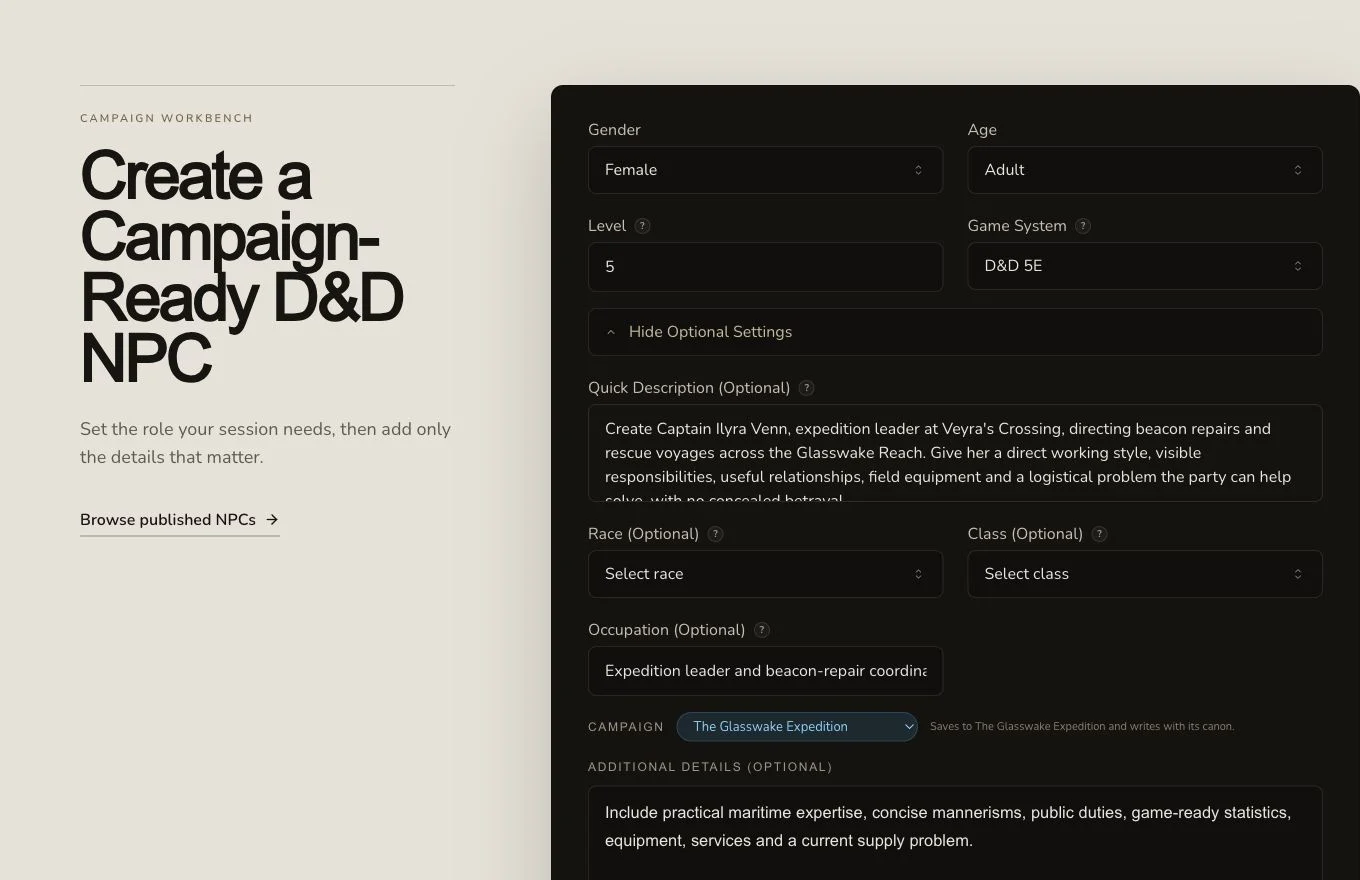
A useful NPC brief gives the character a public job, working style and reason to interact with the party.
2. Set the mechanical frame
Choose D&D 5e, then set Race, Class, Gender, Age and Level only as needed. Use Occupation for the NPC's practical role because it can override an adventuring-class interpretation. Additional Details is the place for the desired expertise, mannerisms and current pressure. The retained fixture asks for a detailed NPC with roleplay guidance and game-ready statistics.
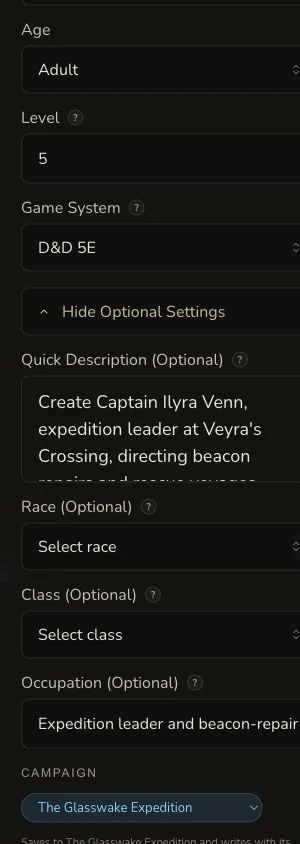
The mobile form preserves the same request fields, with optional details continuing below the initial viewport.
3. Submit once and follow the asynchronous job
Check the displayed price and generate once. The retained request reached COMPLETE with no settled debit. If the page stops polling, check the NPC result list and the original detail route before creating a duplicate.
Review statistics and portrayal together
4. Check the game-ready sections
Confirm the name, race, class, occupation, age, level and gender. Then check ability scores, hit points, armour class, speed, saves, skills, abilities, actions, reactions, spells, equipment, services and rewards. Statistics should support the role described in the brief rather than contradict it.
5. Check the roleplay sections
Review appearance, personality, body language, speech, voice, motivation, goals, fears, quirks, mannerisms and connections. The production journey edited body language and separately exercised Cancel, confirming that the saved value remained unchanged. The final NPC was linked as PROTECTS Veyra's Crossing, turning an important prose connection into an explicit entity relationship.
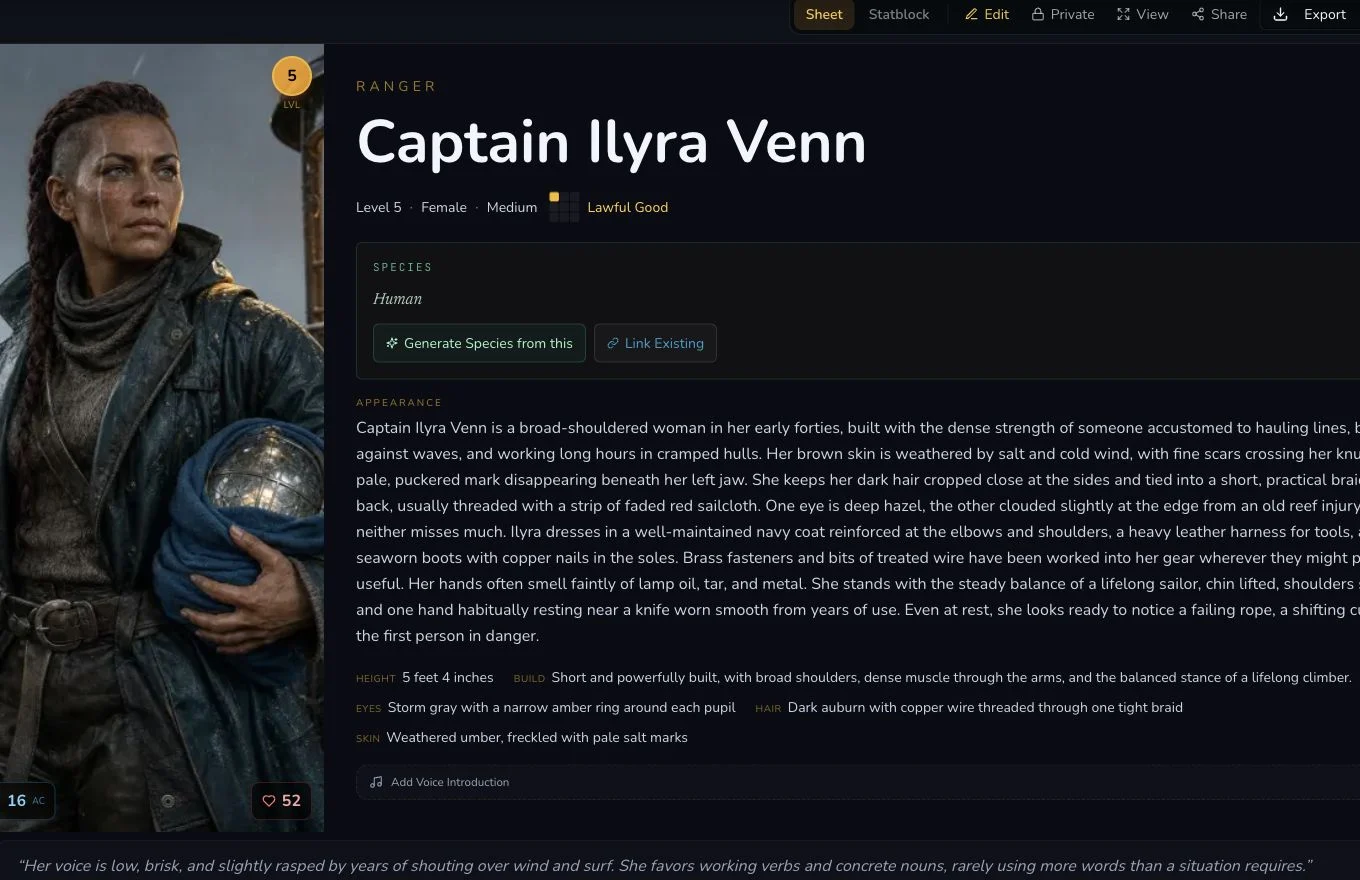
The featured result joins mechanical, portrayal and relationship evidence for the same retained production NPC.
6. Reroll one field only when replacement is intended
The retained journey reviewed appearance before using the generic reroll, which settled at 1 Gold. Copy any wording you may want to keep because the action replaces the field. Use direct editing for a known correction rather than paying to randomise it.
7. Clear secrets and approve the final image
NPC output can include secret, majorSecret and minorSecrets. Those
secret fields were removed and refresh-verified in the retained entity. The
first native image contained pseudo-writing, so an owned text-free
replacement became the canonical private artwork. The NPC supports Share
Card, standard export, relationships and campaign organisation, but none of
those actions automatically make the entity public.

The approved replacement presents the featured NPC without generated writing or unrelated private interface content.
Checkpoint
Check your result
- Captain Ilyra Venn has game-ready statistics, actions, equipment and services that fit her expedition role.
- Her appearance, mannerisms, motivation, goals and connections give the GM practical portrayal cues.
- The NPC protects Veyra's Crossing through an explicit retained entity relationship.
- Cleared secret fields, the canonical image and the NPC's private visibility survive refresh.
Troubleshooting
If something looks wrong
Troubleshooting
- Symptom
- The NPC's statistics do not fit the occupation.
- Likely cause
- The selected Class can pull the result towards an adventuring role while Occupation asks for a different job.
- Next safe action
- Use Occupation and Additional Details to state the table function clearly, then edit specific mismatches after generation.
- Symptom
- The page stops updating before the NPC opens.
- Likely cause
- NPC generation is asynchronous, and a local polling timeout is not proof of a failed job.
- Next safe action
- Check the existing NPC list and exact request result before submitting again.
- Symptom
- A saved edit appears to have been replaced.
- Likely cause
- Save, Cancel and generic reroll are different actions with different persistence behaviour.
- Next safe action
- Refresh after Save or Cancel. Copy the current field before any paid reroll that intentionally replaces it.
- Symptom
- Private information is still present in the result.
- Likely cause
- NPC output can include several separate secret fields.
- Next safe action
- Inspect and clear secret, majorSecret and minorSecrets, save once, then refresh before any sharing decision.
Limitations
- Occupation can guide the NPC away from the selected adventuring class, so review mechanical coherence.
- Generic reroll replaces a supported field and can cost Gold.
- Secret fields need a separate privacy review even when the brief contains no hidden betrayal.
- A prose connection is not an entity relationship until the relationship action succeeds.
- Export, Share Card and live public visibility remain separate states.