
Reroll and Regenerate Workshop Results
Use generic rerolls and generator-specific regeneration controls with their exact entitlement and cost boundaries.
Use a reroll only when you intend to replace a supported part of an existing result. This lesson uses Captain Ilyra Venn from the public NPC generator to explain the generic section contract, then separates Shop, Pantheon, Poetry, Dungeon and World actions that do not share it.
Generic section reroll
1. Open a supported entity and choose one section
Open Captain Ilyra Venn. The reviewed generic inventory covers Character, Character Class, Dungeon, Encounter, Faction, Magic Item, Monster, NPC and World. Other entity types do not gain a generic reroll merely because they use the shared detail view.
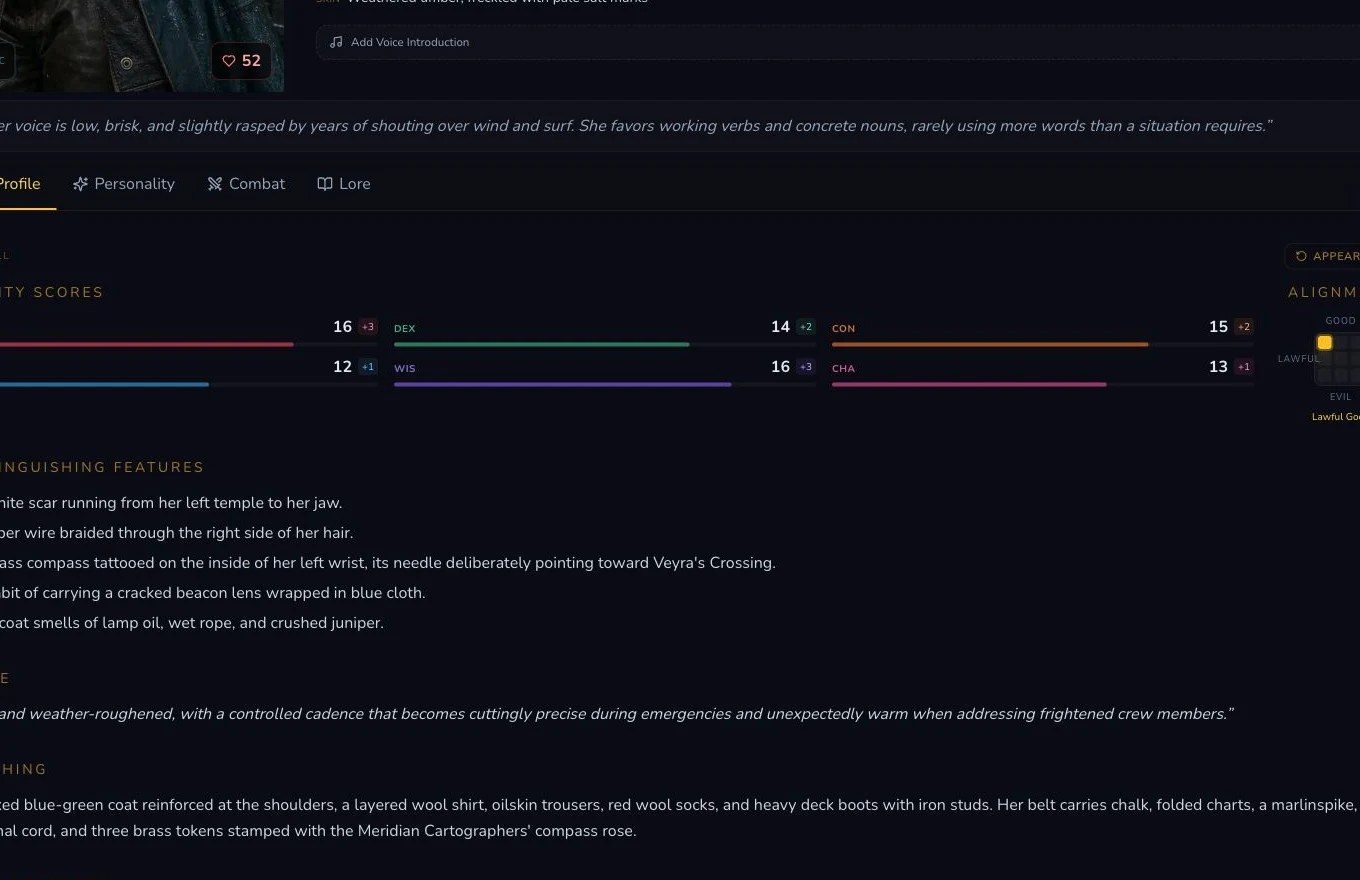
Select one supported section and read its exact quote.
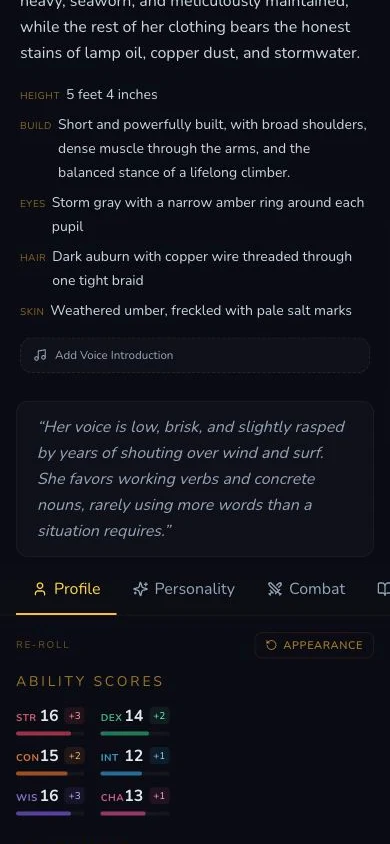
The entitlement, quote and section decision remain the same on mobile.
2. Preserve the current value before selecting
The action replaces the named section, not the entity identity. Record the current value and any linked-item context needed to judge the result before selecting the control. Some supported sections can show a linked-item preservation warning, but it is not a confirmation step and must not be relied on to stop an accidental request. Select once, then wait for the mounted action to finish.
3. Verify every settled result
The corrected ledger retains two successful NPC appearance operations: the
planned instructional reroll and the later accidental capture-time reroll.
The accidental action was stopped from progressing into any further product
interaction, then reconciled against its exact request, transaction,
before-and-after values and final Private state. Each operation displayed
one Gold, settled one transaction and produced a different value. The
current refreshed section hash matches the later successful result. Do not
treat a changed spinner or toast as settlement and persistence evidence.

The refreshed section is checked against the retained operation receipt.
Bespoke actions have separate contracts
4. Match the control to its entity type
Shop stock uses Regenerate all inventory and displayed its own one-Gold refund wording. Pantheon deity regeneration changed one deity at zero Gold in the retained run. Poetry refinement used the legacy refinement surface at zero Gold. The Dungeon battlemap was an automatic auxiliary request with view-only buttons, so no duplicate generation click was made. World region expansion created a separate Region and image at zero Gold.
Checkpoint
Check your result
- The entity type and selected section are in the reviewed generic reroll inventory before the control is selected.
- Every mounted selection maps to one settled transaction and one refreshed section read-back.
- The current value and linked-item context are preserved before selecting a control that executes immediately with no confirmation.
- Every bespoke action is verified against its own result and price boundary rather than the generic one-Gold rule.
If something looks wrong
Troubleshooting
- Symptom
- No generic reroll appears.
- Likely cause
- The entity type may not support the generic section inventory.
- Next safe action
- Check the generator handbook and use Edit or the exact bespoke control instead of reloading.
- Symptom
- A reroll completes without changing the chosen value.
- Likely cause
- The selected section may be empty or the attempt may not have produced a persisted change.
- Next safe action
- Keep the attempt and settlement evidence, inspect the existing result, then choose a valid mounted section before any retry.
- Symptom
- A bespoke control has no visible price.
- Likely cause
- Not every specialised action uses the generic reroll charge.
- Next safe action
- Do not invent a price. Verify the mounted wording and settled outcome for that exact action.
- Symptom
- A section reroll was selected by mistake.
- Likely cause
- The mounted control executes immediately and has no confirmation dialog.
- Next safe action
- Do not select it again. Wait for the existing request, retain its transaction and before-and-after evidence, then review the refreshed section.