
Generate a Shop
Create production-backed shop for the Glasswake setting, then verify the saved result, artwork and supported actions.
Use the Shop generator when you need a proprietor, useful services, priced stock and reasons for the inventory to change. This walkthrough creates Tideglass Curios, a navigational relic shop serving crews on the Glasswake tide roads.
Brief the business, not only the merchandise
1. Open the Shop generator
Open the Shop generator. Choose Shop for a stocked business with a proprietor and services. Use Building when the structure is more important than the trade taking place inside it.
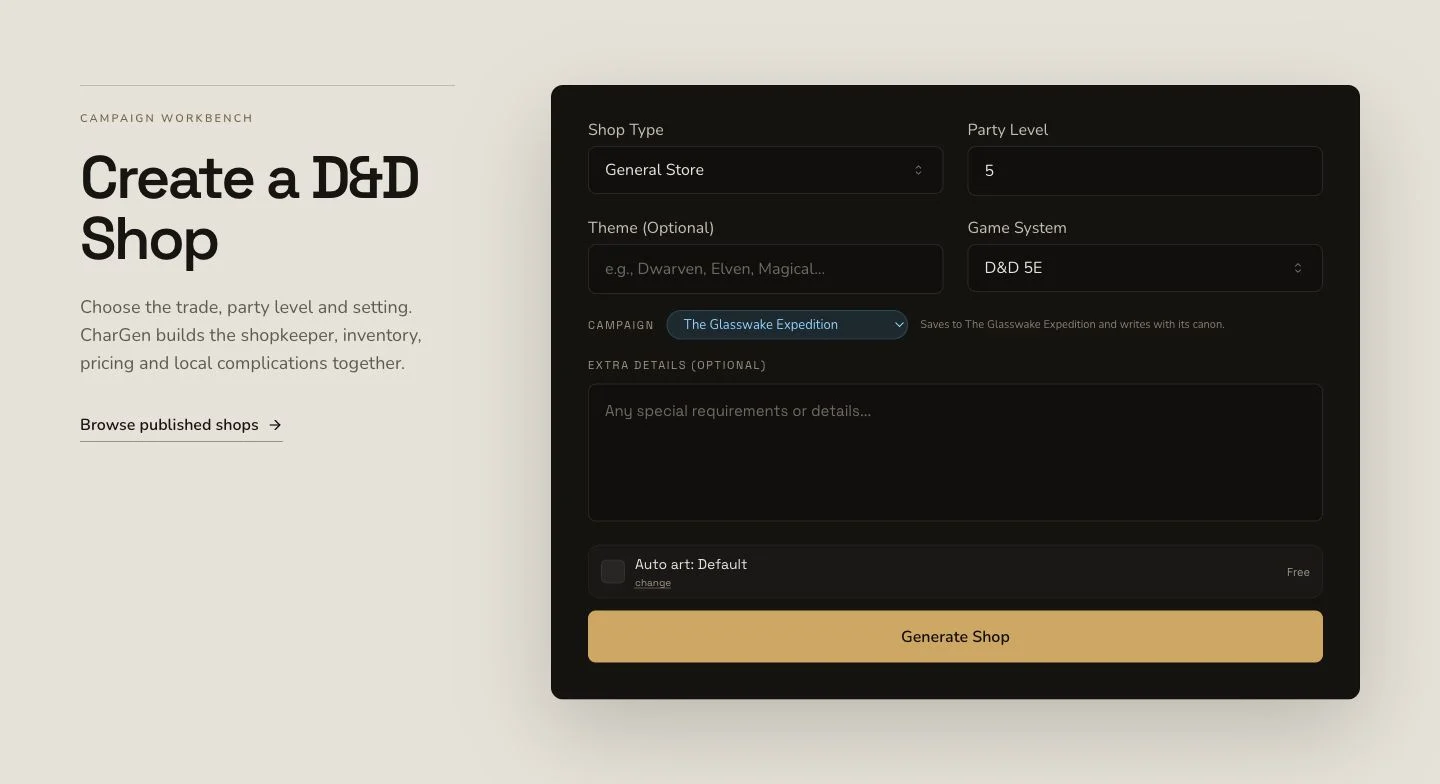
Name the shop's purpose, stock boundaries and proprietor before submitting.
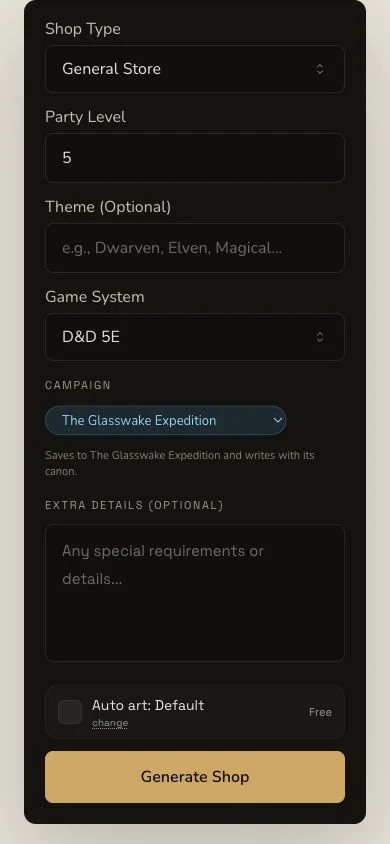
The mobile layout keeps the generation decision and live action control in one flow.
2. Define stock, services and sourcing
The retained brief asks for practical mundane and magical navigation goods, varied prices, limited stock, fair services and sourcing details. It also makes tideglass ordinary salvage rather than secret contraband. Choose D&D 5e and a stocked navigational-shop format with inventory, services, proprietor and hooks.
3. Supply the settlement context
The retained generation used Veyra's Crossing, The Glasswake Reach and Asterfall. Context gives the business a market and travel network, but it does not prove campaign recording. Verify the Shop in campaign Memory after the result completes.
Inspect the initial stock before changing it
4. Submit once and wait for the existing result
Shop generation is asynchronous. Keep one job through Pending, In Progress and Complete. Do not regenerate the Shop because the page appears slow. The retained result first completed with 16 inventory items and 5 loot items, with no stock regeneration during the generation step.
5. Review proprietor, inventory, loot and quirks
Open Tideglass Curios. The result is organised around shopName,
shopkeeper, inventory, loot and quirks. Check item names, prices,
scarcity and usefulness against the shop's stated purpose. A long list is
not useful if every item fills the same role.
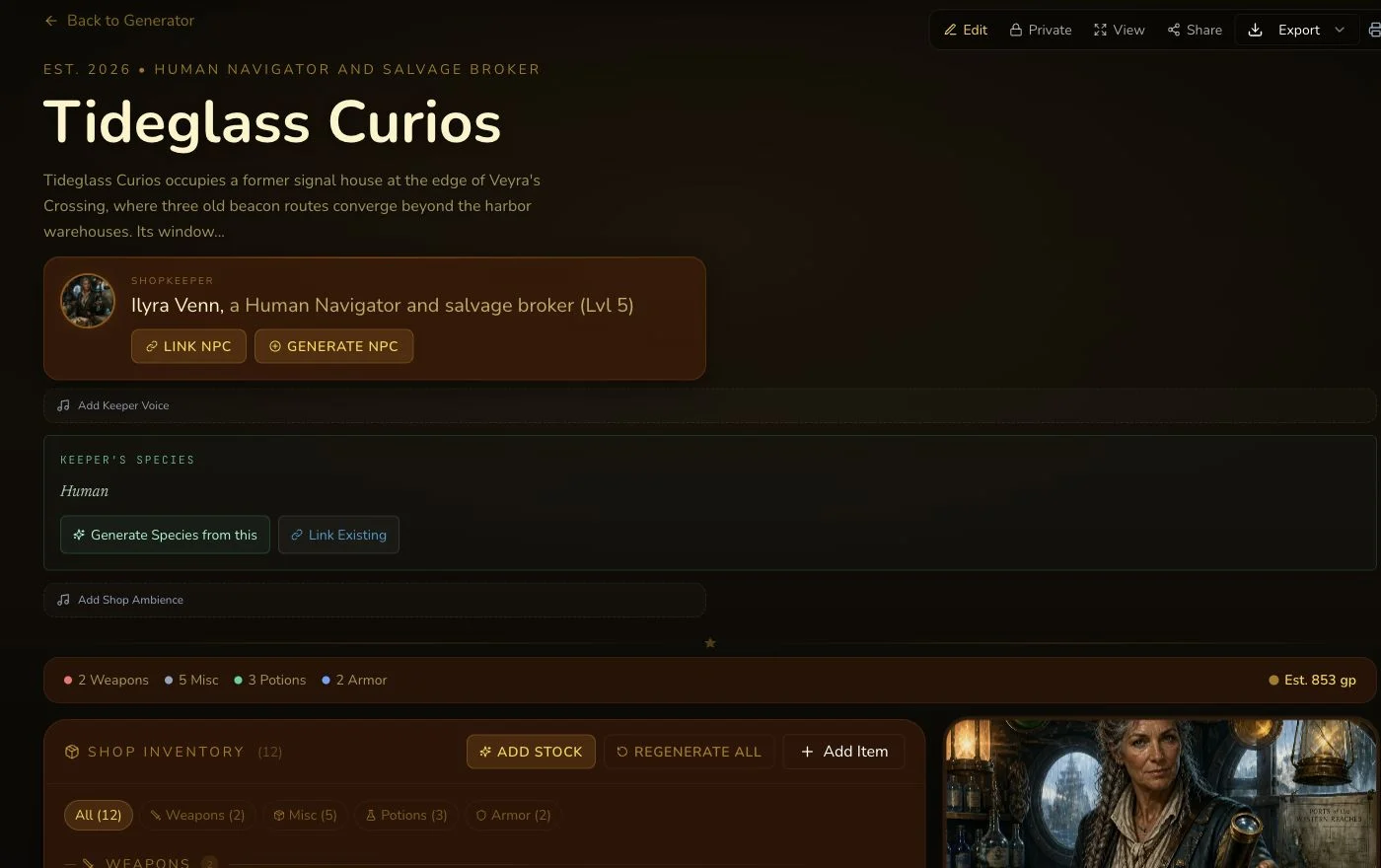
Read the initial inventory before deciding whether a later stock refresh is justified.
6. Review the accepted owned replacement artwork
The native image completed but contained readable labels and pseudo-writing. One reviewed owned replacement was uploaded and associated without retrying the Shop or its native art. The image is a distinct result with its own upload, association and Private refresh read-back.

The final artwork is retained separately from the rejected native attempt and the Shop result.
Regenerate stock only when you intend to replace it
Shop does not mount a generic section reroll. Its bespoke Regenerate all inventory control replaces the inventory as one Shop-specific operation. In the retained run it displayed Costs 1 gold (refunded if it fails)., settled 1 Gold once and changed the inventory hash after refresh. Preserve the current stock first, verify the live quote, invoke the control once and wait for the result before any second action.
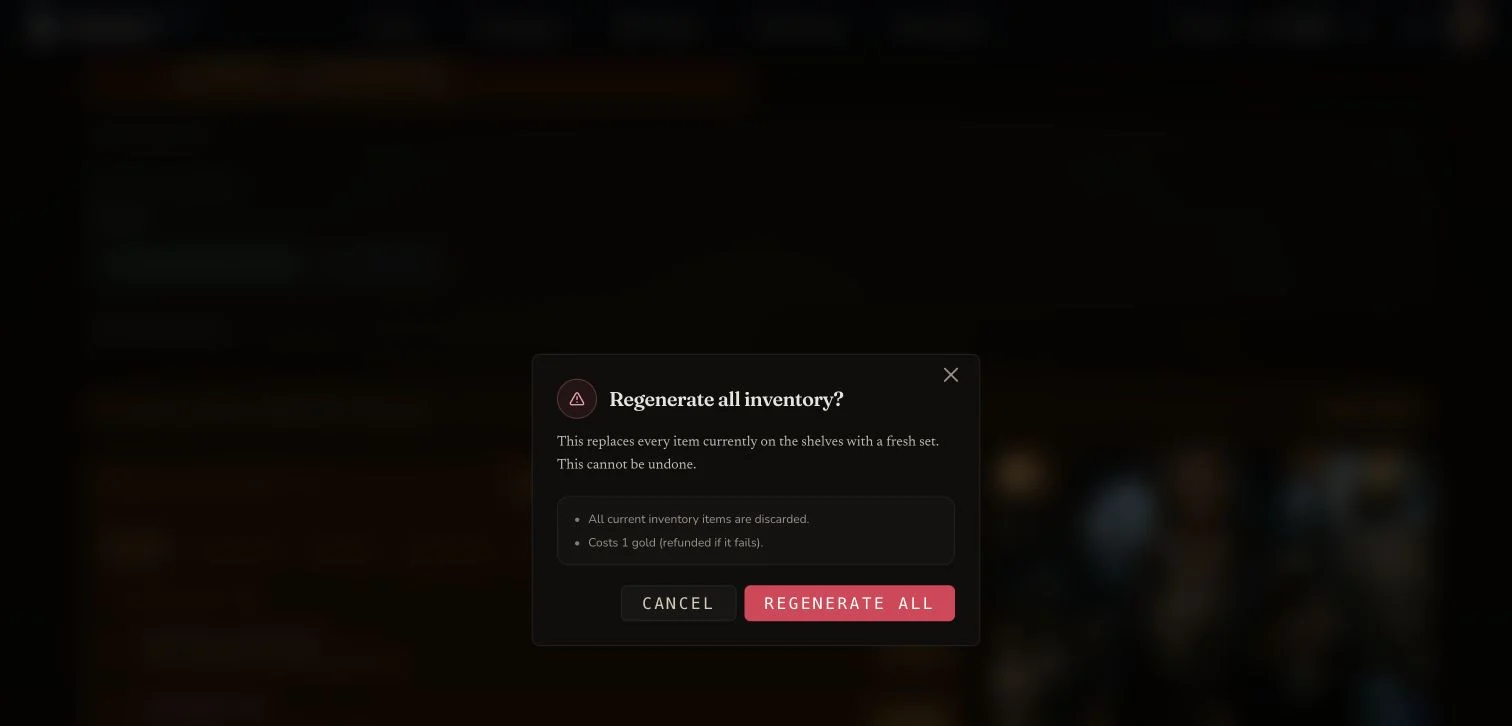
Stock regeneration is a specialised Shop action, not the generic section reroll contract used by other entity types.
Shop also supports owner editing, standard relationship controls, a Workshop Share Card and standard export. Verify each operation after refresh. Changing a field, linking an entity and regenerating stock are three different mutations.
Checkpoint
Check your result
- The exact detail route opens Tideglass Curios with the intended proprietor.
- The initial result contains 16 inventory items and 5 loot items before any stock action.
- The final artwork belongs to this Shop, contains no readable labels and remains Private.
- Any use of Regenerate all inventory matches the mounted quote, settles once and persists after refresh.
If something looks wrong
Troubleshooting
- Symptom
- The stock does not fit the shop's purpose.
- Likely cause
- The brief may describe atmosphere but not buyers, price range or sourcing.
- Next safe action
- Save a focused edit or, if replacement is intended, review the live stock-regeneration quote before one deliberate action.
- Symptom
- The Shop is complete but its image contains labels.
- Likely cause
- Provider completion is not a visual-quality verdict.
- Next safe action
- Retain the native attempt and review any permitted owned replacement separately.
- Symptom
- You are looking for a section reroll.
- Likely cause
- Shop uses bespoke stock controls rather than the generic section-reroll surface.
- Next safe action
- Use Edit for a field change or Regenerate all inventory only for a deliberate stock replacement.