
Save, Recover and Export a Media Centre Project
Preserve a project and export an MP4 into Gallery.
Save a finished timeline, understand what can be recovered, and export one verified MP4 from Media Centre. This lesson separates unsaved edits, local browser recovery and a backend-backed save before it starts an export.
Know the three persistence states
1. Separate unsaved, local recovery and backend save
Unsaved means the current edit has not completed its persistence path. Local recovery means the same browser can restore an IndexedDB copy. Backend-backed save means the authenticated service returns the same project and timeline independently of that browser copy. Use the visible Save control and wait for Project saved, but treat the message as a cue, not the only proof that the backend has the project.
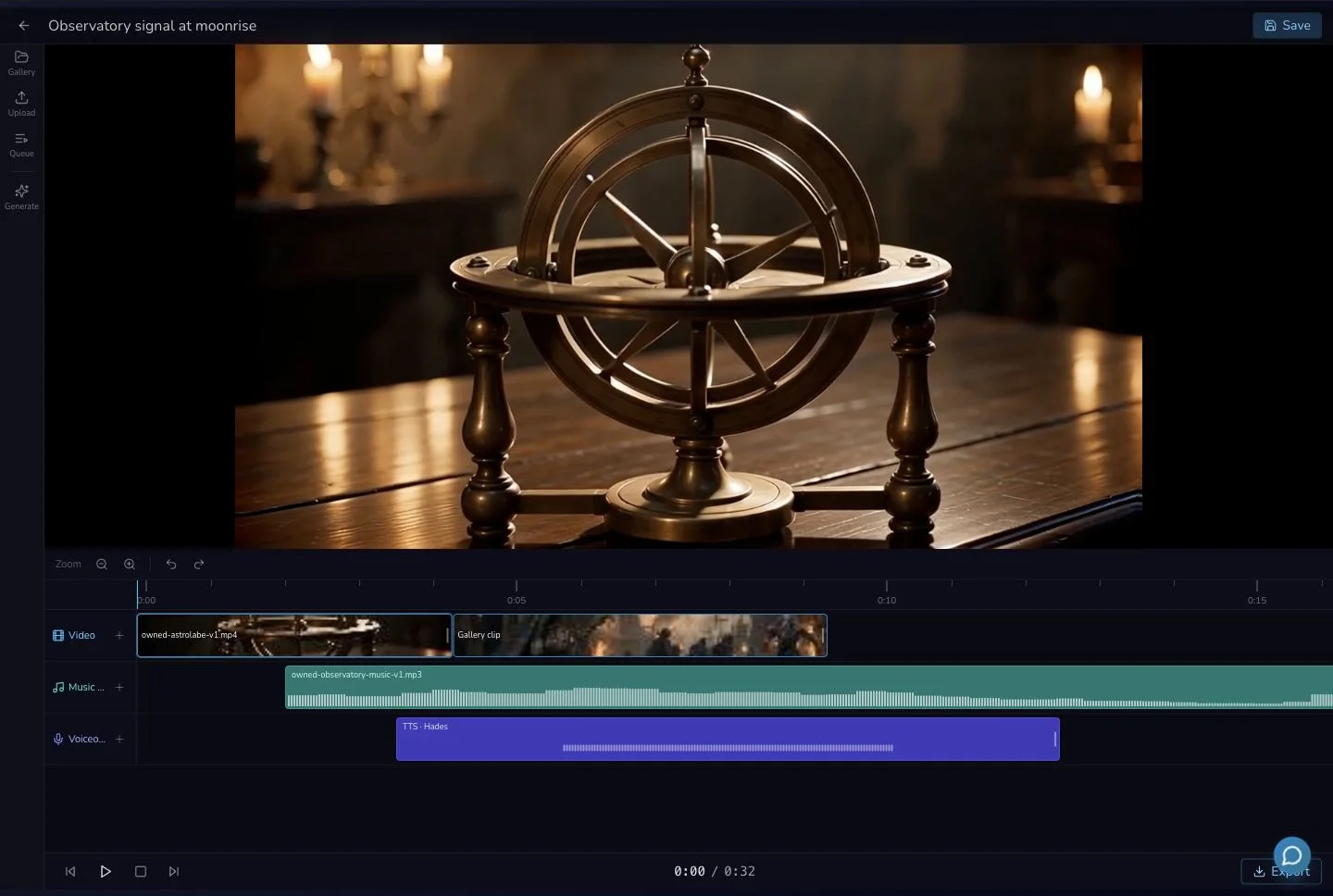
Save is explicit. Local browser recovery and backend retrieval are separate evidence checks behind the visible control.
2. Recover without erasing your own browser data
If the page reloads, reopen the project and check that its clips, order, trim, audio positions and volume return. Do not clear browser data as a tutorial step. The isolated evidence check proved both IndexedDB recovery and retrieval of the same saved timeline from the backend.
Start one export from a saved project
3. Check the video prerequisite and start once
Export requires at least one clip on the Video track. Review the project name, video count, audio count and 16:9 aspect ratio in the export dialog, then start one export. The duration shown in the reviewed dialog followed the longest timeline track, while the delivered MP4 was bounded to the final Video sequence. Do not use the dialog duration alone as proof of output length.
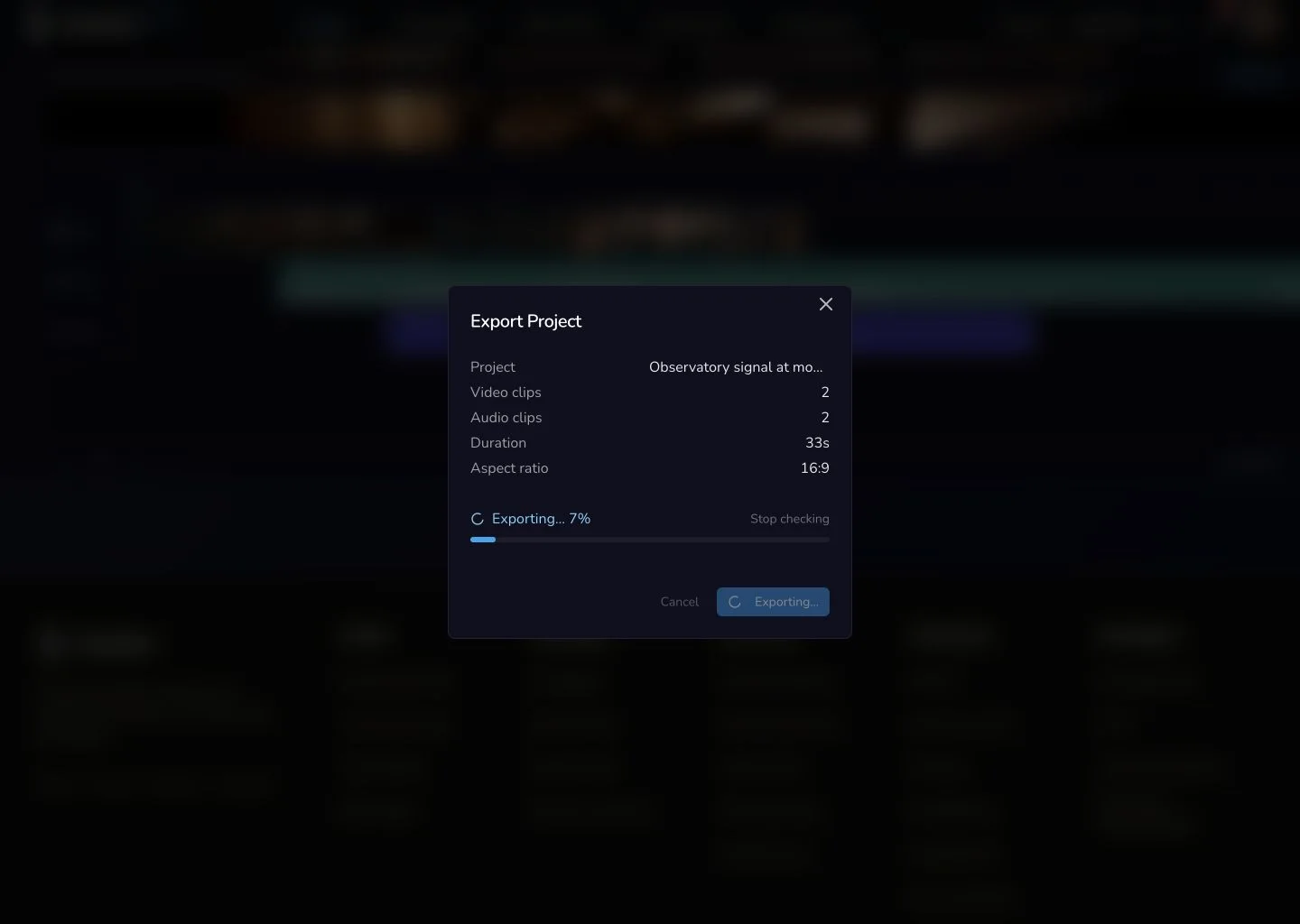
The active export shows progress and a Stop checking action. It does not promise server cancellation or a refund.
4. Wait, or stop checking and reconcile the same job
Media Centre checks export status every five seconds for a local window of up to ten minutes. If you choose Stop checking, or the local window ends, preserve the project and check the existing export state before doing anything else. Do not start a second export merely because local progress stopped.
Verify the delivered result
5. Download the MP4 and retrieve it from Gallery
Completion should expose Download MP4 and View in Gallery. The reviewed file was a playable 1280 × 720 MP4, 9.266 seconds long, with stereo AAC audio at 44.1 kHz. Its trimmed first frame, cut at 4.256 seconds, reduced music and voiceover were checked in the file itself. The same export was then retrieved from Gallery.
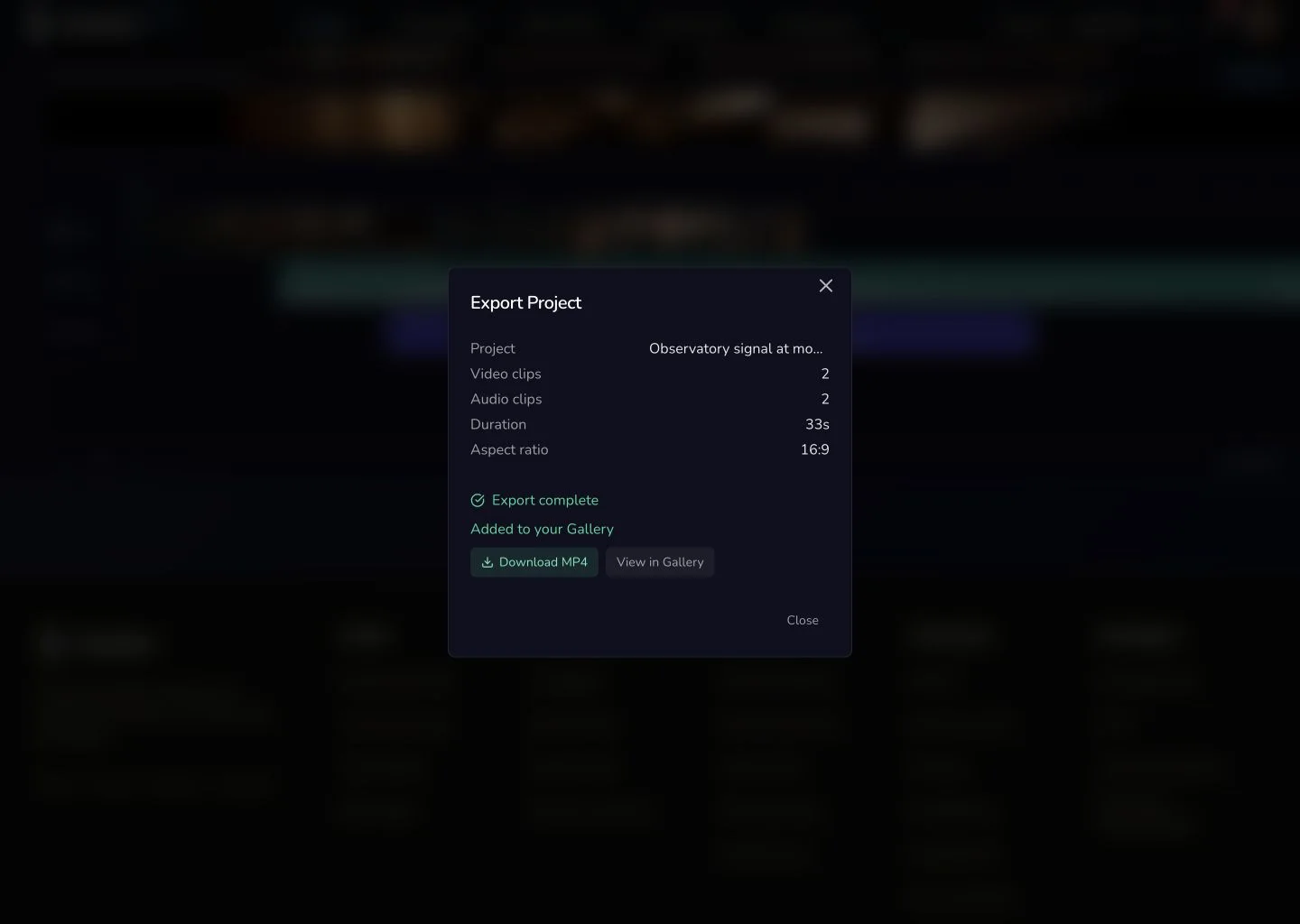
A Completed label is the handoff. Playback, file inspection and Gallery retrieval confirm the exported result.
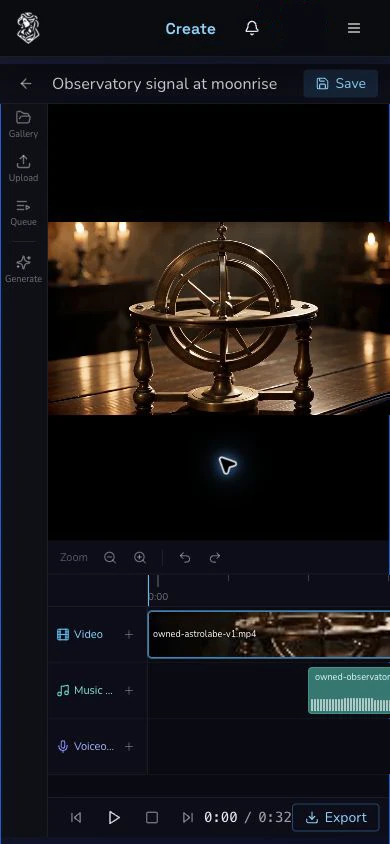
The narrow layout keeps Save, the project timeline and Export reachable. Desktop remains the clearer surface for detailed timeline checks.
Checkpoint
Check your result
- Unsaved edits, same-browser recovery and a backend-backed save are treated as three different states.
- One export begins only after the saved project contains a Video clip and its summary has been reviewed.
- Stopped or timed-out local polling is reconciled against the existing project before any new export is considered.
- The downloaded 1280 × 720 MP4 is playable, contains the verified edit and audio, and is retrievable from Gallery.
Troubleshooting save and export
If something looks wrong
Troubleshooting
- Symptom
- The project returns after reload, but you are unsure where it was saved.
- Likely cause
- IndexedDB can recover a local copy even when backend persistence has not been independently confirmed.
- Next safe action
- Keep the recovered project, use Save, and verify the authenticated project can be retrieved before treating it as backend-backed.
- Symptom
- Export progress stops or the ten-minute local window ends.
- Likely cause
- Local polling stopped, which does not prove that server work stopped or failed.
- Next safe action
- Preserve the project and reconcile the existing export state. Do not start another export yet.
- Symptom
- The completed MP4 does not sound or cut as expected.
- Likely cause
- A Completed label confirms delivery, not the composition inside the file.
- Next safe action
- Keep the original export, play the downloaded MP4, check its cut and audio, and avoid retrying until the mismatch is understood.