
How SMM Teams Build Post Visuals From Several Images in Minutes
How social media teams merge several photos into one post-ready visual with an AI image combiner, sized for every platform in one pass.
By Alex Mercer · Consumer-AI writer · Last updated 2026
To build a post visual from several images, upload your photos to an AI image combiner, describe how they should merge, and generate. The AI blends them into one scene, which you then export in the right size for each platform. It replaces manual Photoshop masking, turning a half-hour composite into a one-minute job.
The real problem: too many posts, not enough photos
Every social manager knows the squeeze. The content calendar wants a fresh visual for each post, across four or five platforms, but the photo library never quite has the right shot. You have a good product photo but a dull background. You have two team members photographed on different days. You have a customer image and a scene that would frame it perfectly, separately. Shooting new photos for every idea is not realistic on a weekly cadence.
This is where AI image combining changes the maths. Instead of booking a shoot or wrestling with layers, you merge the images you already have into the visual you actually need. The result is post-ready, and because the whole thing runs from a written description, it does not require a designer on standby.
From raw shots to a post-ready visual
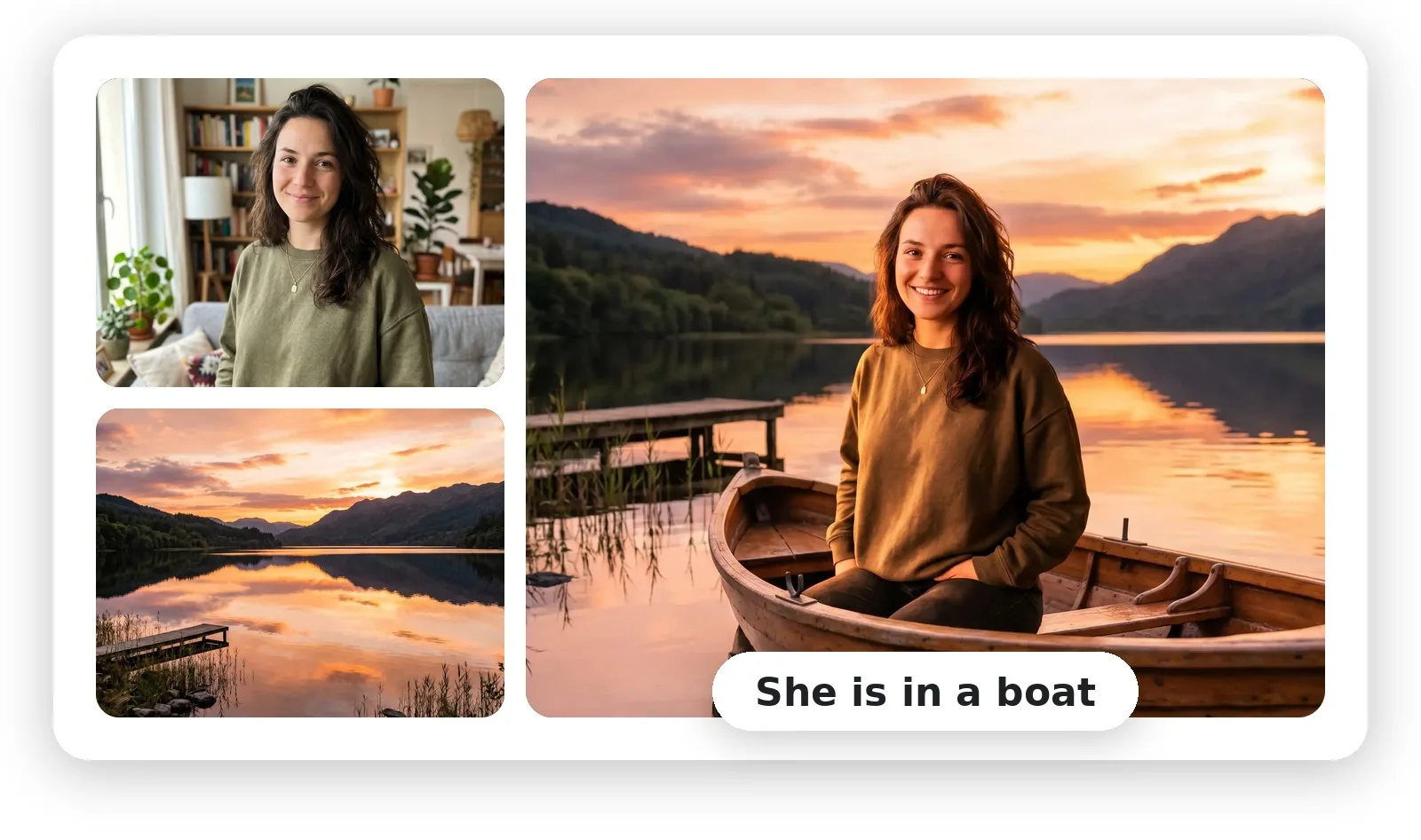
The workflow is short enough to fit between meetings: pick two images, describe the merge, generate, then size it for the channel. The example below shows the pattern, a portrait and a landscape combined into a single scene that looks like one photograph.
A portrait plus a sunset lake, merged into one natural shot, "She is in a boat." (Overchat AI Image Combiner example.)
The quality that matters for social is realism. A visual that looks pasted-together gets scrolled past; one that reads as a genuine photo earns the stop. Modern combiners handle this by matching lighting, colour, depth and perspective between the two images, then blending the edges, the same work a retoucher would do, done automatically.
The tool most teams reach for
For this kind of work I keep coming back to the Overchat AI image combiner. You upload two images, type how they should combine in plain English, "place the product from image one on the marble surface in image two, soft daylight", and it returns an HD result with no watermark that you can use commercially. It offers five aspect ratios, so the same visual comes out sized for Instagram, TikTok, YouTube or print without re-designing. For a team pushing daily content, that combination of realism, speed and clean licensing is the whole game.
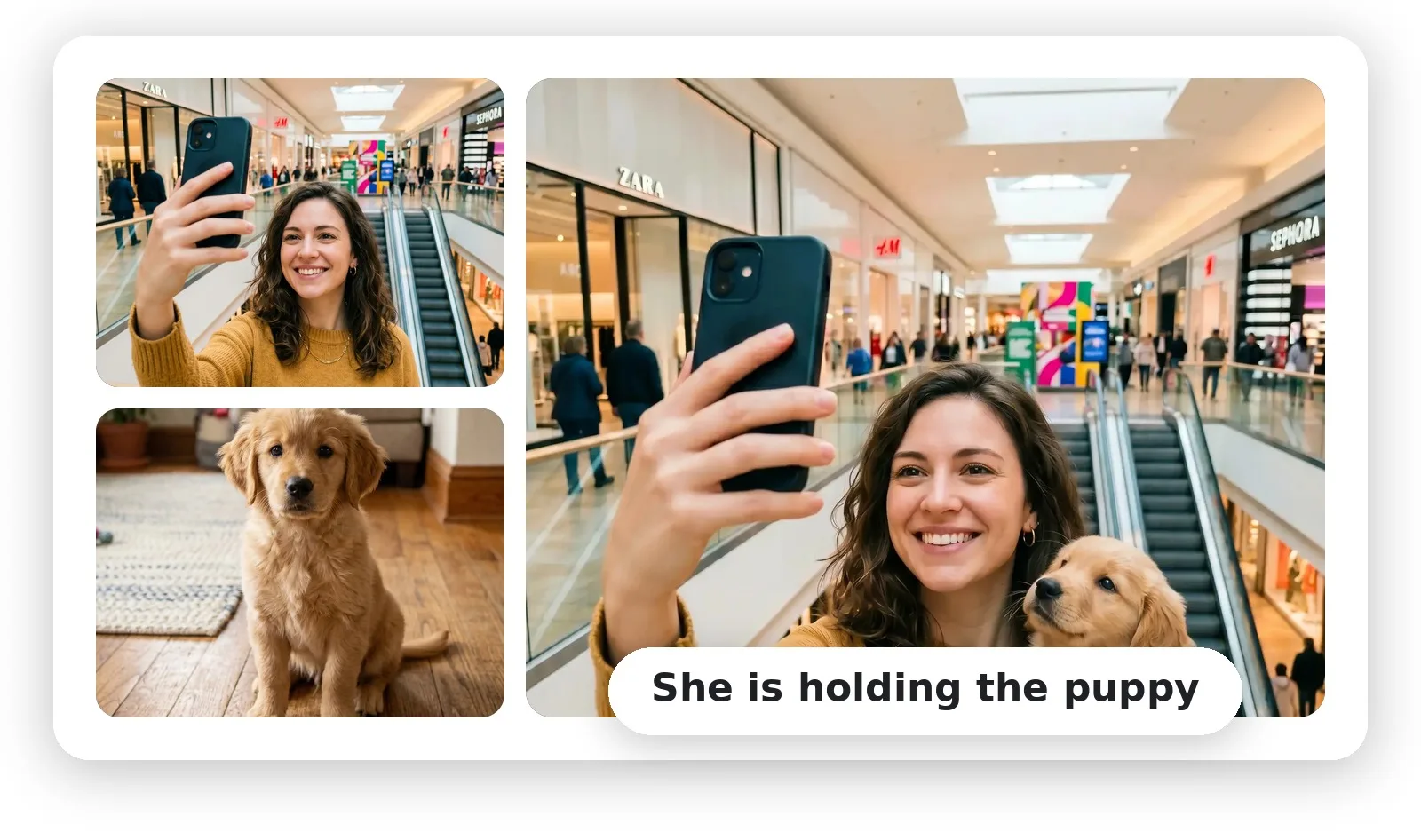
Adding a subject to a lifestyle scene: a mall selfie plus a puppy, merged into one shot, "She is holding the puppy."
Seven ways social teams use it
The same tool covers most of a content calendar's visual needs. Here is where it earns its place.
| Use case | What you combine | Why it works for posts |
|---|---|---|
| Swap backgrounds | A subject + a better scene | Turns a flat shot into a scroll-stopping one |
| Product in a scene | A product cutout + a lifestyle photo | Staged look without a photoshoot |
| Team / group posts | Separate portraits into one frame | Announce hires or teams even when apart |
| Before / after | Two states side by side | Case studies, tutorials, results posts |
| Collages | Several photos in one layout | Recaps, round-ups, carousels |
| UGC + brand scene | A customer photo + a branded backdrop | Feature customers on-brand |
| Resize per platform | One visual, five ratios | Ship every channel from one asset |
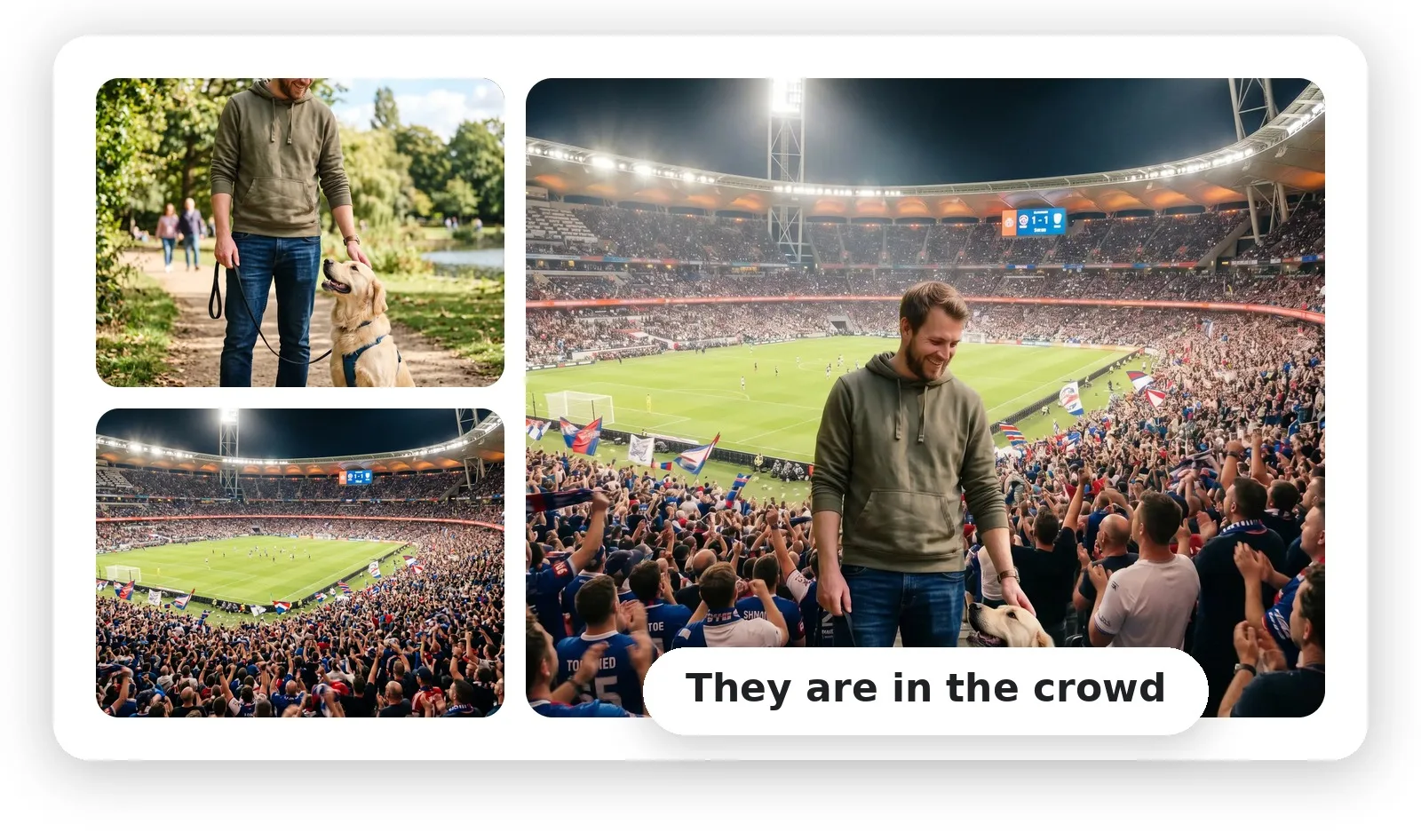
A busier composite, a person and a dog blended into a stadium crowd, holding up at a glance.
Size it once, ship it everywhere
Half the time cost of social visuals is not the design, it is re-cropping the same image for every channel. Combining and sizing in one place removes that step: build the visual, then export it in the ratio each platform wants.
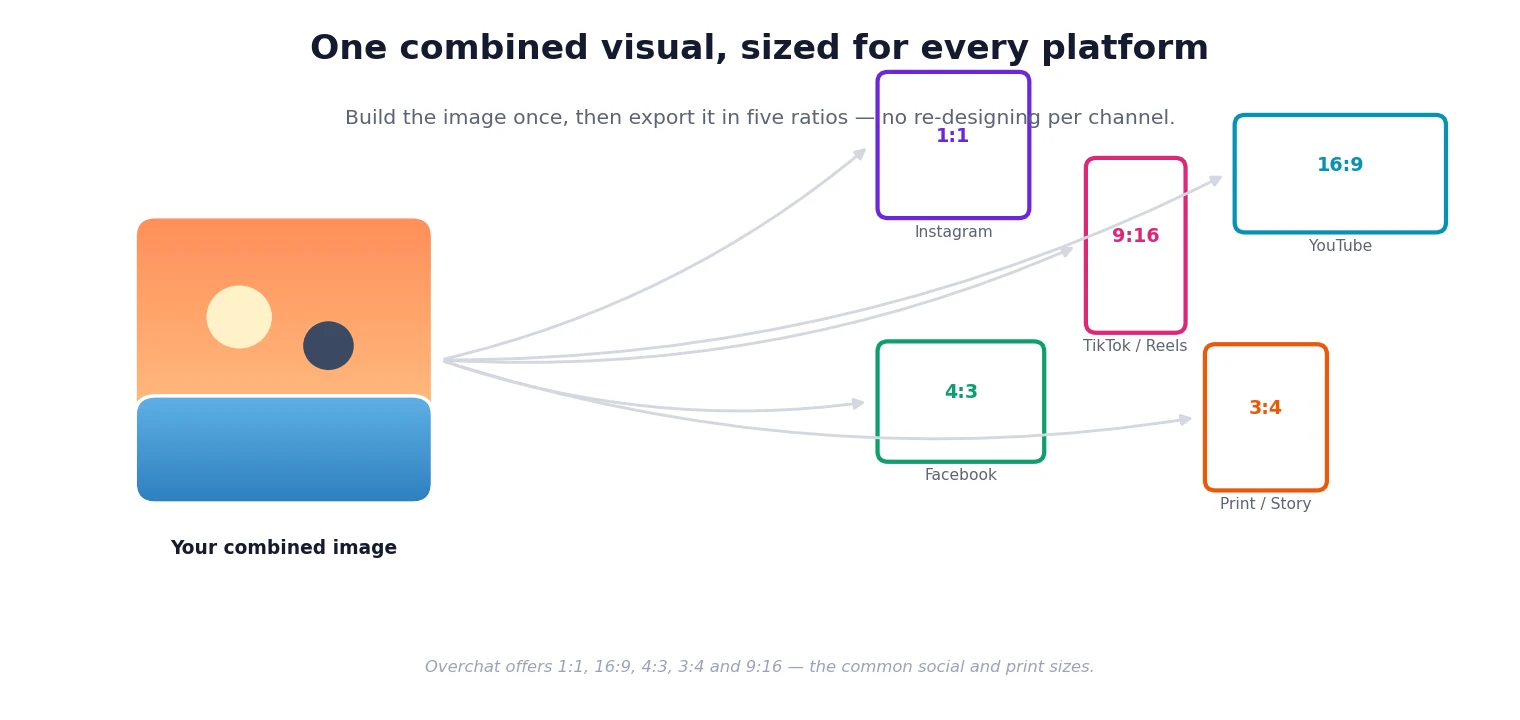
One combined visual, exported in five ready ratios.
| Platform | Best ratio |
|---|---|
| Instagram feed | 1:1 square |
| Reels, TikTok, Stories | 9:16 vertical |
| YouTube, banners | 16:9 landscape |
| Facebook feed | 4:3 standard |
| Print, portrait posts | 3:4 portrait |
Good to know: the combiner is one tool in a bigger kit
Worth knowing for anyone weighing it up: the combiner is just one tool inside Overchat AI, an all-in-one platform with more than 150 purpose-built tools spanning image, video, audio and text, image generation, short-form video, voiceovers and transcription, captions and ad copy. They run on the latest models from GPT, Claude, Gemini, Grok, Kimi and Qwen, and it works on the web, iOS and Android; the company says it is used by more than 350,000 people. For a social team that already pays for a couple of AI subscriptions, the maths is worth a look: one Overchat plan can stand in for separate ChatGPT, Claude and Gemini subscriptions, so the image and video tools effectively come at no extra cost on top of the writing help you were buying anyway.
If your team leans more on quick single-image touch-ups than full scene merges, MagicShot is worth a look too. It bundles editing tools such as background removal, object removal, upscaling and photo restoration into one AI creative studio, alongside 85+ other image, video and audio tools, with plans starting from $5.25 a month for up to 2,000 images.
Tips for on-brand, believable results
- Feed it photos with similar lighting, two daylight shots blend far better than a bright and a dark one.
- Be specific in the prompt: name the subject, the placement, and the light or mood you want.
- Match the framing, a full-body subject for a full-body scene, a close-up for a close-up.
- Keep your brand palette in mind and describe it, so backgrounds and tones stay consistent across posts.
- Generate two or three passes and keep the most natural; the second attempt is often the keeper.
- Export the platform ratios you actually publish, so nothing gets awkwardly cropped later.
Where the time goes
| Step | Old way (Photoshop) | With an AI combiner |
|---|---|---|
| Cut out the subject | Pen tool and masking | Automatic |
| Match lighting & colour | Manual grading | Automatic harmonisation |
| Blend the edges | Layer masks, feathering | Generative blend |
| Resize for platforms | Re-crop each one | Pick from five ratios |
| Typical time | 20 to 40 minutes | 1 to 2 minutes |
FAQ
How do I combine multiple images into one post visual?
Upload your images to an AI image combiner, describe how they should merge, and generate. The AI blends them into one scene, then you export it in the size each platform needs.
Is AI image combining good enough for brand content?
Yes, when your source photos share similar lighting. Good tools match lighting, colour and perspective so the result reads as a real photo rather than a paste-up.
Can I make one visual and resize it for every platform?
Yes. Overchat offers five aspect ratios, 1:1, 9:16, 16:9, 4:3 and 3:4, so you build the image once and export it for Instagram, TikTok, YouTube, Facebook or print.
Do combined images have a watermark?
On Overchat the output is an HD image with no watermark that you can use commercially. Some free tools add a watermark, so check before publishing.
How long does it take?
About 10 to 30 seconds per merge, versus 20 to 40 minutes for a manual Photoshop composite. Most of your time goes into choosing photos and writing the prompt.
Do I need a designer or Photoshop skills?
No. The AI handles the cutout, colour-matching and blending from your description, so a social manager can produce post-ready visuals without manual editing.
Sources
Combiner details (two-image upload up to 10MB, describe-to-merge, lighting/colour/depth/perspective matching, five aspect ratios, HD PNG output, no watermark, commercial use, free account with paid generation) verified on overchat.ai/image/ai-image-combiner, 2026. Before/after images are example results from the Overchat AI Image Combiner. Overchat platform details (150+ tools; models; web, iOS and Android; user figure) per the company, 2026.
Disclosure: this guide features Overchat AI and links to its image combiner. Recommendations reflect publicly stated capabilities, not paid placement.
Image credits:
- Example composite images and the ratio diagram supplied by Overchat AI as examples of its AI Image Combiner output.
Frequently asked questions
- How do I combine multiple images into one post visual?
- Upload your images to an AI image combiner, describe how they should merge, and generate. The AI blends them into one scene, then you export it in the size each platform needs.
- Is AI image combining good enough for brand content?
- Yes, when your source photos share similar lighting. Good tools match lighting, colour and perspective so the result reads as a real photo rather than a paste-up.
- Can I make one visual and resize it for every platform?
- Yes. Overchat offers five aspect ratios, 1:1, 9:16, 16:9, 4:3 and 3:4, so you build the image once and export it for Instagram, TikTok, YouTube, Facebook or print.
- Do combined images have a watermark?
- On Overchat the output is an HD image with no watermark that you can use commercially. Some free tools add a watermark, so check before publishing.
- How long does it take?
- About 10 to 30 seconds per merge, versus 20 to 40 minutes for a manual Photoshop composite. Most of your time goes into choosing photos and writing the prompt.
- Do I need a designer or Photoshop skills?
- No. The AI handles the cutout, colour-matching and blending from your description, so a social manager can produce post-ready visuals without manual editing.