
How to Keep D&D Character Art Consistent Across a Campaign
Keep D&D character art consistent across images and video with a saved Character Reference, a trait spec, and a repeatable 2026 workflow.
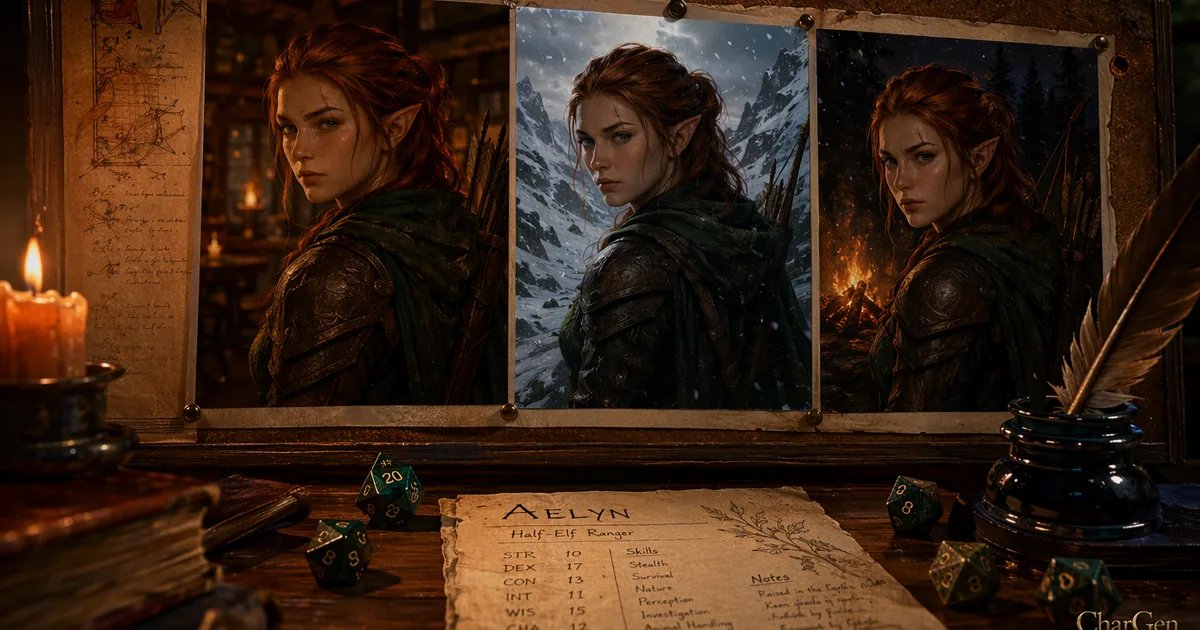
Session nine of my Saltmarsh game, a player pulled up the portrait of her half-elf ranger and stopped. The face was wrong. We'd generated a fresh image for a level-up moment, and the ranger had somehow gained a decade, lost the scar over her eyebrow, and swapped auburn hair for something closer to chestnut. She looked like her own cousin. That's the problem nobody warns you about when you start using AI art for a long game: keeping your D&D character art consistent across a campaign is a completely different job from making one good picture.
One picture is easy. Any decent model gives you a striking portrait on the first or second try. The hard part is the fifth portrait, three months later, when the character needs to be in a new pose, a new outfit, or a new scene, and still read as unmistakably the same person. Players notice drift faster than you'd think. My table started asking whether the NPC had a twin, and once that doubt creeps in, the art stops helping the story and starts distracting from it.
So here's what actually holds a character steady, the specific tools and settings that work in 2026, and the workflow I use to keep a player character recognisable from session one to the finale.
Why AI character art drifts (it isn't your fault)
The uncomfortable truth is that most image models are built to give you variety, not sameness. A diffusion model treats every generation as a fresh roll weighted by your prompt and a random seed. Change one word, change the seed, or swap the model, and you've asked for a new interpretation, not the same face again. That's a feature for concept art and a bug for a recurring character.
You can see this in the tools themselves. Midjourney, Leonardo, and the open-source community all bolted on dedicated "reference" systems precisely because base text-to-image generation doesn't preserve identity on its own. If holding a character steady were easy, none of these features would exist. So if your ranger keeps changing, you aren't prompting wrong. You're fighting the default behaviour of the technology, and you need to give the model an anchor.
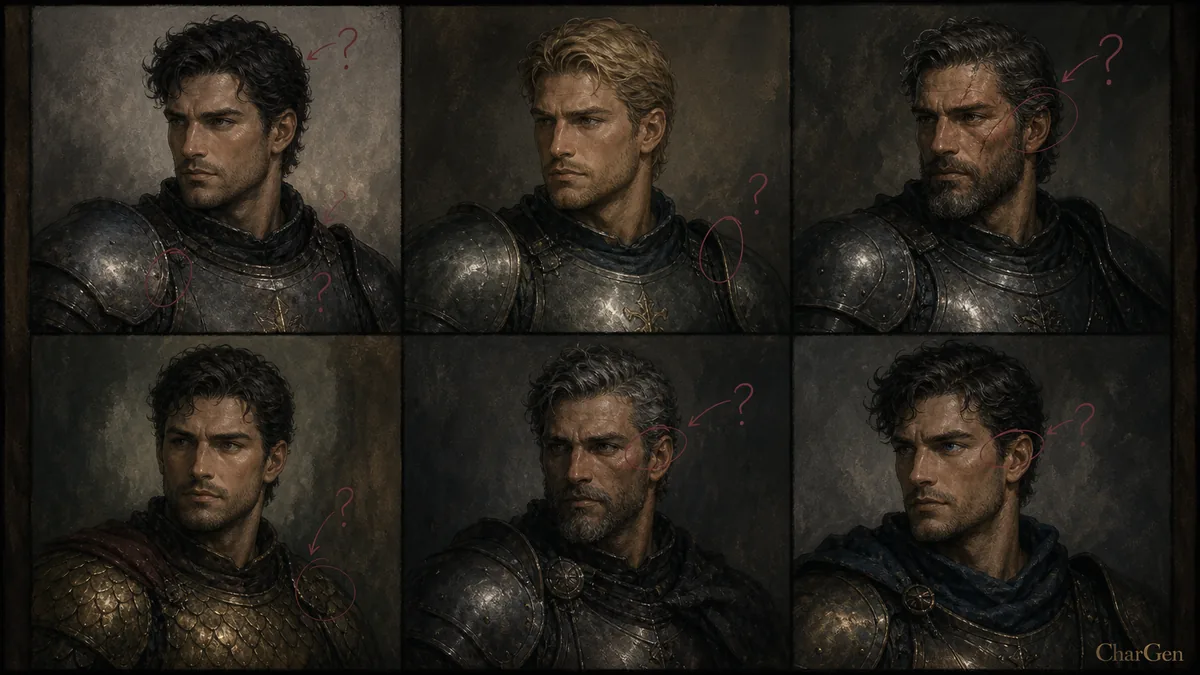
There are four ways to give it that anchor. They range from a thirty-second habit to a proper technical setup, and honestly, the cheap habits matter more than the expensive tools.
The four methods that actually keep a character consistent
1. Reference-image conditioning (the easy win)
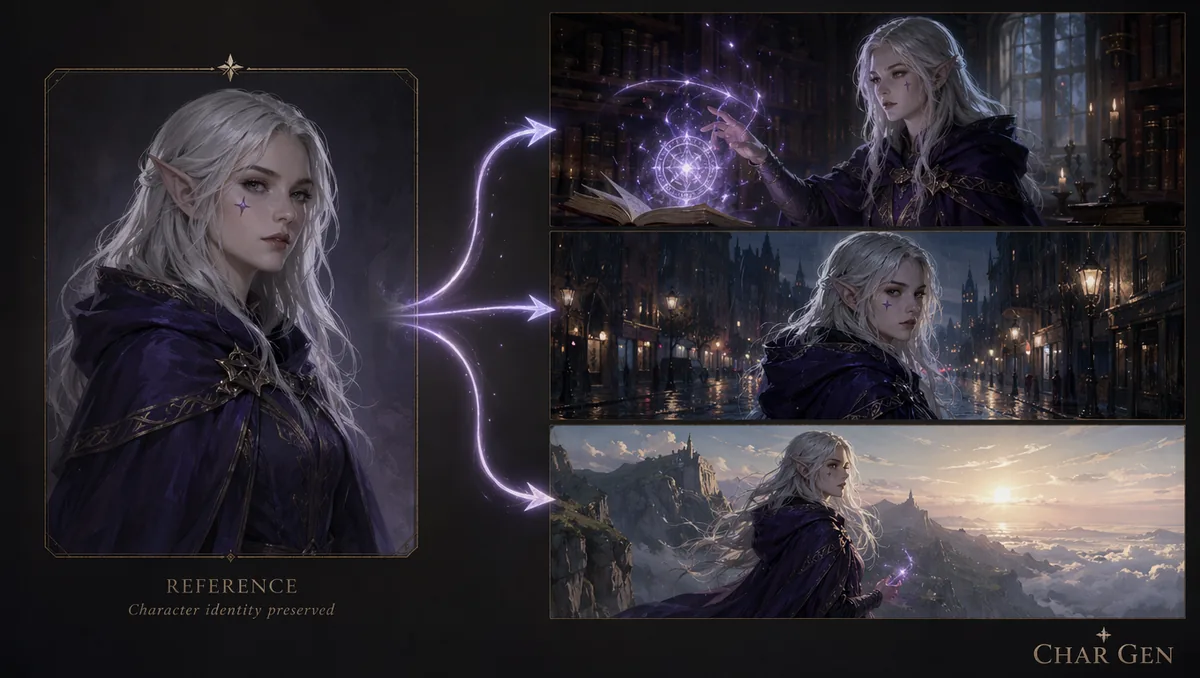
This is the one most DMs should start with. You feed the tool an existing image of your character, and it uses that as a visual anchor for the next generation. No training, no dataset, no setup.
In Midjourney, the method changed in 2026, so watch this one. The old Character Reference parameter, --cref, is not compatible with Version 7. If you paste --cref into a V7 prompt it gets ignored or throws an error, which trips up a lot of older tutorials. V7 uses Omni Reference instead, driven by an --oref image and a character-weight slider (--cw) that runs from 0 to 100. Midjourney's own guidance claims around 90% character consistency from a single good reference. It works well, but there's no free tier to test it: Midjourney has been subscription-only since it removed free trials in March 2023, and plans run $10, $30, $60, and $120 a month (roughly 20% cheaper billed annually), with extra fast GPU hours at $4 each once you burn through your allowance.
Leonardo takes a similar approach with its Character Reference feature. You upload a face, then set the strength to Low, Mid, or High. Two catches worth knowing before you commit: Character Reference only works with Leonardo's SDXL models, and the character engine adds roughly 25% to the token cost of each generation. The upside is you can actually trial it for nothing. Leonardo's free plan gives you 150 tokens a day (about 4,500 a month), and the paid Essential tier is $12 a month.
CharGen sits in this same reference-image camp, which is where I do most of my own prep. You generate the character once on the Character page, keep that portrait, and reuse it as the anchor for later scenes rather than starting from a blank prompt each time. It's free to start (a gold system, no card needed), which matters when you're generating a party of four or five and iterating on each of them.
2. Face-ID and ID preservation (free, but technical)
If you're comfortable with a bit of setup, the open-source route gives you the strongest free control. The two names to know are InstantID and IP-Adapter FaceID, both run through ComfyUI on SDXL models. InstantID is tuning-free, meaning it preserves a face from a single reference image without training anything, and IP-Adapter FaceID (released in January 2024) does something similar with a face-embedding model.
I've used this path and it's genuinely good, but be honest with yourself about the cost. It needs a local GPU, a ComfyUI install, and extra dependencies like insightface and onnxruntime. There's also a licensing trap: InstantID's consistent-character workflow is open source but released under a non-commercial licence, so if you ever plan to sell prints or use the art commercially, read the terms first. For a home game it's free and powerful. For anything you'd monetise, it's a landmine.
3. Custom-model training (the studio approach)
The most consistent results come from training a small model, a LoRA or a DreamBooth fine-tune, on 10 to 20 images of your character. Platforms like Scenario wrap this in a friendlier interface. Once trained, the model reproduces your character almost perfectly across any pose or scene.
The problem is the chicken and egg. You need a set of consistent images to train the model, which is the exact thing you don't have on day one with a brand-new player character. Training is worth it for a signature NPC who'll appear across an entire campaign, or a face you'll reuse for years. For a PC you rolled up last Tuesday, it's overkill.
4. The disciplines that work with any tool
Here's the part most guides skip, and it's the cheapest and most effective of the lot. These habits hold a character steady regardless of which tool you picked.
- Write a tight anchor block. A short fixed list of traits you paste into every prompt: "auburn hair tied back, thin scar over left eyebrow, deep green hooded cloak, leather pauldron". Keep the lore out of it. The image model doesn't need her tragic backstory, it needs her hair colour.
- Use one model per character. Swapping models halfway through is the single most common cause of drift. Different models have different ideas of the same face. Pick one and stay with it unless you're deliberately showing a time jump or a disguise.
- Lock the seed where you can. If your tool exposes a seed value, reusing it keeps the composition and features far closer between generations.
- Build a small reference sheet. A front view plus two or three angles gives you a fixed set of anchors to point every future generation at.
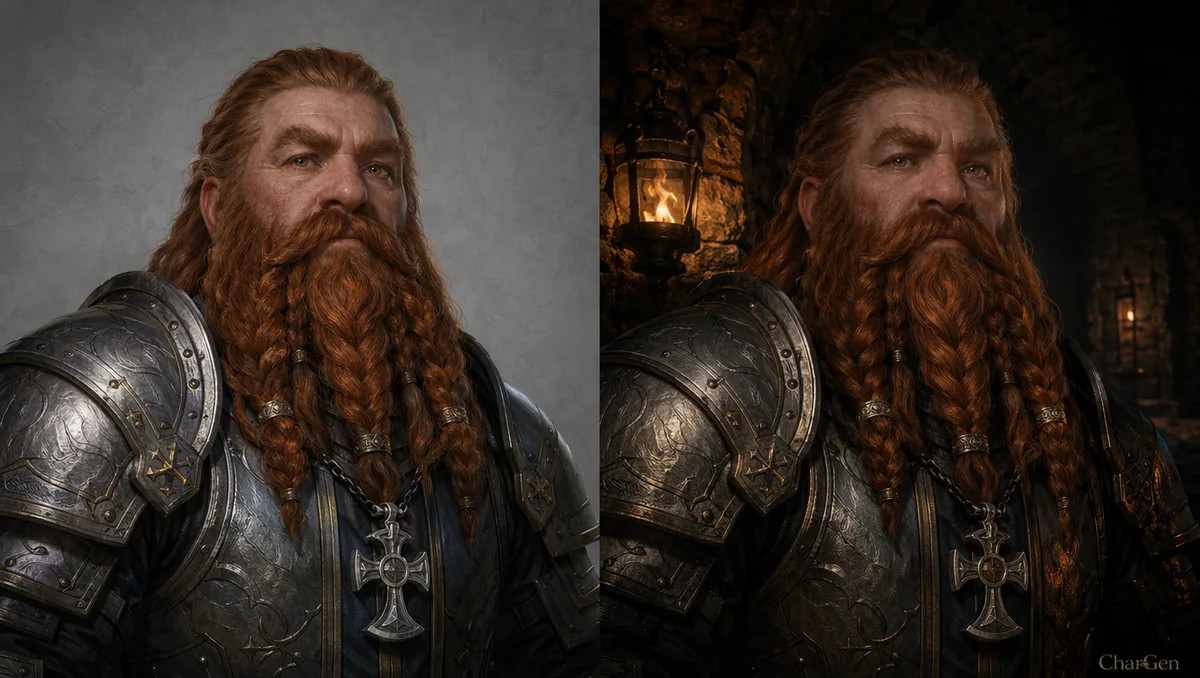
- Edit, don't regenerate. For a small change (new lighting, a different background, a scar from that last fight), run an edit pass on the existing portrait instead of rolling a fresh one. You keep the same face and only change what you meant to change.
A 2026 comparison of consistent-character tools
| Tool | Consistency method | Price (2026) | Commercial use | Best for | Main limit |
|---|---|---|---|---|---|
| CharGen | Reference image plus edit passes, one model per character | Free to start (gold system, no card); Plus £9.17/mo | Yes | DMs who want the character linked to the rest of their prep | Not a train-your-own-model tool |
| Midjourney V7 | Omni Reference (--oref, --cw) | $10 to $120/mo, no free tier | Yes (Pro/Mega required above $1M revenue) | Highest raw image quality | No free trial; --cref no longer works in V7 |
| Leonardo | Character Reference (SDXL only) | Free 150 tokens/day; Essential $12/mo | Yes | Testing consistency without paying | SDXL models only; ~25% higher token cost |
| ComfyUI + InstantID | Face-ID preservation from one image | Free (open source) | No (non-commercial licence) | Strongest free control | Needs a local GPU and setup |
| Scenario / LoRA training | Custom-trained model on 10 to 20 images | Paid, varies | Check per platform | A signature face reused for years | Needs a dataset you don't have on day one |
Every row there carries the same lesson: the tool matters less than whether you actually feed it a reference and stop swapping models mid-campaign.
My CharGen workflow for a consistent player character
Here's the loop I run, using Aelyn, the half-elf ranger from the top of this post, as the worked example.
I start on the Character page and describe her with a tight prompt built from the anchor block, not a paragraph of prose. I picked one of the fantasy-tuned models (CharGen ships 160+ models and 70+ styles) and, crucially, I noted which one, because that's the model Aelyn lives on now. The first output isn't about chasing the perfect image. I just want a clean, recognisable baseline I can reuse.
Then I save that portrait as her reference. When she levels up, gets a new cloak, or needs to be standing in a snowy pass for a set-piece, I don't start from scratch. I reuse the saved portrait as the anchor and change only the scene. For small tweaks, a new background or a bit of battle damage, I run an edit pass rather than a full regeneration, so her face and the shape of her armour stay put.
For group shots, the Party Portrait generator keeps the whole table's characters together in one frame, which is handy for a session-zero cast photo or a "the party three years later" moment. And because CharGen stores the character alongside its notes rather than dumping a loose image into a folder, the reference is always to hand when Aelyn shows up again in session twelve.
If your consistency problem is specifically about recurring NPCs rather than player characters, I wrote a separate walkthrough on keeping NPCs consistent across a campaign that goes deeper on the notes-and-continuity side. And if you're still choosing a tool, my roundup of the best AI image generators for D&D character art in 2026 compares the options on quality and price rather than just consistency.
Consistency is more than a matching face
The mistake I made early on was treating this as purely a visual problem. A matching face helps players remember who they're talking to, but the continuity that actually holds a campaign together lives in the notes: what the character wants, what they're hiding, how the party last left them. The portrait is the hook, the notes are the memory.
That's the real argument for keeping the art connected to your prep rather than living in a separate app. A token for the virtual tabletop, a portrait for the handout, a party shot for the recap, and a short note on where the character stands, all pointing at the same face. Once the image is a reusable element of the campaign instead of a one-off render, consistency stops being something you fight for every session and becomes something you already have.
The saved Character Reference workflow in 2026
CharGen now has a saved Character Reference for this exact problem. That is the difference between a one-off reference image and a consistent AI character across images. The reference keeps the identity details with the character instead of asking you to rebuild them from memory in every prompt.
The current flow starts from an image you already own. Open a portrait in your Gallery, or open a Character or NPC page, then choose Save as Character Reference. Give the reference a name. Pick the primary image and any useful supporting images. Check the short Trait spec before you save it.
A reference can hold one primary image and up to five more images. I use the primary image for a clear front view. I use the other slots for a profile, a full-body view, a close-up of a scar, or an important piece of gear. Free accounts can save one reference with three images. Paid plans can hold up to six images per reference, and higher plans remove the one-reference limit.
The save action does not cost Gold. A later render still costs the normal amount for the model, and CharGen shows that render cost before you start. That separation makes it practical to improve a reference set without spending Gold every time you reorder a portrait or correct a trait.
On the Generate page, add the saved character from the new reference picker. Write only the new scene in your prompt. CharGen sends the reference images with the request and puts the trait spec at the start of the prompt. You can add up to three Character References to one image prompt, so a party scene can keep several named characters in place.
The same picker is available on the video form. Models that accept reference images can use the character's images and trait spec. A model that only accepts a start frame cannot use a saved reference, and the form explains that limit. I check the model note before I write a long scene brief.
Every render made with the reference is filed under it. When a result is strong, add it to the image set. You can set a different primary image, reorder the set, edit the trait spec, and adjust the details to ignore or the style lock from the reference page. The set gets better as the campaign gives you better views.
Here is how I would update Aelyn's reference after a level-up scene:
| Step | My choice | Reason |
|---|---|---|
| Primary | The clear front portrait from session nine | It shows her face and auburn braid without an action pose |
| Supporting image 1 | A full-body view with the green cloak | It gives the model her height, silhouette, and usual colours |
| Supporting image 2 | A close-up with the eyebrow scar | It protects the small detail players use to recognise her |
| Trait spec | Half-elf ranger, auburn braid, eyebrow scar, green hooded cloak, worn leather armour | It repeats the details that drift most often |
| New scene | Aelyn tracking prints through a snowy pass at dawn | The prompt changes the action and place, not her identity |
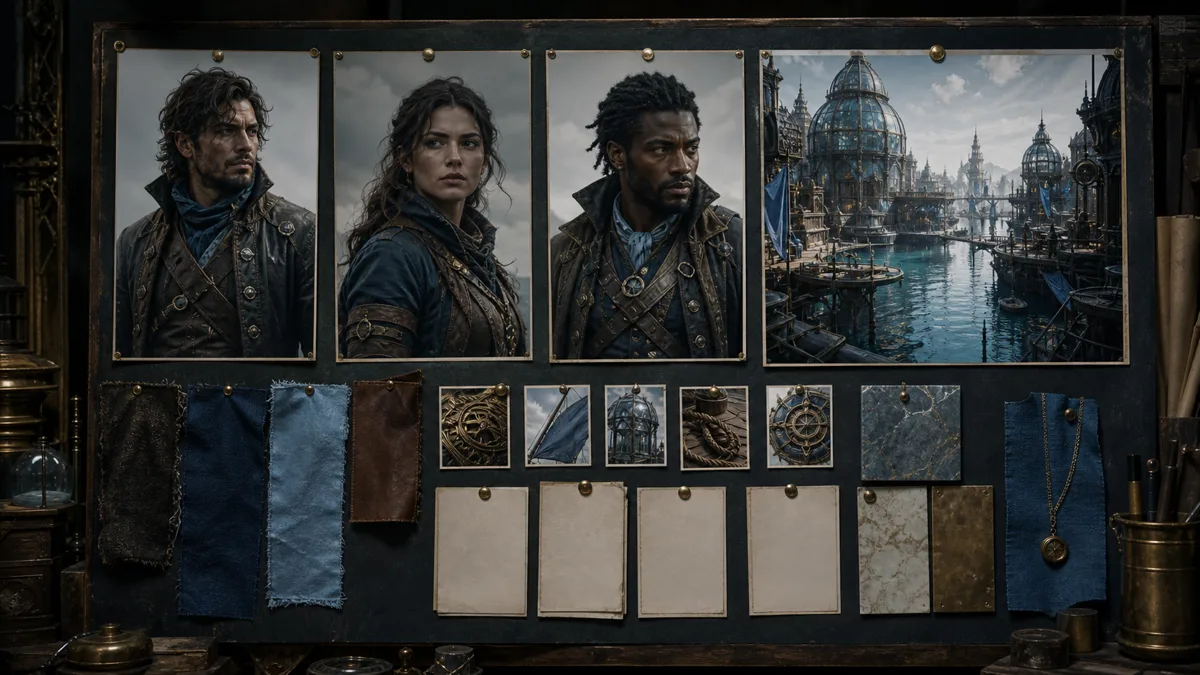
I still inspect the result. A reference improves identity, but it does not make every pose or hand perfect. If the face is right but the cloak is wrong, I keep the render only when the scene does not depend on the cloak. If the scar disappears, I reject it or add the better view to the reference set before trying again.
Generate a Consistent Character FreeFAQ
Why does my AI character look different every time?
Because image models are built for variety. Every generation is a fresh roll weighted by your prompt and a random seed, so a new prompt or a swapped model produces a new interpretation rather than the same face. Give the model an anchor: a reference image, a fixed model, and a tight, repeated list of physical traits.
Does Midjourney's --cref still work in 2026?
No, not in Version 7. The --cref (Character Reference) parameter is incompatible with V7 and gets ignored or errors out. V7 uses Omni Reference instead, driven by an --oref image and a --cw character-weight value from 0 to 100. Older tutorials that still tell you to use --cref were written for V6.
Can I keep a D&D character consistent for free?
Yes. Free accounts can save one Character Reference with three images. Saving and editing the reference costs no Gold. Renders cost the normal amount for the selected model. Paid plans can hold up to six images per reference, and higher plans remove the one-reference limit.
What's the easiest way to keep character art consistent across a campaign?
Reference-image conditioning. Generate the character once, save that image, and reuse it as the anchor for every later scene instead of writing a fresh prompt each time. Pair that with one model per character and a short written anchor block of fixed traits, and you'll hold a face steady with almost no extra effort.
How many reference images do I need?
For reference-image tools, one strong portrait is enough to start, though two or three angles help for varied poses. CharGen supports one primary image and up to five more images on paid plans, while free accounts can add three images. For custom-model training with a LoRA, you'll want 10 to 20 images of the character, which is why training suits an established NPC rather than a brand-new player character.
Pick one method and one model before your next session, generate your party's baselines, and save each portrait as its reference. Do that once, and the level-nine version of your ranger will still look like the level-one version, which is the whole point.
Create Your Character on CharGen