
Best AI NPC Generators for D&D in 2026: Free Tools Tested and Ranked
Find the best ai npc generator for D&D in 2026, from free profile tools to CharGen portraits, tokens, stat blocks, and campaign memory.
The best ai npc generator is not the one that writes the longest backstory. I want an NPC I can run tonight: a name, a role, a motive, a secret if the scene needs one, a portrait the table can remember, and a token path if we are playing online. Anything beyond that has to earn its space.
I have used plenty of NPC tools that technically worked and still left me annoyed. One gave me a baker with three tragic wars in her past, a dead royal patron, and no reason to sell bread. Another made every town guard sound like a failed poet. The worst results are not broken. They are overstuffed.
For this 2026 refresh, I am treating an NPC generator as a prep tool, not a writing toy. I checked current search results, recent D&D tool roundups, and DM chatter about fast NPC creation. Tabletop Arc's 2026 NPC generator roundup frames the category around name, race, class, personality, motivation, secret, and quirk. GeekyInc's 2026 AI NPC generator list makes the same market pressure obvious: DMs are not short on tools. They are short on table-ready output that does not create another clean-up job.
CharGen's NPC Generator is my first pick when I need text, portrait, stat block direction, token handoff, and campaign continuity in one place. If you only need a quick name and motive, a lighter free tool may be enough. The right answer depends on what happens after the NPC exists.
What makes the best ai npc generator in 2026?
A good ai npc generator 2026 tool should help with the moment DMs actually dread: players deciding that the fishmonger, clerk, or ferry captain is now central to the story. You need enough material to play the scene without reading a page of lore while everyone waits.
Here is the standard I use.
| Test | What I want | Why it matters |
|---|---|---|
| scene fit | role, immediate need, and current pressure | tells me how the NPC behaves right now |
| scan speed | short labelled fields, not one huge paragraph | usable during play |
| table hook | visual tell, voice cue, secret, or offer | gives players something to remember |
| rules support | light stat block or suggested base when needed | avoids overbuilding harmless NPCs |
| portrait workflow | image generation or strong art prompt support | helps memory and handouts |
| token workflow | clean crop or export path for VTTs | matters for Roll20, Foundry, and Fantasy Grounds |
| campaign memory | link to notes, factions, places, quests, or recaps | keeps recurring NPCs from drifting |
| free path | useful output before paid upgrades | important for testing and one-shots |
The official 2024 Dungeon Master's Guide keeps the DM's job tied to preparing and running sessions. I read NPC tools through that lens. If a generator gives me beautiful prose but does not help the next scene happen, it is decoration.
I also split NPCs by size.
| NPC size | What they need |
|---|---|
| walk-on | name, role, tell |
| scene NPC | role, want, pressure, offer, optional secret |
| recurring NPC | portrait, token, relationship notes, session history, current state |
That split is why the same tool can be brilliant for one table and wrong for another. A random npc generator ai free tool can be perfect for walk-ons. A campaign manager with portraits and recap links is better when the NPC will return in six sessions and the party remembers that you lied about their accent.
Quick comparison: best AI NPC generators for D&D
Here is the short version before I get into the details.
| Tool | Best for | What I like | Main limit |
|---|---|---|---|
| CharGen NPC Generator | D&D NPC profiles, portraits, tokens, stat block direction, and campaign links | keeps NPC text, art, token prep, and session memory close together | not a rules database for every official book |
| Tabletop Arc NPC Generator | free quick profiles tied to campaign continuity | strong focus on session memory and typed campaign facts | portrait and token workflows are not the main draw |
| NavioHQ AI NPC Generator | free profile cards for D&D and creative writing | generates 1 to 5 NPCs with roles, tone, detail level, traits, and hooks | less specialised for visual RPG assets |
| RandomNPCGenerator.com | quick free 5e-flavoured NPCs | fast, simple, good for immediate sparks | thinner AI art and campaign tracking |
| Kassoon NPC Generator | classic D&D random NPC utility | fast, familiar, useful when mechanics matter lightly | output can feel table-like rather than character-led |
| Donjon Fantasy NPC Generator | no-fuss random NPCs and old-school prep | free, fast, brilliant for names and quirks | no portrait or campaign memory workflow |
| Eigengrau's Generator | towns and NPCs that belong to a wider setting | creates social context, businesses, families, and places | heavier than needed for one quick NPC |
| OpenArt Character Generator | reusable visual character concepts | strong image and consistency focus | not a D&D NPC profile or stat tool by itself |
| TabletopArc | free tier NPC with personality and relationships | relationship maps between NPCs in the same setting are a useful differentiator | less strong on portrait and token generation |
| Rosebud AI | AI-generated portraits alongside NPC stats | consistent character portraits across multiple scenes | more focused on visual AI than RPG-specific profiles |
My recommendation is simple. Use CharGen when the NPC needs to become a campaign asset. Use Tabletop Arc or NavioHQ when you want quick written profiles. Use Donjon, Kassoon, or RandomNPCGenerator.com when you need sparks fast and do not care about art. Use OpenArt when the visual character is the job.
Best free NPC generator for a brand-new dungeon master
If you have run only a session or two, ignore most of the table above. A new DM does not need relationship maps, campaign memory, or batch token export yet. You need a quick NPC generator that hands you a name, a job, and a reason to talk, in one click, with no account to set up while five players stare at you.
So start free and start simple. Every tool below runs in the browser with no signup, which means you can try the lot tonight and keep whichever one you reach for first. I have ordered them by how little they ask of a beginner.
| Free tool | Signup | Speed | What a beginner gets |
|---|---|---|---|
| RandomNPCGenerator.com | none | instant, no ads | 5e NPC with name, personality, motivation, a light stat block, and a plot hook |
| FreestyleDM | none | one click | name, race, personality, a secret, and a motivation |
| Tabletop Arc | none | about 3 seconds | name, race, class, personality, motivation, secret, and quirk |
| NavioHQ | none | three steps | 1 to 5 profile cards with role, tone, and hooks |
| Kassoon | none | instant | classic 5e-shaped random NPC with light mechanics |
| Donjon | none | instant | names, appearance, personality, and quirks to raid for parts |
My honest advice for a first campaign: pick one no-signup free dnd npc generator for walk-ons and leave the rest alone until you feel the limit. You will feel it the moment a player adopts the random ferryman as their new favourite character and you realise you have written nothing down. That is when a quick npc generator 5e stops being enough, because now you want a face and a saved record, not another fresh roll.
That is the point where I move a new DM onto CharGen's NPC Generator. It is still free to start, with no card, on a gold system where you earn more by logging in and taking part, and the free tier saves up to 10 NPCs, which is plenty for a first campaign's recurring cast. You set race, class, gender, age, and a short description, and in under 30 seconds you get a name, portrait, personality, backstory, goals, and an optional stat block for D&D 5E, Pathfinder 2E, or a system-agnostic table. The portrait is the bit beginners underrate. Players remember a face long before a name, so a saved portrait turns "that guard, what was he called again" into an NPC the table actually keeps track of.
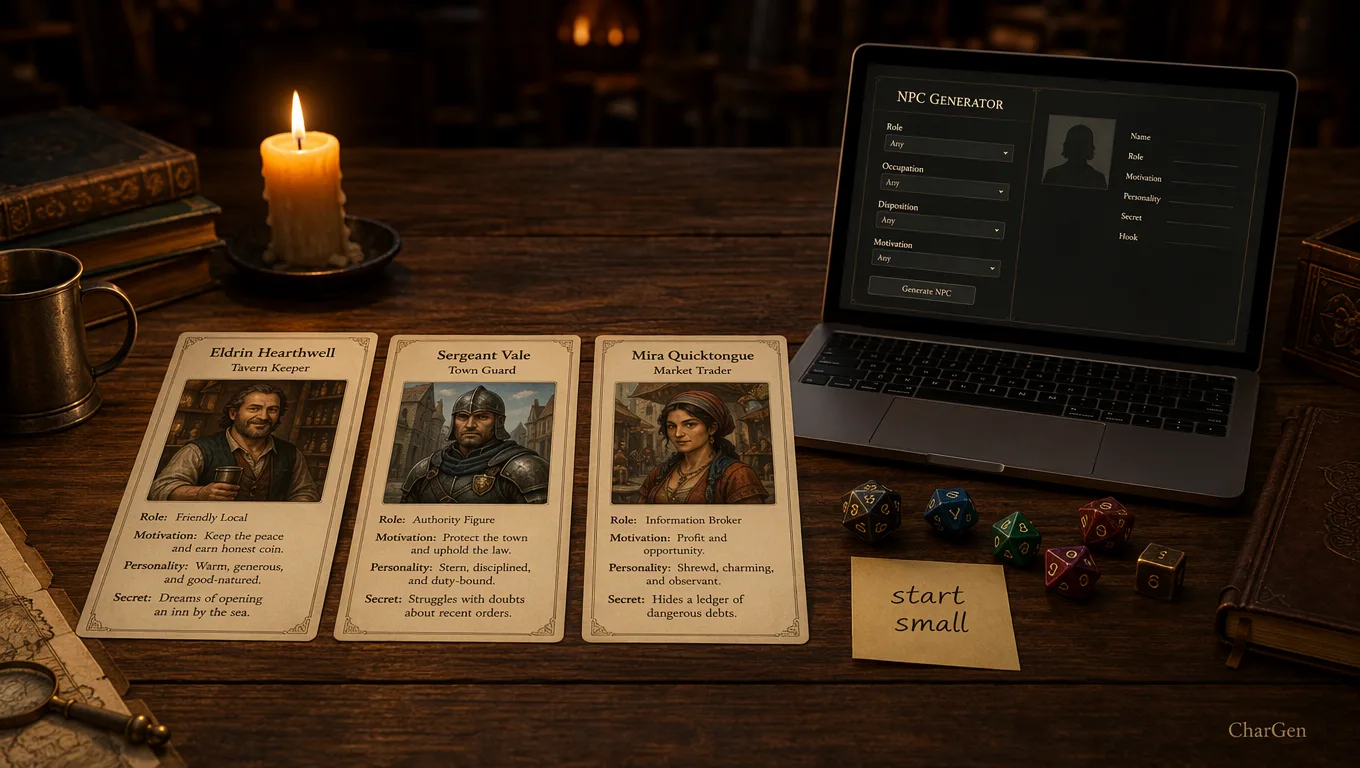
Here is the rule I give every new DM. Use an ai npc generator free tool for anyone the party will forget by next week. Save to CharGen the moment an NPC earns a second scene. That one habit is the whole difference between a campaign that remembers itself and a folder of names you can no longer place. Beginners also tend to over-generate, so cap yourself: three rolls, pick one, and move on. The best npc generator for beginners is the one you close quickly.
Create a character freeWhy CharGen is my first pick for campaign NPCs
CharGen wins for me because it treats an NPC as more than a paragraph. A strong NPC has a profile, portrait, possible stat block, token route, relationship to the campaign, and post-session memory. I do not want those pieces scattered across a notes app, an art site, a VTT folder, and a chat thread.
In CharGen's NPC Generator, I start with the fields that actually change the output. I usually set the game system if it matters, then add race, occupation, age, level, and a short prompt in Quick Description (Optional). I avoid filling every field just because it exists.
Here is a prompt I would actually use:
Half-orc ferry captain in a flooded dock district. Public face: blunt and practical. Pressure: her ferry chain snaps tonight unless she earns repair money. Visual tell: cracked storm lantern she refuses to replace. Offer: a silent route below the customs bridge.
That gives the generator a role, current pressure, visible anchor, and reason for the party to care. It is much better than interesting half-orc NPC, which can produce a grand life story and no scene.
CharGen is also useful after generation. If the NPC becomes important, I can create or refine the portrait with the AI NPC Generator, send it through Token Maker, save it in World Codex, and later preserve what changed with RPG Session Notes. That matters more than people think. Recurring NPCs drift when art, notes, and session facts are separate.
Concrete example: I generated a dwarf informant called Marn Coppervein for a mining-town mystery. The useful facts were not his full biography. They were his ink-black thumbnail, his habit of answering questions with prices, and the fact that he had already sold the same mine map to both sides. After the session, the recap note became Marn lied to the ranger, now fears the guild auditors, still has one false map unsold. That one line is enough to bring him back cleanly.
Where CharGen is weaker: if your table lives entirely inside D&D Beyond and you need official sheet integration for every mechanical choice, CharGen is not trying to replace that. I use it for table-ready NPC prep, art, tokens, and campaign memory. I still sanity-check rules before a named rival enters combat.
Tabletop Arc, NavioHQ, and the free profile tools
Tabletop Arc is a strong current competitor because it is built around campaign continuity. Its NPC generator page pitches coherent profiles in a few seconds, and the wider product talks about a campaign memory layer where NPCs, locations, and quests are structured facts rather than loose notes. If your main pain is remembering canon across long campaigns, that approach makes sense.
I like Tabletop Arc's framing because it does not pretend every NPC needs art. Many do not. A no-signup generator that produces a name, personality, motivation, secret, and quirk is enough for a lot of scenes. It also fits DMs who care more about evidence-grounded notes than image work.
NavioHQ is lighter and more direct. Its AI NPC Generator lets you choose genre, role, tone, detail level, and number of NPCs, with 1 to 5 variants. That is genuinely useful when a party takes a left turn and you need three smugglers, two clerks, or a bench of tavern regulars. I like the profile-card idea because cards are easier to scan than essays.
The trade-off is visual handoff. If I use Tabletop Arc or NavioHQ for a profile, I still need a separate portrait and token path. That may be fine. It may even be better if your group avoids AI art but uses AI text. For my games, I prefer the NPC profile and image to grow together, because players often remember the face before they remember the name.
Here is how I would choose between them.
| Need | Better fit |
|---|---|
| quick free NPC profile | NavioHQ |
| campaign continuity and recap evidence | Tabletop Arc |
| portrait plus token plus campaign record | CharGen |
| text-only table that avoids generated art | Tabletop Arc or NavioHQ |
| batch NPC art for a VTT scene | CharGen |
Worth mentioning though: free tools can be excellent if you use them with discipline. Generate three options, pick one, cut the prose, and write one current pressure point. Do not copy a page of generated lore into your notes and call it prep.
Classic random NPC generators still matter
I still use old-school generators. Donjon and Kassoon have survived because they do the simple thing quickly. They are not trying to sell you a campaign brain. They roll up useful bits.
Donjon is my comfort pick when I need names, appearance, personality, and odd details without thinking too hard. It feels like a table you can click. That is a compliment. It is fast, free, and easy to raid for parts.
Kassoon's NPC generator is useful when I want a more D&D-shaped profile and maybe some light mechanics nearby. I do not expect it to produce a finished campaign asset. I expect it to give me enough material to improvise without freezing.
RandomNPCGenerator.com sits in the same practical lane. It is useful for a quick free npc generator dnd searcher who wants a result without opening a full campaign tool. I would use it for walk-ons, tavern extras, guards, witnesses, and anyone likely to disappear after one scene.
The limit with classic random tools is continuity. If the players decide the random apothecary is now the emotional centre of the campaign, you need to promote that NPC into a better record. Give them a portrait, relationship notes, current state, and a link to the session where they mattered.
My promotion rule:
| If players... | I do this |
|---|---|
| ask the NPC's name twice | save the name and one tell |
| bargain with them | add want and pressure |
| threaten or protect them | add relationship state |
| invite them into a future plan | create a proper NPC record |
| see them on a VTT map | make a token |
That rule stops me from over-prepping everyone while still respecting the characters players unexpectedly adopt. Which they will. Usually the one you named after a vegetable.
OpenArt and visual character tools
OpenArt is not a D&D NPC generator in the same sense as CharGen, Tabletop Arc, or Donjon. It is a character image platform. Its AI Character Generator focuses on creating, customising, and reusing consistent visual characters across images and videos.
That can be useful for NPCs, especially recurring villains, companions, nobles, and faction leaders who need consistent portraits. If the visual identity is the hard part, OpenArt deserves a look. It is stronger for image workflows than for D&D-specific profile structure.
The catch is the extra glue. A reusable visual character still needs a table role, motive, pressure, secret, stat note, token crop, and campaign memory. If you use OpenArt for the face, I would still store the playable NPC record somewhere else. CharGen keeps those closer together. OpenArt may give more dedicated visual control for creators who already have their own note system.
Here is my split.
| Job | Use |
|---|---|
| make a recurring villain look consistent | OpenArt or CharGen image workflow |
| write the NPC's scene behaviour | CharGen, Tabletop Arc, NavioHQ, or your own notes |
| create a token for Roll20 or Foundry | CharGen Token Maker |
| keep recap changes attached | CharGen World Codex or a campaign memory tool |
I do not recommend judging NPC tools only by image quality. A stunning portrait of a person with no current pressure is still hard to run. A plain portrait with one sharp motive can carry a whole scene.
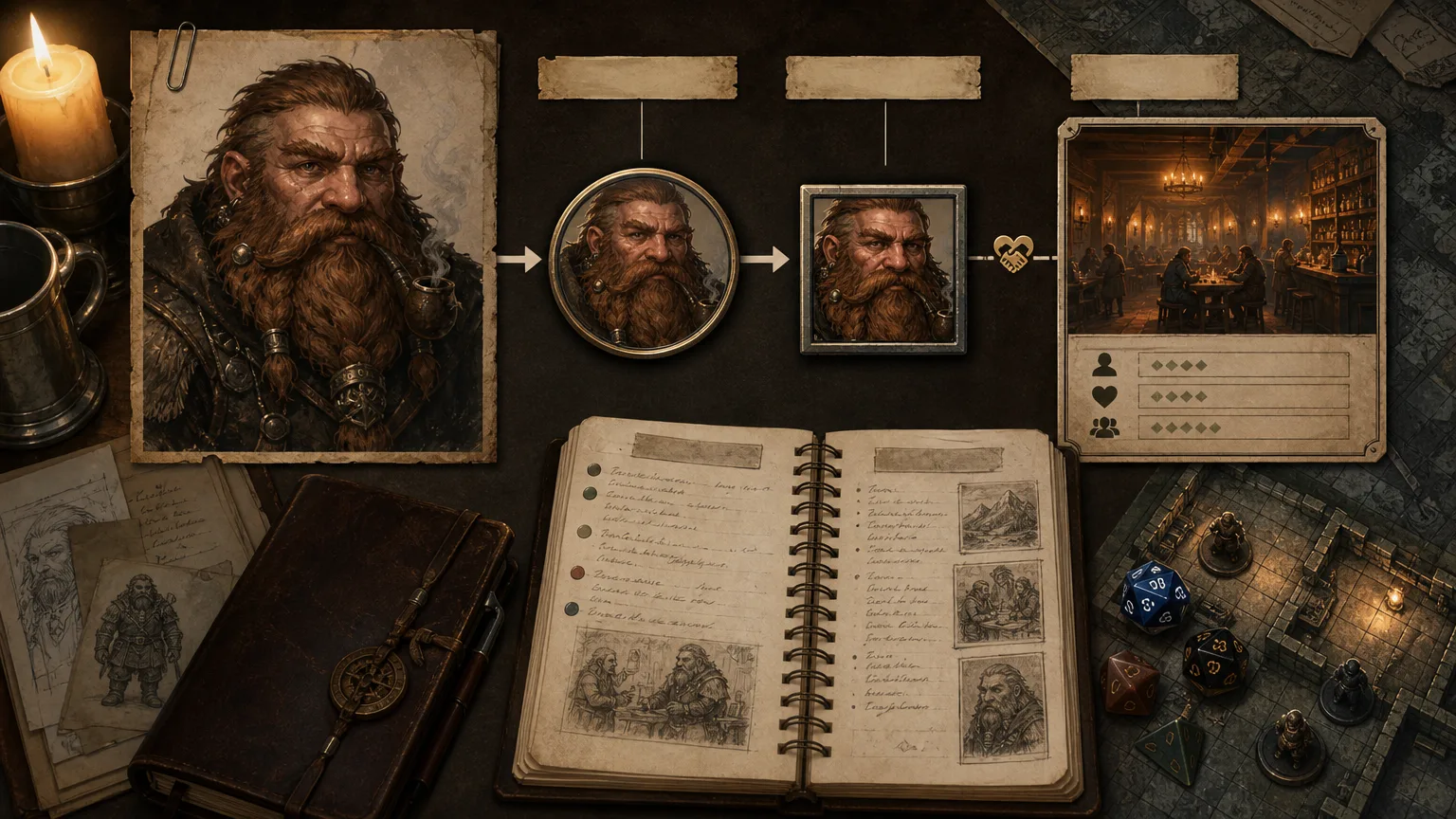
My 15-minute NPC workflow
Here is the routine I use when I need an NPC before game night.
| Minute | Action | Output |
|---|---|---|
| 0-2 | decide the scene job | witness, merchant, rival, guide, suspect, patron |
| 2-4 | write role, want, pressure, tell, offer | one usable prompt |
| 4-7 | generate in CharGen or a free profile tool | profile draft |
| 7-9 | cut extra lore | one screen of table notes |
| 9-12 | create or choose portrait | visual memory anchor |
| 12-14 | make token if online | VTT-ready crop |
| 14-15 | add state note | what changes if players help, ignore, or threaten them |
The state note is the part I used to skip. Do not skip it for important NPCs. It turns a generated character into campaign memory.
For example:
Sella Vint, human spice broker. Wants the party to recover a crate before the tax office opens. Pressure: her nephew forged the import seal. Tell: saffron-stained gloves. Offer: access to the locked weighhouse. If helped, she gives a faction contact. If threatened, she burns the manifest.
That is playable. If Sella becomes important, I can generate a portrait, create a token, and link her to the weighhouse, the nephew, and the session recap. If she stays minor, I have spent fifteen minutes well.
Common mistakes when using an AI NPC generator
The first mistake is asking for "a detailed NPC". Detail is not a goal. A scene-ready NPC is the goal. Ask for role, current pressure, visible tell, and useful offer.
The second mistake is accepting every secret. AI tools love secrets because secrets sound dramatic. If every blacksmith is a spy, your campaign starts to feel silly. Keep one secret only when it changes behaviour.
The third mistake is giving minor NPCs full stat blocks. Most shopkeepers do not need class levels. If a fight breaks out, use a simple commoner, guard, scout, bandit, mage, or similar base and adjust after the session.
The fourth mistake is chasing perfect portraits. Token-size readability matters more than painterly fabric. A clear face, simple background, and one visual tell beat an elaborate full-body image that collapses into a tiny circle.
The fifth mistake is storing no aftermath. If an NPC mattered, write one line after the session: helped party, lied to cleric, owes favour, lost trust, now afraid of faction. Future you will be less annoyed.
Making a generated NPC memorable at the table
A generator gives you a role and a want. Memorability comes from one repeating trait, not more backstory.
Pick a single personality tic and use it every time the NPC speaks: a dry aside, a habit of answering with a price, a nervous laugh before bad news. Say it once and players do the rest, they will hand it back to you within two sessions.
Emotional stakes work the same way. An NPC who wants something the party can actually affect, repair money before a debt collector arrives, a lost sibling's whereabouts, gives players a reason to remember them beyond the scene. A want with no pressure behind it just reads as backstory nobody asked for.
Keep the visual tell and the speech tic pointed at the same idea. A cracked lantern she refuses to replace and a habit of underselling bad news both say proud, broke, not asking for help. That kind of alignment is what makes a face and a voice stick together in a player's memory.
FAQ
What is the best ai npc generator for D&D in 2026?
For a full D&D prep workflow, I would start with CharGen because it combines NPC profiles, portraits, token handoff, stat block direction, and campaign memory. For quick text-only NPCs, Tabletop Arc, NavioHQ, Donjon, Kassoon, and RandomNPCGenerator.com are useful options.
Is there a free NPC generator for D&D?
Yes. Donjon, Kassoon, RandomNPCGenerator.com, NavioHQ, and Tabletop Arc all offer free or no-signup NPC generation routes. CharGen also has free generation options, with paid tiers for heavier image and workflow use.
Can AI NPC generators make stat blocks?
Some can create or suggest stat blocks, but I still review anything that might enter combat. For minor NPCs, it is often better to use a simple existing base such as commoner, guard, scout, bandit, or mage rather than building a full character sheet.
What should I put in an NPC generator prompt?
Use role, want, pressure, visual tell, and offer. A strong prompt might say: dwarf mine clerk, wants to hide a forged ledger, pressure from guild auditors, ink-black thumbnail, can offer a tunnel map. That gives the tool something playable.
Should I use separate tools for NPC text and portraits?
You can. Some DMs prefer a text generator plus a dedicated image tool. I prefer CharGen when the NPC needs to become a recurring campaign asset, because profile, portrait, token, and recap memory are easier to keep aligned.
Which free NPC generator is easiest for a brand-new DM?
Start with a no-signup tool such as RandomNPCGenerator.com, FreestyleDM, or Tabletop Arc. Each one gives a name, personality, and motivation in a click or two with no account, which is all a walk-on shopkeeper or guard needs. Move up to CharGen's NPC Generator, which is free to start and saves up to 10 NPCs on the free tier, the moment an NPC returns for a second scene and you want a portrait and a saved record rather than another fresh roll.
Frequently Asked Questions
What is the best free AI NPC generator for D&D?
CharGen is the strongest free option, with no account required, generating NPC personality, backstory, stat block, and portrait art in one tool. TabletopArc and NavioHQ are free alternatives for quick NPC sketches without account registration.
Can AI generate NPC backstories?
Yes. Modern NPC generators like CharGen produce full backstories including origin, motivation, secret, and relationships. Provide a brief prompt ("halfling fence who owes debts to two rival guilds") and the AI generates a complete, playable background.
What NPC details does CharGen generate?
CharGen NPC generation includes: name, race, class or occupation, personality traits, backstory, secret, relationships, speech patterns, stat block (optional), and a portrait image in your chosen art style. The output saves to your World Codex for future session reference.
How do I make an NPC quickly with AI?
Go to CharGen's NPC generator, type a one-line concept, and hit generate. The result is usable at the table without editing. For recurring NPCs, save to the World Codex and the AI can reference them in future generations.
My final recommendation
Pick the NPC generator by the amount of campaign memory you need. For a one-scene shopkeeper, use a free random tool and keep the result small. For a recurring ally, villain, suspect, or faction contact, use CharGen so the profile, portrait, token, and recap state can stay connected.
Before you save the NPC, cut the output until it fits on one screen. Then add one line that says what changes if the players help, ignore, or threaten them. That line will do more for your next session than another paragraph about their childhood.
Build an NPC FreeImage credits
Images in this post were generated with WaveSpeed GPT Image 2 at medium quality, then cropped, resized, and converted to WebP for web use.