
Best DND Map Generator Tools for 2026
Find the best dnd map generator for world maps, hex crawls, regions, towns, battlemaps, and CharGen campaign prep in 2026.
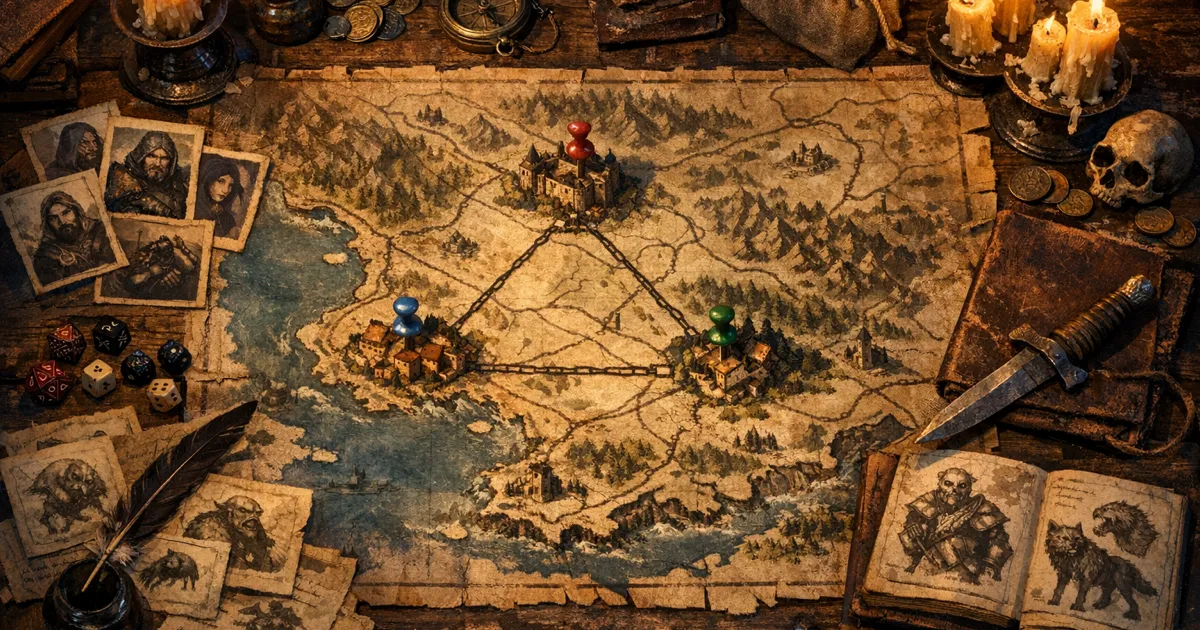
A dnd map generator has to answer a blunt question: what will the players do with this map at the table? A gorgeous continent poster is not the same thing as a hex crawl map. A town sketch is not a battlemap. A region note with three angry settlements can be more useful than a perfect coastline if the party is leaving in twenty minutes.
Quick answer: for a whole world I use Azgaar, which is free. For hand-made cartography I use Inkarnate or Wonderdraft. For a free town plan I use Watabou. For maps tied to playable campaign material I use CharGen's Region Generator, Town Map Generator and Battlemap Generator.
I have made the usual mistake of starting with the prettiest tool first. The result looked grand, then the session started and I realised I had no travel pressure, no factions, no reason for the river town to exist, and no encounter map for the one place the party actually visited. Very dignified. Very useless.
For this 2026 guide, I am splitting map tools by job. CharGen is my pick when I want maps tied to playable campaign material: regions, settlements, battlemaps, NPCs, factions, session notes, and World Codex links. Azgaar is still brilliant for huge procedural worlds. Inkarnate and Wonderdraft are stronger when you want manual cartography control. OpenArt and other AI image tools are useful for handouts, but they need DM structure before the image matters.
Updated 6 October 2026: I added a section on town and city maps (Watabou, Inkarnate and the CharGen Town Map Generator) with a real CharGen town map, rechecked competitor prices, and corrected two claims about Wonderdraft and Polygon's review of the 2024 Dungeon Master's Guide.
What the best dnd map generator needs to do
The search term dnd map generator hides several different intents. Some people want a world map. Some want a hex grid for overland travel. Some want a town layout. Some want a tactical VTT board for tonight's fight. Treating those as one problem is how you end up with a beautiful map that solves nothing.
Here is the split I use before opening any tool.
| Map job | What it needs | Wrong tool symptom |
|---|---|---|
| world map | coasts, nations, climate logic, major routes | pretty continents with no campaign pressure |
| region map | nearby settlements, roads, factions, hazards | lore notes that never reach play |
| hex crawl map | clear hex scale, travel friction, keyed sites | decorative grid with empty hexes |
| town map | districts, gates, landmarks, social fault lines | streets with no people or purpose |
| battlemap | top-down clarity, cover, routes, hazards, grid sense | moody art that breaks in initiative |
| player handout | readable labels, mood, mystery, spoiler control | a DM-only map that gives away the twist |
That table also explains why I do not believe in one universal winner. The best fantasy map maker for a patient worldbuilder might be the wrong choice for a DM who needs a swamp ambush before work. The useful question is not "which map tool is best?" It is "which map does this session need next?"
The official 2024 Dungeon Master's Guide made maps feel important again for a lot of newer DMs, partly because it gives campaign-building more practical shape than the 2014 book did. Polygon's review (Charlie Hall, 12 November 2024) called out the new DMG's 15 pages of generic maps, its poster map and its Greyhawk material as useful for world and campaign framing. I agree with the broad point: maps are not decoration. They tell the DM what can happen nearby.
Quick comparison: best D&D map generators in 2026
Here is my short list before the details.
| Tool | Best for | What I like | Main limit |
|---|---|---|---|
| CharGen plus Region Generator | AI map prep tied to playable D&D content | connects regions, settlements, battlemaps, NPCs, factions, and recaps | not a deep manual cartography editor |
| CharGen Town Map Generator | painted town, village and city maps for handouts | four scales from region to street, five map styles, labels up to a full legend | an AI image, not an editable street plan, so check every label |
| Azgaar's Fantasy Map Generator | huge procedural world maps | layers for states, cultures, biomes, routes, rivers, religions, provinces, and more | can feel like operating a simulation when you just need one session |
| Inkarnate | polished fantasy world, region, and town maps | strong asset-based map art and a familiar web workflow | manual time investment rises fast |
| Wonderdraft | offline world and region cartography | one-time purchase (US$29.99), large map dimensions, artistic labels, original maps with no additional commercial licensing | desktop software, not AI campaign prep |
| OpenArt Fantasy Map Generator | AI map handouts and concept images | prompt-based map images, free route on 4 basic models (checked October 2026), good for visual inspiration | output still needs structure, scale, and labels checked |
| Vheer AI Fantasy Map Generator | free AI fantasy map images with style presets | no sign-up, no watermark, fifteen-plus fantasy map styles, browser based (checked October 2026) | image only, so scale, labels, and table logic are still on you |
| Worldographer | hex maps and sandbox campaigns | built around large-scale mapping and hex-crawl prep | more old-school tool feel |
| Watabou generators | quick city, village, and dungeon layouts | fast, free, charming, useful for sudden locations | text, campaign memory, and art handoff live elsewhere |
My default is CharGen when I need a map to become session material. I use Azgaar when I want a world skeleton. I use Wonderdraft or Inkarnate when the finished map itself is the craft project. I use OpenArt when I need a handout image, not a rules-aware travel tool.
Why CharGen works for AI map prep
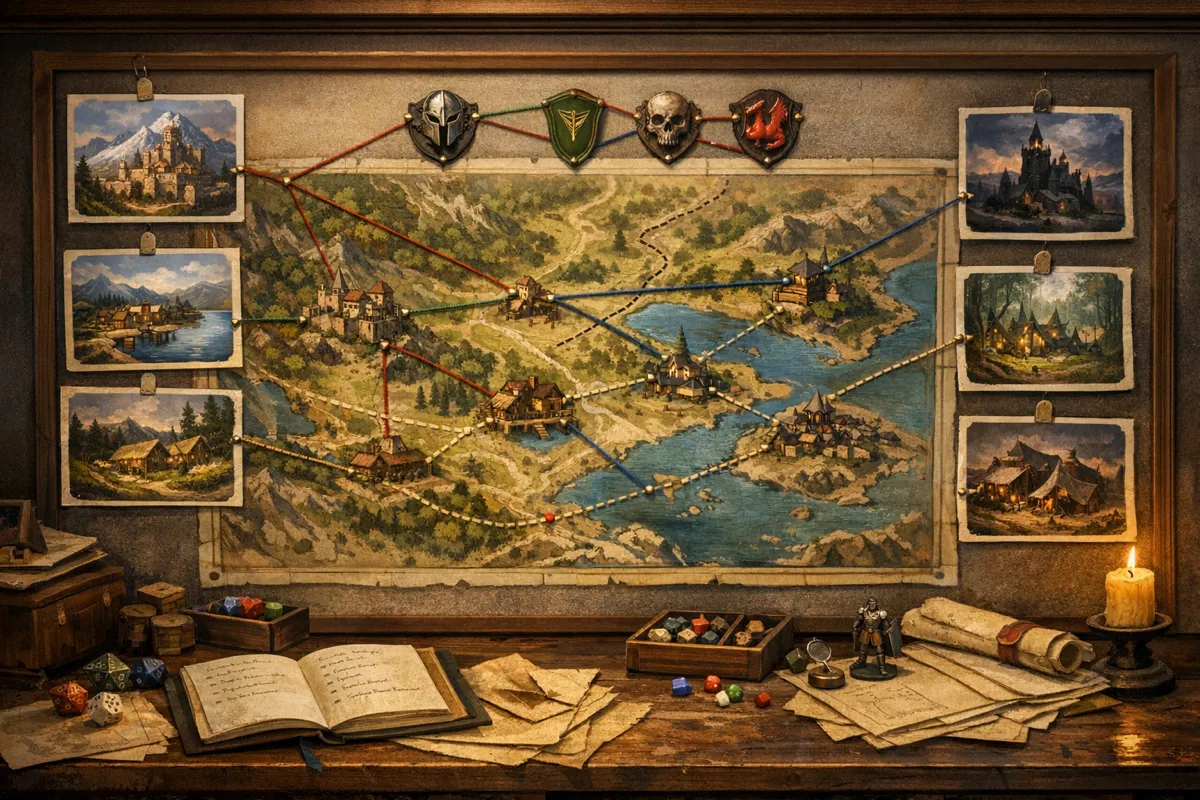
CharGen is strongest when the map is part of a bigger prep loop. I do not open it only to make a picture. I open it because the party is going somewhere, that place needs people, pressure, scenes, and a record after the session.
The map-related flow usually starts in one of three places.
| Starting point | Use it when | CharGen follow-up |
|---|---|---|
| Region Generator | you need geography, settlements, factions, travel logic, and hooks | save to World Codex, add settlements, NPCs, factions, and encounters |
| Settlement Generator | the party will enter a town, village, port, fort, or market | add local NPCs, shops, taverns, rumours, and district notes |
| Battlemap Generator | you need a tactical encounter map for VTT or print | create matching tokens, monsters, and post-session notes |
That matters because a map by itself is rarely enough. If I generate a coastal region called the Brineward March, I also need to know why the roads are dangerous, who controls the toll bridge, which settlement has food shortages, and where the next fight might happen. CharGen keeps those pieces near each other instead of making me rebuild context in a notes app.
Here is a prompt I would use in the Region Generator:
Storm-battered coastal march with three settlements, old salt roads, a ruined signal tower, smuggling routes through reed marshes, rising guild taxes, and one drowned shrine that locals avoid after sunset.
That prompt gives terrain, movement, economy, conflict, and a supernatural site. From there I can create a region record, spin out settlements, add a faction, and build one battlemap for the drowned shrine if the party bites.
Concrete example: I built a border region around three hubs. Ledger Quay controlled customs. Ashford Steps controlled the cliff road. Mireglass controlled the marsh ferry. The useful map was not the coastline. It was the triangle of pressure between those places. The party could bargain with one town, anger another, and still see why travel mattered.
Try the Region GeneratorAzgaar is still the world-map machine
Azgaar's Fantasy Map Generator is ridiculous in the best way. Open it and you get layers for political maps, cultures, religions, provinces, biomes, heightmaps, places of interest, military, routes, rivers, labels, grids, emblems, and more. The tool says generated maps can be used for free, including commercial use (its Q&A, checked October 2026), and it gives you deep editing controls if you want them.
That depth is why Azgaar remains the best free dnd world map generator for people who want a whole world first. You can generate a continent, inspect states, rename cultures, adjust rivers, edit burgs, show routes, switch grid types, and export. It is not a toy.
Where I struggle with it during weekly prep is speed of play conversion. A complete world is not the same thing as Thursday night's session. If I generate ten nations and 200 towns, I still need to decide which three places matter now. Azgaar gives you the world. You still have to choose the scene.
My preferred use:
| Step | Tool |
|---|---|
| create the huge world shape | Azgaar |
| choose one region with pressure | my notes or CharGen Region Generator |
| turn that region into playable hubs | CharGen Region and Settlement Generators |
| build encounter sites | CharGen Battlemap, Dungeon Generator, or a manual map editor |
| record what changed | World Codex and RPG Session Summariser |
Azgaar is best at step one. CharGen is better after the question becomes, "What happens when players go there?"
Inkarnate and Wonderdraft are for craft control
Inkarnate and Wonderdraft sit in a different lane from prompt-first AI tools. They are for DMs who want to shape the finished map with intent.
Wonderdraft's own feature list is a good summary of that appeal: realistic landmasses, coast brushes, rivers and roads, tree and mountain symbols, curated themes, labels, map dimensions from 512 to 8192 pixels, pen support, and original maps with no additional commercial licensing. It is a one-time purchase of US$29.99 (checked October 2026). That is a cartographer's tool, not a one-click prep button.
Inkarnate is the browser option I see most often at tables and in map communities. It is friendly enough to learn, strong enough for polished fantasy maps, and flexible across world, region, city, and encounter styles. If your campaign uses player-facing maps often, Inkarnate can be worth the time because the finished result can look intentional.
My honest split:
| Need | Better fit |
|---|---|
| one beautiful regional handout | Inkarnate or Wonderdraft |
| a continent map for campaign pitch night | Wonderdraft or Azgaar |
| a town map with a specific district layout | Inkarnate, Watabou, or CharGen town/settlement flow (Town Map Generator plus Settlement Generator) |
| fast playable location prep | CharGen |
| exact roads, borders, labels, and print polish | Inkarnate or Wonderdraft |
I would not use Wonderdraft five minutes before a game unless the map already existed. I would not use a prompt-only image tool for a map I plan to print and frame. Different jobs, different patience levels.
OpenArt and AI image tools are handout makers
OpenArt's fantasy map page is a good example of where AI map image tools currently fit. It frames the job around text prompts, model choice, style, and generated fantasy map examples. The prompt advice asks for theme, geography, settlements, landmarks, scale, proportions, and visual style. That is sensible advice.
Vheer's AI Fantasy Map Generator sits in the same lane and is worth a look if OpenArt is not giving you the style you want. It is free, browser based, needs no sign-up, and leaves no watermark on the output (checked October 2026). The difference from a blank prompt box is its preset styles: continents, archipelagos, kingdoms, borderlands, dungeons, treasure maps, and a stack of looks from dark gothic to high fantasy epic. You pick a style, describe the place, and get a handout image in seconds. The caveat is the same one I keep repeating. A handsome Vheer map still does not know my scale, my hidden roads, or which town the party angered last week, so I treat it as art and build the rules-aware version in prep.
The weak point is not image quality. The weak point is table function. An AI fantasy map image might show lovely mountains and forests, but D&D maps need scale, labels, hidden information control, and a reason for players to choose one road over another.
I use AI image tools for three map jobs:
| Job | Example |
|---|---|
| player handout | an old sailor's map with a torn corner and three marked reefs |
| mood reference | a cursed forest road before I build the actual encounter |
| visual draft | a ruined valley concept before I turn it into region notes |
I do not use them as my only source of truth. If the image says the monastery is north of the lake, but my notes say west, one of those must change before game night. Players are very good at remembering the one detail you hoped they would ignore.
Hex maps need keys, not just hexes
A hex map generator dnd search usually comes from a specific style of play. The party travels, chooses directions, spends resources, gets lost, finds sites, and creates trouble through movement. The map is partly a board and partly a promise.
Blank hexes are fine during design. Empty hexes at the table are not. If players enter a hex, something should be true there: a landmark, danger, clue, weather shift, faction mark, resource, track, ruin, or decision.
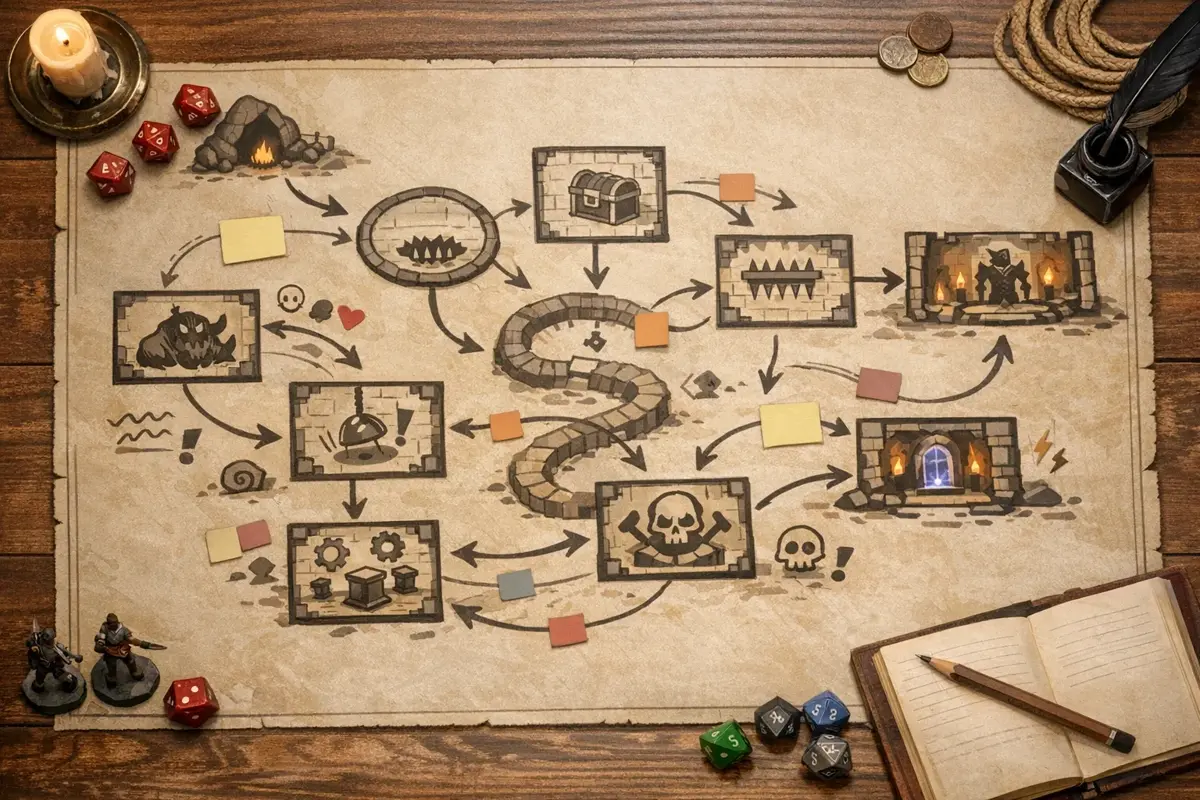
My minimum hex key is small.
| Hex field | Example |
|---|---|
| terrain | salt marsh with waist-high reeds |
| sign | carved ferry poles marked with black ribbon |
| pressure | smugglers move at dusk, tax riders patrol by day |
| discovery | drowned shrine bell under the peat |
| choice | follow the dry road, cut through reeds, or bribe the ferry |
Worldographer is better than CharGen if you want a classic hex-map tool built around that mode from the start. CharGen is better when you want the content inside the hexes fast: region pressure, settlement notes, NPCs, monsters, factions, magic items, battlemaps, and recaps.
My practical workflow is to build the hex frame in a mapping tool, then populate only the next playable ring in CharGen. If the party can reach six nearby hexes, I prepare those six. I do not write 80 keyed hexes before session one. I have a life, allegedly.
Town and city maps: Watabou, Inkarnate or CharGen
A dnd town map generator search usually means one of two jobs. Some GMs need a street plan they can trust for a chase or a heist. Others need a handout that shows players the town has character. The tools split along the same line.
Watabou is still my first stop for a fast, free town plan. As of October 2026, the site has six free browser generators: Realm, City, Village, Cave/Glade, Dungeon and Dwelling. The Medieval Fantasy City Generator lets you ask for walls, a citadel, a plaza, a river or a coast. It exports PNG, SVG and JSON. Its FAQ (checked October 2026) lets you use the maps in commercial adventures, with attribution appreciated but not required. The author does ask people not to sell the generated maps themselves. Where it beats CharGen: the streets are a real procedural plan, and the SVG stays editable.
Inkarnate covers city and village maps as well as world, region and battle maps, and you place every building yourself. The free Hobby tier exports at 2K. Creator costs US$7.99 a month and Studio US$14.99 a month, and commercial use needs Studio (checked October 2026). Where it beats CharGen: full manual control of every street and roof.
The CharGen Town Map Generator is an AI image tool, so it does a different job. I describe the town first. Then I pick a scale: Region, Full settlement, District or Street. There are five map styles: Parchment, Hand-drawn ink, Painted fantasy, Clean cartography and Realistic aerial. There are three label modes: No labels, District labels, and Full labels and legend. There are also twelve terrains, from Coastal to Underground. It returns a painted map image for a handout or a VTT backdrop.
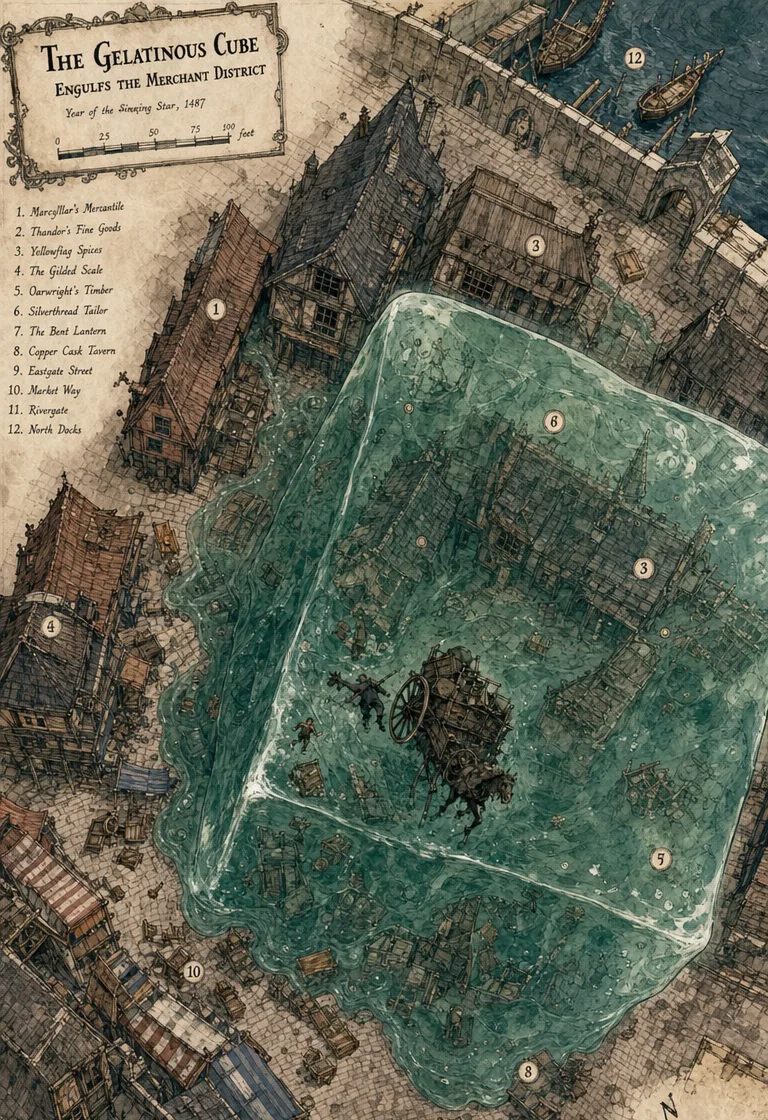
The map above is real CharGen output, cropped to remove a caption box. It shows one merchant district by the docks, with a twelve-entry key, a scale bar in feet and a compass. It reads well at the table. It also shows the limit of any AI town map: the key is not exact. The number 3 appears twice on the map, and key entries such as 2, 7 and 9 never appear on it. Check every label before players see it, as with the AI world maps above.
| Town map need | Better fit | Why |
|---|---|---|
| an exact street plan for a chase or heist | Watabou City | procedural streets, SVG export, free |
| a polished city map placed by hand | Inkarnate | full control; commercial use needs Studio |
| a painted handout of one district or street | CharGen Town Map Generator | four scales, three label modes, five styles |
| the people and trouble inside the town | CharGen Settlement Generator | text with rulers, factions, NPCs, shops, taverns, rumours and secrets |
My routine for a new town has two steps. I run the Settlement Generator first, because text generation costs no gold on any CharGen account and has no daily limit. Then I paste the names of its shops, taverns and landmarks into the town map prompt. I choose Full labels and legend, so the map and the notes agree. A free account gets 10 free gold a day. I use it to draft a few versions and keep the best one (see CharGen pricing, checked October 2026). One honest caveat: CharGen includes commercial rights only on the Elite and Ultimate plans. If you sell adventures, Watabou's terms are friendlier.
Try the Town Map GeneratorFrom world map to battlemap without losing the thread
The best campaign maps work at several zoom levels.
| Zoom level | Tool I reach for | Table output |
|---|---|---|
| world | Azgaar, Wonderdraft, Inkarnate | nations, seas, mountain ranges, travel mood |
| region | CharGen Region Generator, Inkarnate | local pressure, roads, settlements, factions |
| settlement | CharGen Settlement Generator, CharGen Town Map Generator, Watabou, Inkarnate | districts, gates, shops, NPC anchors |
| encounter | CharGen Battlemap, Dungeon Alchemist, Dungeon Scrawl | tactical board, cover, hazards, routes |
| aftermath | CharGen World Codex and Session Summariser | what changed, who moved, which map note is now canon |
That last row is the bit I care about more each year. The map changes because players act. A bridge burns. A road closes. A town loses its watch captain. A faction claims a shrine. If your map tool cannot remember the change, your notes need to.
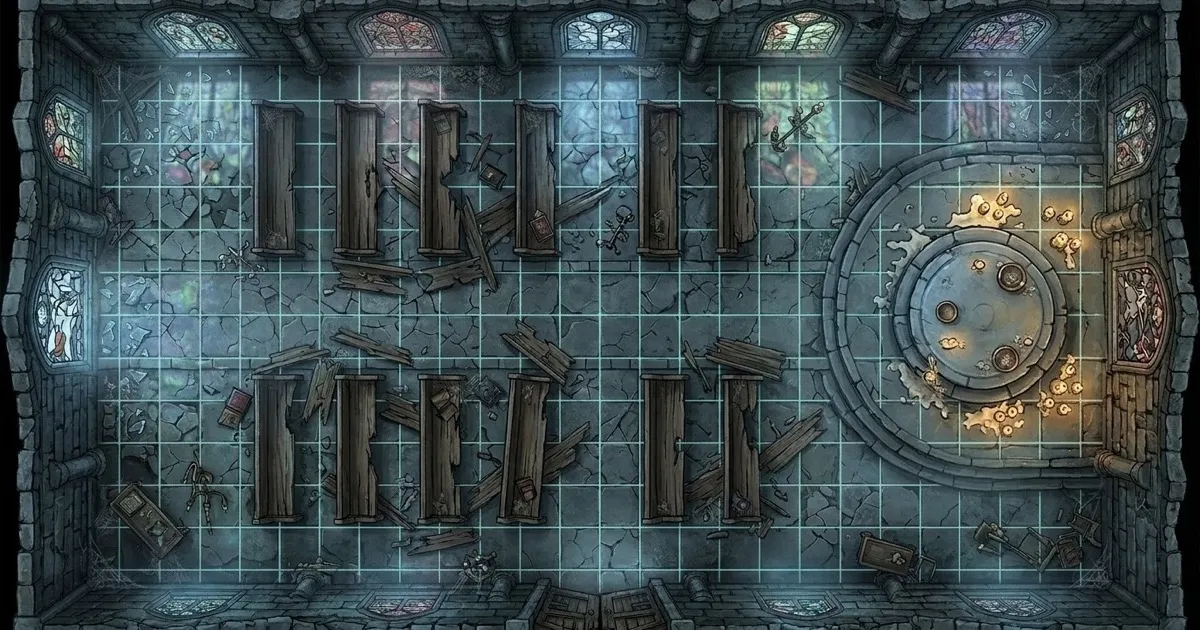
CharGen helps here because the battlemap can sit beside the NPCs, monsters, items, factions, and recap notes that explain why the fight happened. I can make the drowned shrine map, generate the wight that guards it, create a token, then after the session record that the party broke the bell and angered Ledger Quay's salt guild.
The map becomes campaign memory, not just a file.
My 30-minute map prep routine
When I do not have much time, I use a fixed routine.
| Minute | Action | Output |
|---|---|---|
| 0-4 | decide the map job | world, region, town, hex ring, battlemap, or handout |
| 4-9 | write one pressure sentence | who wants what, where travel hurts, what changes soon |
| 9-15 | generate or sketch the broad map | region frame, town layout, or world excerpt |
| 15-20 | add three playable anchors | person, place, danger, faction, or reward |
| 20-26 | make one encounter map if needed | clear tactical site for tonight |
| 26-30 | save aftermath hooks | what can change after players act |
Here is the pressure sentence I would use for a swamp region:
Three salt-road towns depend on one ferry chain, the guild is raising tolls, marsh spirits mark false paths at dusk, and a ruined chapel bell can calm or worsen the flooding.
That one line gives me roads, economy, supernatural risk, a location, and a choice. A map can now do something.
Common map generator mistakes
The first mistake is starting too large. A continent is satisfying, but most sessions need one region, one road, one town, or one room.
The second mistake is making maps without verbs. A good map has pressure: tax, flood, hunt, flee, bargain, hide, starve, invade, mourn. If nothing is moving, players cannot push against it.
The third mistake is mixing DM and player information. If the player map shows the hidden necromancer road, that road is no longer hidden. Make a clean handout and keep the DM layer separate.
The fourth mistake is trusting labels without checking scale. A road that takes two days on one note and two weeks on another will annoy you later.
The fifth mistake is treating battlemaps as pure art. A tactical map needs cover, movement, sightlines, hazards, entry points, and enough empty space for creatures to stand. Pretty rubble does not matter if nobody can move.
FAQ
What is the best dnd map generator in 2026?
For full campaign prep, I would start with CharGen because it can connect regions, settlements, battlemaps, NPCs, factions, and session notes. For huge procedural world maps, Azgaar is excellent. For polished manual cartography, use Inkarnate or Wonderdraft.
What is the best free D&D world map generator?
Azgaar's Fantasy Map Generator is the strongest free option for large procedural world maps. It supports many layers, including cultures, states, biomes, rivers, routes, provinces, labels, grids, and more.
What is the best town or city map generator for D&D?
For an exact, free street plan, Watabou's Medieval Fantasy City Generator is a strong pick, and it exports PNG, SVG and JSON. For a painted handout of a town, district or street, I use the CharGen Town Map Generator, then check its labels. For a polished city map placed by hand, use Inkarnate.
Can AI make good fantasy maps for D&D?
Yes, but AI map images work best when you give them a clear job. Use prompts that include geography, scale, settlements, routes, landmarks, and the map's table purpose. Then review labels, routes, hidden information, and tactical clarity before using the result.
What is the difference between a battlemap and a world map?
A battlemap is a tactical map for a specific encounter. It needs grid clarity, cover, hazards, sightlines, and creature placement. A world map shows larger geography, travel routes, borders, major locations, and campaign context.
How do I make a hex map useful for D&D?
Give each reachable hex one playable fact: terrain, sign, pressure, discovery, or choice. Do not key an entire continent before play. Prepare the next ring of travel and expand after the party moves.
My final recommendation
Pick the map generator by the next table action. If the players need to understand the world, use Azgaar, Inkarnate, or Wonderdraft. If they need to choose a road, build a region with pressure. If they need to fight, make a readable battlemap. If they need to remember what changed, save the result in World Codex and tie it to the recap.
For my own prep, I start with CharGen whenever a map has to become playable material quickly. I still use specialist map tools when the final map is the main craft project, but for weekly sessions I care more about roads, pressure, NPCs, and consequences than perfect coastlines.
Generate D&D Maps FreeImage credits
WaveSpeed image generation was unavailable during this automation run because the required Python environment and WAVESPEED_API_KEY were not present after the mandated retries. Images in this post use fallback CharGen map and worldbuilding assets already in the repository, renamed for this article and checked for web dimensions. The hero image is 1200x630.
The town map in the town and city section was added on 6 October 2026. It is real output from the CharGen Town Map Generator, cropped to remove a caption box.