
Animate a Battlemap Without Camera Drift
Turn a battlemap into a restrained loop.
Turn an owned overhead battlemap into a restrained ambient MP4 with Animated Maps. This lesson uses a square observatory map, a Typed motion prompt and one Fast, Short generation. You will then inspect the result for camera drift, warped geometry and an obvious loop boundary before using it elsewhere.
Before you begin
You need:
- an owned overhead or orthographic battlemap;
- enough Gold for the option shown beside the Animate button;
- a browser tab you can leave open while the result is processed; and
- a local player, editor or VTT in which to test the downloaded MP4.
This worked example starts with a 1254 × 1254 gridless map of a ruined moonlit observatory. Animated Maps keeps the source image's native shape instead of asking you to choose a separate aspect ratio, so the square source produced a square video. Start with the shape you need. A prompt cannot turn an angled, cinematic scene into a reliable overhead map.
1. Upload the overhead map and inspect its framing
Open Animated Maps, then upload the source map. Check that the full playable area is inside the frame and that important walls, paths and landmarks are already clear. Cropping or perspective problems in the still can become movement or distortion in the video.
2. Write a motion prompt that protects the map
Choose Typed and describe only the movement the scene needs. Name the parts that must remain fixed as well as the parts that may move. For the observatory map, the prompt was:
Subtle moonlit mist drifts across the flagstones while a faint blue glow circles the central astrolabe. Keep every wall, path, column and camera position completely fixed.
The form also adds a fixed-camera instruction to the request, but writing the constraint yourself makes the intended result easier to review. If the source has a grid, name it explicitly. Keep environmental motion gentle. Asking for several large effects at once gives the model more opportunities to move the map geometry.
Press & Go is optional. It can draft an editable prompt from the uploaded map. It costs 2 Gold for a free account and is included for subscribed users. That is separate from the animation price. The retained run for this lesson used Typed, so it did not incur the Press & Go charge.
3. Choose Fast and Short, then read the live quote
Select Fast quality and Short duration. In the retained run, Fast used the 720p option and Short requested five seconds. The button showed 50 Gold before submission, and the settled charge was also 50 Gold.
Treat that as a worked example, not a permanent price list. Read the amount shown on your own button before continuing. Press & Go, if you chose it, is a separate action and charge for free accounts.
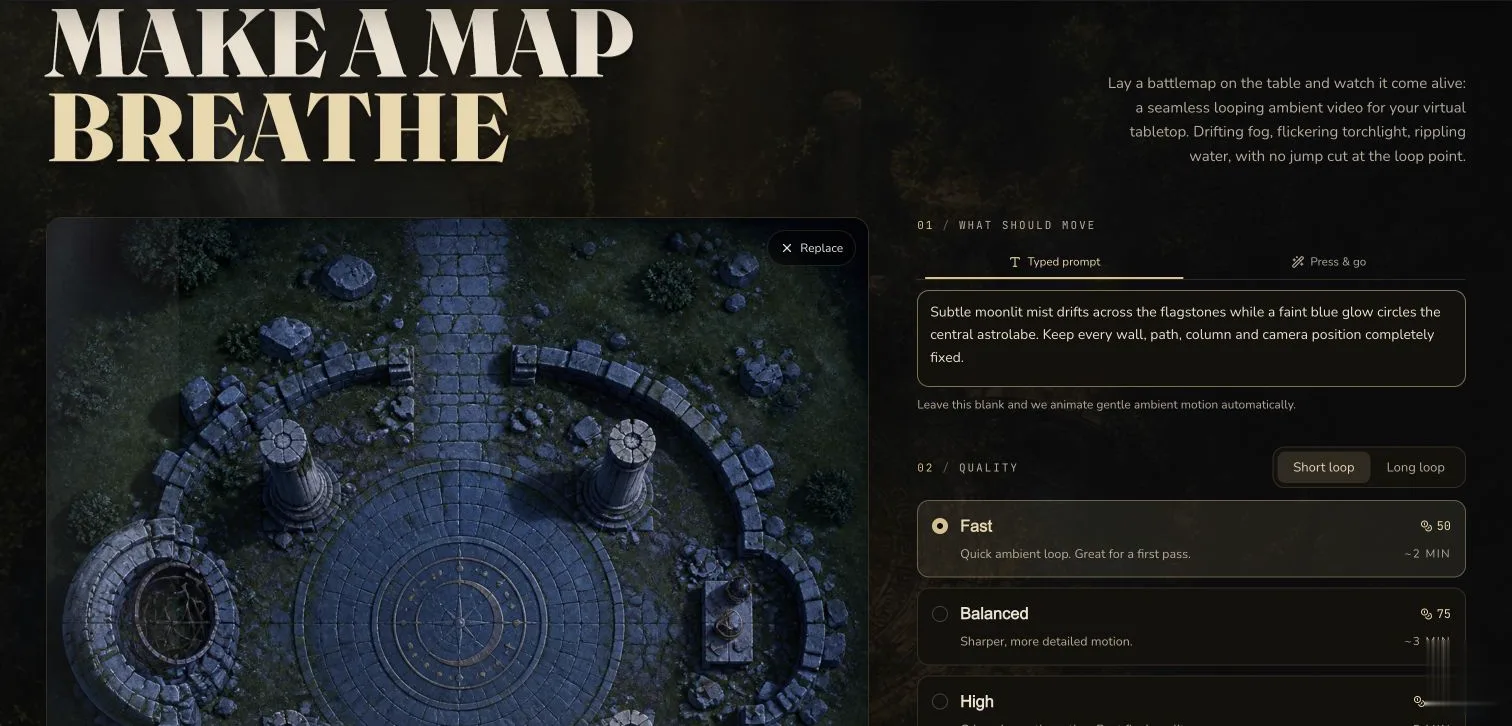
The desktop configuration used for the paid evidence run. The square source controls the output shape.
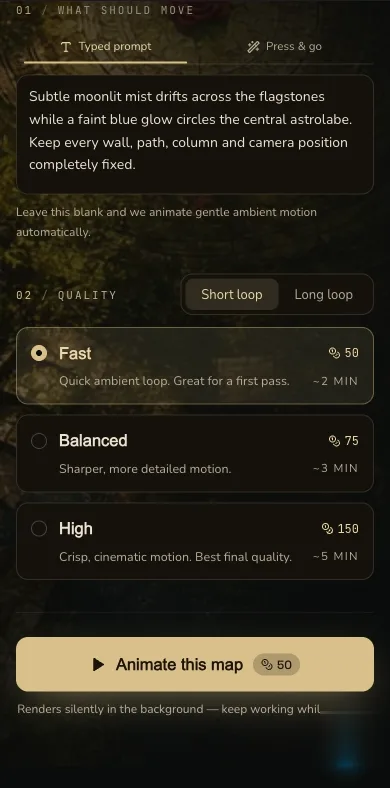
The same configuration remains available on a narrow screen. Check the live Gold amount before submitting.
4. Submit once and keep the page open
Select Animate once, then keep the page open while CharGen checks the job. A slow response is not evidence that the request failed, so do not spend Gold on a duplicate submission just because the result is not immediate.
The request uses the uploaded map as an ending reference and does not request audio. After generation, CharGen attempts a one-second crossfade to soften the boundary between the end and the beginning. Processing can fall back to the provider's video, so this is an attempt to improve the loop rather than a guarantee of a mathematically seamless result.
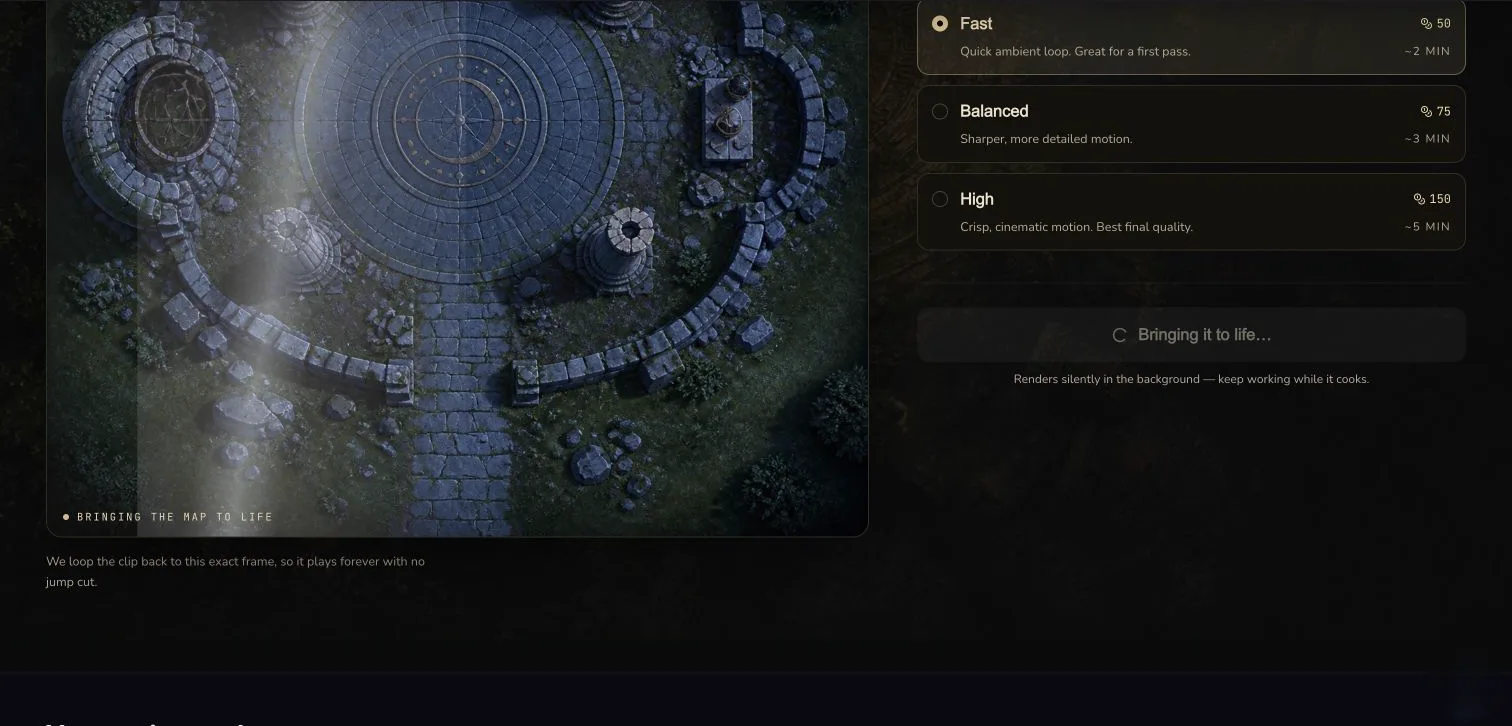
Leave this page open while the submitted request is checked. Avoid clicking Animate again.
5. Review movement, geometry and the loop boundary
Play the result from the beginning, pause near the middle and inspect the final frames. Compare fixed landmarks such as the circular platform, four broken columns and narrow paths with the source map. The fog and light may move, but those landmarks, the overhead framing and any grid should not slide or bend.
The worked run requested five seconds. After loop processing, the delivered MP4 was 4.083 seconds long at 960 × 960 with no audio track. That difference is why you should inspect the delivered file rather than assuming the requested duration or label describes its final technical properties.
Let the player cross the end-to-start boundary at least twice. Look for a jump in the light, fog or fixed geometry. A restrained boundary can be acceptable without being perfectly seamless.
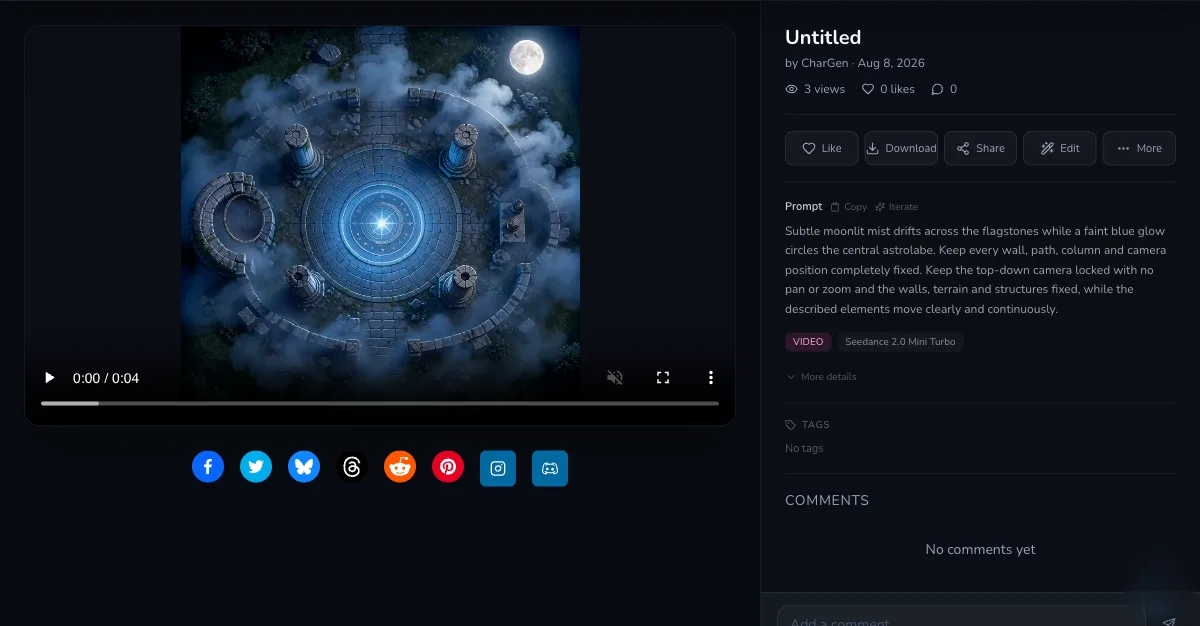
Review the player before downloading. The retained result was a 960 × 960 silent MP4 lasting 4.083 seconds.
6. Download the MP4 and confirm it in Gallery
Use Download MP4 to save the reviewed result. Confirm that the same result appears in Gallery so you can find it again, but do not treat a Gallery entry as proof that the motion is good. The playback review is still required.
Open the downloaded file in the editor, player or VTT where you intend to use it. CharGen produces an MP4, but import rules and looping behaviour differ between products. This lesson does not claim universal VTT compatibility.
Result check
Checkpoint
Check your result
- The overhead framing, walls, paths, columns and any grid remain fixed without visible drift or warping.
- The intended ambient areas, such as fog and moonlight, show restrained movement.
- The delivered MP4 has no audio track.
- You watched the end-to-start boundary at least twice and judged the transition on the delivered file without assuming it is perfectly seamless.
Troubleshooting
If something looks wrong
Troubleshooting
- Symptom
- The camera drifts or the map geometry bends.
- Likely cause
- The source may not be truly overhead, or the prompt asks for movement that competes with the fixed map.
- Next safe action
- Return to an orthographic source and reduce the prompt to one or two environmental effects. Repeat the locked camera, grid and landmark constraints. Keep the existing result while you decide whether another paid run is worthwhile.
- Symptom
- The scene moves too much or barely moves.
- Likely cause
- Broad language such as 'bring the whole map to life' gives poor control, while a vague effect may be too subtle.
- Next safe action
- Change one motion clause at a time. Name the moving area, direction and speed, then keep the rest of the geometry explicitly fixed.
- Symptom
- The request still appears to be processing.
- Likely cause
- Generation and post-processing are not immediate, and leaving the page interrupts the page's status checks.
- Next safe action
- Keep the page open and avoid a duplicate submission. If you return later, check Gallery for the completed result before spending Gold again.
- Symptom
- The loop jumps or the target app rejects the file.
- Likely cause
- The crossfade is an attempted improvement, not a seamless-loop guarantee, and each destination has its own MP4 rules.
- Next safe action
- Inspect the downloaded MP4 around the boundary and test it in the target app. Trim or crossfade it in an editor if needed. Do not assume a five-second request will produce an exact five-second file.