
Gold Estimates and Safe Image Test Runs
Estimate an image request and avoid accidental duplicate spending.
The safest Studio test is one you can price and review before it runs. This lesson uses the same fictional astronomer request as the quick start, changes only the image count and submits nothing new.
Establish a small baseline
1. Keep the first comparison simple
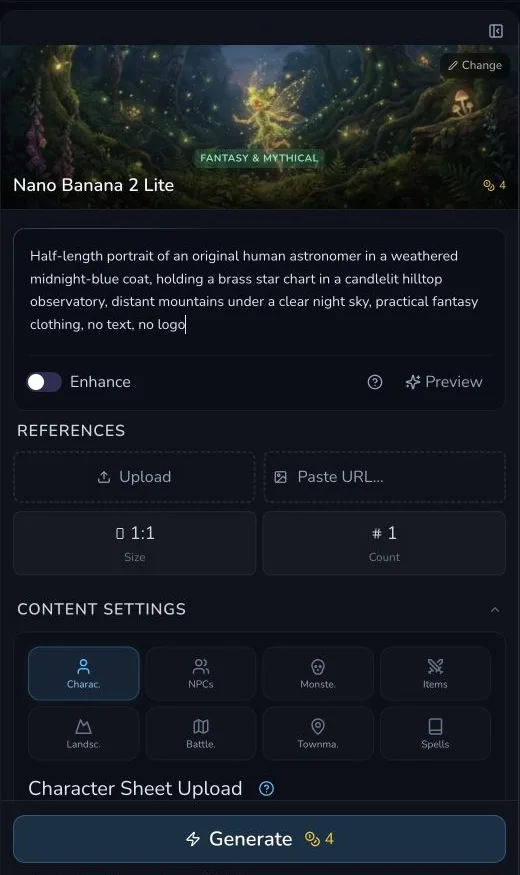
Open Image Studio, choose one available model, set a practical size and start with Count 1. The reviewed baseline used Nano Banana 2 Lite at 1:1 with no reference image.
On 30 July 2026, that exact configuration displayed 4 Gold. One submitted request completed and charged 4 Gold. This proves only the reviewed request, not a permanent Nano Banana price.
Change one supported control
2. Change Count from one to two
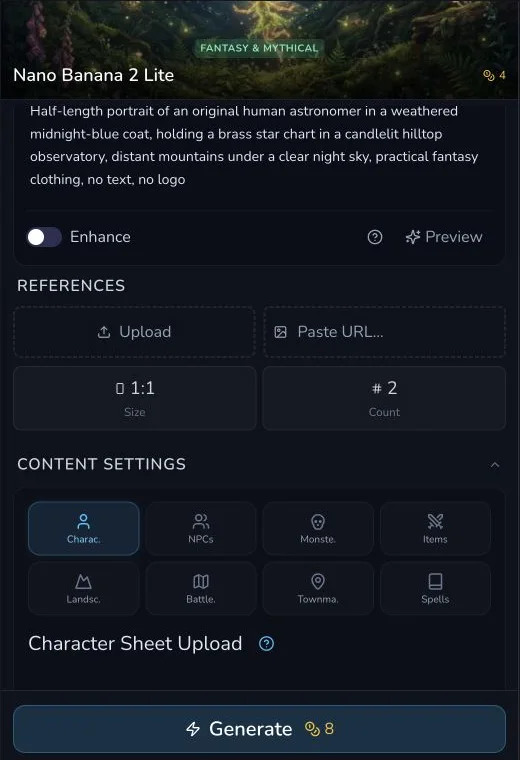
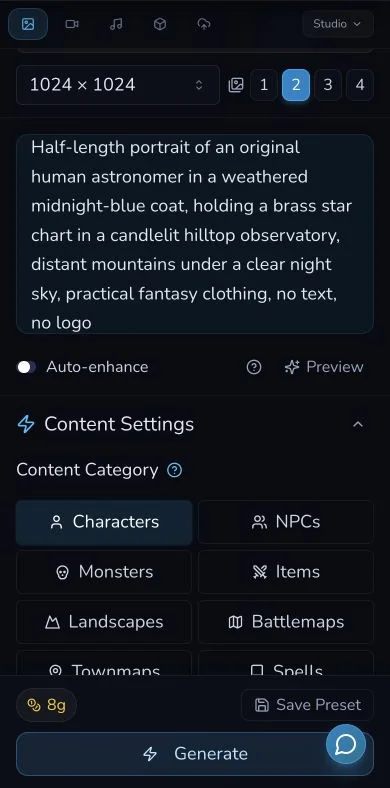
Leave the model, prompt and 1:1 size unchanged. Change only Count from 1 to 2, then read the estimate again without pressing Generate.
Compare
Reviewed count comparison
| Setting | Count-one baseline | Count-two comparison |
|---|---|---|
| Model | Nano Banana 2 Lite | Nano Banana 2 Lite |
| Size | 1:1 | 1:1 |
| References | None | None |
| Displayed estimate | 4 Gold | 8 Gold |
| Submitted | Yes, once | No |
Avoid duplicate spending
3. Treat every Generate press as a separate request
After pressing Generate, wait for the original request to reach a completed or clearly failed state. A slow progress indicator is not a reason to submit the same request again.
Before any retry, check three places:
- the visible request state;
- My Library, where a completed result may already have arrived;
- the current Gold balance or transaction record.
4. Separate balance display from refund evidence
The reviewed frontend source includes an error path that can add the estimated amount back to the displayed balance. That client update alone does not prove a backend refund, a refund transaction or a universal refund policy.
A sanitised historical receipt did show one failed audio request with matching request and refund transactions. It is evidence for that single observed audio request only. It does not establish that every failed image request, or every failed request of any kind, is refunded.
Checkpoint
Check your result
- You can identify the model, size and count used by the current estimate.
- You changed only one supported control in the comparison.
- You know which comparison was submitted and which was not.
- You will check request state, My Library and balance before any retry.
If something looks wrong
Troubleshooting
- Symptom
- The estimate differs from this lesson.
- Likely cause
- The live model, size, count or pricing may have changed.
- Next safe action
- Use the amount shown in your account and keep your first test small.
- Symptom
- You cannot tell whether a request finished.
- Likely cause
- The page state may be stale or the result may have arrived in Gallery.
- Next safe action
- Check My Library and the current balance before pressing Generate again.
- Symptom
- The displayed balance rises after an error.
- Likely cause
- The client may have restored its local balance display.
- Next safe action
- Do not call it a refund until a backend transaction or equivalent account record confirms it.