
Generate with Campaign Context
Generate with selected campaign, entity, document and alias context, then verify campaign recording separately.
Campaign context helps a generator use the setting you already own. It affects the prompt but does not itself prove the completed entity was recorded into campaign state. Start at RPG Workshop, then verify the destination after generation.
Keep different settings in separate collections
You can organise your content without using session notes. In World Codex, create a collection for each setting. You can use the same rules system in more than one setting.
In RPG Workshop, use Save to collection before you generate. New content is filed into that collection, and Workshop remembers your choice. Use Open collection to see its contents. Show all creations changes the list you are viewing without changing where new content will be saved.
The collection is a save destination. It does not choose a rules system or add campaign lore to your prompt. Select campaign context separately when you need it. Workshop starts with no campaign context, so a previous campaign is not applied by mistake.
Filing continues if you leave the page during generation. If filing fails, Content waiting to be filed in Workshop lets you retry filing the saved result. This does not generate the content again or spend more Gold. If a collection has been removed, open the generated content to file it elsewhere. Free accounts still have three collection slots, including subcollections; subscribers retain their existing allowance.
Choose the context scope
1. Compare no campaign with a selected campaign
No campaign creates without campaign context or automatic campaign recording. A selected campaign can supply owned context and may mount a campaign-recording path. Choose deliberately rather than leaving a previous campaign selected.
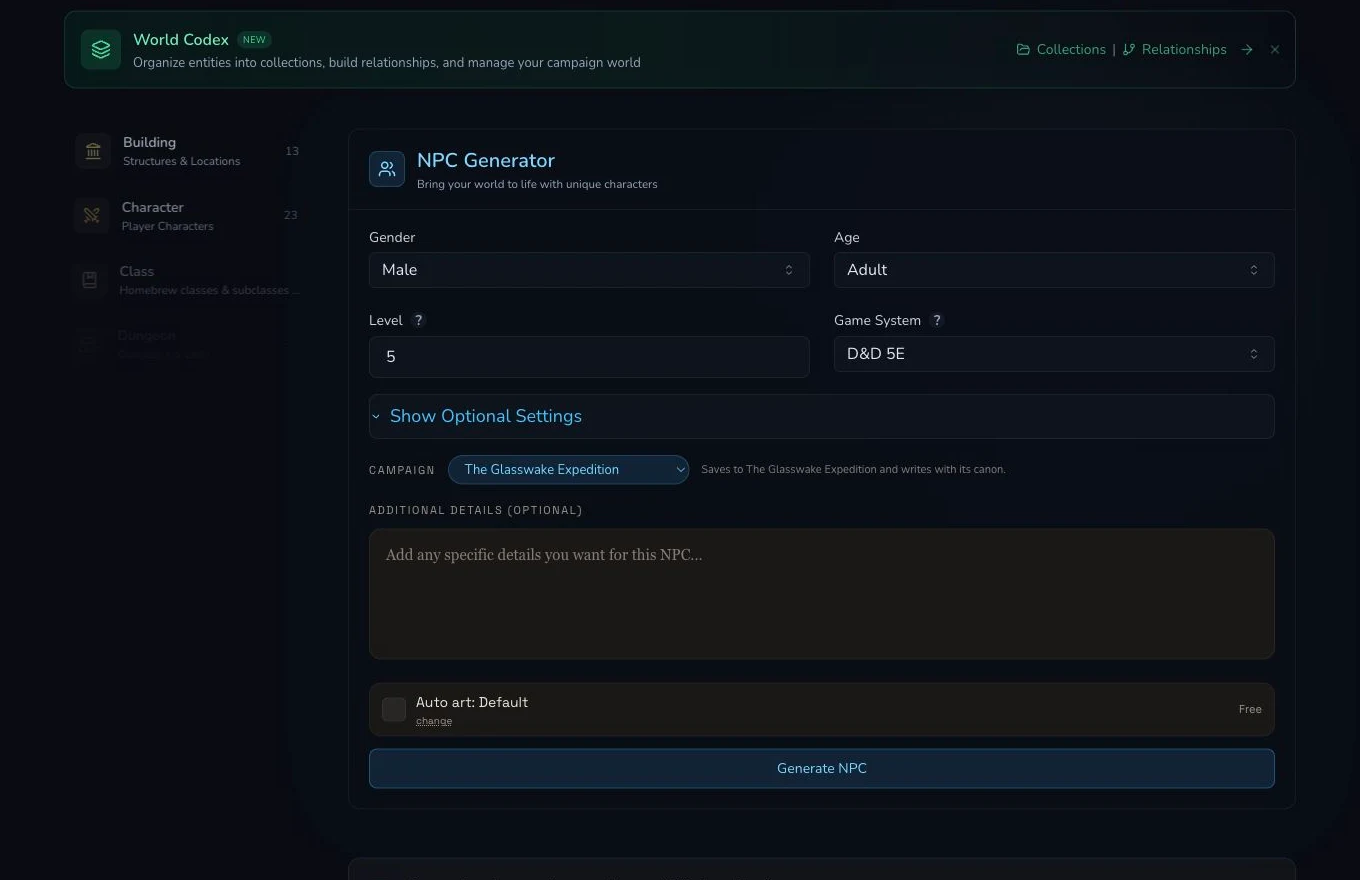
The selected campaign and mounted context controls are reviewed before submission. The receipt records the explicit entity context.
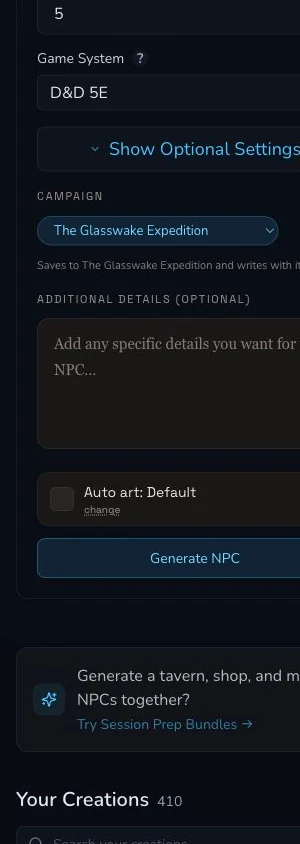
The narrow layout preserves the same campaign decision.
2. Add explicit entity context
The retained Captain Ilyra Venn request selected Veyra's Crossing and the Meridian Cartographers. Use exact owned entities that provide relevant public-safe facts. More context is not automatically better, so respect the mounted limits and remove unrelated records before submitting.
3. Review paper context, noticed aliases and pins
Paper context can supply campaign documents. Noticed aliases and titles help
the system connect named references, while pinned documents elevate sources
you deliberately selected. The retained Glasswake campaign had no documents,
so paper context, noticed aliases and pinned documents were empty. Do
not claim those controls affected this result merely because the product
supports them.
Verify the destination after completion
4. Refresh the actual campaign destination
Captain Ilyra Venn was automatically recorded in campaign Memory after the selected-campaign generation succeeded. This owner-only worked example is not a public destination link. The retained receipt shows no second user action. Other types may use Workspace, Quest Tracker or a generation-link recovery, so verify the destination appropriate to the result.
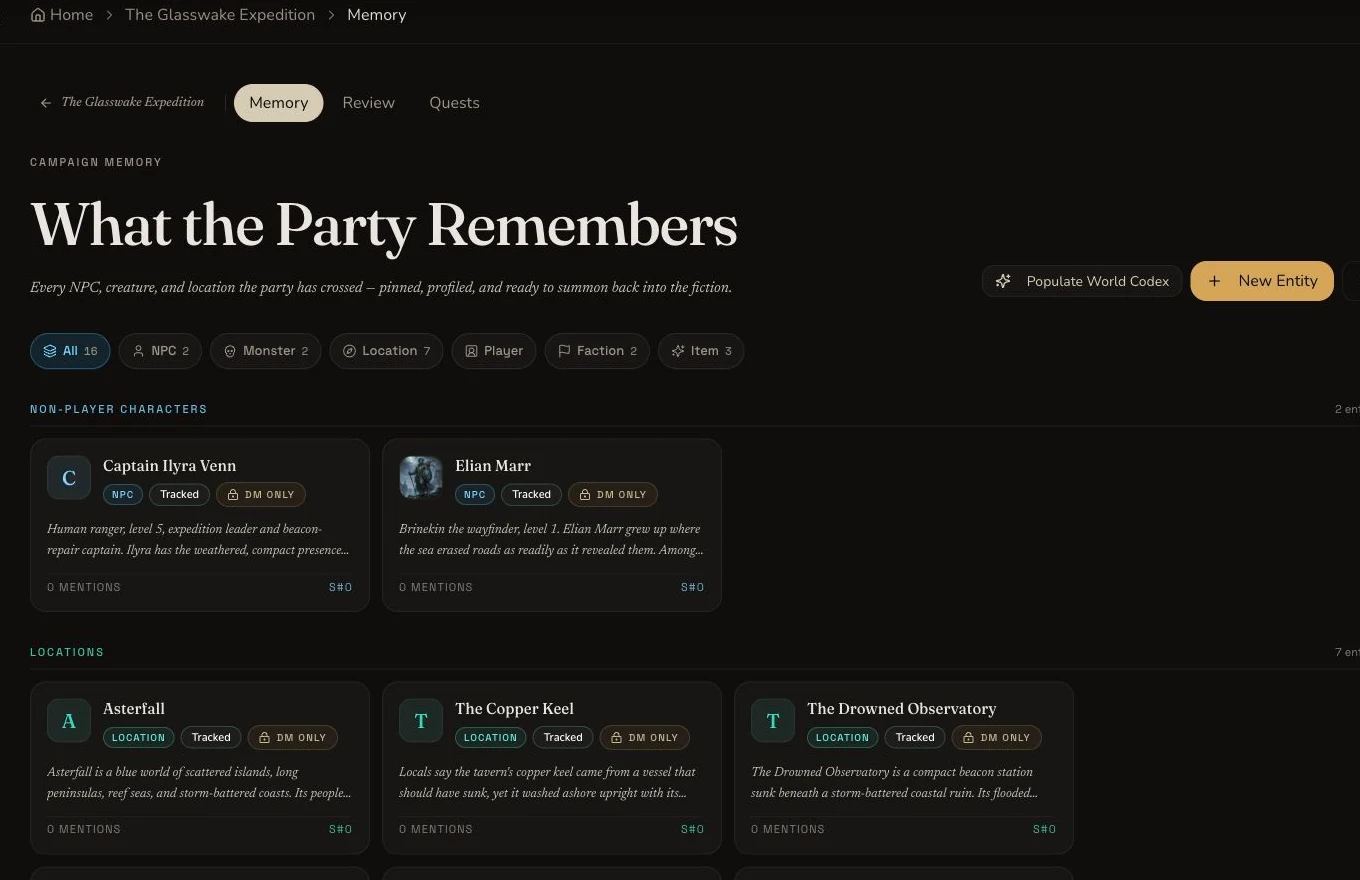
Campaign Memory read-back proves recording independently of prompt context.
Checkpoint
Check your result
- The request deliberately uses no campaign or the intended selected campaign, never a stale selection.
- Explicit entity and paper context stay within limits and match the sources needed for the brief.
- Noticed aliases, titles and pinned documents are claimed only when they were actually supplied.
- The completed result is refresh-read from its real campaign destination rather than inferred from prompt context.
If something looks wrong
Troubleshooting
- Symptom
- The output ignores an important setting detail.
- Likely cause
- The relevant entity or document may not have been selected, or the context limit may have excluded it.
- Next safe action
- Review the source priority and mounted warning, then adjust context before a new generation rather than editing the receipt.
- Symptom
- The result completed but is not in campaign Memory.
- Likely cause
- Generation success does not prove recording, and that type may use another destination.
- Next safe action
- Refresh Memory, Workspace, Quest Tracker and generation links as appropriate before any recovery action.
- Symptom
- The campaign has no paper options.
- Likely cause
- It may have no eligible documents, as in the retained Glasswake campaign.
- Next safe action
- Proceed with the exact entity context and disclose the empty paper, alias and pin arrays instead of inventing document use.