
Generate a Character
Create production-backed character for the Glasswake setting, then verify the saved result, artwork and supported actions.
From RPG Workshop, open the Character generator. It uses a separate Character builder rather than the shared Workshop form. This walkthrough builds Elian Marr, a Brinekin Wayfinder who surveys damaged tide roads for the Glasswake Expedition, then checks the retained production result.
Build the character in six stages
1. Choose the rules and closest available mechanics
Open the Character generator and work through System, Species, Class, Background, Abilities and Details. The production fixture used D&D 5e. The builder did not expose Brinekin mechanics, so Genasi was selected as the closest mechanics proxy while the brief and final prose retained Elian's Brinekin identity. Treat that as an honest rules proxy, not proof that a generated Species automatically becomes a selectable character-builder option.
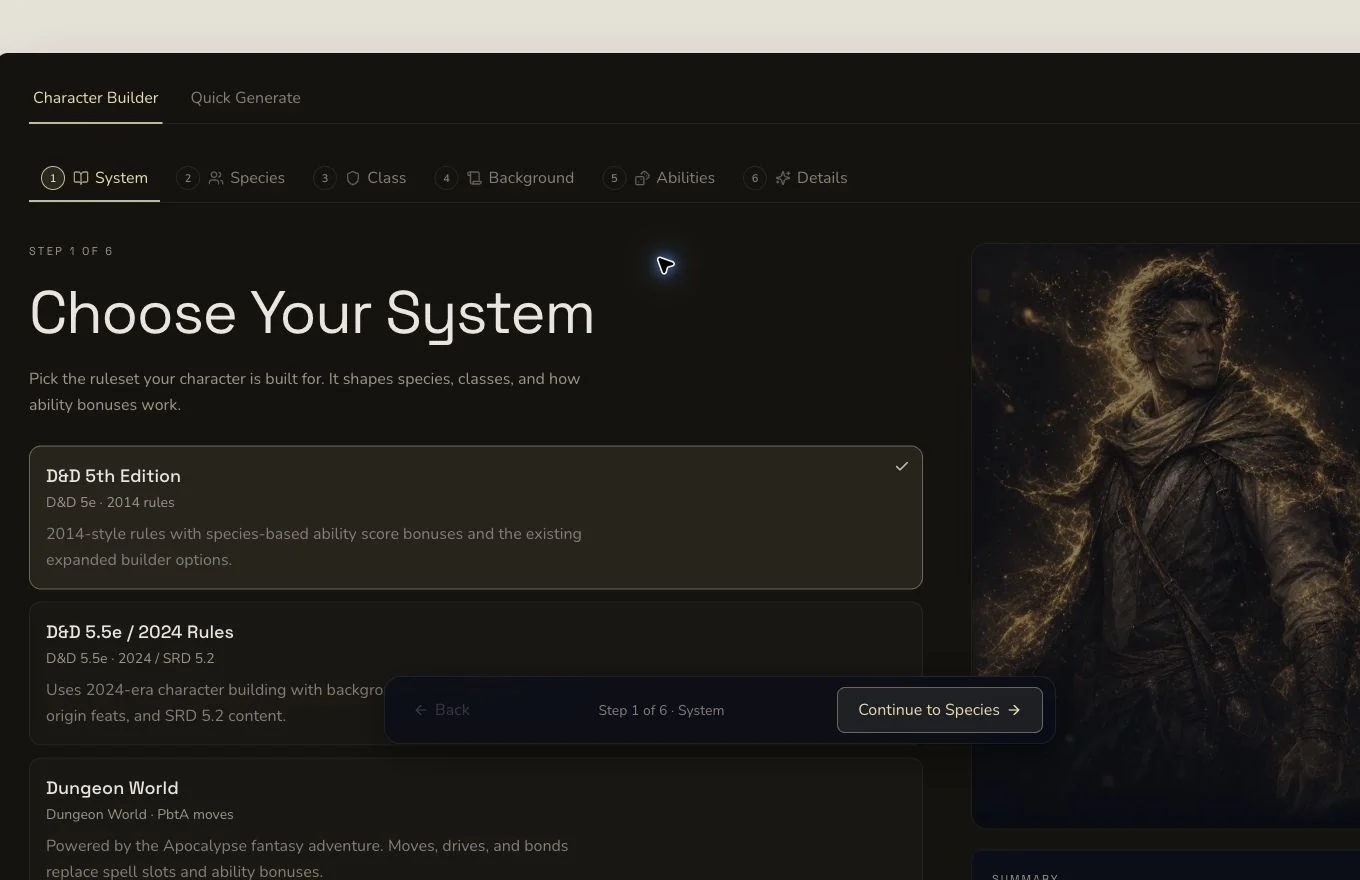
Character generation has its own staged builder rather than the shared Workshop control grid.
2. Choose the class, background and ability scores
Select the owned homebrew class The Wayfinder, choose Outlander, set level 1, and use point buy. The retained submission used Strength 8, Dexterity 15, Constitution 16 after the species modifier, Intelligence 10, Wisdom 15 and Charisma 8. Check the totals shown by the builder before moving on because each ruleset decides whether base or final scores are submitted.
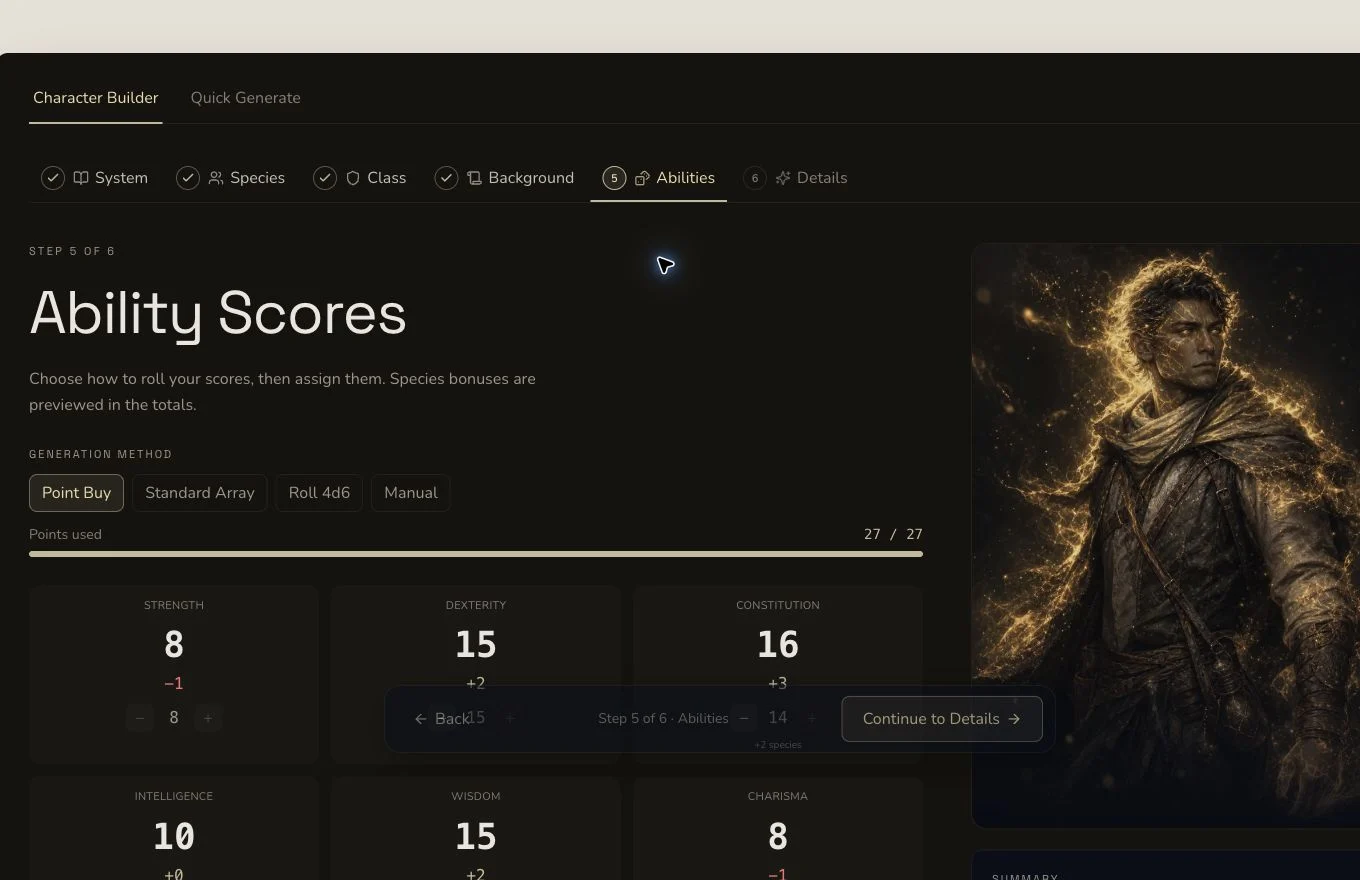
The summary lets you revisit an earlier stage before making the single production submission.
3. Add public-safe character direction
Name the character Elian Marr. Ask for a practical expedition scout who reads damaged tide roads, coordinates rescues, carries field equipment and works well with a group. Keep private campaign revelations and concealed betrayals out of a tutorial fixture.
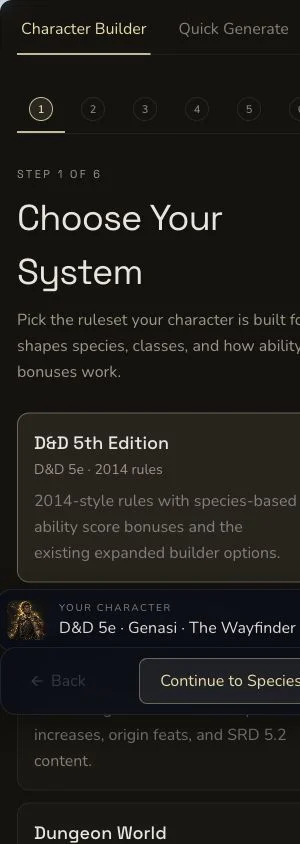
The narrow layout keeps the active builder stage in view. Review the summary before submission if earlier choices are off-screen.
Review the retained result
4. Submit once and follow the returned result
Review the displayed cost, generate once, and wait for the asynchronous job to finish. A local timeout does not prove failure. Check the result list or returned route before trying again. The retained job reached COMPLETE and opened Elian's exact production result.
5. Check rules and roleplay sections together
Confirm the identity summary, level, class, background, ability modifiers, hit points, armour class, initiative, speed, saves, skills, equipment, languages, features and spells. Then read appearance, personality, backstory, bonds, ideals, flaws, quirks, mannerisms and signature moves. A playable sheet needs both mechanical completeness and a usable table identity.
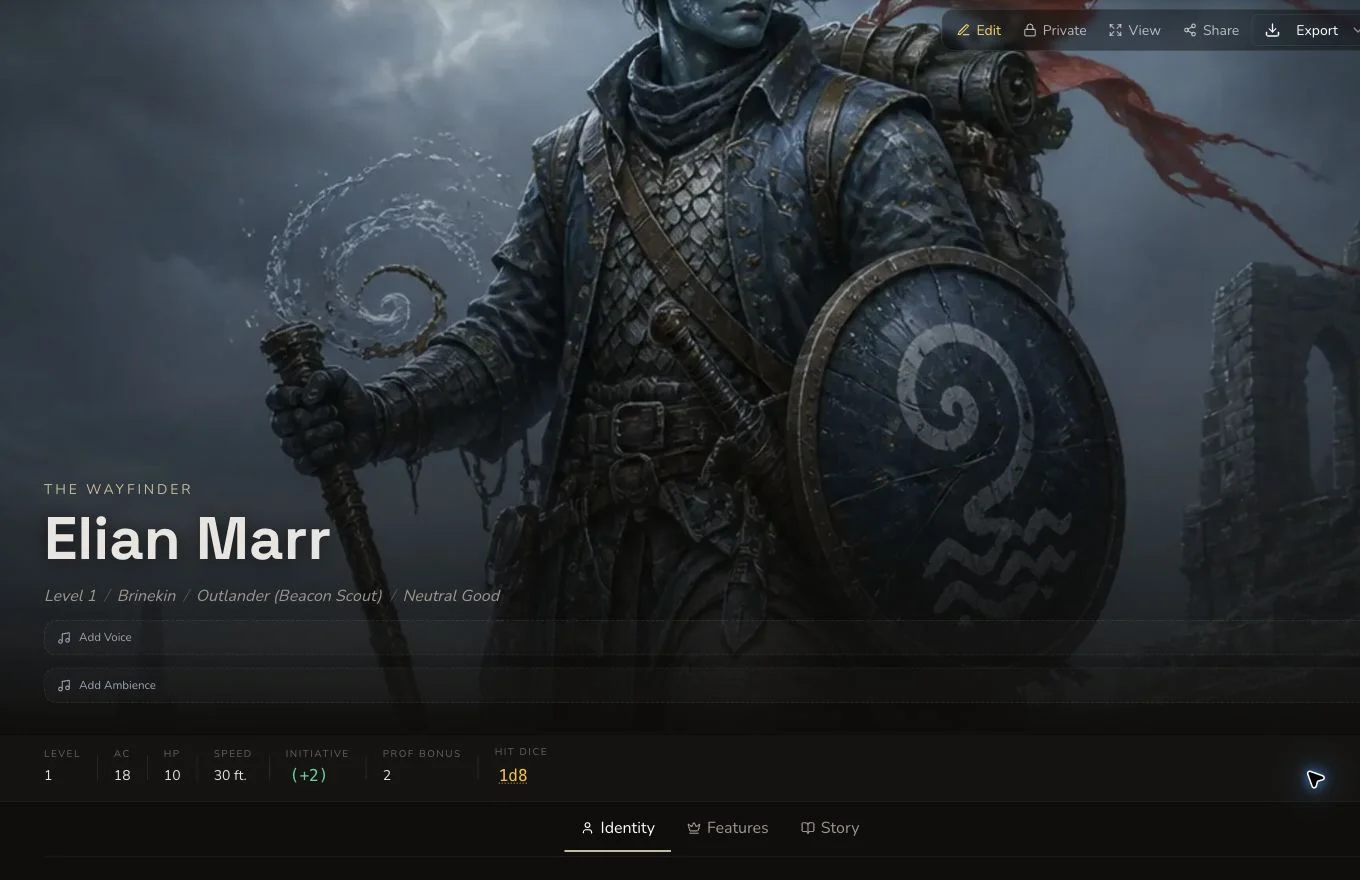
The retained result preserves the fictional Brinekin identity while the builder selection remains a stated mechanics proxy.
6. Curate the result without inventing success states
Edit and save fields that need a precise correction. The production journey changed the background and used the generic reroll on backstory, which settled at 1 Gold. It also linked Elian as ALLIED_WITH Captain Ilyra Venn. Automatic campaign recording was missing for this Character, so the retained entity was recovered manually through a Generation Link after a zero-record preflight. Do not describe that recovery as automatic filing.
7. Review the retained artwork and export
The first native image contained symbol-like marks and was rejected. The final owned, text-free replacement is the canonical private image. Inspect the picture at full size, then use the mounted export controls when you need a local copy. Export does not make the live entity public.

This approved owned replacement, not the rejected native attempt, is the canonical artwork for the tutorial result.
Checkpoint
Check your result
- The result identifies Elian Marr as a level 1 Brinekin Wayfinder with an Outlander background.
- The character sheet includes the expected statistics, abilities, equipment and roleplay sections.
- The Genasi selection is documented as a mechanics proxy, not presented as native Brinekin builder support.
- The canonical artwork and Character entity remain private after refresh.
Troubleshooting
If something looks wrong
Troubleshooting
- Symptom
- Brinekin is not available in the Species stage.
- Likely cause
- The Character builder uses its own supported rules catalogue and does not automatically import every generated Species.
- Next safe action
- Choose an explicit mechanics proxy, keep the intended identity in the public-safe brief, and disclose the boundary in your notes.
- Symptom
- The Wayfinder does not appear in the Class stage.
- Likely cause
- The class must exist in the current account and match the selected game system before the builder can offer it.
- Next safe action
- Check the class result and system first, then return to the Character builder and search the class list again.
- Symptom
- Generation appears to stop before the result opens.
- Likely cause
- Character generation is asynchronous, and a client polling timeout is not a terminal backend result.
- Next safe action
- Check existing Character results and the original job outcome before submitting another paid request.
- Symptom
- The Character is missing from Campaign Memory.
- Likely cause
- The retained production Character did not record automatically even though the generation itself completed.
- Next safe action
- Verify the result first, then use the mounted Generation Link recovery path rather than regenerating the Character.
Limitations
- The Character builder is separate from the Workshop hub and exposes different controls from quick-form generators.
- A mechanics proxy does not add homebrew Species mechanics to the resulting sheet.
- A generic reroll replaces a supported field and can cost Gold. Copy anything you need before confirming it.
- Campaign relationships and campaign filing are separate actions. Neither proves that the other succeeded.
- Share, export and live visibility are different states. Keep the live entity private unless publication is deliberate.