
Read and Correct a Session Recap
Review the generated recap, edit supported blocks and preserve a backup before broad changes.
Session Notes turns one source into several recap views. Open your Session Library, choose a completed private session, then review what can be read, what can be corrected and which actions create a new AI result. The product detail route is /sessions/{sessionId}.
Read the recap before editing
1. Review every mounted recap area
Open Summary & recap. The Plot view can include the episode teaser, TL;DR and longer plot. Continue through Events, Highlights, Cast, World, Word cloud, Quests and Threads. Actions and DM notes appear only when the result contains them. Missing optional content is not proof that processing failed.
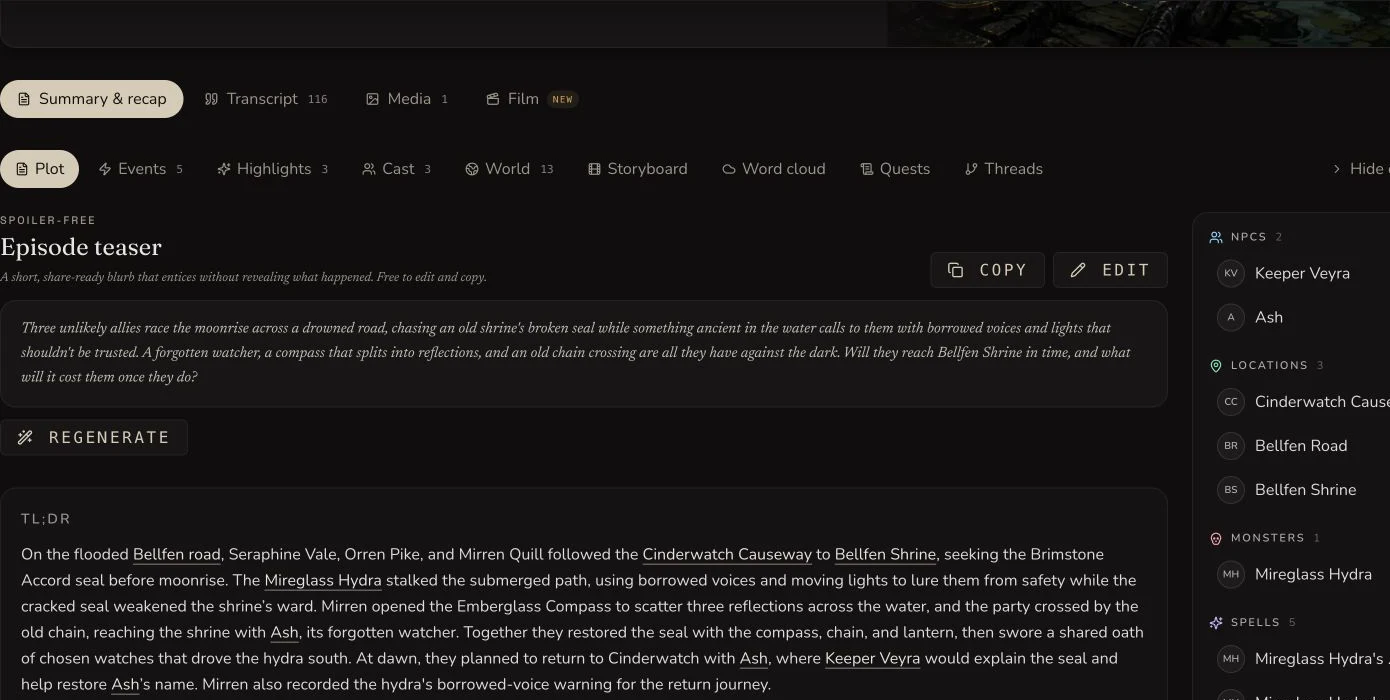
Each recap block has its own mounted controls. Review the source before changing generated prose.
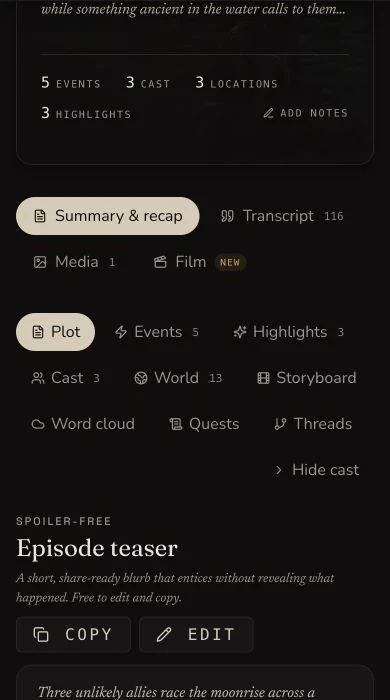
The narrow view keeps the recap navigation and supported block actions available without exposing account chrome.
Make the smallest correction
2. Edit session identity separately
Use the session Edit action for the title and session number. These are session metadata, not recap prose. The retained evidence confirms the mounted controls, but this walkthrough did not change or persistence-test those two fields.
3. Edit a supported recap block
Choose the block's Edit action, change only the incorrect fictional detail and save once. In the retained result, the short plot gained one sentence about Mirren recording the hydra's warning. The refreshed session returned the exact saved value.
4. Correct the source summary when appropriate
A written-summary result exposes Edit summary… and Regenerate from summary… to its owner. Correcting that source and regenerating is broader than editing one recap block. Audio and transcript sources do not acquire the written-summary editor simply because they produced a recap.
Understand the actions that spend or replace work
5. Distinguish restyle, regenerate and reprocess
A mounted Restyle action changes presentation for its supported block. Regenerate asks AI to rewrite supported recap content. Reprocess session rebuilds the session from its retained source and can cost more Gold. Read the displayed confirmation and price immediately before any submission. This walkthrough submitted none of those actions.
6. Use Find and Replace only after the backup
Open the session-wide replacement control only after verifying the export. Search for an exact fictional phrase, check its scope and replace once. Because there is no preview or undo, restore manually from the backup if the replacement was too broad. The retained evidence teaches this warning and does not exercise the destructive replacement.
Checkpoint
Check your result
- The recap tabs expose the expected generated sections and any optional content that exists.
- Title, session number and supported recap fields have separate mounted edit controls.
- The saved short-plot correction remains identical after refresh.
- A verified export exists before any immediate session-wide Find and Replace.
Troubleshooting
If something looks wrong
Troubleshooting
- Symptom
- A recap section is missing.
- Likely cause
- Optional blocks appear only when the completed result contains that kind of information.
- Next safe action
- Check the retained source and other recap tabs before treating the missing block as a processing failure.
- Symptom
- A saved correction is not visible.
- Likely cause
- The wrong block may have been edited, or the refreshed result may not yet show the newest value.
- Next safe action
- Reopen the same session and block, compare it with the backup, and avoid submitting a regeneration as a substitute for a save.
- Symptom
- Find and Replace changed too much text.
- Likely cause
- The action is immediate and has no preview or undo.
- Next safe action
- Use the verified export to restore the intended wording manually, then use a narrower exact phrase.
Limitations
- The original create-time Notes field is not mounted as a general editor on the result page.
- Factions and items can appear in world information, but they do not have the same mounted recap CRUD controls as supported prose blocks.
- Regeneration and reprocessing are not undo operations. They can replace generated content and may incur a new charge.
- A successful save proves persistence, not that every statement in the recap is canonically correct.