
Review and Link Session Entities
Review detected people, monsters and places before adding them to campaign records.
Entity review decides whether detected names should become durable Campaign Entity records. Open your Session Library, choose a completed private session, then use its /sessions/{sessionId} detail route to inspect the current review controls. A recap mention is only extracted text until a supported action is actually submitted.
Read the review states
1. Open the review banner
Select the session's review-action banner. A NEW candidate has no chosen Campaign Entity yet. AMBIGUOUS means several existing records are plausible. Already linked or Auto-linked rows show the record chosen with high confidence.
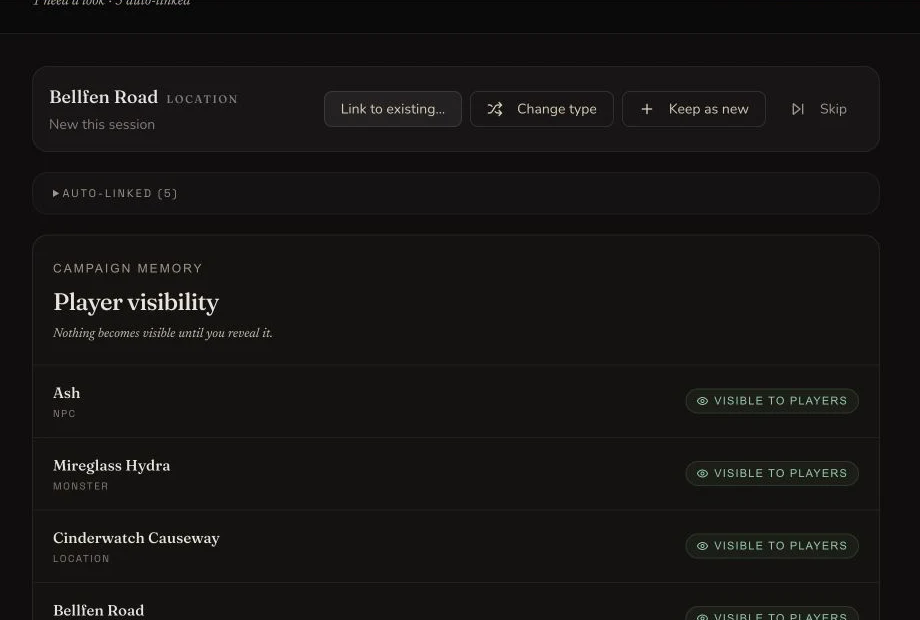
The retained session currently has one NEW location candidate and five auto-linked records. No action was submitted for this capture.
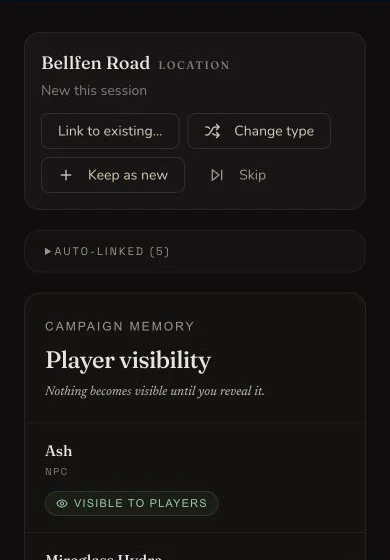
The same candidate decisions remain visible on a narrow screen.
Resolve a candidate deliberately
2. Accept the right suggestion
For an AMBIGUOUS candidate, compare the suggested record's name, type and campaign context. Accept the suggestion only when it is the same fictional person, creature or place. A similar name is not sufficient evidence.
3. Choose another existing entity
Use Link to existing… when the correct Campaign Entity exists but is not the suggested match. Search within the fixture campaign, select the exact record. This walkthrough shows the control but does not submit or claim the resulting link.
4. Correct the supported type before keeping
Use Change type to switch among NPC, Monster and Location. Then choose Keep as new to create a new tracked Campaign Entity only when the mention is genuinely new canon. This walkthrough does not create a new Campaign Entity.
5. Skip an archived or unwanted candidate
Choose Skip when the mention should not become a new tracked record, for example when it refers to an archived candidate or incidental prose. Skip resolves the review item without deleting recap text. No Skip action was submitted for the retained capture.
Check the durable outcome
6. Verify Campaign Memory after refresh
After a real reconciliation action, refresh the session and open Campaign Memory before relying on the result. The retained evidence does not perform this mutation, so it proves the current candidate and control states only. Review player visibility separately: reconciliation does not automatically reveal a campaign secret.
Checkpoint
Check your result
- The retained review visibly contains one NEW Location candidate and five auto-linked rows.
- Link to existing, Change type, Keep as new and Skip are visible for the current NEW candidate.
- No AMBIGUOUS row was present, so that supported state remains a source-backed boundary rather than a captured outcome.
- No reconciliation action was submitted, and no persistence outcome is claimed by this walkthrough.
Troubleshooting
If something looks wrong
Troubleshooting
- Symptom
- The expected candidate is not listed.
- Likely cause
- The mention may already be auto-linked, may not be one of the three supported types, or may not have been extracted.
- Next safe action
- Check the recap and auto-linked group, then use Campaign Memory for unsupported or already-linked records.
- Symptom
- Several existing entities look plausible.
- Likely cause
- The candidate is ambiguous in the current campaign context.
- Next safe action
- Compare name, type and source context. Do not choose a record until the identity is clear.
- Symptom
- An automatic link is wrong.
- Likely cause
- High-confidence auto-linked rows cannot be detached from this review panel.
- Next safe action
- Correct the record through Campaign Memory or the relevant campaign management surface.
Limitations
- In-session reconciliation is limited to NPCs, Monsters and Locations.
- Factions, items and spells are not created from this review surface.
- An incorrect high-confidence automatic link cannot be detached here. Correct it in Campaign Memory or the relevant campaign-management surface.
- The retained screenshot proves a current NEW candidate and auto-linked rows. It does not claim that an AMBIGUOUS row was present during capture.