
Curate Campaign Memory with Canon
Review tracked campaign knowledge and choose explicit context for later generation.
Campaign Memory turns Session Notes, tracked records and pinned papers into a reusable campaign reference. This walkthrough triages one candidate, checks a saved alias and relationship, prepares a canon-aware NPC prompt, and verifies a Workspace vault export without spending more Gold.
Curate what the party remembers
1. Open Campaign Memory
Open the campaign's Memory page. Tracked records are the working campaign ledger. Candidates still need review, while archived records remain outside that active ledger unless restored.
2. Check the dossier, not just the card
The retained Cinderwatch Causeway record kept the manual alias Chainroad Crossing after refresh. Its dossier also retained an automatically found relationship with Bellfen Shrine from the summary-source session. Veyra Nullwake retained a manual generation link and a generated image. These joins are separate records, so check each one before relying on it. The dossier also mounts an owner notes control. This run reviewed that control but did not edit it, so it does not claim notes persistence.
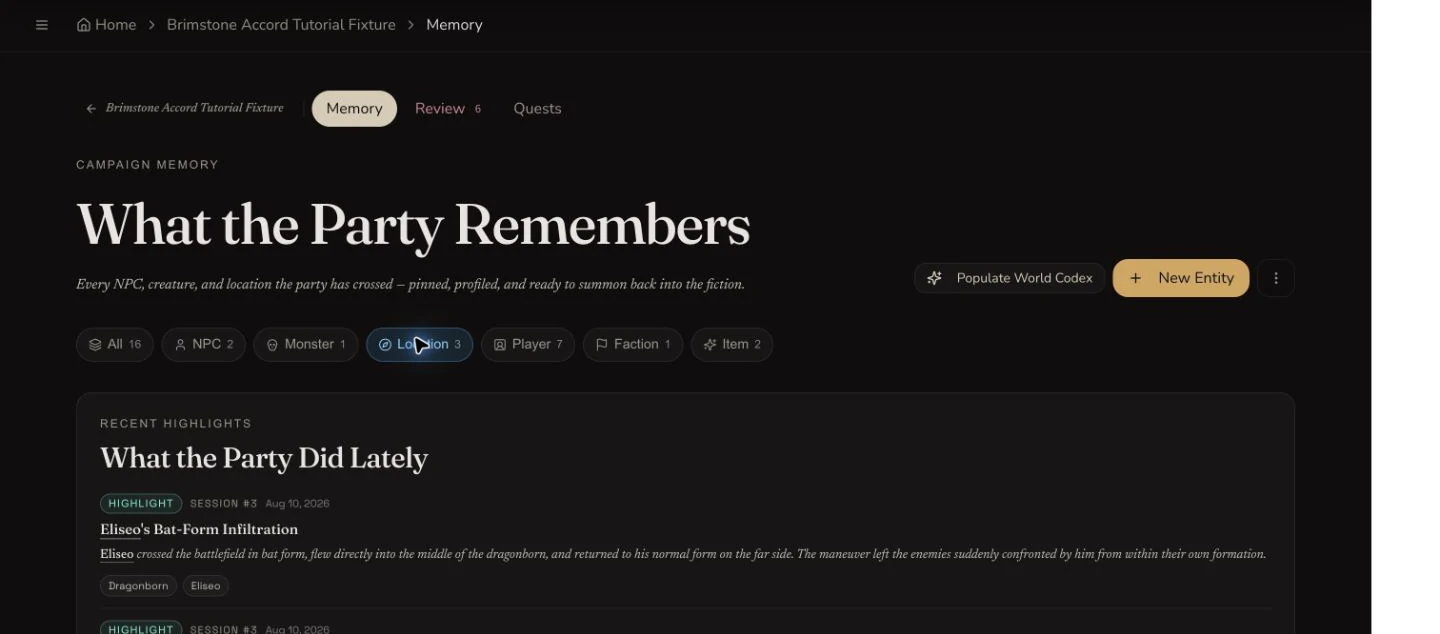
Campaign Memory groups tracked people, creatures, locations, players, factions and items in one owner-managed ledger.
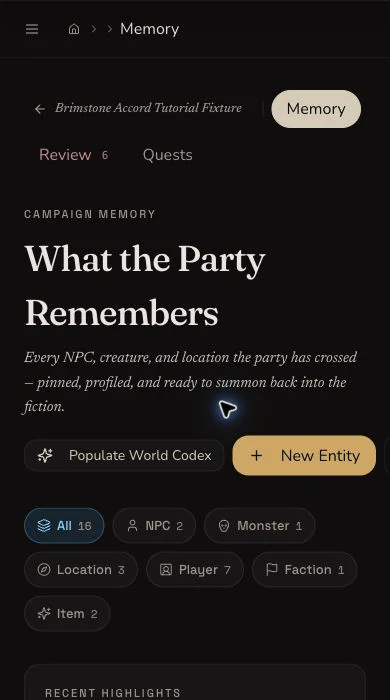
The narrow Memory view keeps the main navigation, actions and filters readable without exposing account chrome.
Triage candidates carefully
3. Review one candidate at a time
Open Review to inspect candidate records and match suggestions. The tutorial archived Keeper Veyra and confirmed that the archive state persisted. Bellfen Oath-Seal remained a candidate so the evidence includes both outcomes.
4. Keep global reconciliation warning-only
The campaign's broad Reconcile memory action is destructive and still uses a browser confirmation prompt. This walkthrough did not submit it. Prefer the candidate dossier and Review inbox when you need a reversible, record-by-record decision.
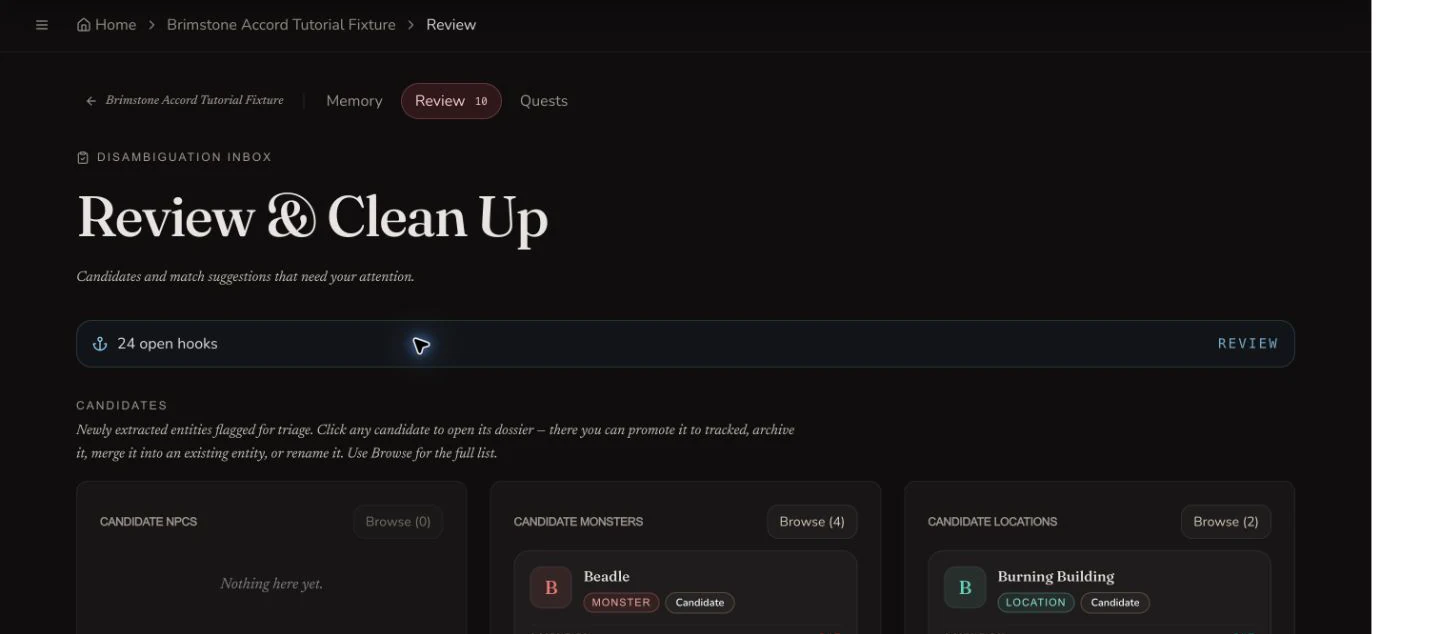
The Review inbox separates candidates from disambiguation suggestions and lets you inspect a record before changing its state.
Prepare campaign-aware generation
5. Choose the campaign and name the sources
In the NPC Generator, select Brimstone Accord Tutorial Fixture. The retained prompt explicitly selected Bellfen Shrine Lore Archive and Bellfen Shrine. The two pinned campaign papers also appeared under Drawing on. Gold chips indicate explicit selections, dashed chips are names noticed in the text, and pinned papers are appended automatically.
6. Respect source priority and caps
The current request contract puts explicit selections first, noticed names next and pinned papers last. It accepts at most ten entity IDs and five document IDs. Fewer, stronger references are easier to review than a large context bundle.
7. Stop when the price is not visible
This generator state showed no overall Gold quote. The Session Notes evidence run had already settled at 105 Gold and allowed at most 45 more. No NPC generation was submitted, so the retained milestone spend remained 105 Gold.
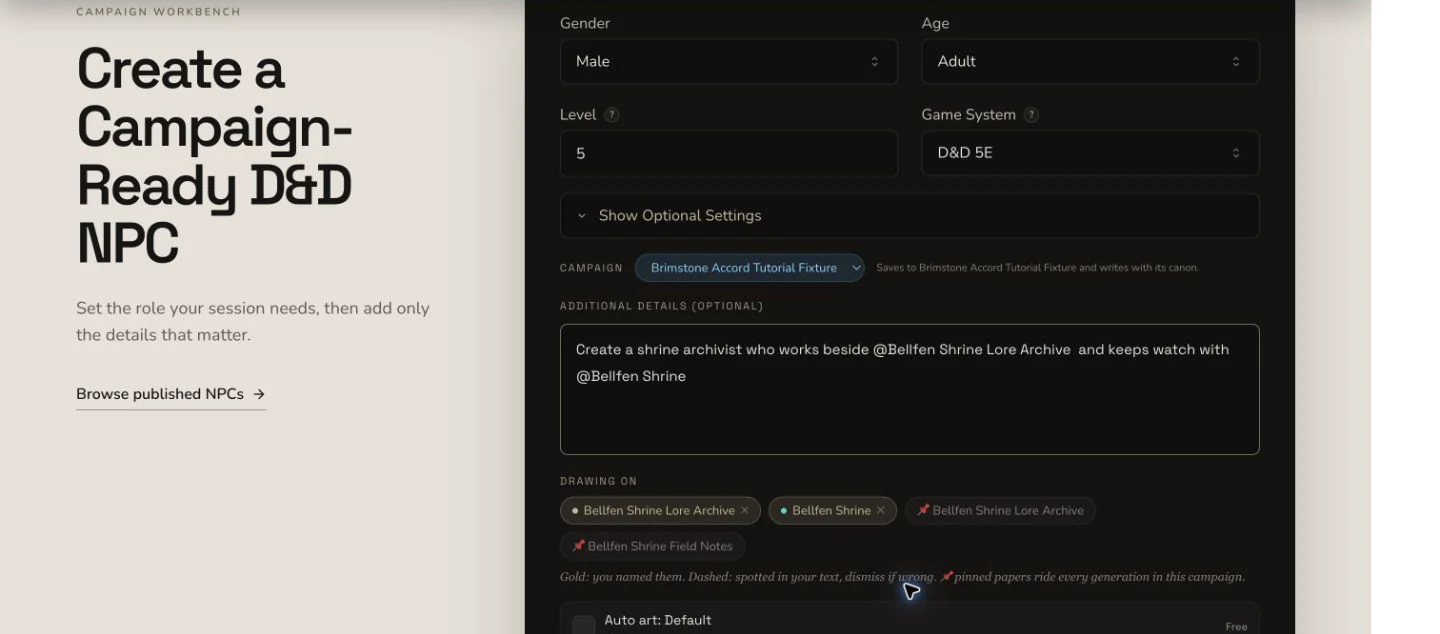
Explicit records and pinned papers are visible before submission. This capture does not claim a generated result.
Export a Workspace vault
8. Review the export summary before downloading
From the Bellfen Archive folder, open Export folder. The dialog reported three exportable items and one skipped unlinked entity. Include images was on. The retained evidence downloaded Markdown once; the VTT options were disabled and were not inspected.
9. Open the ZIP and inspect its contents
The retained ZIP contains three Markdown files: The Shared Watch, Bellfen Shrine Lore Archive and the Crossing the Mire recap inside Shrine Watch. Image inclusion produced remote Markdown references rather than binary image files. Open the archive and check its paths before importing it into another notes system.
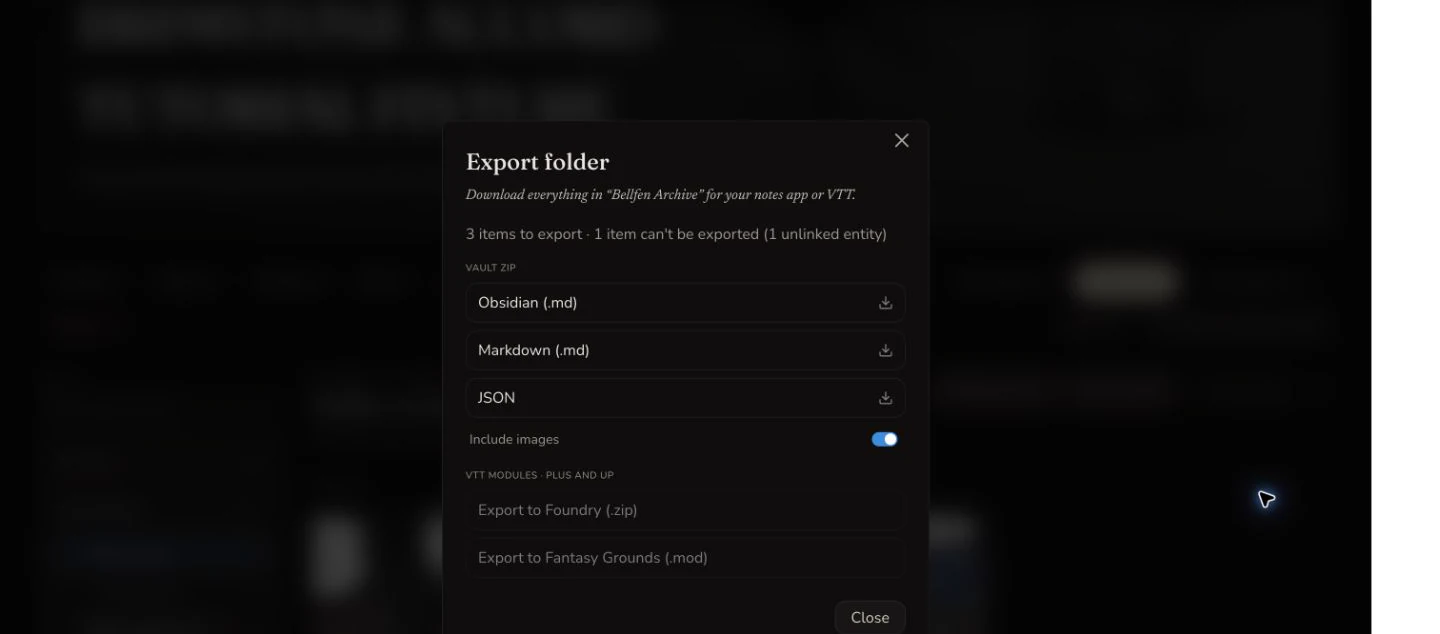
The export summary states what can be written to the vault and what will be skipped before the download starts.
Checkpoint
Check your result
- Tracked, archived and candidate identities remain distinct after refresh.
- The saved alias, relationship, generation link and image association join the intended campaign records.
- The canon-aware prompt names one entity and one paper, includes pinned papers, and remains unsubmitted because no quote was visible.
- The retained Markdown ZIP opens with three expected entries and records one skipped unlinked entity.
Troubleshooting
If something looks wrong
Troubleshooting
- Symptom
- A record is missing from Campaign Memory.
- Likely cause
- It may still be a candidate, have been archived, or be hidden by the current type filter.
- Next safe action
- Clear the filter, inspect Review, and check archived records before creating a duplicate.
- Symptom
- A generated description ignores an important campaign fact.
- Likely cause
- The source may only have been noticed in text, omitted by a context cap, or contradicted by another paper.
- Next safe action
- Select the strongest entity and document explicitly, remove weak references, and review pinned papers before trying again.
- Symptom
- There is no trustworthy generation price.
- Likely cause
- The mounted generator state does not expose an overall Gold quote.
- Next safe action
- Do not submit. Return after a visible quote is available or use a workflow with a verified price.
- Symptom
- A Workspace export contains fewer items than the folder count.
- Likely cause
- Some references, such as an unlinked entity, cannot be represented by that export format.
- Next safe action
- Read the skipped-item summary, open the ZIP, and retain the source record separately when needed.
Limitations
- Campaign context can reduce drift, but it does not guarantee perfect canon.
- Explicit requests are capped at ten entities and five documents. Pinned papers are appended by the server and can still compete for the available context budget.
- The global Reconcile memory action was not submitted because it is destructive and uses a browser confirmation prompt.
- No NPC was generated in this evidence run because an overall Gold quote was not visible.
- Only the Markdown Workspace vault was downloaded and inspected. Obsidian, JSON, Foundry and Fantasy Grounds outputs are not claimed as verified here.
- Include images produced remote Markdown references in this retained ZIP, not embedded binary image files.