
Create from a Transcript or Written Summary
Use pasted text, a direct transcript URL or a subscriber-only written summary.
Create Session Notes from text at /sessions/create by pasting a transcript, supplying a transcript file URL or writing a concise session summary. These are three distinct choices with different prices and result features.
Choose the text path
1. Use Transcript Text for a complete transcript
Select Transcript Text and paste plain text with clear speaker labels where possible. Standard costs 30 Gold per started 9,000-word band and Pro costs 65 Gold per started 9,000-word band. The retained 1,537-word Standard fixture displayed 30 Gold and settled at 30 Gold.
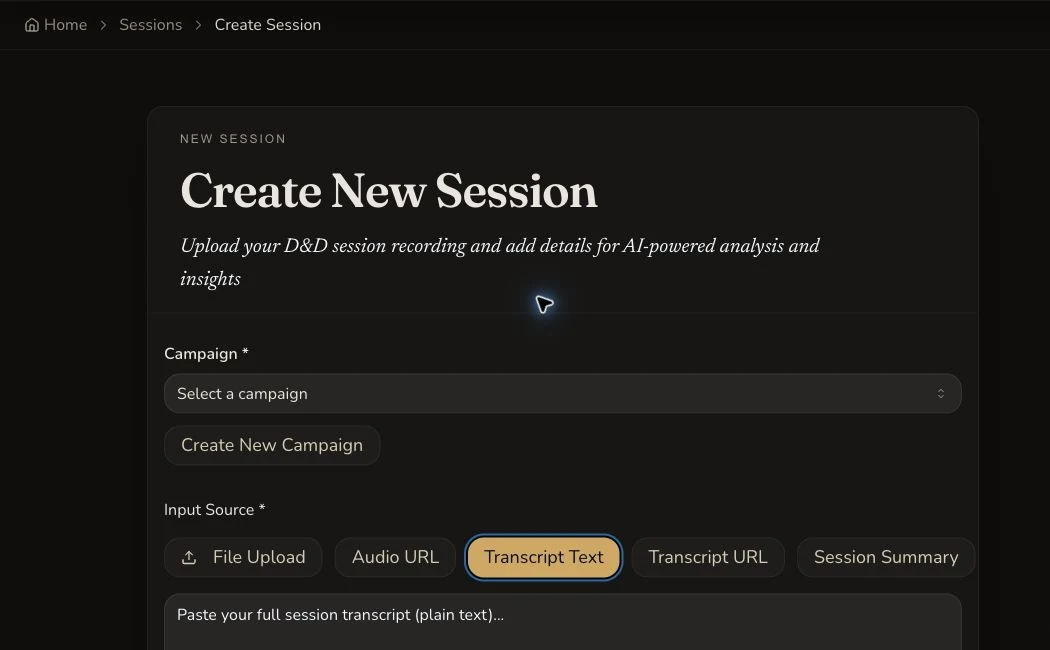
Transcript Text is billed by each started 9,000-word band, not by the form's disabled duration display.
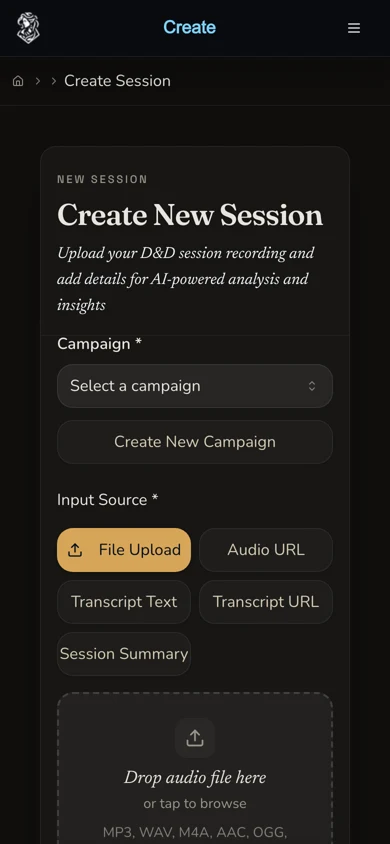
The narrow layout keeps all three text choices separate rather than treating them as one generic text source.
2. Use Transcript URL for a direct text file
Select Transcript URL for a direct transcript-file link that you control and may process. The current creation charge uses a one-band floor because the server has no transcript text when it quotes the request: 30 Gold for Standard or 65 Gold for Pro. A successfully fetched longer transcript is not reconciled to a larger creation charge afterwards. A later full transcript reprocess is a separate paid action.
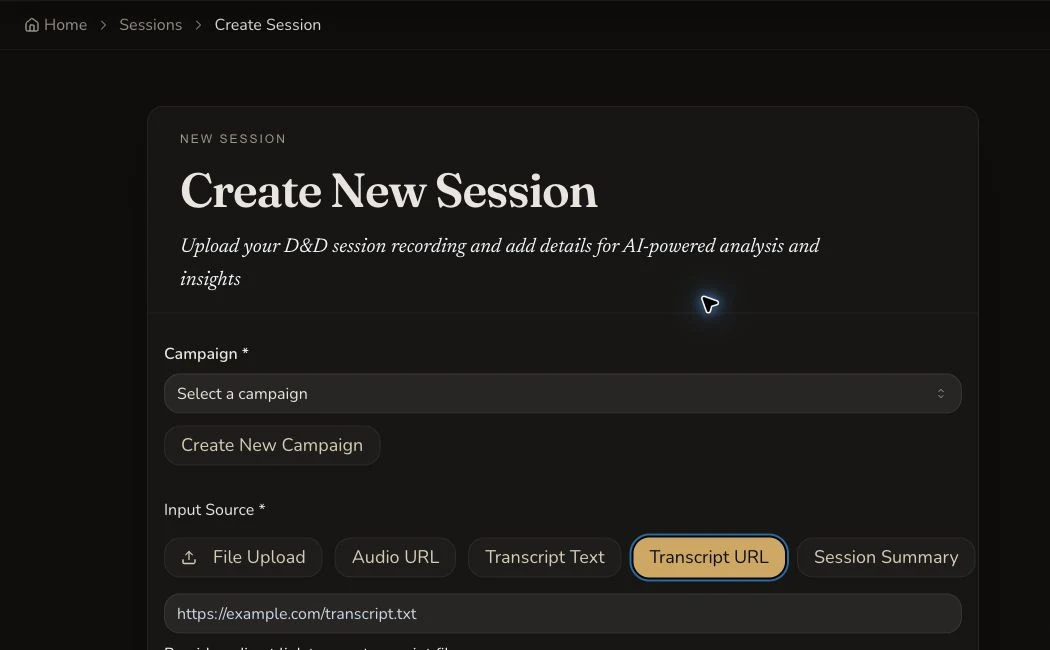
A syntactically valid URL does not prove that the remote transcript is reachable or permitted.
3. Use Session Summary for a written account
Session Summary is subscriber-only and accepts 200 to 20,000 characters. It costs a flat 30 Gold, runs at Pro quality and does not consume the first eligible non-summary session credit. Name the important people, places, decisions and unresolved threads rather than trying to imitate a transcript.
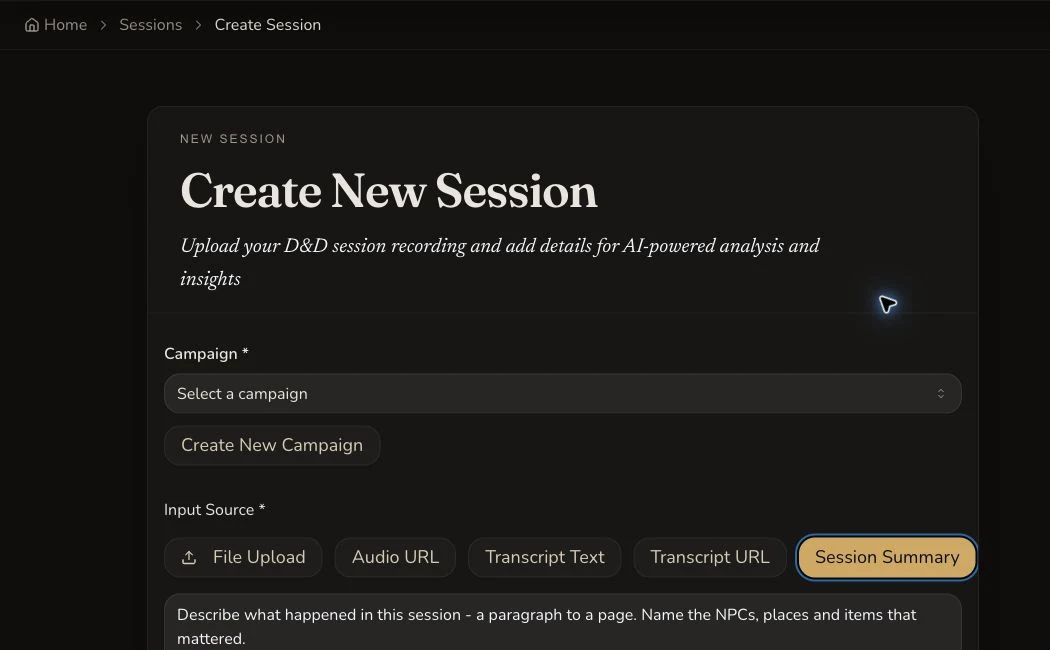
Summary mode produces a recap from the DM's written account, not a generated transcript.
Submit and review the right result
4. Complete the shared session details
Choose the campaign, session name, session number and recorded date. Review the displayed quote for the selected source and tier. Use the optional summary language only when the generated recap should be written in another language.
5. Submit once and keep the processing route
Select Create Session once. The retained transcript and summary examples each settled at 30 Gold and reached COMPLETE without resubmission. If the local page stops updating, revisit the existing route or Session Library before considering any paid reprocess.
6. Check source-specific features
A transcript source can produce a generated recap, searchable transcript and speaker attribution. A written summary produces recap content and owner controls for Edit summary… and Regenerate from summary…, but it has no generated transcript, speaker filters or audio player.
Checkpoint
Check your result
- The selected mode matches the material supplied: full transcript text, direct transcript file URL or written summary.
- The displayed quote follows the current word-band, URL-floor or flat-summary rule before submission.
- A single transcript or summary session reaches COMPLETE and joins the intended private campaign.
- The finished result exposes only the features supported by that source type.
Troubleshooting
If something looks wrong
Troubleshooting
- Symptom
- A pasted transcript quote is higher than expected.
- Likely cause
- Transcript pricing rounds up for every started 9,000-word band.
- Next safe action
- Check the source word count, tier and displayed estimate before submitting. Do not split one session merely to avoid a band without considering the resulting fragmented recap.
- Symptom
- The Transcript URL field accepts a link, but processing cannot fetch it.
- Likely cause
- URL syntax does not prove public reachability, stable permissions or a supported text response.
- Next safe action
- Use a direct text-file link you control, or paste the owned transcript with Transcript Text.
- Symptom
- Session Summary is unavailable.
- Likely cause
- The current summary path requires a subscriber account.
- Next safe action
- Check the account entitlement or choose an audio or transcript source whose pricing is shown before submission.
- Symptom
- The summary result has no Transcript tab.
- Likely cause
- Summary mode analyses the DM's written account and does not invent source dialogue or speaker attribution.
- Next safe action
- Use Transcript Text, Transcript URL or audio when transcript features are required.
Limitations
- Transcript URL creation settles the one-band floor and is not recalculated after a successful fetch.
- A later full-transcript reprocess is a new paid action, not settlement of the original URL creation.
- Summary mode has no generated transcript, speaker attribution, speaker filters or audio player.
- The first eligible non-summary session may be free and forced to Pro. Summary mode does not consume that credit.
- Processing durations shown in the interface are estimates, not completion promises.