
Follow Processing and Recover Safely
Track the existing request and choose a recovery action without accidental duplicate spend.
Follow an existing Session Note at /sessions/{sessionId}/processing instead of creating it again. The processing route, Session Library and finished result all refer to the same session identity.
Read the processing route
1. Save the session route after one submission
After selecting Create Session once, keep the returned session or processing route. You can leave the page and return later. On mobile, the same creation screen begins the journey, but it should not be used as a second submit button when processing is already underway.
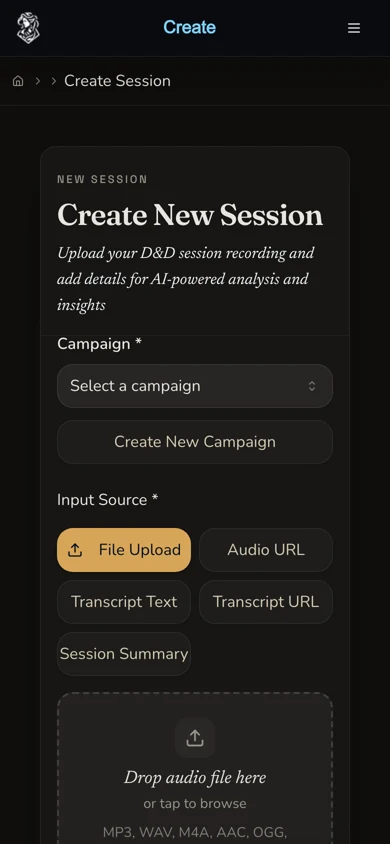
Submit once, then follow the returned session identity rather than starting over from this form.
2. Recognise active states
PENDING, TRANSCRIBING, ANALYZING and INTEGRATING are active processing states. Summary sources can skip transcription because no audio or verbatim transcript needs to be created. Progress percentages and stage durations are interface estimates, not service-level promises.
3. Check the existing session from another route
If the page appears unchanged, revisit its processing URL, open Sessions and locate the existing row, or follow the campaign timeline entry. The retained audio journey continued across a backend rollout and completed without a watchdog retry or a second submission.
Understand reader-facing outcomes
4. Open COMPLETE results
COMPLETE opens the finished Session Note. Confirm that the title, campaign, source-specific features and status belong to the original submission before continuing with edits or exports.

This COMPLETE result is the same session that moved through TRANSCRIBING, ANALYZING and INTEGRATING in the retained journey.
5. Treat DEGRADED as recoverable
DEGRADED means some processing failed or only partial content is available. When recoverable source material remains, the current backend can reconsider a degraded session after 24 hours and move it back to PENDING. That threshold is recovery behaviour, not a promise that the session will finish at a particular time. Open the available result before deciding whether manual work is needed.
6. Review FAILED and CANCELLED carefully
FAILED stops normal polling and presents recovery actions. CANCELLED is a visible outcome, but an already-running worker can still overwrite it. When a failed, degraded or cancelled response retains a summary or transcript, the interface can offer View session so partial content is not discarded from view.
Reprocess only with a reviewed price
7. Choose the smallest justified recovery
For audio or transcript sources, the mounted reprocess dialog can offer Transcript only or Full audio. Transcript-only uses a displayed proxy estimate and the backend settles the word-based charge. Full audio uses the detected audio length at 45 Gold per started hour for Standard or 100 for Pro. A summary-source resume rebuilds from the stored summary and is currently free.
8. Confirm before starting a paid reprocess
Read the strategy, tier, estimate and retry counter immediately before choosing Start reprocess. The retained evidence run did not manufacture a failure, cancel a job or reprocess a successful session. It spent no recovery Gold and relies on reviewed source for these controls.
Checkpoint
Check your result
- One saved session identity is used across processing, Session Library and the result route.
- Active states are allowed to continue without a duplicate create request.
- COMPLETE, DEGRADED, FAILED and CANCELLED are interpreted with their current recovery boundaries.
- Any manual reprocess is withheld until its strategy, retry count and possible Gold charge are understood.
Troubleshooting
If something looks wrong
Troubleshooting
- Symptom
- The progress estimate has not moved.
- Likely cause
- The local polling view may be stale while server-side work continues.
- Next safe action
- Reload the saved processing route and check the same session in Session Library. Do not resubmit the source.
- Symptom
- The session says DEGRADED but some content is visible.
- Likely cause
- A recoverable stage failed after another stage had already produced content.
- Next safe action
- Open View session, preserve useful content and allow automatic recovery where the source remains available before choosing a paid reprocess.
- Symptom
- Cancellation appears not to hold.
- Likely cause
- An in-flight processing worker may finish a stage after the cancellation request.
- Next safe action
- Refresh the existing session and read its current status. Treat CANCELLED as a visible outcome, not an immutable guarantee.
- Symptom
- The reprocess estimate is unclear or has changed.
- Likely cause
- Transcript-only uses a client proxy while the backend settles by word band, and full audio depends on detected duration and tier.
- Next safe action
- Do not submit until the chosen strategy and displayed price are understood. Contact support when the source or charge cannot be reconciled.
Limitations
- Displayed stage durations and progress percentages are estimates, not service-level guarantees.
- DEGRADED continues polling because it can return to PENDING when retained source permits recovery.
- FAILED stops normal polling. CANCELLED can still be overwritten by in-flight work.
- Automatic recovery does not authorise repeated create requests, and a manual reprocess can cost additional Gold.
- The retained tutorial journey proves successful active-to-COMPLETE paths. Failure, cancellation and reprocess controls are source-reviewed rather than produced through a paid failure.