
AI Fantasy Art Generator for D&D Model Picks
Use an ai fantasy art generator better by choosing the right D&D art model for portraits, anime parties, items, maps, and VTT tokens.
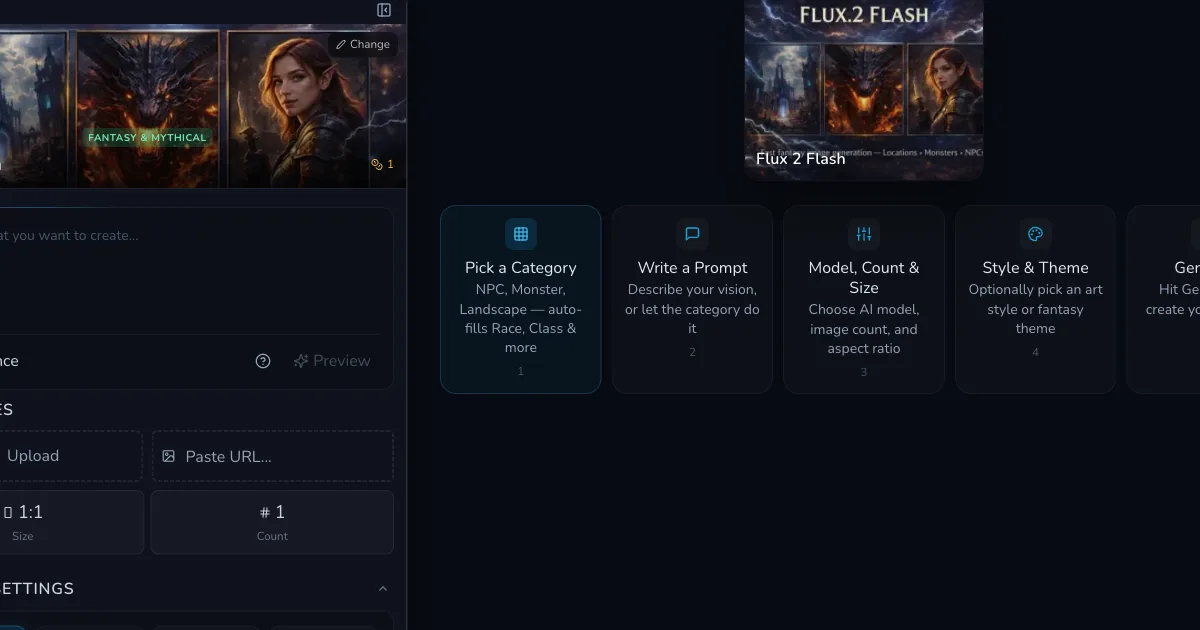
An ai fantasy art generator is only as useful as the model you pick before you hit Generate. I have wasted plenty of credits on gorgeous images that were wrong for the table: a dwarf whose armour looked like melted cutlery, a token portrait cropped at the nose, a party scene where the wizard quietly became three wizards, and one allegedly cursed sword that looked like a seafood fork.
Model choice matters more in D&D art than it does in generic image tests. A campaign image has a job. It might need to show a recognisable NPC, a readable magic item, a top-down room, an anime-style party splash, or a portrait that still works after being turned into a 256px VTT token. Pretty is not enough.
CharGen now has Midjourney Version 8.1 and Niji 7 controls available inside the Midjourney model flow, alongside the existing models DMs already use for portraits, items, battlemaps, scenes, and tokens. In the UI, the Midjourney panel gives you Midjourney Version, Niji Model, Quality, Chaos, Weird, and Stylize controls. Version 8.1 is the new default for standard Midjourney generations, while Niji 7 is the anime-focused pick when you want sharper stylisation.
Right, so this is my practical model picker for D&D art. It is not a beauty contest. It is about choosing the model that gives you the least editing work before the image reaches your players.
Why an ai fantasy art generator needs model choice
Search intent around ai fantasy art generator queries is messy. Some people want a free art toy. Some want a D&D portrait. Some want an alternative to Midjourney. Some are trying to make a Roll20 token five minutes before the session starts. The same prompt will not satisfy all of those needs.
I think about the task before I think about style.
| D&D art job | What the model must do | Bad result |
|---|---|---|
| NPC portrait | strong face, clear costume, recognisable silhouette | beautiful face, no role clues |
| party art | several characters with distinct species, gear, and heights | one blended crowd with duplicate weapons |
| magic item | readable object shape and material | ornate fog with no usable item |
| token art | centred subject, clean outline, simple background | dramatic crop that fails in a circle |
| battle or room art | spatial clarity and lighting | cinematic angle that cannot be used at the table |
| anime splash | high energy style without losing prompt facts | cool pose, wrong species, wrong weapon |
The official Midjourney updates page is useful for tracking version changes, but tabletop RPG users still need a narrower question: which model behaves best for a character, monster, item, map, or player handout? A new model can be brilliant and still be the wrong pick for a VTT token.
That is why I like using CharGen as the front door for this. I can start in the Image Generator, pick a model, make the art, then move into the Token Maker, Character Art Generator, or related RPG tools without treating the image as a loose file floating around my downloads folder.
The short answer: which model should you use?
Here is the model picker I would give a DM who does not want a lecture before prep.
| Goal | My first pick | Why |
|---|---|---|
| painterly D&D character portrait | Midjourney Version 8.1 | strong polish, rich costume detail, good dramatic lighting |
| anime party image | Midjourney with Niji 7 | cleaner anime energy and bolder shapes |
| practical NPC portrait batch | Flux family or GPT Image models | better prompt discipline and easier iteration in my experience |
| magic item card | Ideogram, Recraft, or a high-detail image model | stronger object focus and text-adjacent layout control |
| gritty monster concept | Flux Pro, Juggernaut Flux, or Midjourney 8.1 | better skin texture, armour, teeth, and unpleasant surfaces |
| token-ready portrait | model with centred portrait framing, then CharGen Token Maker | crop matters more than raw beauty |
| quick free test | lower-cost model first | find the prompt before spending on premium output |
My opinion: Midjourney 8.1 is excellent when you want the image to impress people at a glance. Niji 7 is the better pick when the group actually wants anime art rather than "anime-ish fantasy". Flux is still my comfort pick for practical campaign work where the prompt has to stay obedient. GPT Image models are strong when I need clean composition, especially for posts, handouts, and edits.
None of these models is magic. The trick is picking the model for the job, then writing a prompt that gives it enough constraints without choking the image.
How Midjourney 8.1 fits D&D art
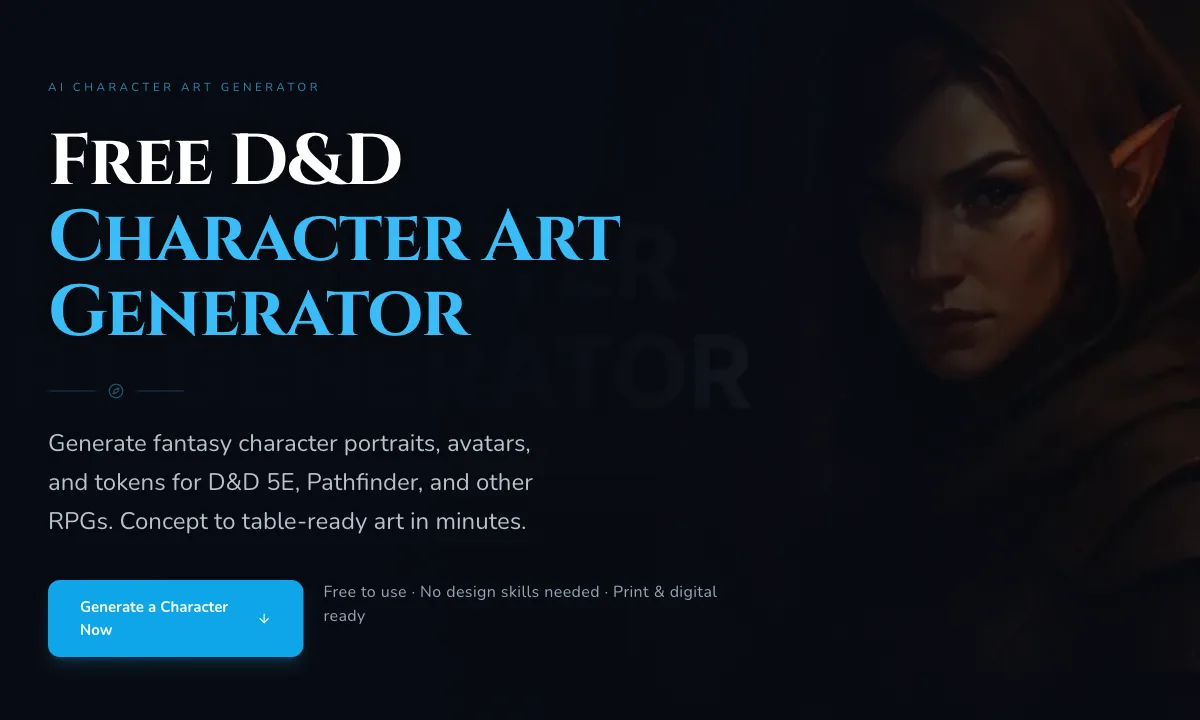
Midjourney has always been good at making fantasy images feel expensive. Version 8.1 continues that pattern in CharGen's Midjourney flow. It is the model I would reach for when I want a poster-like NPC portrait, a full party scene, a villain reveal, or a campaign splash image that sets tone before the dice hit the table.
The UI details matter. In CharGen, choose Midjourney V7 as the model entry, then open the Midjourney controls. Set Midjourney Version to Version 8.1. CharGen applies quality 1 by default for Version 8.1, which keeps the setup sane rather than making you remember version-specific habits.
Where I like Midjourney 8.1:
| Use case | Prompt shape that works |
|---|---|
| villain portrait | half-elf oathbreaker paladin, cracked black plate armour, silver funeral mask, candlelit chapel, stern profile, painterly fantasy portrait |
| party splash | four D&D adventurers at a storm bridge, dwarf cleric, tiefling rogue, human ranger, gnome wizard, clear separate silhouettes, heroic composition |
| monster reveal | ancient swamp hag wearing bone charms, wet moss cloak, lantern light, unsettling face, dark fantasy concept art |
| location mood art | ruined watchtower above a frozen road, low winter sun, travellers below, readable path and gate, fantasy campaign handout |
Where I do not start with Midjourney 8.1:
| Job | Reason |
|---|---|
| strict item sheets | it may prefer drama over clean object presentation |
| exact armour continuity across ten images | high style can drift between generations |
| small circular tokens | cinematic crops often need a second pass |
| rules handouts with text | use a model better suited to clean layout work |
My favourite test is simple. I generate a half-orc barbarian with ritual scarring, a chipped tusk, a red wolf pelt, and a battered bronze greataxe. If the model keeps the tusk, the pelt, the weapon, and the face readable, I trust it for NPC work. If it gives me a beautiful warrior with none of the useful details, it goes back to poster duty.
When Niji 7 is the right pick
Niji 7 is for anime and Eastern aesthetics inside the Midjourney controls. In the CharGen panel, set Niji Model to Niji 7. The interface notes that Niji 7 uses Version 7, so do not treat it as a simple paint filter on top of Version 8.1. It is its own mode.
I use Niji 7 when the campaign tone already wants it. That might be a high-colour Spelljammer game, a shonen-style one-shot, a JRPG-inspired Pathfinder party, or a player who wants their warlock to look like they stepped out of a dramatic opening sequence. If your group wants grounded low fantasy, Niji 7 will probably feel too glossy unless you pull the prompt back hard.
Good Niji 7 prompt:
anime fantasy party portrait, five D&D adventurers on a floating shrine bridge, clear individual silhouettes, halfling monk with prayer beads, dragonborn sorcerer with blue flame, elf archer in green lacquered armour, energetic action pose, clean linework, jewel colours
Bad Niji 7 prompt:
cool anime party, epic, detailed, fantasy
The second prompt sounds harmless, but it gives the model permission to make choices you did not make. You may get a great image. You may also get five similar teenagers with swords and no campaign identity. Specifics are not decoration. They are your steering wheel.
I keep Chaos low when I need the party to match a brief. I raise Stylize when the image is a splash piece and exact gear matters less. I use Weird sparingly for fey, dream, planar, or cursed imagery. Weird can be fun, but it will gleefully eat your character sheet if you let it.
Flux, Krea, GPT Image, and the boring practical jobs
Midjourney gets a lot of attention because the outputs look polished fast. That does not make it the best answer every time. Some of my most useful D&D images are boring in the right way: clean face, centred body, readable prop, no strange crop, no unexpected extra hand on the sword hilt.
Flux models are still strong for fantasy character art AI tasks where prompt adherence matters. If I need a dock quartermaster NPC, I might write:
older human dock quartermaster, navy wool coat, brass ledger clasp, tired eyes, ink-stained fingers, standing against a rainy harbour office wall, grounded D&D portrait, centred composition
That prompt is not glamorous. It is useful. I need the navy coat, the ledger clue, and the tired face because those details help me run the NPC. If the output also has lovely rain light, fine. If not, the table still has a person to remember.
GPT Image models are useful when I want a cleaner art-director feel or when I expect to edit. Krea models can produce appealing high-detail fantasy visuals, especially when you want a polished modern concept-art finish. Ideogram and Recraft are worth testing for item cards, labels, posters, and graphic layouts because text-adjacent work punishes models that treat letters as jewellery.
The 2024 Dungeon Master's Guide on D&D Beyond keeps returning to the practical work of preparing and running sessions. I read model choice through that lens. A model that makes a stunning image but costs you twenty minutes of repair is not the best prep tool that night.
My model testing workflow in CharGen
I test models with the same prompt before I commit to a campaign style. That sounds obvious, but most people compare one great image from one model against one weak image from another. That tells you nothing.
My routine:
| Step | CharGen action | What I check |
|---|---|---|
| choose the art job | decide portrait, item, party, token, or scene | the image has a table purpose |
| write one control prompt | include species, role, gear, mood, crop, and use case | prompt is specific enough to judge |
| generate a cheap draft | use a lower-cost or familiar model first | prompt is not broken |
| test premium picks | try Midjourney 8.1, Niji 7, Flux, or GPT Image as needed | compare like with like |
| make a token pass | use Token Maker for portraits that need VTT use | face survives the crop |
| save the winner | keep prompt, model, and notes with the campaign entity | future images match better |
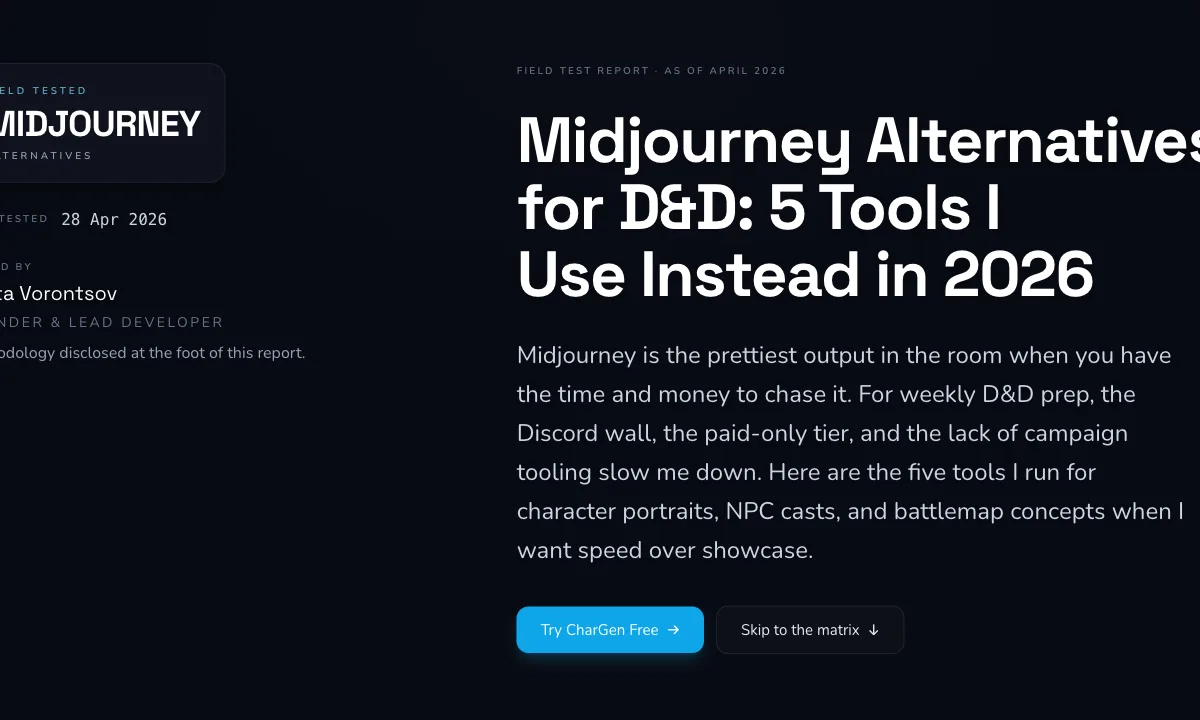
Here is a control prompt I use for character portraits:
D&D 5E dwarf forge cleric, late 50s, square face, soot in beard, blue prayer beads, dented steel armour with brass sun symbol, warm forge light, centred waist-up portrait, simple dark background, token-ready crop
What I check:
| Detail | Why it matters |
|---|---|
| beard and age | character identity |
| prayer beads | role clue |
| sun symbol | deity clue |
| steel and brass armour | material handling |
| centred crop | token workflow |
| simple background | easier circular token |
For monster art, I test texture and body clarity:
D&D swamp troll matriarch, mossy grey-green skin, broken antler crown, one milky eye, fishhook necklaces, hunched but powerful body, wet cave mouth, readable full creature silhouette, dark fantasy concept art
For item art, I make the object the subject:
single cursed longsword on cracked black stone, blade made of smoky iron, red wax charm tied to hilt, no hand holding it, clean object silhouette, fantasy item card art
That last no hand holding it clause saves me more often than it should.
Turning character art into VTT tokens
The best ai dnd character art is not automatically the best token art. A dramatic portrait can fail when it gets cropped into a circle. Big hats, long weapons, side profiles, heavy shadows, and busy backgrounds all become problems at token size.
My token prompt rules are stricter:
| Prompt rule | Example |
|---|---|
| ask for centred framing | centred bust portrait |
| simplify the background | plain dark background |
| keep the face clear | face fully visible, no hood shadow over eyes |
| avoid wide props | weapon lowered, not crossing the frame |
| mention token use | token-ready crop |
After generation, I send the portrait through CharGen's Token Maker. The workflow is quick: upload or choose the portrait, pick a circular, square, or hex frame, adjust the crop, set the border style, then export the PNG for Roll20, Foundry VTT, Fantasy Grounds, or your own notes. It is not glamorous, but it is the difference between "nice art" and "usable tonight".
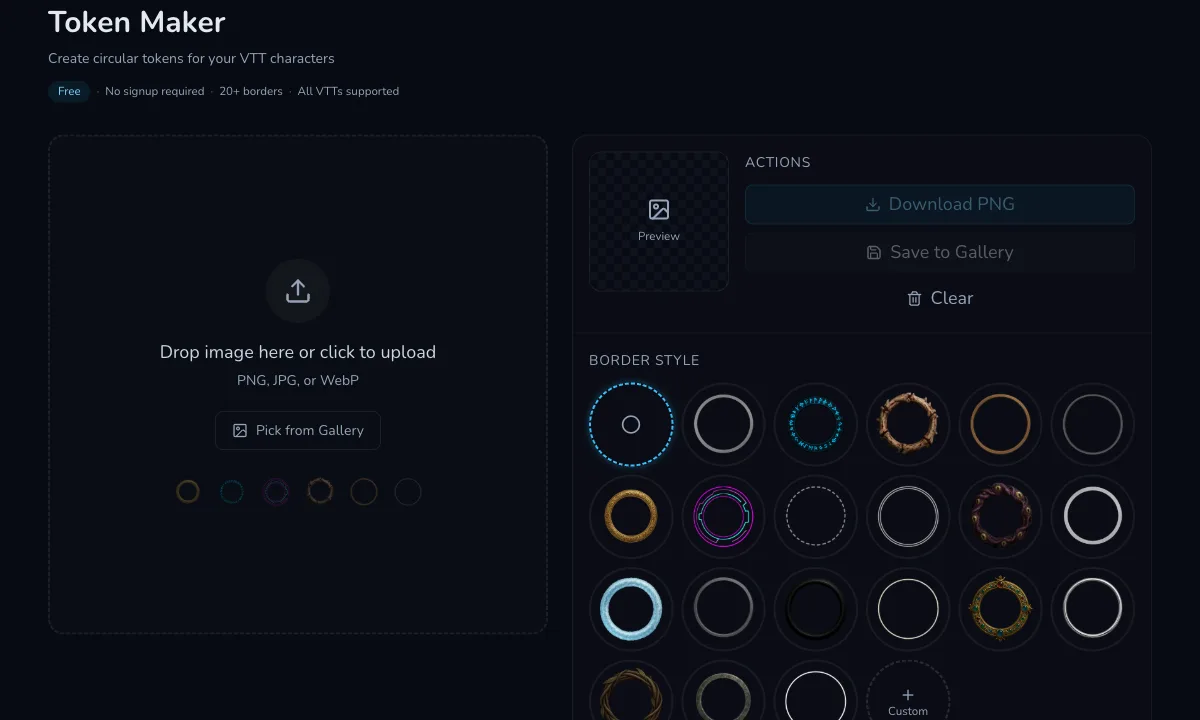
For recurring NPCs, I save the original portrait and the token. The full portrait goes into campaign notes. The token goes into the VTT. If I later need a reaction image, disguise, wanted poster, or faction handout, I still have the source image.
Try CharGen Image GeneratorMidjourney alternatives for fantasy art
The phrase Midjourney alternatives for fantasy art usually means one of three things. The user wants cheaper generations, more control, or less prompt wrestling. CharGen's advantage is not that it makes every model behave the same. It is that the models sit inside a tabletop workflow.
Here is how I would compare the jobs.
| Need | Midjourney 8.1 | Niji 7 | Flux family | GPT Image models | CharGen workflow piece |
|---|---|---|---|---|---|
| D&D hero portrait | excellent | good if anime | strong | strong | Character Art Generator |
| anime party art | good | excellent | mixed | good | image generator with Niji mode |
| token prep | good after crop care | good after crop care | strong | strong | Token Maker |
| magic item art | good but dramatic | stylised | strong | strong | item art plus notes |
| map or room mood | strong | niche | strong | good | Battlemap or image generator |
| prompt consistency | medium | medium | strong | strong | saved campaign prompts |
If you already love Midjourney, CharGen gives you a more RPG-shaped place to use it. If you do not love Midjourney, CharGen still gives you Flux, GPT Image, Ideogram, Recraft, Imagen, and other models to test against the same prompt. That is the important bit. Do not compare models by memory. Compare them on the same D&D job.
Common mistakes when choosing a fantasy art model
The first mistake is using the most expensive model before the prompt is ready. I usually draft with a cheaper or familiar model, then spend premium credits once the composition and details are clear.
The second mistake is asking for every style at once. Dark realistic anime painterly oil concept art cinematic is not direction. It is a pile-up. Pick one main style and one supporting texture.
The third mistake is ignoring crop. If the image is for a token, say so in the prompt. Waist-up, centred, plain background, and face visible are dull words that save the asset later.
The fourth mistake is overusing random style sliders. Chaos, Weird, and Stylize are fun when you are exploring. They are less fun when the paladin loses their shield, holy symbol, and species in the same generation.
The fifth mistake is judging a model by one output. Every model has lucky and unlucky generations. I test three or four before I decide it is wrong for a campaign style.
The sixth mistake is making the image do the whole prep job. Art helps players remember an NPC, but it does not replace the NPC's voice, motive, secret, and current problem. Pair images with CharGen's NPC Generator, Monster Generator, or RPG Workshop when you need the character to act, not just pose.
FAQ
What is the best ai fantasy art generator for D&D?
The best ai fantasy art generator for D&D is the one that matches your table job. I use Midjourney 8.1 for polished fantasy portraits, Niji 7 for anime-style party art, Flux or GPT Image models for practical prompt adherence, and CharGen's Token Maker when the final asset needs to work in a VTT.
Is Midjourney 8.1 good for D&D character art?
Yes. Midjourney 8.1 is strong for dramatic D&D character portraits, villain art, party splashes, and monster reveals. I would not use it first for every item card or token, because cinematic crops and style drift can create extra clean-up.
What is Niji 7 best for?
Niji 7 is best for anime-style fantasy art, colourful party scenes, stylised action poses, and JRPG-inspired campaign visuals. Use it when the table wants that look on purpose. For grounded low fantasy, start with another model or keep the prompt restrained.
How do I make AI D&D art work as a Roll20 or Foundry token?
Prompt for a centred bust or waist-up portrait, keep the face clear, avoid wide weapons, and ask for a simple background. Then use CharGen's Token Maker to crop the image into a circular, square, or hex token and export a VTT-ready PNG.
Should I use the same model for every campaign image?
Not always. I like using one main portrait model for consistency, but I will switch models for items, maps, handouts, anime splashes, or tokens. Keep notes on which model worked for each campaign asset type.
My practical recommendation
Start with the asset type, then pick the model. Use Midjourney 8.1 when you want polished fantasy drama. Use Niji 7 when anime is the target, not an accident. Use Flux or GPT Image models when the prompt details matter more than the poster finish. Use the Token Maker whenever the portrait has to survive VTT cropping.
For your next session, test one control prompt across two models before you spend time polishing anything. Save the prompt, the model, and the winning image beside the NPC or character record. That small habit makes the next portrait easier, and it stops your campaign art from turning into a folder full of attractive strangers.
Image credits
WaveSpeed GPT Image 2 preflight passed, but the required disposable generation stayed in processing until the shortened poll limit expired. In line with the blog automation fallback policy, the images in this post are CharGen UI screenshots captured with Playwright, cropped, resized, and converted to WebP for web use.