Build your world on its map.
CharGen is an AI world builder for D&D and other tabletop games. Start from one idea: it writes the world and paints its map, with a pin for each region. Every place has a page that you write on. Type @ to link the names, and make the towns and factions when your table needs them.
One world is free. You do not need a card.
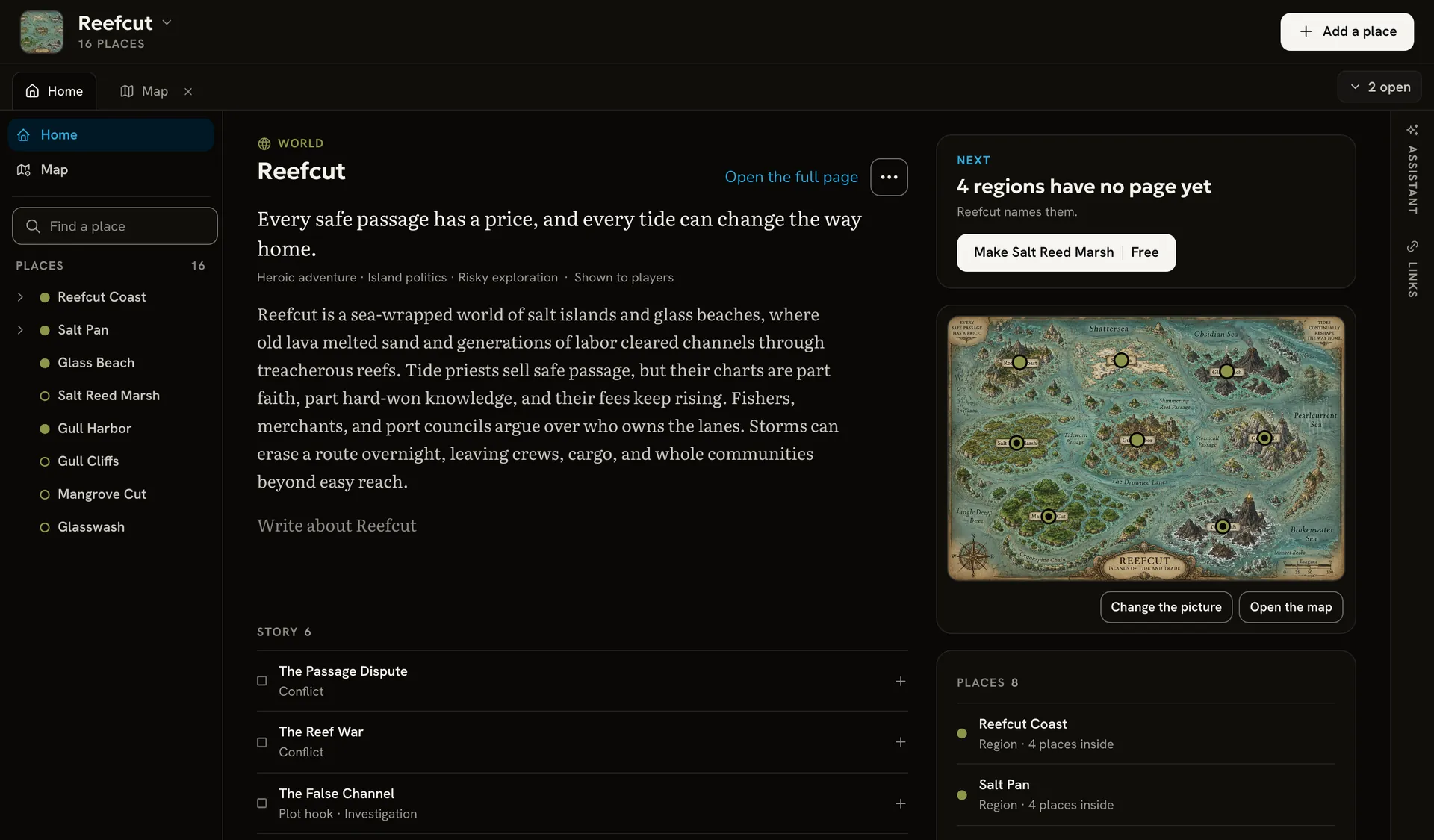
A map with a pin for each region
CharGen paints the map from your idea. Each region is on it.
A page for every place
Write on it. It saves by itself and lists the places inside.
Type @ to link a name
A name in your text becomes a link to its place.
How a world is put together.
The map is the way in. A pin opens a place, a place has a page, and the names in your text link the places to each other.
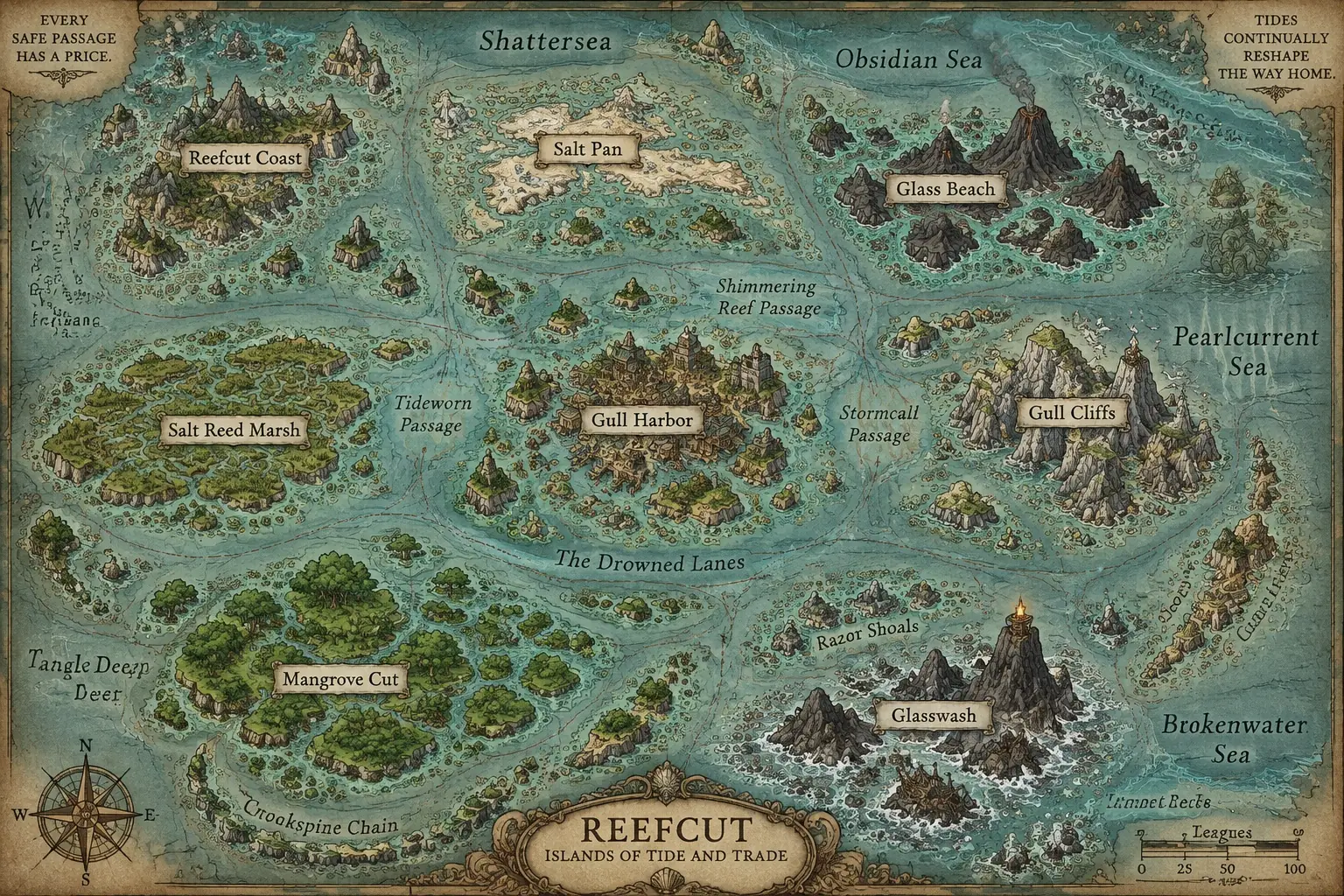
A world is its map. Painted from the idea you wrote.
A pin is a place. Eight regions came with Reefcut.
A campaign is set in the world. From the campaign's menu. One world can hold several.
A world is its map. Painted from the idea you wrote.
A pin is a place. Eight regions came with Reefcut.
A campaign is set in the world. From the campaign's menu. One world can hold several.
A place has a page. You write on it. @ turns a name into a link to its place.
Region
Reefcut Coast
The pilots of Gannet Reach charge double after the autumn storms. Kelp Sound still takes the old tokens.
- Gannet ReachSettlement
- Kelp SoundMake
- Saltwind QuayMake
- Gullcry IsleMake
Places hold places. Four towns sit inside this region.
No page yet? Make it. A hollow dot is a place the world names. Make writes it.
Write one idea.
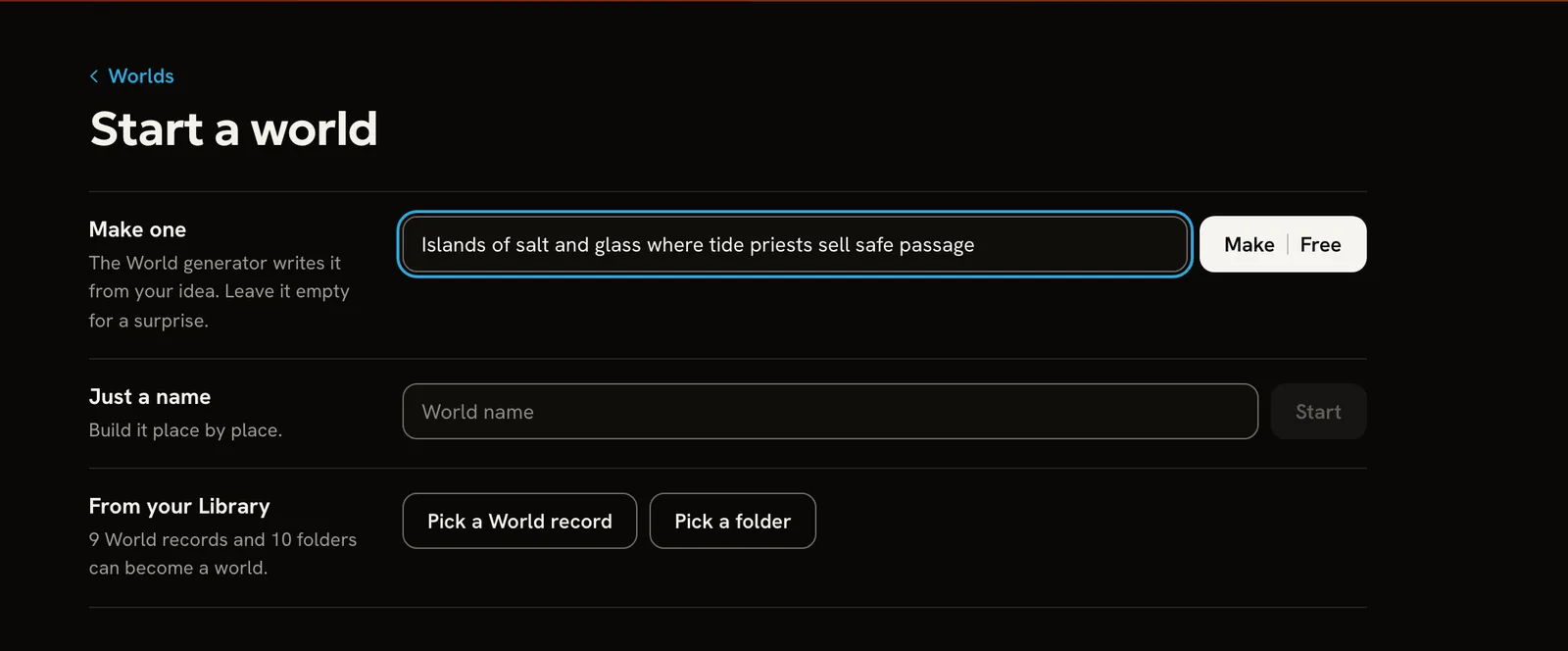
"Islands of salt and glass where tide priests sell safe passage." That line made Reefcut. The World generator wrote the world, its regions, its powers and its story hooks. It took about a minute and it was free.
You can also start from a name and build place by place, or open a World record or a folder from your Library as a world. You see the plan first.
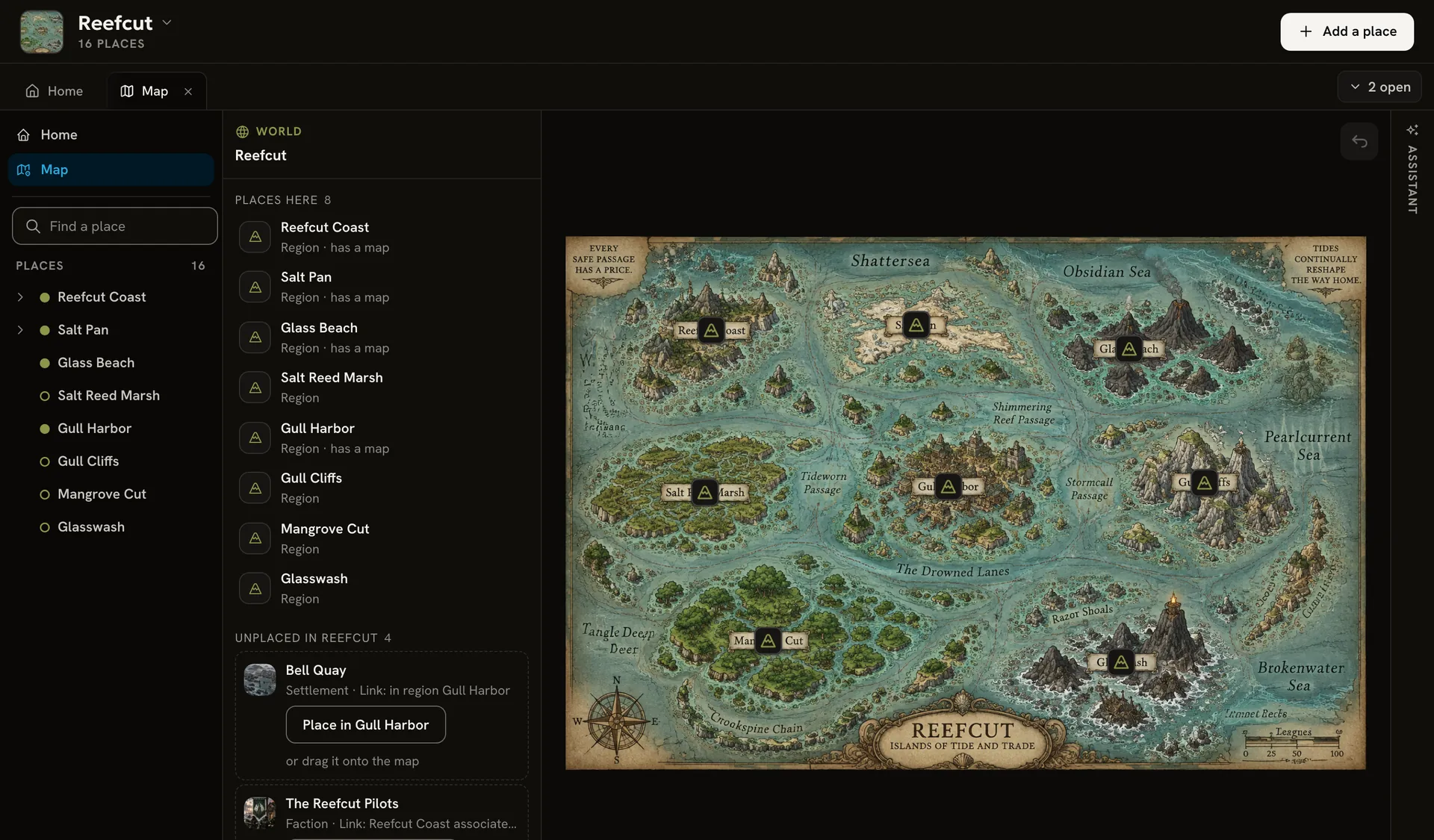
A pin opens a page.
Reefcut came with eight regions. Each one is a place with a pin on the map. Press a pin to read what the world says about that place.
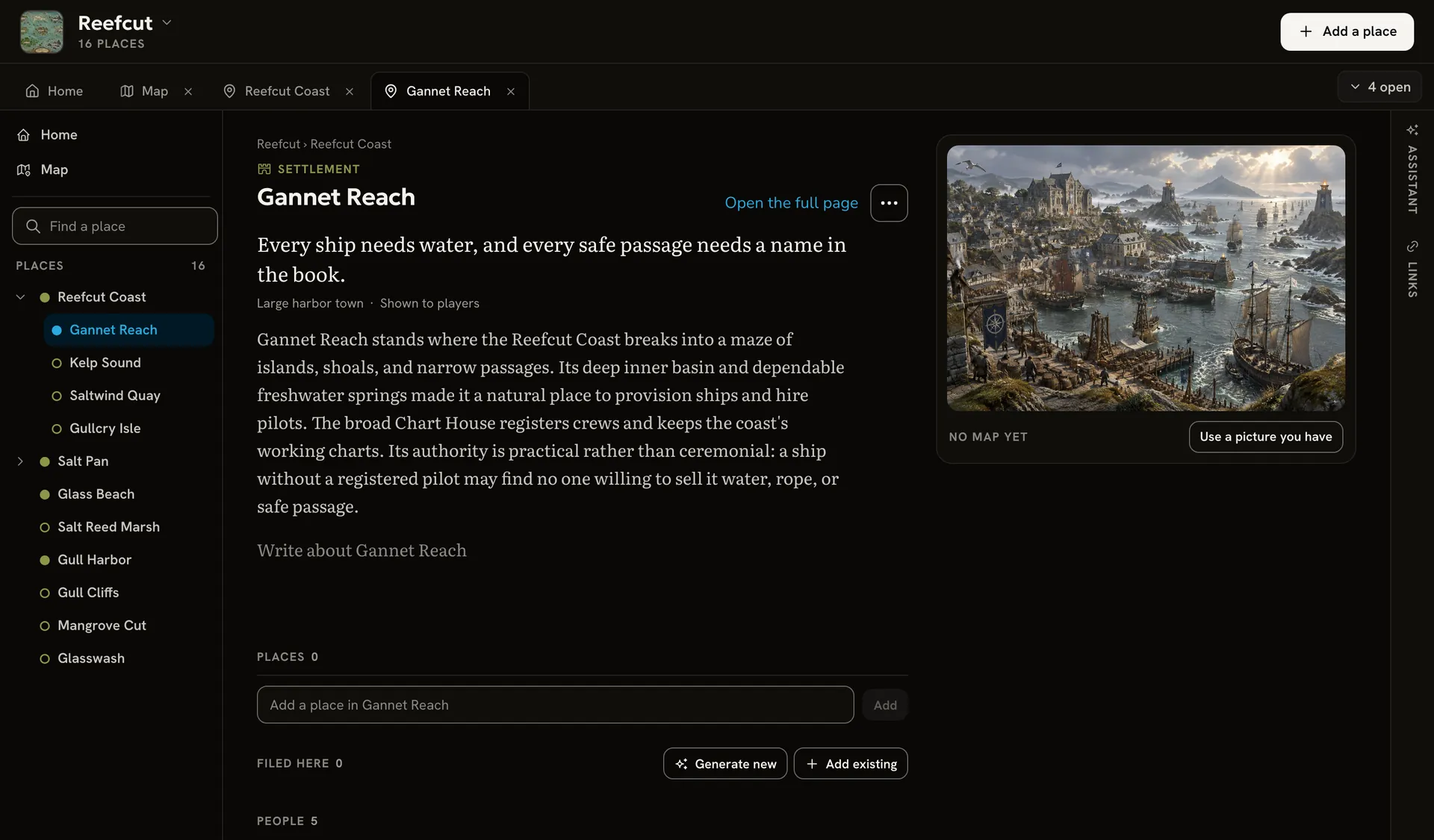
Open Reefcut Coast and write. The page saves by itself. Under your text it lists the places inside: four towns that the region names.
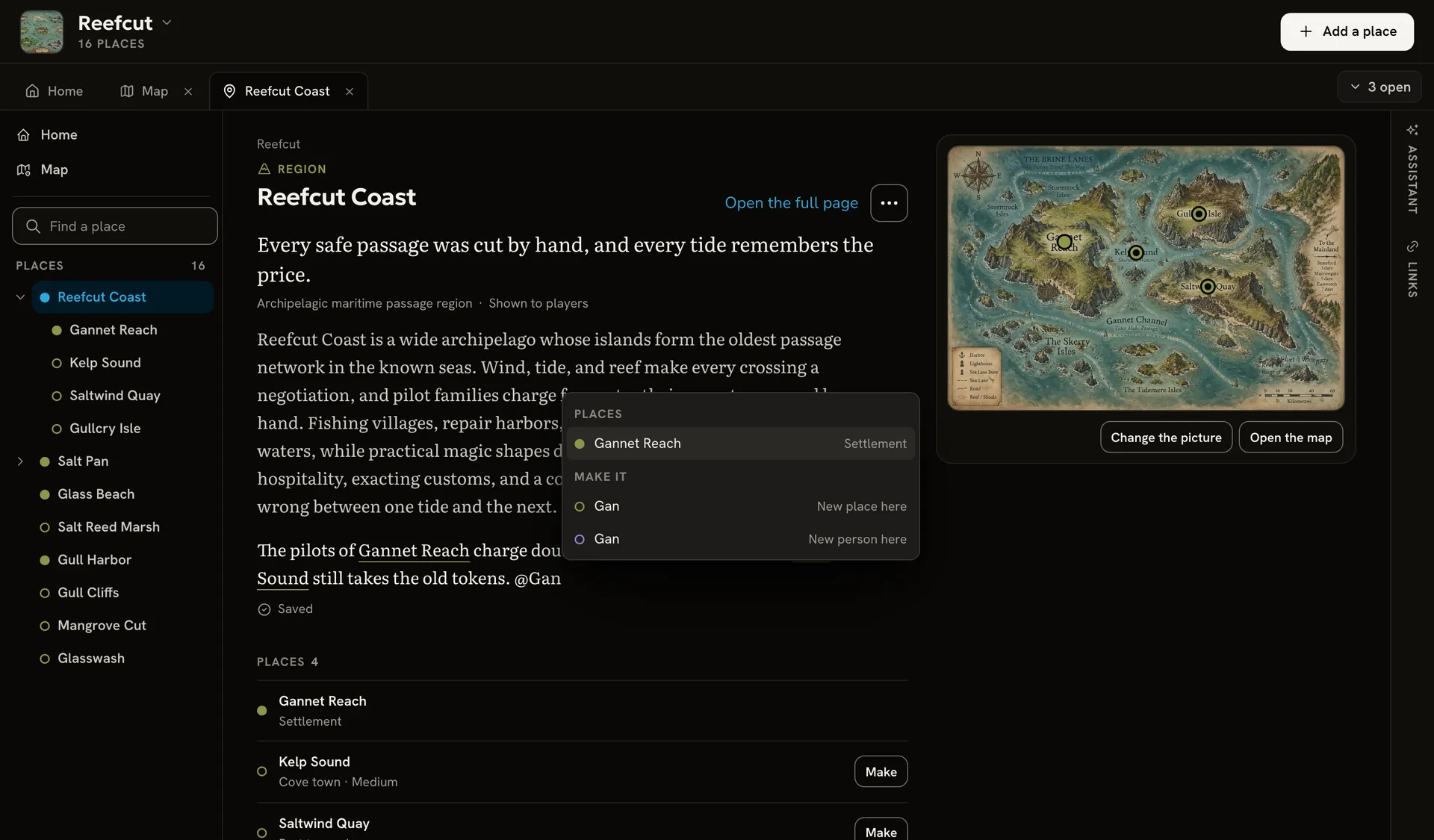
Type @ and a name becomes a link.
Type @Gan and pick Gannet Reach. The name is now a link to that place. Links shows every place that names this one, and the names that have no link yet.
Make a place when you need it.
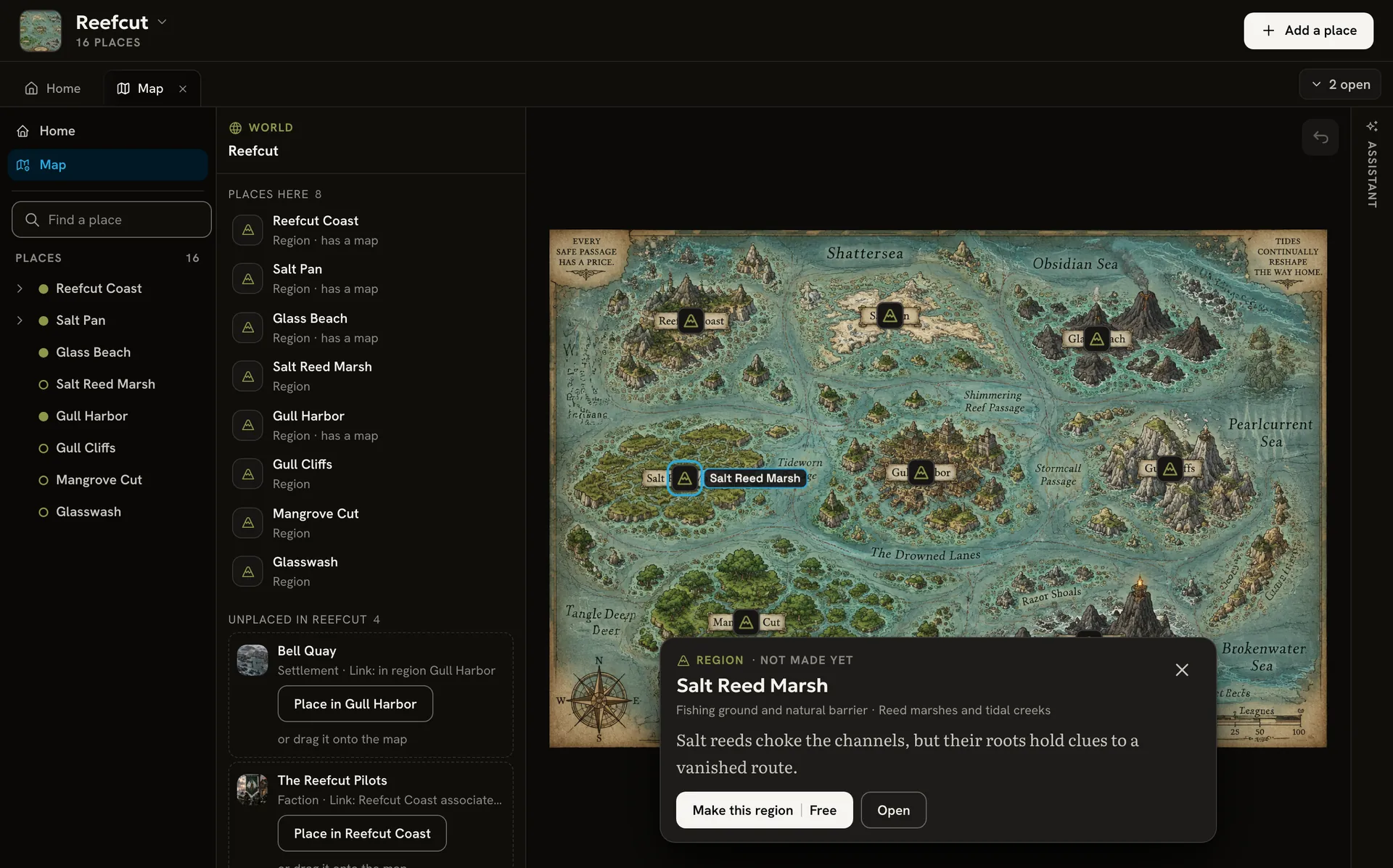
You do not have to write every page before game night. A region or a town with no page has Make. CharGen writes it from what your world says about it and from your own text. The factions that your world names have Make too.
Make is free with the default art style. A saved paid art model shows its Gold price on the button first.
Towns sit inside a region, and campaigns sit in the world.
Reefcut Coast names four towns. One press adds them all, and each one has Make. A town can hold its own districts and buildings.
A campaign is set in a world from the campaign's menu, with "Set in a world". One world can hold several campaigns.
Reefcut, from one line.
"Islands of salt and glass where tide priests sell safe passage." These are six of the eight regions it came with, in the world's own words.
- Reefcut CoastEvery safe passage was cut by hand, and every tide remembers the price.
- Salt Reed MarshSalt reeds choke the channels, but their roots hold clues to a vanished route.
- Gull HarborPort councils debate whether to dredge a channel that feeds the town but ruins local nets.
- Gull CliffsGull raiders use cliff nests to watch the sea lanes and signal their crews.
- Mangrove CutA mangrove maze shelters a village that refuses to pay for passage through its own waters.
- GlasswashAfter each storm, glass shards wash ashore with names etched into their surfaces.
Ask your world a question.
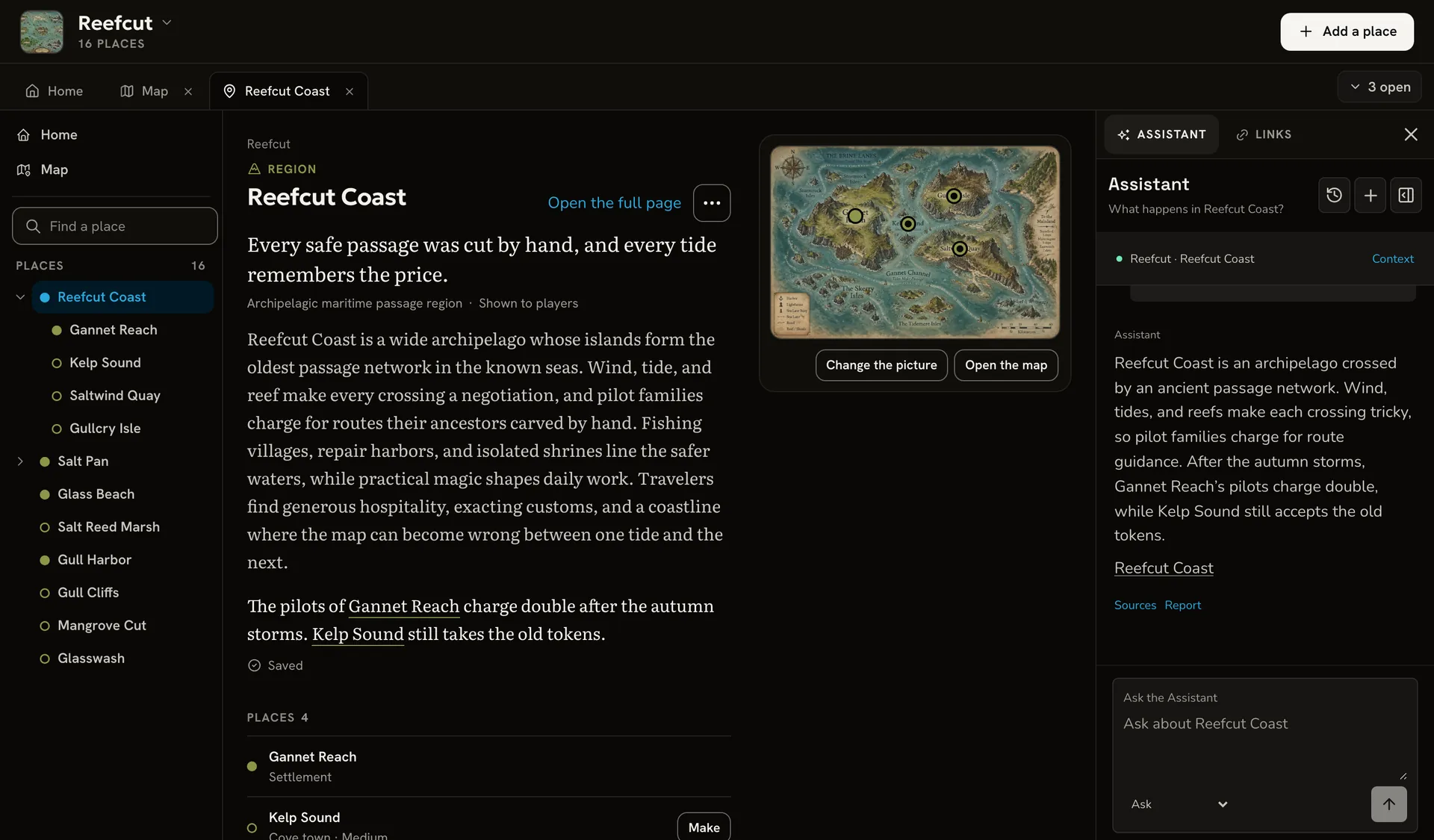
The Assistant in a world reads the place you have open: its text, the places inside it, and what your world says about it. Ask what happens in Reefcut Coast, which towns have no page yet, or for three rumours that a traveller hears.
Your world's text is sent to our AI provider to answer you.
What it costs.
- Free
- One world. Starting it from an idea costs nothing, and Make is free with the default art style.
- Any paid plan
- More worlds. A paid art model shows its Gold price on the button before you press.
Questions
What is a world in CharGen?
A world is a map with places. Each place has a page that you write on. A place can hold other places: regions, settlements, districts, buildings, dungeons, levels and landmarks.
Is it free?
The free plan has room for one world. Starting a world from an idea costs nothing. Make is free with the default art style. Every paid plan can have more worlds.
Do I have to use AI?
No. "Just a name" starts an empty world. You add the places and write each page yourself. The World generator, Make and the Assistant are there when you want them.
Can I use a map I already have?
Yes, if the picture is in your CharGen gallery. "Use a picture you have" makes it the map of a place. The pins of the places inside come on it a few seconds later, and you can drag each one to its spot.
How do links work?
Type @ in the text of a place and pick a place or a record. The name becomes a link. Links lists every place that names this one, and the names in your text that have no link yet.
Can I bring my notes from another tool?
There is no import. You can open a World record or a World Codex folder from your Library as a world, and you see the plan first. You can also paste text into a place. One place holds 16,000 characters.
Can my players see my world?
No. A world is yours only. Nobody else can open it, and players and visitors do not see the text you type on a place.
Does it work with my campaigns?
Yes. In the menu of a campaign, select "Set in a world". The page of the world then lists that campaign. One world can hold several campaigns.
 Example table
