
Choose an Image Model by Capability, Not Hype
Select a model from output requirements.
Choose a model from the job you need the image to do, then confirm the controls and estimate in the live form. The representative model review was recorded on 30 July 2026, with the supporting screenshots captured on 31 July. It is not a permanent catalogue or price list.
Start with output requirements
Write down the constraints before opening the picker. For example:
- Do you need to attach one or more references?
- Do you need a particular canvas control, such as exact pixels, a custom size or an aspect ratio?
- Do you need a model-specific quality or resolution tier?
- Is a lower configured estimate important for this test?
- Are you preparing a comparison between compatible models?
This produces a short shortlist. It is more useful than starting with a model name or a card image. References guide an image, but they do not guarantee an exact likeness.
Navigate the current model picker
Open Image Studio, select Image, then select the current model name to open Select Model. Use Search models... when you know a name. The reviewed picker also offered Grid view and List view. These change how the same picker is displayed. They are not capability filters.
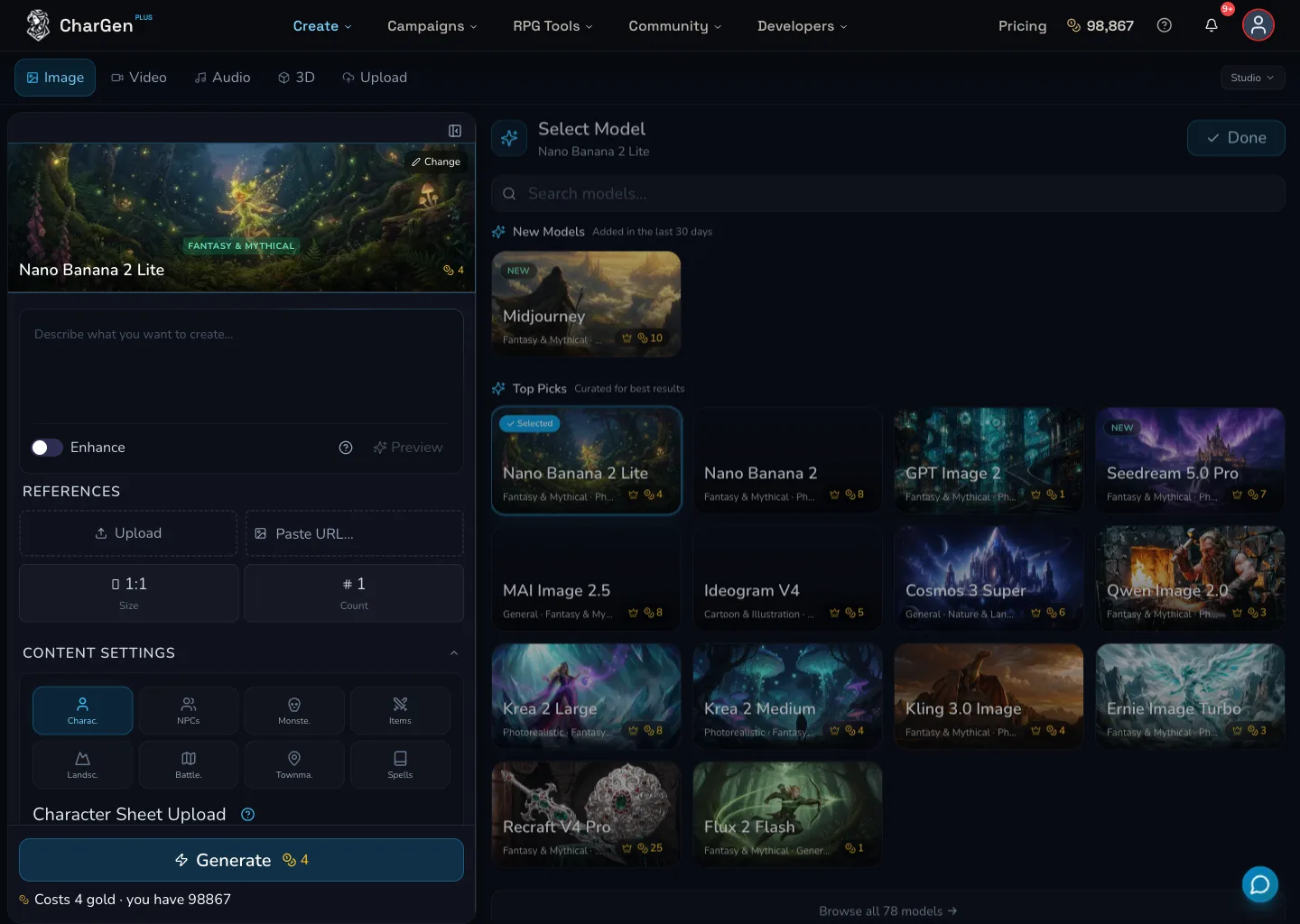
The desktop picker in its reviewed grid view. Use it to locate a candidate, then inspect the controls after selecting it.
Compare a representative model set
The matrix is a dated, representative subset reviewed on 30 July 2026. It does not claim to describe every model in the picker.
| Reviewed model | References | Canvas controls observed | Model-specific control observed | Maximum count observed | Configured estimate observed |
|---|---|---|---|---|---|
| Flux 2 Flash | Multiple | 1:1 Size | Negative Prompt | 4 | 1 Gold |
| Nano Banana 2 Lite | Multiple | 1:1 | None | 4 | 4 Gold |
| GPT Image 2 | Multiple | Preset pixels and Custom Width/Height | Quality: Low 1g, Med 8g, High 25g | 4 | 8 Gold |
| Seedream 5.0 Pro | Multiple | Aspect ratios from 1:3 to 3:1, plus other reviewed ratios | Resolution: 1k 7g or 2k 13g | 4 | 7 Gold |
The values are the reviewed configuration, not a promise for your next request. For example, GPT Image 2's quality choice and Seedream 5.0 Pro's resolution tier can change the final configured estimate.
Read the controls that appear
Select a candidate and read the form again. Controls are model-dependent, so a missing control usually means that this model does not expose it in the current form.
- Negative Prompt was observed for Flux 2 Flash, but not for the other three representative models.
- Quality was observed for GPT Image 2, but not for Flux 2 Flash, Nano Banana 2 Lite or Seedream 5.0 Pro.
- Resolution was observed for Seedream 5.0 Pro, but not for Flux 2 Flash, Nano Banana 2 Lite or GPT Image 2.
- Custom Width/Height was observed for GPT Image 2, but not for the other three representative models.
The mobile capture shows the selected Flux 2 Flash form with a 1024 × 1024 canvas and Count 1. It was cropped before the volatile footer, so use your live form for the current estimate and any lower controls.
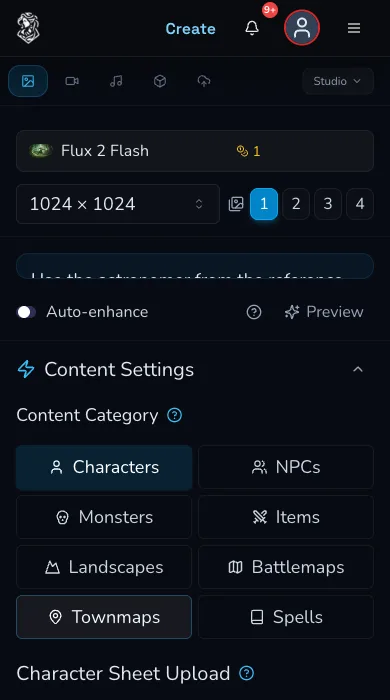
Selected-model controls can differ from one model to another. Check the form after every model change.
Compare configured Gold estimates
On 30 July 2026, the reviewed base configurations showed 1 Gold for Flux 2 Flash, 4 Gold for Nano Banana 2 Lite, 8 Gold for GPT Image 2 and 7 Gold for Seedream 5.0 Pro. These are dated observations, not picker prices to rely on.
After choosing your model, set the reference, canvas, quality or resolution, and Count you actually intend to use. Then read the amount on the live Generate control. That configured estimate is the one to use before deciding whether to submit.
Use the decision tree
- Need a reference-led image? Choose a reviewed model with References, then verify that its reference controls mount in the selected form.
- Need exact pixels or a custom size? Start with GPT Image 2. Need aspect ratios and a resolution tier? Start with Seedream 5.0 Pro.
- Need a model-specific quality control? Check GPT Image 2. Need a resolution control instead? Check Seedream 5.0 Pro.
- Need to compare cost? Configure the whole request and read the live Generate estimate. Do not use a picker badge as the final amount.
- Need a side-by-side comparison? The reviewed representative set identified Flux 2 Flash, Nano Banana 2 Lite and GPT Image 2 as comparison-capable. Confirm the current comparison screen accepts your chosen pair before proceeding.
Troubleshooting
If something looks wrong
Troubleshooting
- Symptom
- A control disappeared after I changed model.
- Likely cause
- The control may be model-dependent.
- Next safe action
- Read the selected form again and choose a model that exposes the control you need.
- Symptom
- The estimate changed after I adjusted settings.
- Likely cause
- Canvas, quality, resolution, references or Count can affect the configured request.
- Next safe action
- Treat the live Generate amount as the current estimate and review it before submitting.
- Symptom
- I cannot find a capability in the picker.
- Likely cause
- The reviewed picker views and search locate models, but do not act as capability filters.
- Next safe action
- Search for a candidate, select it and inspect the controls that actually appear.