
Guide an Image with References, Sketches and Search
Use an owned source to guide identity, composition or structure.
Clear every source for reuse
Use material you made, or material for which you have clear permission. For an identifiable person, get their consent for this use. Remove private details and unrelated people before upload, and keep the relevant permission or licence record outside the prompt.
The worked example uses two owned instructional results. Candlelit Star Chart is the main identity reference. A separately owned landscape result is the additional composition reference. That clearance is about these sources, not a general permission to reuse images from Explore or the web.
Choose upload, URL or My Library
The reviewed Image Studio form exposed three reference input paths: My Library, Upload and URL. Pick the path that safely reaches a source you have cleared:
- Use My Library for an owned CharGen result.
- Use Upload for a permitted local file, after checking the file and its metadata for private information.
- Use URL only when the current model exposes it and the address is safe to provide. Do not put a private or signed URL into a prompt, screenshot or public evidence.
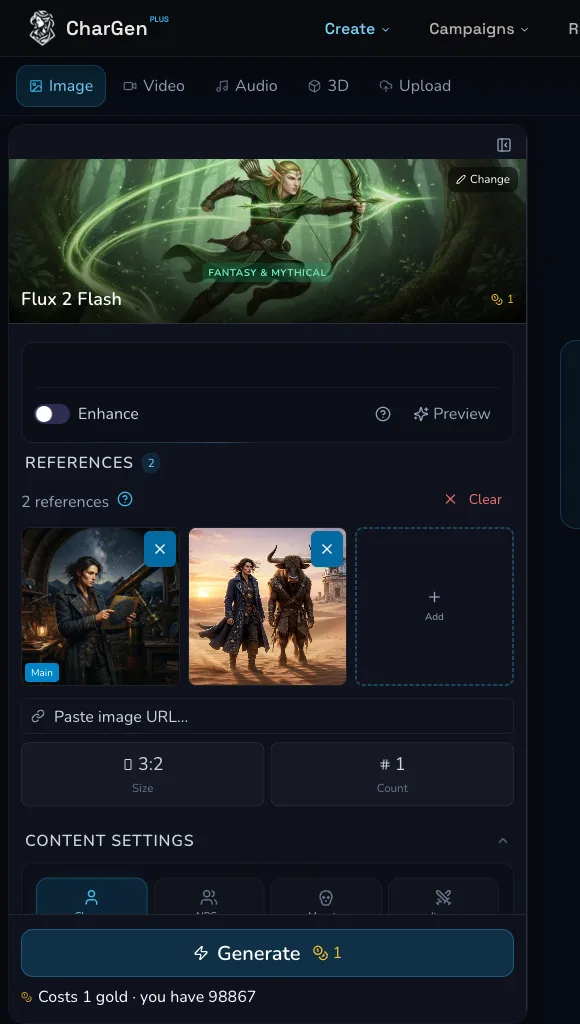
The reviewed desktop form shows a main reference and an additional reference path. Confirm the labels in the selected model before you prepare a request.
Give each reference one role
Give each input one job before you write the prompt. The reviewed hierarchy was:
- Main reference: the astronomer's identity, including the midnight-blue coat and brass star chart.
- Additional reference: the wide desert composition and ruined-observatory placement.
Identity, composition and structure are useful role names, but they are not guarantees. A model can blend, omit or reinterpret details when instructions compete. Keep the roles short, state them in the prompt, and remove a reference that has no distinct job.
Read model-specific reference controls
Controls and limits belong to the selected model. In the reviewed advanced request, Flux 2 Flash accepted one main reference plus one additional reference without a blocking message. The visible request controls were Negative Prompt, Count and Seed. The example used Count 1 and left Negative Prompt and Seed blank.
This does not establish a universal reference limit. The source review also found that Quality was a GPT Image 2 control and Resolution was a Seedream 5.0 Pro control. If a current model exposes reference strength, creativity, guidance, a sketch or ControlNet path, web search or image search, read that control in the current form before using it. None of those broader concepts is required by this worked Flux 2 Flash request, and this evidence does not claim that they were exposed here.
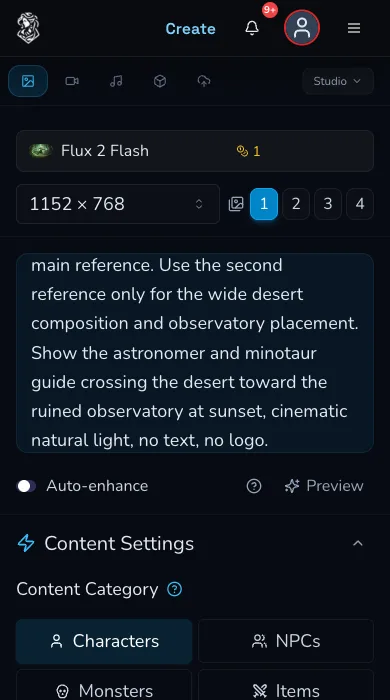
Mobile evidence of the selected-model form. Recheck controls after a model change because names, availability and estimates can change.
Run one advanced reference request
For the reviewed request, use the main source only for the astronomer's identity and the additional source only for composition. The prompt made that division explicit, then asked for an astronomer and minotaur guide crossing a desert towards a ruined observatory at sunset.
Before selecting Generate, confirm the thumbnails, role order, selected model, Count, and the live estimate. The reviewed Flux 2 Flash request displayed 1 Gold and charged 1 Gold on 30 July 2026. This is a dated result, not a price promise. Submit once, then wait for a terminal state rather than submitting again when the request is unclear.
Check the result and My Library
The single reviewed request completed and was confirmed in My Library after reload. Check the result in two passes: first, whether the intended identity details are recognisable; then whether the desert composition and observatory placement serve the scene. A successful request does not prove exact identity preservation or exact composition matching.
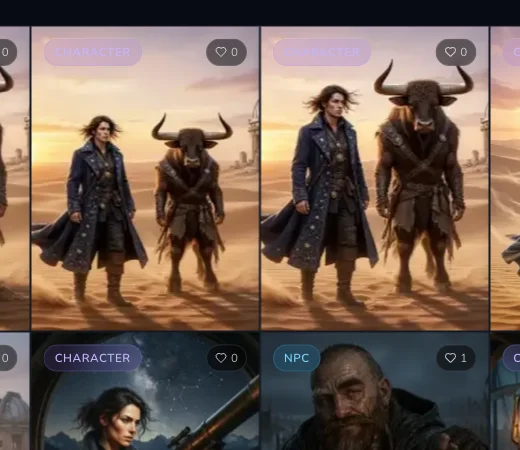
The reviewed Gallery crop. The strict receipt binds the advanced reference result to its request and My Library arrival.
Checkpoint
Check your result
- Each reference has a known source and one stated role. - The completed result is evaluated against identity and composition separately. - The live estimate and terminal request state are checked before any further spend. - My Library is reloaded before treating a result as missing.
Protect private source URLs
A URL input path is not a reason to expose a private link. Do not publish signed storage URLs, share URLs that reveal private work, account details, tokens or unapproved source material. The reviewed advanced request used no private URL. If a source cannot be safely represented in an article or screenshot, describe the permission check without copying the address.
Troubleshooting
If something looks wrong
Troubleshooting
- Symptom
- I cannot tell which reference is changing the result.
- Likely cause
- The sources may have overlapping or competing jobs.
- Next safe action
- Keep one source for identity and another for composition or structure, then make one deliberate follow-up only after the first request is terminal.
- Symptom
- A reference control disappeared after I selected a model.
- Likely cause
- Reference inputs and related controls are model-specific.
- Next safe action
- Read the selected form again and choose a model that visibly exposes the control your workflow needs.
- Symptom
- I only have a signed or private source URL.
- Likely cause
- The address could expose private material or expire.
- Next safe action
- Do not put it in public evidence. Use a cleared local upload or owned My Library result if that is appropriate, or stop and resolve access safely.
- Symptom
- The result is not an exact match for the identity reference.
- Likely cause
- Reference guidance is probabilistic and competing scene instructions can change details.
- Next safe action
- Check the few traits that matter, simplify conflicting instructions and make a controlled next attempt only after reviewing the completed request and current estimate.