
Reuse a CharGen Image as a Reference
Use one owned CharGen image as a reference for a new scene.
Check the source before reuse
This workflow starts with Candlelit Star Chart, an original fictional astronomer created in CharGen for Academy instruction. Use My Library for work you own or have permission to reuse. Treat Explore as a place to discover images, not proof that a result is available for reuse.
Before you send any image back to Studio, check:
- You created it, or its licence permits this reference use.
- An identifiable person has agreed to this use of their likeness.
- Private details and unrelated people have been removed from the source.
- You have kept the source, permission or licence record for an external image.
- You have checked current plan permissions before publishing or selling a result.
Choose a reference-compatible model
Open Image Studio, then choose a model that shows References for the state you have selected. The reviewed handoff used Flux 2 Flash, with 1:1 size and Count 1. Models and controls can vary, so confirm the visible reference section and read the final Generate footer in your own account.
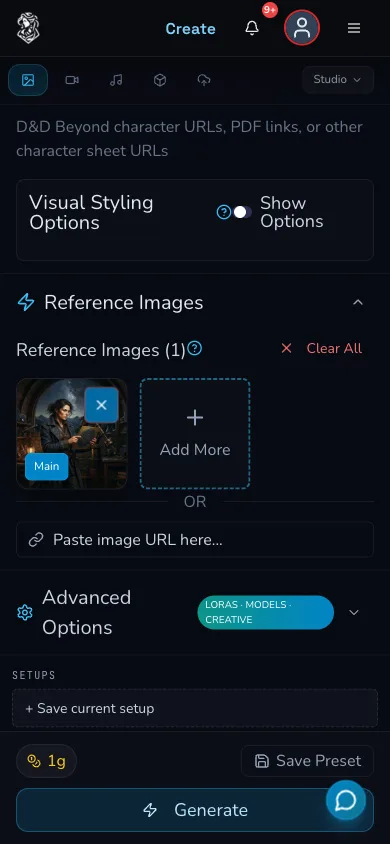
Confirm that the source appears as the main reference, then check the live estimate in the Generate footer before submission.
The paid receipt observed 1 Gold for this exact Flux 2 Flash request on 30 July 2026. That is an observation, not a fixed price. Live estimates can change with the model, settings, account and product updates.
Send an owned result back to Studio
In the embedded Gallery, open My Library, select the owned source result, then choose More and Use as Reference. Confirm the main reference thumbnail appears in Image Studio before entering the new prompt.
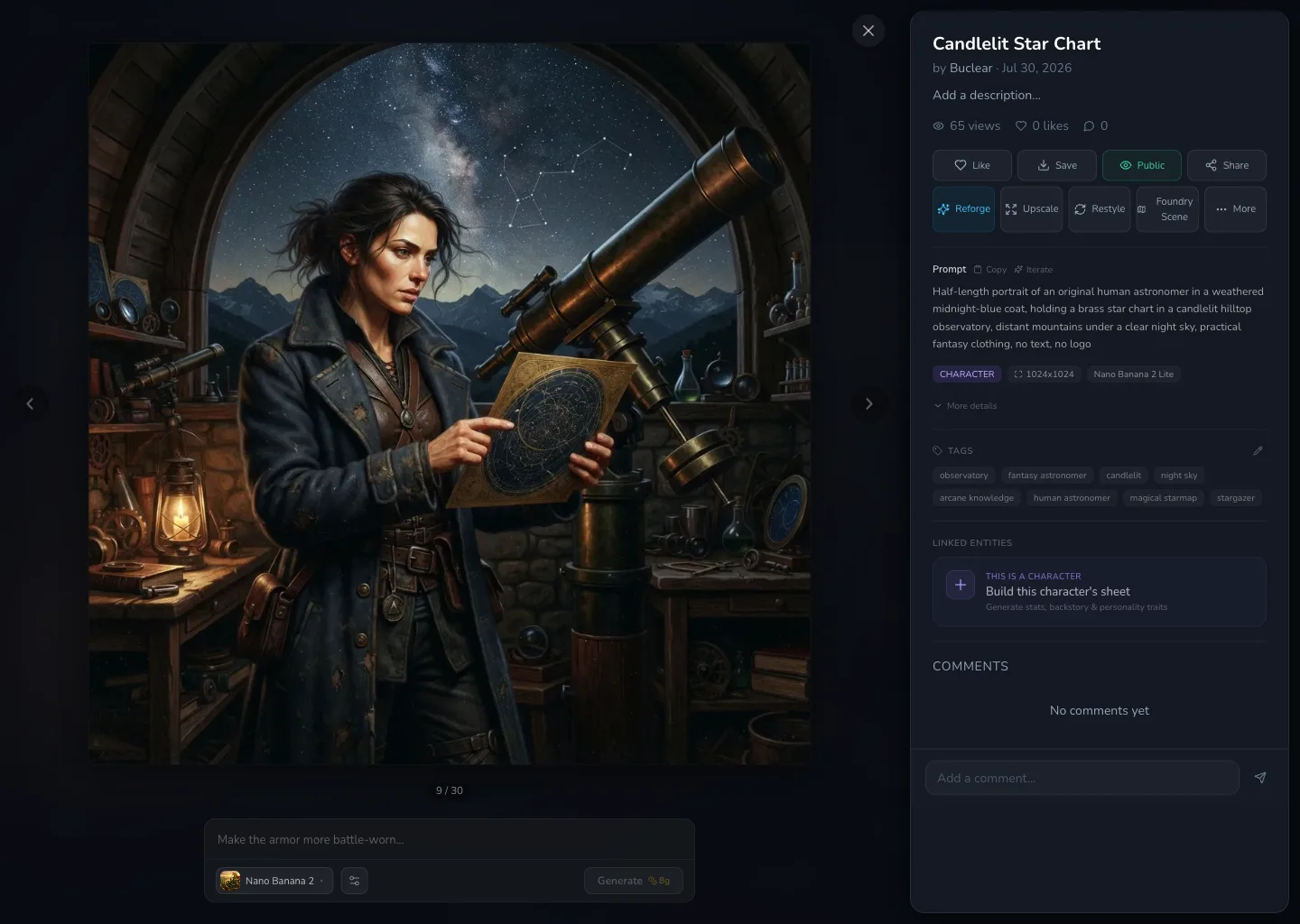
The owned source is open in result detail. Use the More menu for the reviewed Use as Reference action.
If the result detail remains open after the handoff, close it and return to the form. The handoff does not promise that the detail closes automatically.
Describe what stays and what changes
Keep the character traits you want the reference to guide, then state the new scene plainly. The reviewed request was:
Use the astronomer from the reference image. Keep the midnight-blue coat and brass star chart recognisable. Show the astronomer standing beside a horned minotaur guide in a wide desert at sunset, both full length, windswept sand, distant ruined observatory, practical fantasy clothing, cinematic but natural light, no text, no logo.
Before pressing Generate, verify the reference thumbnail, model, 1:1 size, Count 1 and the displayed Gold estimate. Submit once, then wait for a clear terminal result. Do not submit again while the original request state is unclear.
Check the result against the source
Compare the new result with the source at two levels. First, check the intended retained traits: the dark-haired astronomer, midnight-blue coat and brass star chart. Then check the deliberate changes: desert sunset, horned minotaur guide and ruined observatory background.
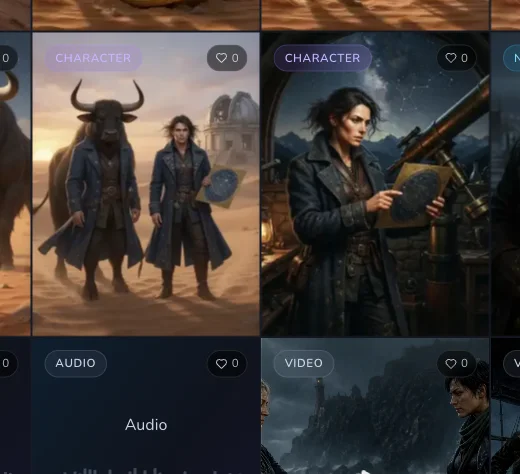
The reference-led results keep some visual cues from the source while changing the setting and companion.
Checkpoint
Check your result
- The source and new result both reach clear completed states. - The new image is recognisable as the intended astronomer, without expecting an identical likeness. - The desert setting, minotaur guide and no-text constraint are checked separately from character details. - You have recorded the displayed estimate before deciding whether another deliberate attempt is worthwhile.
Find the result in My Library
Open My Library and reload before you assume the result is missing. The reviewed referenced request completed once and its new result was confirmed in My Library after reload.
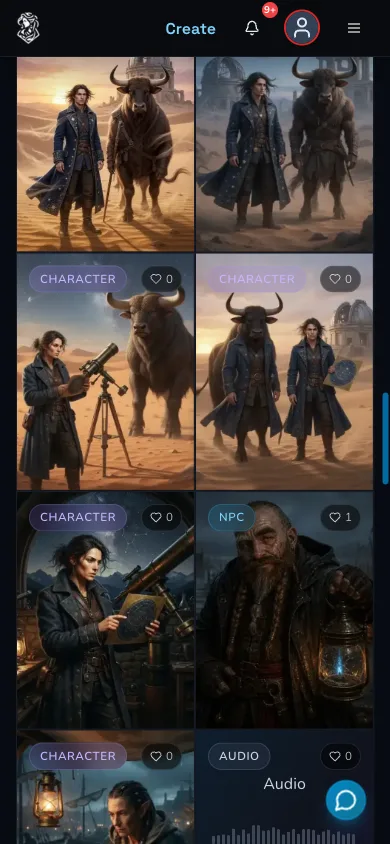
The completed desert results remain available from the mobile My Library grid.
Troubleshooting
If something looks wrong
Troubleshooting
- Symptom
- The source is visible in Explore but not in My Library.
- Likely cause
- Explore is not an ownership view, or the source may belong to another account.
- Next safe action
- Choose an image from My Library that you own or have clear permission to reuse.
- Symptom
- References is not available after changing model.
- Likely cause
- Reference support is model-dependent.
- Next safe action
- Choose a reviewed reference-compatible model and confirm the References section is visible before continuing.
- Symptom
- The new result does not closely match the source.
- Likely cause
- A reference guides generation but does not guarantee identity or composition.
- Next safe action
- Name the few traits that matter, change one prompt clause, then make at most one deliberate follow-up after the first request is terminal.
- Symptom
- The request state is unclear or the result is not immediately visible.
- Likely cause
- The original request may still be processing, or the Gallery needs a reload.
- Next safe action
- Wait for a terminal state, check My Library and the current Gold balance before considering another submission.