
Best AI Image Model for D&D Art: 4 Models Tested
I ran one D&D prompt through Flux 2 Pro, Chroma, Seedream 4.0 and Nano Banana 2, with real per-image costs. The 8 gold model did not win.
Updated August 2026: This post used to argue for one model. That was the wrong shape for the question people actually ask. I have rebuilt it as a dated head-to-head test: the same D&D prompt through Flux 2 Pro, Chroma, Seedream 4.0 and Nano Banana 2, with the real per-image costs and the four output images. The original Flux Pro material is kept in full further down.
Picking an AI image model for D&D art used to be simple. There were about four options and one of them was clearly better. In August 2026 CharGen alone exposes 77 image models, and the price range between them runs from 1 gold to 33 gold per image. That is a 33x spread for a job that takes the same 20 seconds either way.
So I ran a test. One prompt, four models, no cherry-picking. I kept the first image each model returned. The prompt was a normal piece of campaign prep, not a benchmark showpiece:
A half-orc druid standing in a rain-soaked pine forest, weathered green cloak, antler staff, moss and lichen on her leather armour, one chipped tusk, overcast light, cinematic painterly fantasy concept art, detailed face, full colour
The result surprised me, and it is the reason I rewrote this page. The 8 gold model did not beat the 4 gold models.
The short answer
| Model | Cost per image | Best for | Main weakness |
|---|---|---|---|
| Flux 2 Pro | 4 gold | party portraits and NPC art you will show players | takes creative liberties with props |
| Chroma | 4 gold | stylised, illustrated, book-plate character art | least photoreal of the four |
| Seedream 4.0 | 4 gold | close-up faces and atmosphere | framed tighter than asked, anatomy slips |
| Nano Banana 2 | 8 gold | dark, moody, painterly scenes | costs double and did not win this test |
If you want one answer: Flux 2 Pro at 4 gold is my default for D&D character art. It gave the most usable image at the lowest tier price. Chroma is the one I switch to when I want art that looks illustrated rather than photographed.
The test: one prompt, four models
Same prompt. Same day. Default settings on each model. Here is what came back.
Flux 2 Pro, 4 gold
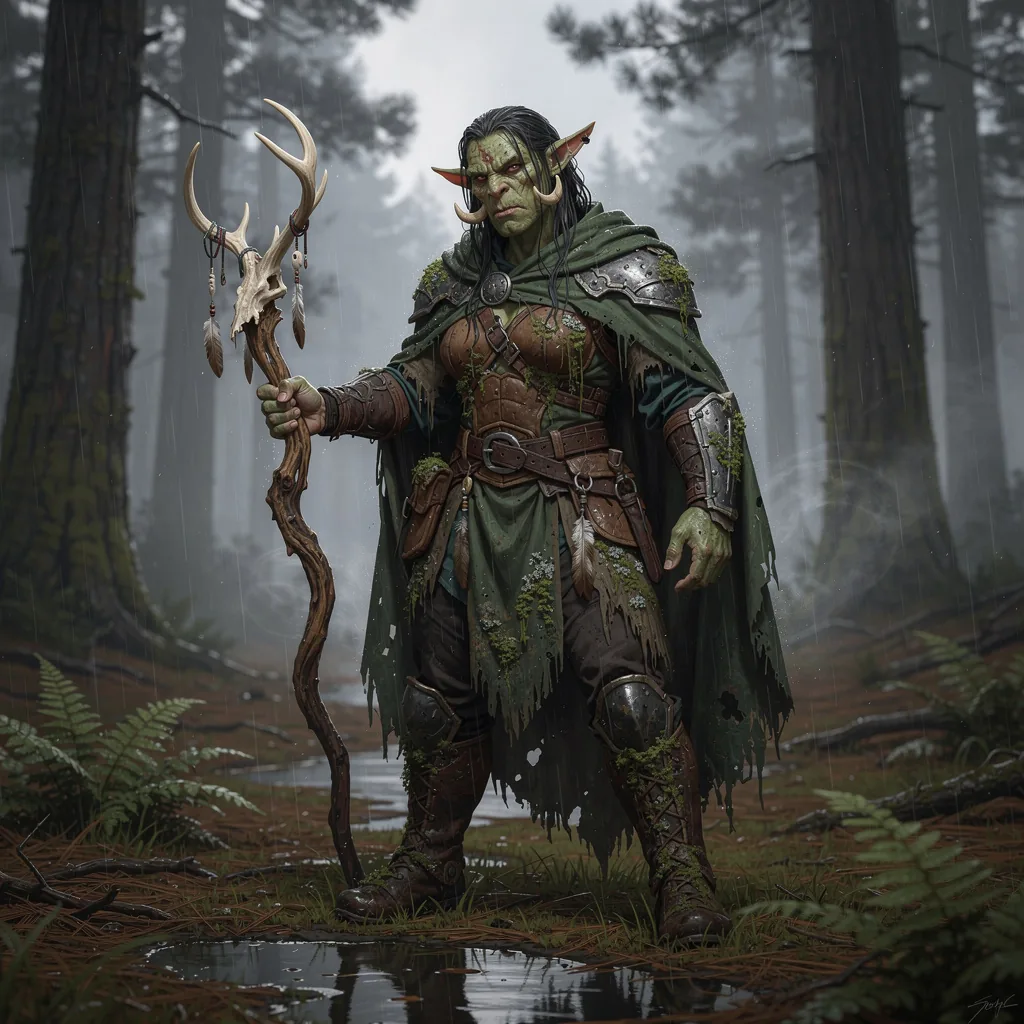
This is the one I would actually use. The rain reads as rain. There is standing water on the ground with a real reflection in it. The ferns and pine litter give the figure a place to stand, which matters more than people expect in character art.
Flux 2 Pro did take a liberty. I asked for an antler staff. It gave me a deer skull on a stick with feathers and beads hanging off it. That is a better prop than the one I asked for, but it is still the model deciding things for me. Worth knowing if you need exact gear.
The armour holds up under zoom. The buckles connect to things. The moss sits on surfaces that would actually collect moss.
Flux 2 comes from Black Forest Labs and shipped in November 2025. The open weight checkpoint, FLUX.2 dev, is a 32 billion parameter model on Hugging Face. Black Forest Labs also released a distilled FLUX.2 klein under Apache 2.0 at 4B and 9B sizes.
Chroma, 4 gold
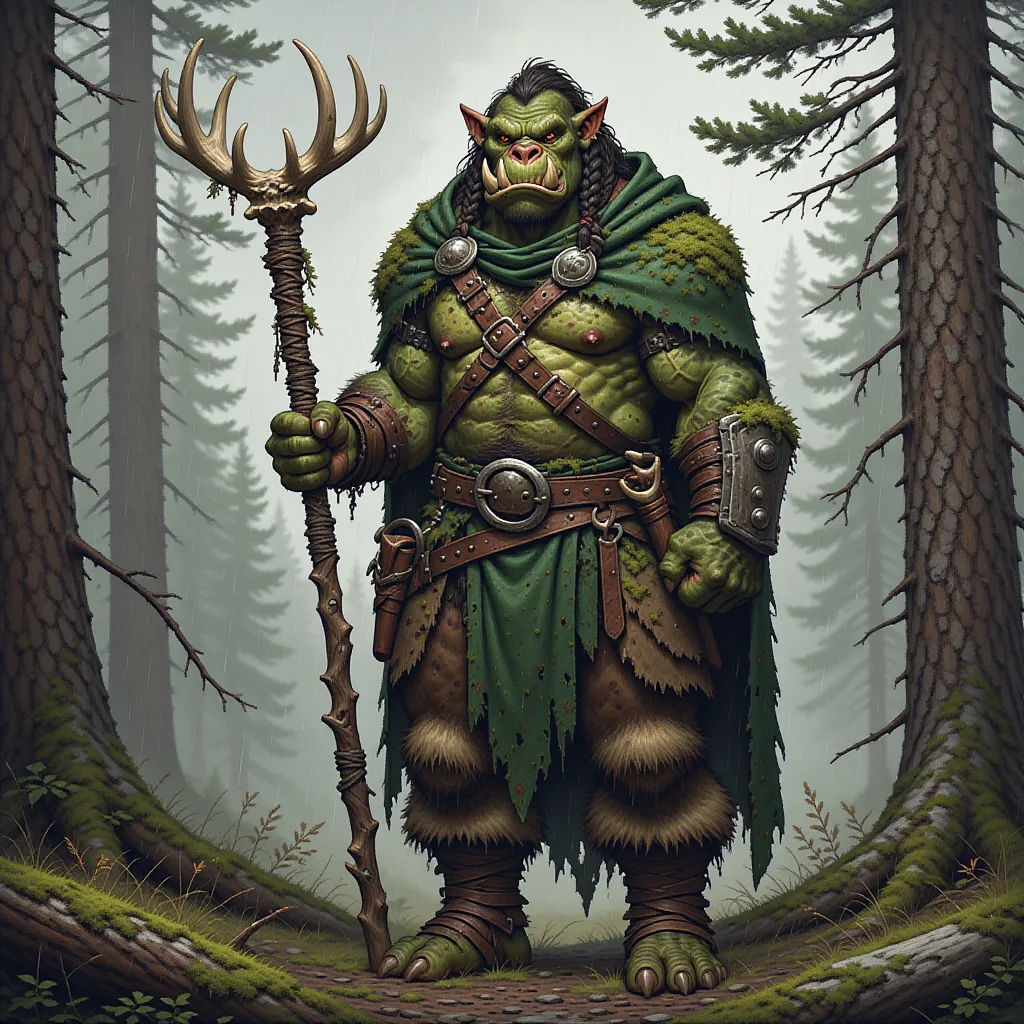
Chroma went somewhere completely different. This is a painted illustration, not a photograph. Bold colours, firm edges, the look of a monster manual plate from a 1990s rulebook.
For some tables that is the better answer. If your party roster is a set of illustrations, Chroma keeps them consistent in a way the photoreal models struggle with. It also gave me the clearest full-body shot of the four, which is what you want for a character sheet.
The trade-off is detail. The face is stylised rather than rendered. Rain is barely visible.
Chroma is worth knowing about for a second reason. It is an 8.9 billion parameter model, Apache 2.0 licensed, built by lodestone as a de-distilled version of FLUX.1 schnell. It is a genuinely open base model with no aesthetic tuning applied. That is rare, and it is why Chroma responds so differently to the same words.
Seedream 4.0, 4 gold
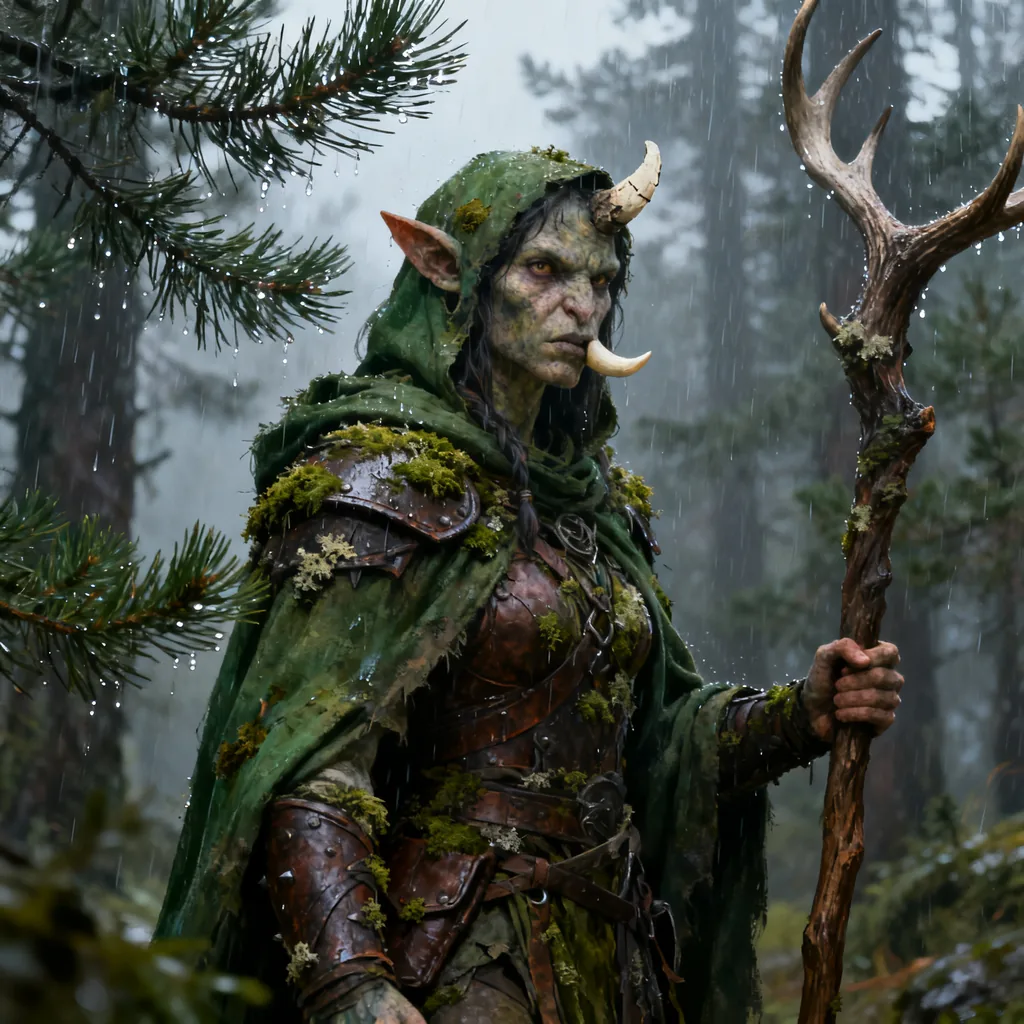
Seedream produced the best single image in the set as a picture. It is a film still. Individual raindrops hang off the pine needles. The depth of field is convincing. The skin has real texture.
It also ignored my framing. I asked for a figure standing in a forest. Seedream gave me a tight half-body portrait. And the tusks are wrong: one sits up near the nose in a way no jaw would produce.
One concrete detail worth flagging. I requested the default size and Seedream returned a 1920x1920 image while the other three returned 1024x1024. Seedream 4.0 is ByteDance's model, released on 9 September 2025, and it renders up to 4K natively. ByteDance reports generation times near 1.8 seconds and claims the architecture runs more than 10 times faster than Seedream 3.0.
Use Seedream for a dramatic close-up. Do not use it when you need a specific composition.
Nano Banana 2, 8 gold
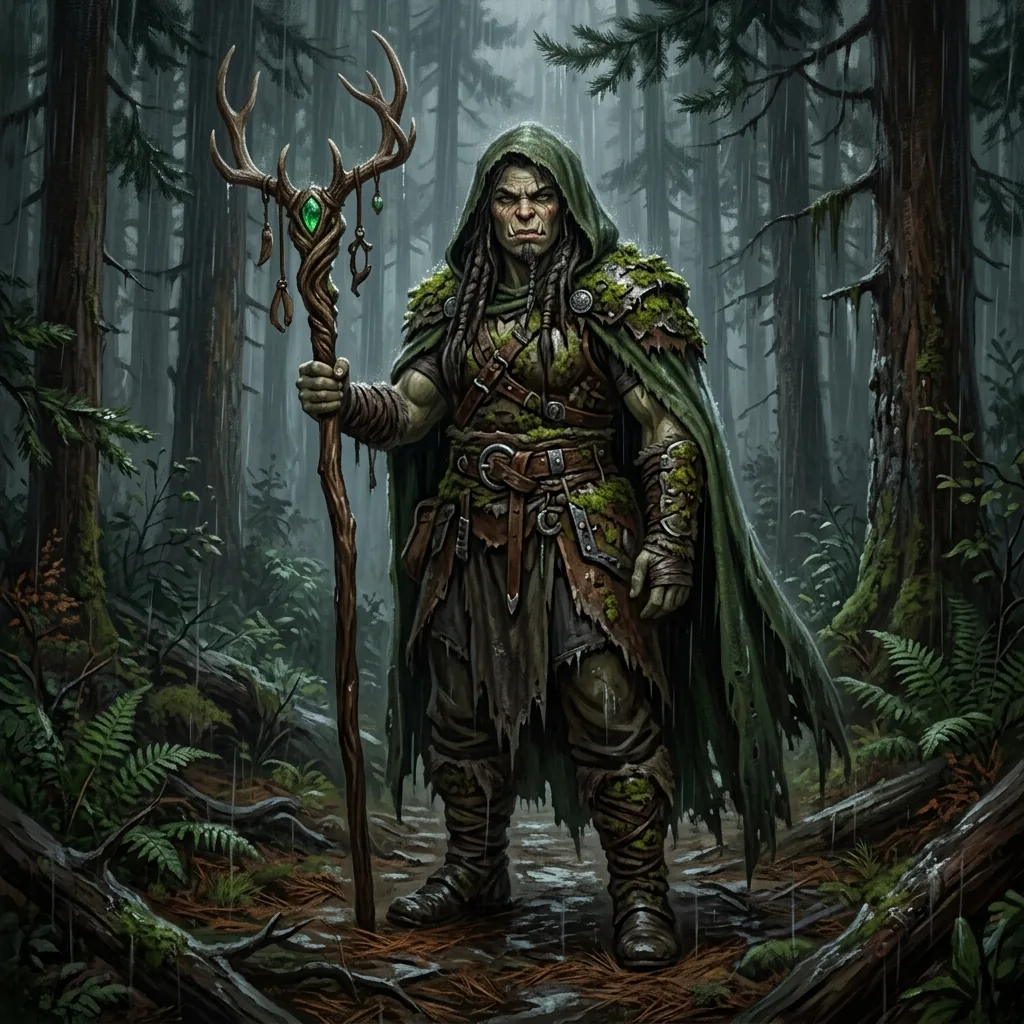
Nano Banana 2 costs 8 gold. That is double the other three. It produced a competent, dark, painterly full-body image with a nice antler staff and a green gem detail I did not ask for.
It is a good image. It is not twice as good as the Flux 2 Pro image. For this prompt the extra 4 gold bought me a moodier palette and a smaller, less detailed face.
Google's higher tier, Nano Banana Pro, is the Gemini 3 Pro Image model from Google DeepMind, and it costs 13 gold on CharGen. It is genuinely stronger, particularly at rendering readable text inside an image, and it can blend up to 14 reference images into one scene. Google applies an invisible SynthID watermark to its Gemini image outputs so they can be identified as AI-generated later.
If you need a map legend, a tavern sign or a spell scroll with real words on it, pay for Nano Banana Pro. For a portrait, you are burning gold.
What all four got wrong
None of the four followed "one chipped tusk". Every model gave the character two prominent tusks. Chroma and Nano Banana 2 both rendered a broad masculine figure despite the prompt saying "her".
This is the honest state of prompt adherence in 2026. Models are excellent at mood and material. They are still loose with counts, gender and specific gear. Plan on a second generation, or on editing the one you get.
Try these models on CharGenWhat the models actually cost
Costs below are gold per 1024x1024 image on CharGen in August 2026. This is the part most comparison posts leave out, and it is usually the deciding factor.
| Model | Gold per image |
|---|---|
| Flux 2 Flash, Flux.Schnell, Z Image Turbo, Sana | 1 |
| Flux 2 Dev, Kontext Dev, MiniMax Image | 2 |
| Seedream 3.0, Qwen Image, Grok Imagine Image | 3 |
| Chroma, Flux 2 Pro, Seedream 4.0 | 4 |
| Imagen 4, Qwen Image 3, Ideogram V4 | 5 |
| Flux.Pro, Flux 2 Flex, Qwen Image 3.0 Pro | 6 |
| Flux.Pro (Ultra), Flux 2 Max, Seedream 5.0 Pro | 7 |
| Nano Banana 2, GPT Image 2, Wan 2.7 Image Pro | 8 |
| Midjourney, GPT Image 1 | 10 |
| Nano Banana Pro | 13 |
| Recraft V4 Pro, MAI Image 2.5 Pro | 25 |
| Reve V2.1 | 33 |
Twelve models sit at 4 gold or below. Three of the four models in my test were in that group. A campaign's worth of NPC portraits, say 20 images, costs 80 gold on Flux 2 Pro and 160 gold on Nano Banana 2 for results I could not reliably tell apart.
Some models price by quality tier instead. GPT Image 2 runs 1 gold at Low, 8 at Medium and 25 at High. Ideogram V4 runs 5, 10 and 15. On those, the tier matters more than the model choice.
Picking a model by the job
Model quality is not one number. Match the model to the task.
- Party portraits and NPCs: Flux 2 Pro at 4 gold. Consistent, detailed, cheap enough to reroll.
- Illustrated or stylised rosters: Chroma at 4 gold. Keeps a coherent art style across a whole party.
- Dramatic close-ups and key art: Seedream 4.0 at 4 gold, and accept its framing choices.
- Anything with readable text: Nano Banana Pro at 13 gold. Nothing cheaper renders words reliably.
- Bulk drafts and thumbnails: Flux 2 Flash or Z Image Turbo at 1 gold. Generate 10, keep 1.
- Editing an image you already have: pick a model that accepts a reference image. Flux 2 Pro, Seedream 4.0, Nano Banana 2 and Kontext Pro all do. Chroma does not.
That last point catches people out. Chroma is excellent, but it is text-to-image only. If your workflow is "generate, then fix the hands", start on a model that takes a reference.
This page is the cost-and-quality test. If you want the job-by-job breakdown instead, covering tokens, magic items, battlemaps, anime party splashes and the Midjourney 8.1 and Niji 7 controls, I keep that in a separate guide: AI fantasy art generator for D&D model picks. That one picks by task. This one tells you what each model costs and what it does with an identical prompt.
You can run any of these from the generate page, and the character generator wires the same models into a full NPC with stats and backstory attached.
FAQ
Which AI image model is best for D&D fantasy art in 2026?
Flux 2 Pro, at 4 gold per image on CharGen. In my August 2026 test it produced the most usable character art of the four models I compared, at the lowest price tier. Chroma is the better pick if you want an illustrated look rather than a photoreal one.
Is a more expensive image model always better?
No. Nano Banana 2 costs 8 gold, double Flux 2 Pro at 4 gold, and did not produce a better character portrait in my test. Price tracks capability, not quality for a specific job. Expensive models earn their cost on text rendering, multi-image reference blending and 4K output.
What is the cheapest usable model for D&D art?
Flux 2 Flash, Flux.Schnell and Z Image Turbo all cost 1 gold. They are good enough for drafts and thumbnails. Generate several and promote the best one to a 4 gold model for the final version.
Can these models render text on maps and signs?
Only some. Nano Banana Pro at 13 gold is the reliable option for readable in-image text. Most fantasy art models produce text that looks like writing but is not.
Is Chroma really free and open source?
The model weights are. Chroma is Apache 2.0 licensed and published on Hugging Face at 8.9 billion parameters. Running it still costs compute, which is what the 4 gold on CharGen pays for.
The original Flux Pro case, kept for reference
The section below is the original 2024 post. Flux 2 superseded the Flux 1 family in November 2025, so treat the version details here as historical. The reasoning about why Flux suits fantasy art still holds.
Top AI Art Tools: Why Flux.Pro Leads the Way in Fantasy Image Generation
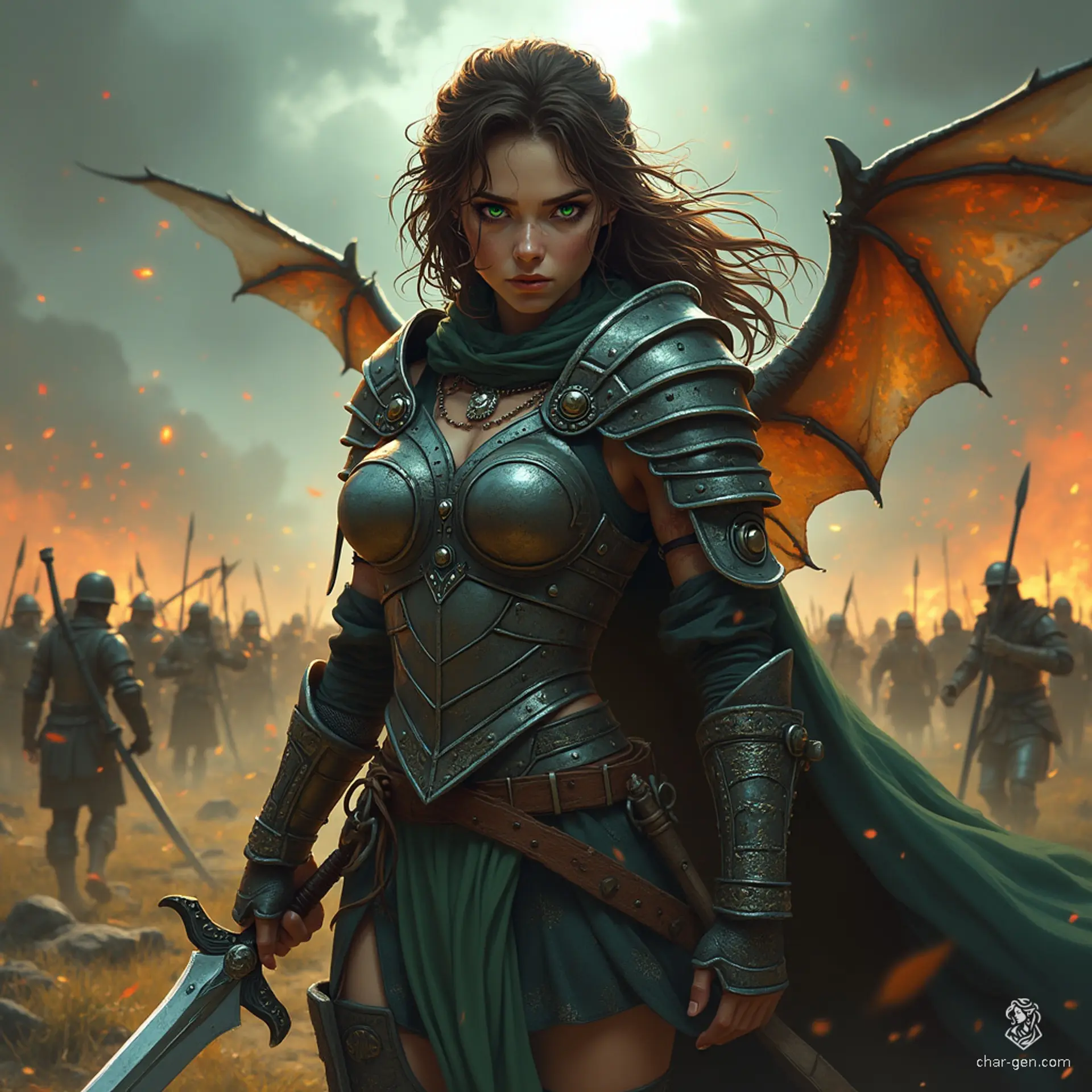
Powerful AI for Fantasy Art
Flux.Pro, created by Black Forest Labs, uses advanced AI technology to generate stunning images from text prompts, setting it apart from other tools. The model's ability to understand and execute detailed fantasy scenes makes it ideal for creating intricate character art, magical landscapes, and vivid NPCs. If you are looking for a dnd character creator, an ai avatar generator, or an ai character generator, Flux.Pro provides the tools needed to produce artwork that is both unique and high-quality. It's not just about creating images; it's about bringing your fantasy world to life in a way that feels authentic and immersive.
Better Image Quality
One of the standout features of Flux.Pro is its ability to produce incredibly high-quality images that closely match the prompts provided. This precision makes it perfect for those needing detailed character art, NPCs, or even complete fantasy landscapes. As one of the best AI image generators available, Flux.Pro ensures that each image is rendered with attention to detail, from the texture of a character's armour to the atmosphere of an enchanted forest. This level of detail not only enhances the visual appeal of your creations but also adds depth to your storytelling, making your campaigns more engaging.
Versatile Tool for All Needs
Flux.Pro comes in three versions: [pro], [dev], and [schnell], each tailored to different creative needs. This versatility makes Flux.Pro a go-to tool for both professional artists and hobbyists. If you're crafting a complex dungeon map or generating character portraits on the fly, Flux.Pro adapts to your workflow, providing the flexibility needed to achieve your creative goals. As a dnd character maker or fantasy ai tool, it's unmatched in its ability to cater to many different artistic requirements, making it a valuable asset for anyone involved in RPGs or fantasy art.
Comparing with Other AI Tools
When compared to other popular AI tools like Stable Diffusion and DALL-E 3, Flux.Pro offers several distinct advantages. While Stable Diffusion is known for its speed and DALL-E 3 for its creativity, Flux.Pro excels in both prompt adherence and output diversity. This makes it the best AI art generator for those who need reliable, high-quality results every time. Its ability to generate a wide array of styles and scenes means that it can handle everything from realistic character portraits to abstract fantasy landscapes, making it an essential tool for any artist.
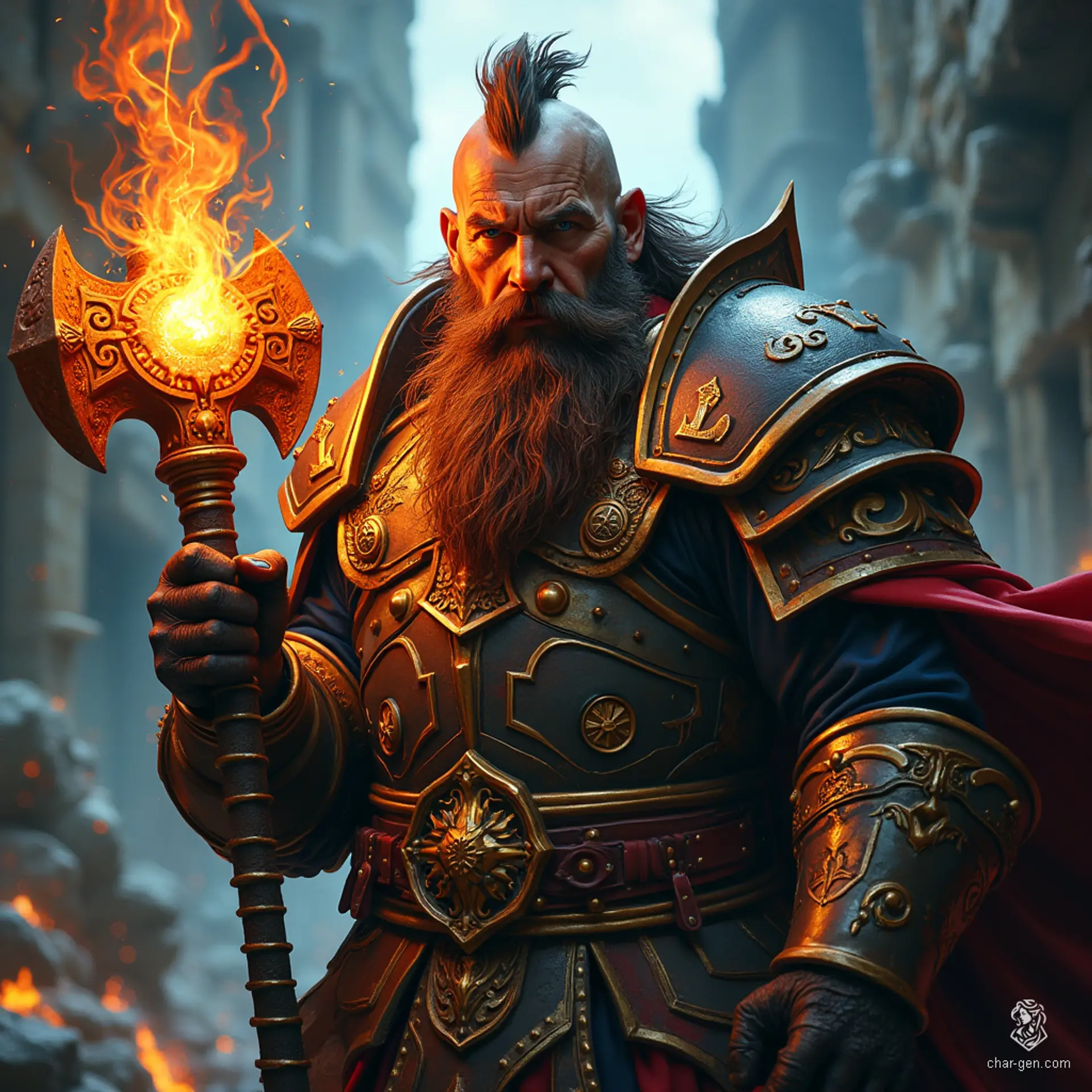
Flux.Pro (Above) Vs Stable Diffusion SDXL (Below)
Try Flux Pro on CharGen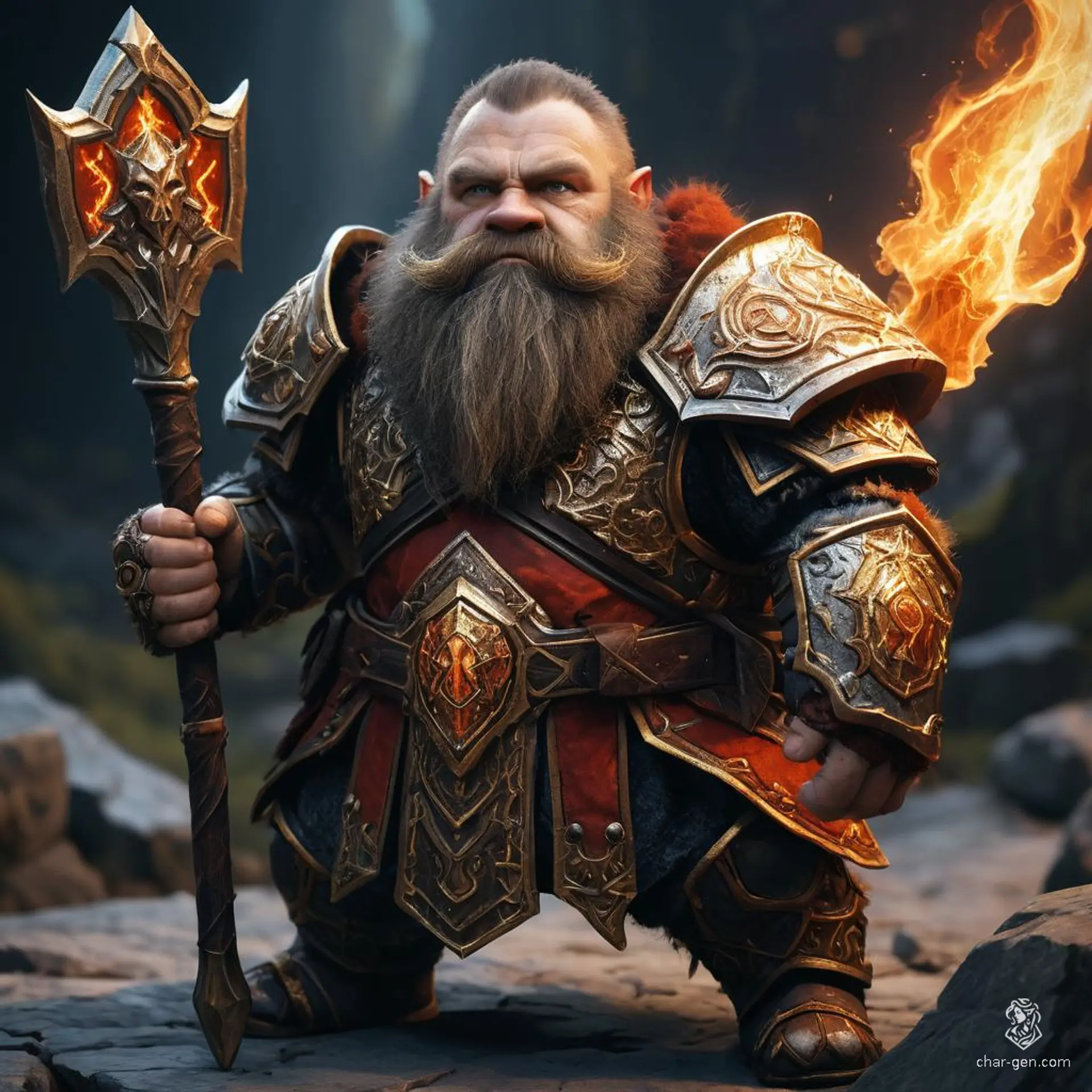
The Team Behind Flux.Pro
Black Forest Labs, the developers behind Flux.Pro, have a rich history in AI research, with significant contributions to the field through models like VQGAN and Latent Diffusion. Their expertise ensures that Flux.Pro remains at the front of AI image generation, continually evolving to meet the needs of artists and creators. This background gives Flux.Pro an edge over other tools, as it's built on a foundation of innovation and excellence. For anyone serious about fantasy art or character creation, Flux.Pro represents the best of what's possible with AI technology.
Practical Uses for RPG and Fantasy Art
For RPG players and game masters, Flux.Pro changes the maths of prep. If you need a DND character creator, an AI landscape generator, or an NPC generator, Flux.Pro delivers. Its ability to produce detailed and accurate images quickly makes it an invaluable tool for enhancing your game sessions. Imagine being able to generate a visual representation of a new character or location in seconds, adding a new level of immersion to your campaign. Flux.Pro's efficiency and versatility make it the best ai image generator for RPGs and fantasy settings.
Integrating Flux.Pro with CharGen
CharGen is a platform designed to help players and game masters create stunning character art without needing expert prompting knowledge. With CharGen, you can generate art on the fly, using powerful AI models like Flux.Pro. By choosing Flux.Pro as your model within CharGen, you combine the user-friendly interface of CharGen with the advanced capabilities of Flux.Pro. This integration allows for quick, high-quality art generation, whether you're creating a new character or visualising an epic fantasy scene.
How to Use Flux.Pro with CharGen:
- Easy Integration: Simply select Flux.Pro from the available AI models within CharGen.
- Quick Art Generation: Generate high-quality character art, NPCs, and landscapes quickly.
- Customisable: Tailor the generated art to fit your campaign's needs.
Conclusion
Flux.Pro is not just another AI art tool; it opens up serious creative possibilities, especially for fantasy and RPG art. With its advanced features, the expertise of Black Forest Labs behind it, and its direct integration with tools like CharGen, Flux.Pro leads the way in AI image generation.
Use Flux.Pro through CharGen to generate incredible character art, NPCs, landscapes, and more, all without needing expert prompting knowledge. Visit CharGen to start creating your masterpiece today!
What I would do
Set your default to Flux 2 Pro at 4 gold and leave it there. Switch to Chroma when you want illustration instead of photography. Pay 13 gold for Nano Banana Pro only when the image needs readable words in it.
Then reroll once. Every model in this test got the mood right and a detail wrong on the first pass. Two generations at 4 gold still costs less than one at 13.
Generate Fantasy Art Free