
Best AI D&D Portrait Generator: Why Context Matters
Find the best AI D&D portrait generator for character facts, party consistency, VTT tokens, and usable art, not only a pretty first image.
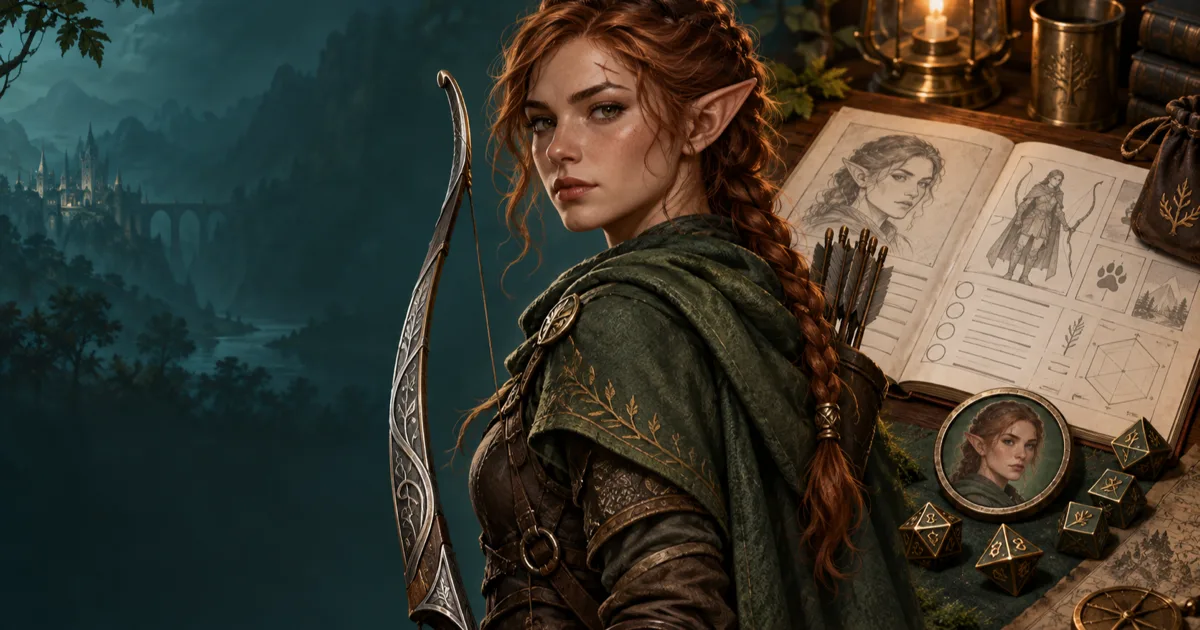
My half-elf ranger looked right until I put her on the map. The face worked in a large portrait. The bow vanished in the token crop, the cloak became a brown blur, and her party portrait gave her a different braid.
The search for the best AI D&D portrait generator usually starts with image quality. I care about a second test. Can the tool keep the character's important facts attached to the image after the first render?
A general AI art model can make a beautiful fantasy face. That is useful. It is not the whole D&D portrait job. A table-ready portrait needs a clear class signal, signature gear, a crop that survives a VTT, and a repeatable way to bring the same person back later.
What the best AI D&D portrait generator must remember
A D&D character is not only a face. The group identifies a character through a few repeated signals. The player might remember a chipped horn, a red scarf, a silver hammer, or one eye that never opens fully. The portrait has to show enough of those signals to support play.
I look for six pieces of context:
- Species or ancestry. The physical features should fit the character brief without turning into a random fantasy stereotype.
- Class and role. A ranger, cleric, and fighter can all wear leather. Their equipment and posture should still tell different stories.
- Signature equipment. A longbow, spellbook, maul, or instrument often does more work than another layer of armour.
- Visible traits. Hair, scars, tattoos, horns, jewellery, and skin tone help the party recognise a returning character.
- Final use. A sheet portrait, a token, a party image, and a villain reveal need different framing.
- Continuity. The character should remain recognisable when the scene, outfit, or emotional state changes.
The best AI D&D character portrait generator gives those details a place in the workflow. It does not need to pretend that every image is rules-accurate. It needs to stop important details from disappearing between the character idea, the portrait, and the table asset.
General AI art models make excellent first images
I would not dismiss Midjourney, Leonardo, or Stable Diffusion. They can make striking art, and each supports forms of image guidance or editing. Midjourney's current Edit model accepts up to four reference images and supports targeted changes. Leonardo's Character Reference guide exists because repeated identity is a real problem, even for a strong image platform.
The issue is not that general models produce bad portraits. The issue is what sits around the render. You normally provide the context yourself, then carry it between tools yourself. You may need one prompt for the face, another instruction for the pose, a separate crop for the token, and a folder of reference images for the next session.
That can be the right trade for a creator who wants full art direction. It becomes tiring when a DM needs eight NPC portraits before tonight's session. It also makes mistakes harder to spot. A portrait can look polished while showing the wrong weapon, age, ancestry, or faction colours.
| Table need | General art model | D&D-aware portrait workflow |
|---|---|---|
| Starting input | A blank prompt or uploaded image | Character facts, sheet data, or a structured brief |
| Character identity | Repeated manually in each request | Saved with the character or reference |
| Class signal | Chosen through visual description | Connected to the character's role and equipment |
| Portrait use | Usually one finished image | Portrait, full-body art, party image, or token |
| Repeat scene | New prompt and new reference work | Reuse the same identity anchor |
| VTT handoff | Separate crop and border step | Linked token workflow or a dedicated token maker |
The general model still wins when the job is a single cinematic illustration. The D&D-aware tool wins when the portrait has to do more than sit in a gallery.
A D&D portrait has a job at the table
I judge an image at the size where the group will see it. A character sheet can show a detailed face. A VTT token may be 70 pixels wide on a Roll20 grid. A chat avatar may be a small square. A session recap may show six faces together.
That change in size changes the brief. Tiny details disappear. Thin weapons become stray lines. Dark armour merges with a dark background. A full-body stance can work better than a close crop for a monster, while a player character may need the eyes and hair to stay prominent.
Here is the test I use before I call a portrait usable:
- I can identify the face in a small square.
- I can name the character's class from the clothing, pose, or equipment.
- The most important prop remains visible after a circular crop.
- The background does not compete with the face.
- The image leaves enough room for a token crop or a sheet portrait.
- I can describe what should stay the same in the next image.
That last check matters most. If I cannot write down the three traits that define the character, I have made a moodboard image, not a useful campaign reference.
My three-render test for a D&D character portrait
I use one character brief for three jobs. Here is the version I would test with a half-elf ranger called Mira Vale:
Half-elf ranger, auburn braid, small scar over the left eyebrow, moss-green cloak, silver longbow, worn brown leather, quiet expression, practical traveller, portrait framing, cool forest light.
The first render is a head-and-shoulders portrait. I need the face, scar, braid, and cloak to read clearly. The second render is a token. I need the face to sit inside a circle without losing the bow or the green cloak. The third render places Mira on a bridge above a flooded valley. I need the same face and signature colours, but I do not need the original pose.
A general model can pass all three tests. It may also change the scar, braid, or bow because each request is a new interpretation. A strong reference image helps. It does not remove the need to inspect the result.
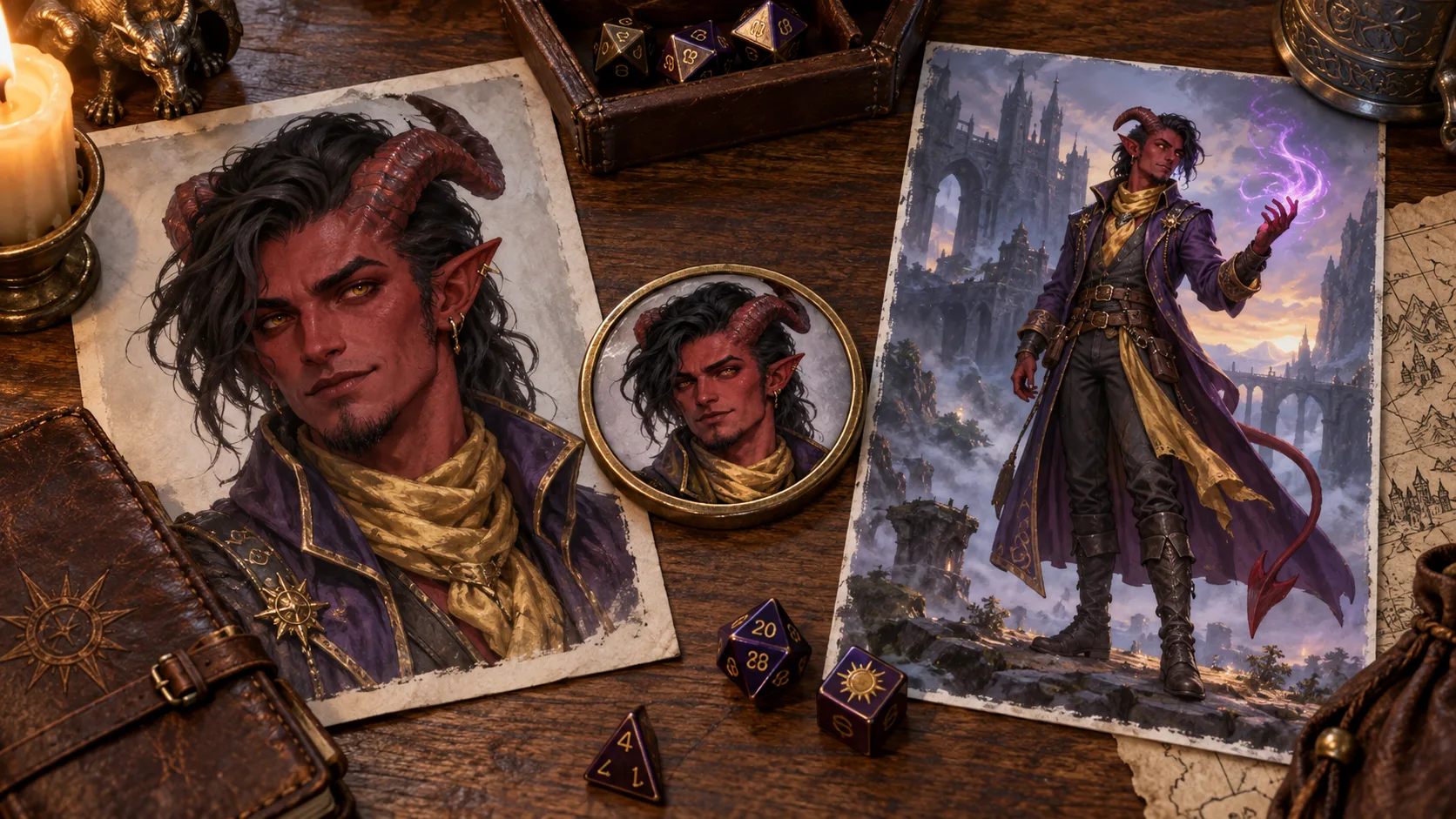
The useful comparison is not one image against another. It is the amount of work between the three images. I want to spend my attention on the scene and the story. I do not want to rebuild the character description from memory because the original portrait is in a different tab.
How I make a table-ready portrait in CharGen
CharGen's current Character page is built around this handoff. It is not a hidden prompt box with a fantasy label. The page offers Describe your character, Paste a D&D Beyond link, and Use my sheet. The live page says it can read the name, species, class, and written look from a D&D Beyond link or a dropped PDF, then lets you change the details before generating.
Start with facts that will survive a crop
I write the character's role before I add decorative detail. “Half-elf ranger” gives the model a useful starting point. “Auburn braid, scar over the left eyebrow, silver longbow, green cloak” gives the party something to remember.
I keep the first prompt to one character. Party scenes are easier when each person already has a clear reference. I also state the framing. “Head-and-shoulders portrait with the face centred” is more useful than “epic fantasy character art” when I plan to make a token.
Use the sheet when the sheet already contains the answer
If I have a D&D Beyond link or a PDF, I use Use my sheet. Rewriting the same species, class, equipment, and appearance creates avoidable errors. I still read the imported description before generating. A sheet can contain an old hairstyle or a detail the player has changed since session zero.
The tool is not a replacement for my review. It is a way to keep the character facts together while I make the visual choice.
Pick a face, then preserve the anchor
The Character page returns a set of starting images. I pick the face that best matches the brief, not the one with the most dramatic background. A clean face gives later references more useful information.
For a recurring character, I save that portrait as a Character Reference. The reference has a primary image, supporting images, and a short Trait spec. In the Generate flow, I add the saved character from the reference picker and describe only the new scene. The identity images and trait spec travel with the request.
I still inspect every result. A reference can preserve identity while the model gets a hand, a sword, or a cloak wrong. When the face is right and the scene is useful, I keep it. When the scar disappears in a close-up, I try again or add a better supporting view.
Make the VTT asset after the portrait passes
I do not generate a separate AI image just to get a token. I take the approved portrait to CharGen's Token Maker, drag to position the crop, choose a border, and check the small preview. The tool exports a transparent PNG, so the same character can move to Roll20, Foundry VTT, or another virtual table.
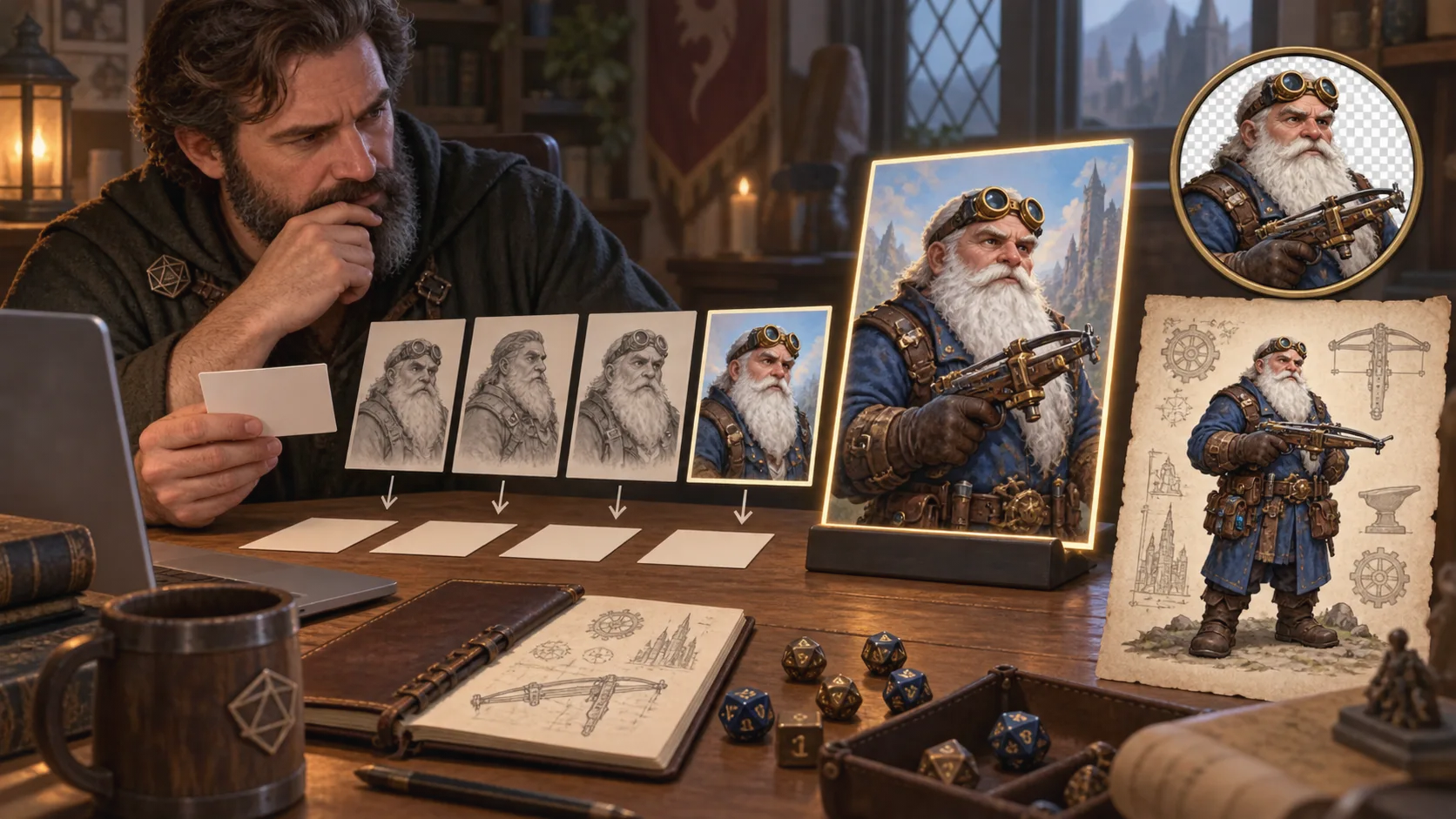
If the character belongs to a larger cast, I use one border family for the faction or party. The border becomes a quick visual label. It should not hide the face.
Where a general AI art model is still the better choice
The argument needs a limit. A general model is often the better choice for a single cover image, a strange dream sequence, or a style test. It may offer a visual language that a D&D-specific tool does not. It may also give an experienced artist more direct control over composition, references, and editing.
I would choose a general model when:
- The image will appear once and does not need a later matching version.
- The main job is a cinematic scene, not a recognisable character asset.
- I already have a good reference library and know how to carry it between renders.
- I need a very specific style and am willing to make several editing passes.
- I am making concept art for discussion, not a final sheet, avatar, or token.
I would choose a D&D-aware tool when the image must connect to a player character, NPC, monster, token, campaign note, or party scene. The right choice depends on the handoff, not on a claim that one model makes every picture better.
Compare portrait tools with the same brief
If you are testing an AI D&D character portrait generator, use the same brief across tools. Do not compare one tool with a detailed prompt against another with three words. Use a character with a visible class, one signature object, and one trait that can drift.
| Test | What to inspect | Why it matters |
|---|---|---|
| Portrait | Face, age, species, class cues | The player needs to recognise the character |
| Crop | Eyes, silhouette, equipment | The token will be much smaller than the source image |
| Repeat scene | Face, hair, colours, signature item | A recurring NPC needs visual memory |
| Party image | Character separation and relative scale | Six detailed portraits can become one muddy group |
| Edit | One changed object and one protected trait | Good edits change the scene without rewriting the person |
| Handoff | File type, transparency, and naming | The image has to reach the VTT without another repair job |
The best D&D portrait maker is the tool that gives you the cleanest result for your actual campaign jobs. If all you need is a profile image for one session, a general model may be enough. If you need eight NPCs, their tokens, and a later return, the surrounding workflow matters more.
Prompt details that make a D&D portrait easier to use
I keep the core brief factual. The strongest prompts name visible things and the image's use. They do not need a paragraph of invented history.
For a player character, I use this pattern:
Species, class, age range, skin or fur, hair, one facial feature, signature equipment, clothing materials, expression, camera distance, background brightness, and intended use.
For example:
Dragonborn cleric, bronze scales, older female, white braided crest, cracked blue holy symbol, heavy linen robe under scale armour, calm but tired expression, head-and-shoulders portrait, plain warm-grey background, clear face for a VTT token.
For an NPC, I add the character's table function. “Dockmaster who wants the party gone” creates a more useful direction than “mysterious fantasy woman”. I might add salt-stained gloves, a brass ledger, and a broken nose. Those details give the DM material to repeat in play.
I avoid putting rules text inside the image. Generated lettering is still unreliable. I keep names, AC, spell lists, and item descriptions in the character sheet or campaign notes. The art should help the group remember the person. It should not pretend to be a rules source.
The small-preview check I do before session night
Open the portrait on your phone or shrink it until it is about the size of a VTT token. Ask someone else to name the character's role. If they only see “fantasy person”, the image needs a clearer silhouette or a stronger item.
Then make the actual crop. Do not judge a token from the large source image. Roll20 accepts JPG and PNG, and its current tabletop guidance says transparent PNG elements display correctly. Foundry's token documentation separates the Actor's Prototype Token from each Placed Token, so the file and the table settings are different checks.
Name the file for the campaign. mira-vale-ranger-token.png is useful. final-final-ranger-2.png is a small problem that becomes a large problem after ten NPCs.
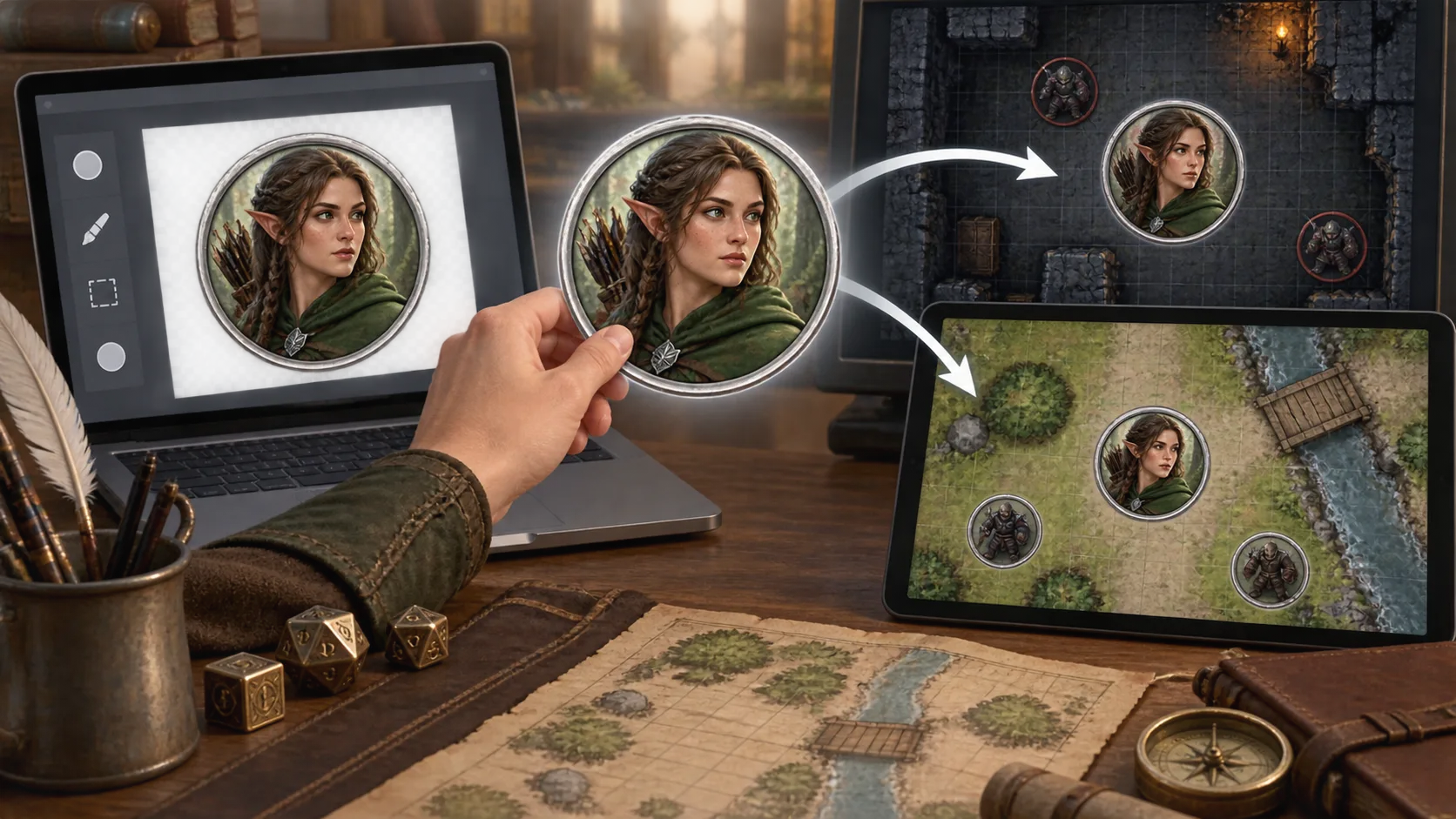
I also keep the source portrait. The token is a playing asset, not the only copy of the character. If Mira later gains a silver mask or loses her bow, I can create a new scene image while keeping the original face and the original token available.
What the tool should not decide for you
An AI D&D portrait generator can help with visual work. It cannot decide what the player consented to, what the table's art policy allows, or which version of a character is canonical. Ask the player before you turn a personal photo into a fantasy portrait. Check licences before you publish or sell an image pack. Keep a human check on every portrait that represents a player character.
The same rule applies to rules content. A portrait can show a sword, but it does not prove that the character has proficiency with it. A generated robe can look like armour, but it does not set AC. Keep the visual asset and the rules record connected without treating one as a substitute for the other.
That is why I prefer a connected D&D workflow. I can make a character in the Character Generator, give an important ally a profile in the NPC Generator, and send the approved art to the Token Maker. Each step still needs judgement. The benefit is that I am not carrying the whole campaign in my clipboard.
My practical recommendation
Use a general AI art model when you want one striking image and you enjoy directing every part of the process. Use a D&D-aware portrait generator when the image has a job after the render.
For a new campaign, I would make one clear portrait for each player character, save the defining traits, and create the tokens from those approved portraits. For NPCs, I would do the same only for people who will return. A one-scene innkeeper does not need a six-image reference set.
The useful question is not “Which model makes the prettiest face?” It is “Which workflow keeps the right person, the right gear, and the right crop attached to the campaign?” That answer will usually save more time than another round of model shopping.
Make a D&D PortraitFrequently asked questions
- What is the best AI D&D portrait generator?
- Choose a tool that understands the character's species, class, equipment, and campaign use. CharGen is a strong choice when you want a portrait, a saved character, and a VTT token in one workflow.
- Are general AI art models bad for D&D portraits?
- No. General models can make excellent single images. They become a poor fit when you need the same character in several scenes, a readable token crop, or a portrait tied to a character sheet.
- What should I include in an AI D&D character portrait prompt?
- Include species, class, signature equipment, visible features, age, expression, framing, lighting, and the final use. Keep the face and silhouette clear if you will make a VTT token.
- Can I turn an AI D&D portrait into a Roll20 or Foundry token?
- Yes. Use a token maker to crop the portrait, add a border, and export a transparent PNG. CharGen's Token Maker works in the browser and exports a 1024px PNG for Roll20, Foundry VTT, and other tables.
- Do I need a saved character reference for every portrait?
- No. One portrait is enough for a one-shot or a minor NPC. Save a Character Reference when the same face, gear, or outfit needs to return across scenes, sessions, or videos.