
D&D Session Notes That Write Themselves: 2026 Guide
How to take D&D session notes that survive a whole campaign, and how CharGen's upgraded Session Notes turns audio or a typed summary into a full recap.
Somewhere around session six, every campaign's notes die. Mine died in a city intrigue arc: three noble houses, a double agent, and a notebook that said "Varn owes the fish man???" in handwriting I could no longer read. Good D&D session notes are the difference between a campaign that remembers itself and one where the table argues about what the priest promised four weeks ago. This guide covers how to take session notes that actually hold up, which method fits which table, and how the automated route works now that the tools have got genuinely good.
I'll be upfront about my bias: I built CharGen's Session Notes, and the second half of this guide leans on it, because it had a major run of upgrades through May, June and July 2026 and that changed what "taking notes" can mean. The first half is tool-agnostic though. Bad habits sink automated notes just as fast as handwritten ones.
Why session notes collapse
Notes fail for a boring reason: the person writing them is also doing something else. A DM is running initiative, voicing an innkeeper and improvising a heist. A player is playing. Nobody's actual job at the table is stenography, so the record thins out exactly when the session gets interesting, which is exactly the material you'll need later.
The other failure is structural. A page of chronological scribbles answers "what happened" but not the questions you actually ask during prep: what did I promise, who did the party offend, which threads are still open. If your notes can't answer those in under a minute, they aren't working, however neat they look.
What your session notes actually need to capture
After a couple of hundred sessions run and processed, the list of things worth writing down is shorter than most templates admit. Six things carry a campaign:
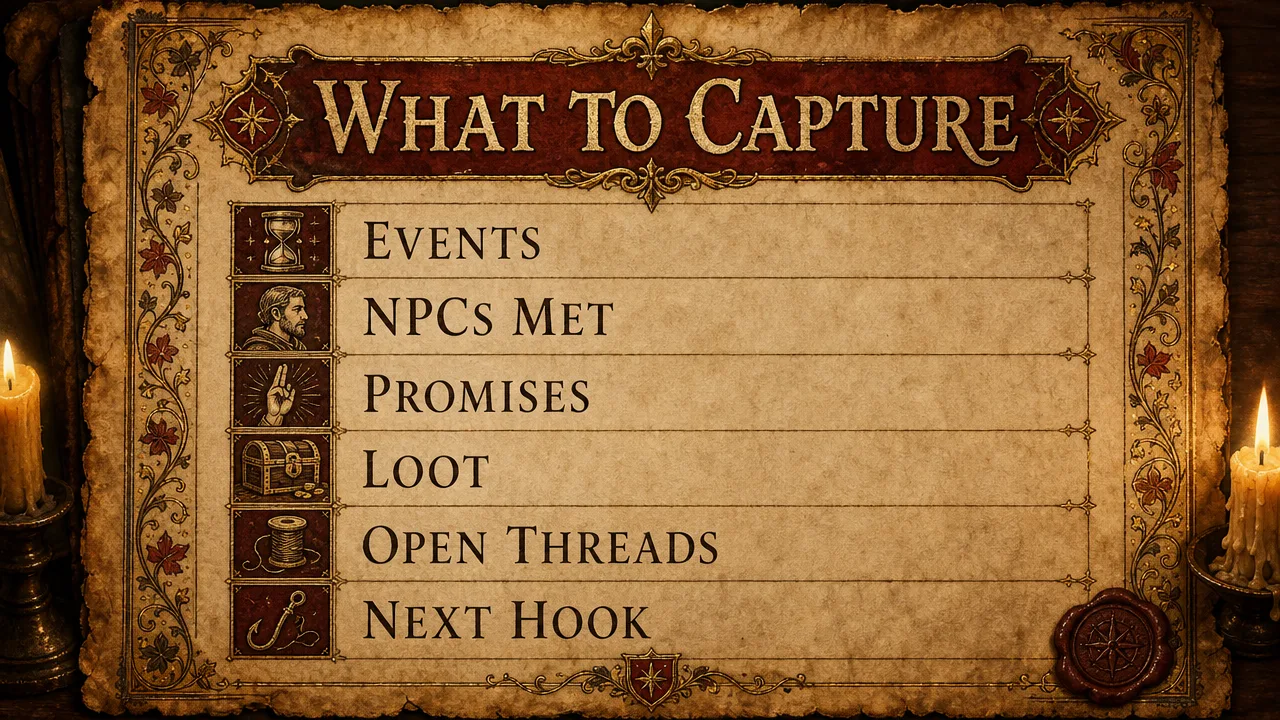
- Events in order. Three to eight bullet points, not a transcript. "Party burned the warehouse, guard captain saw them" is enough.
- NPCs met, with one identifying detail. The name alone won't jog anyone's memory in a month. "Serra, the ferrywoman with the silver tooth, hates the toll collector" will.
- Promises and debts. These are the lines players remember and DMs forget. Every "we'll come back for you" is a future session hook.
- Loot and resources. Who took the amulet matters when it turns out to be cursed in three sessions.
- Open threads. The unanswered letter, the door nobody opened, the name the villain dropped. This list is your prep for next week, already written.
- The next hook. One line about where the session ended and what's pulling the party forward.
Michael Shea's Return of the Lazy Dungeon Master (2018) makes a similar argument from the prep side: review what happened, then prep only what the table will actually touch. Your notes are the input to that loop. If they don't surface promises and threads, the loop starves.
If you want this as a ready-made structure, I wrote up a full D&D session recap template separately, including how to keep a spoiler-free player version and a DM version with the secrets left in.
The three ways tables actually take notes
Every table I've seen lands on one of three methods, and they trade money for attention in different ratios.
The DM scribbles. Free, and the notes are at least written by the person who knows what mattered. The cost is attention. Every line written mid-scene is a beat where you're not looking at your players. Most DM notebooks decay into fragments by mid-campaign, mine included, see "Varn owes the fish man".
A player scribes. Also free, and it keeps the DM's head up. It works brilliantly right up until that player misses a week. It also produces player-knowledge notes: the scribe writes down what the party noticed, not what actually happened, which is sometimes a feature and sometimes a hole. Tools like Obsidian (free for personal use) or Notion are popular homes for these, and the linking features genuinely help once a campaign passes twenty NPCs.
Record it and generate the notes. The table just plays. A recording, or the Discord call itself, gets turned into structured notes afterwards. Five years ago this meant hours of editing a raw transcript from a general tool like Otter.ai, which was built for meetings and hears "Mind Flayer" as "mine flare". The 2026 version of this method is TTRPG-specific, and it's the one the rest of this guide is about.
There's no wrong pick. A two-player duet game can live in a notebook. But past three players and ten sessions, the record-and-generate route is the only one where note quality doesn't depend on somebody's willpower at 10pm.
Session notes that write themselves: how the automated route works
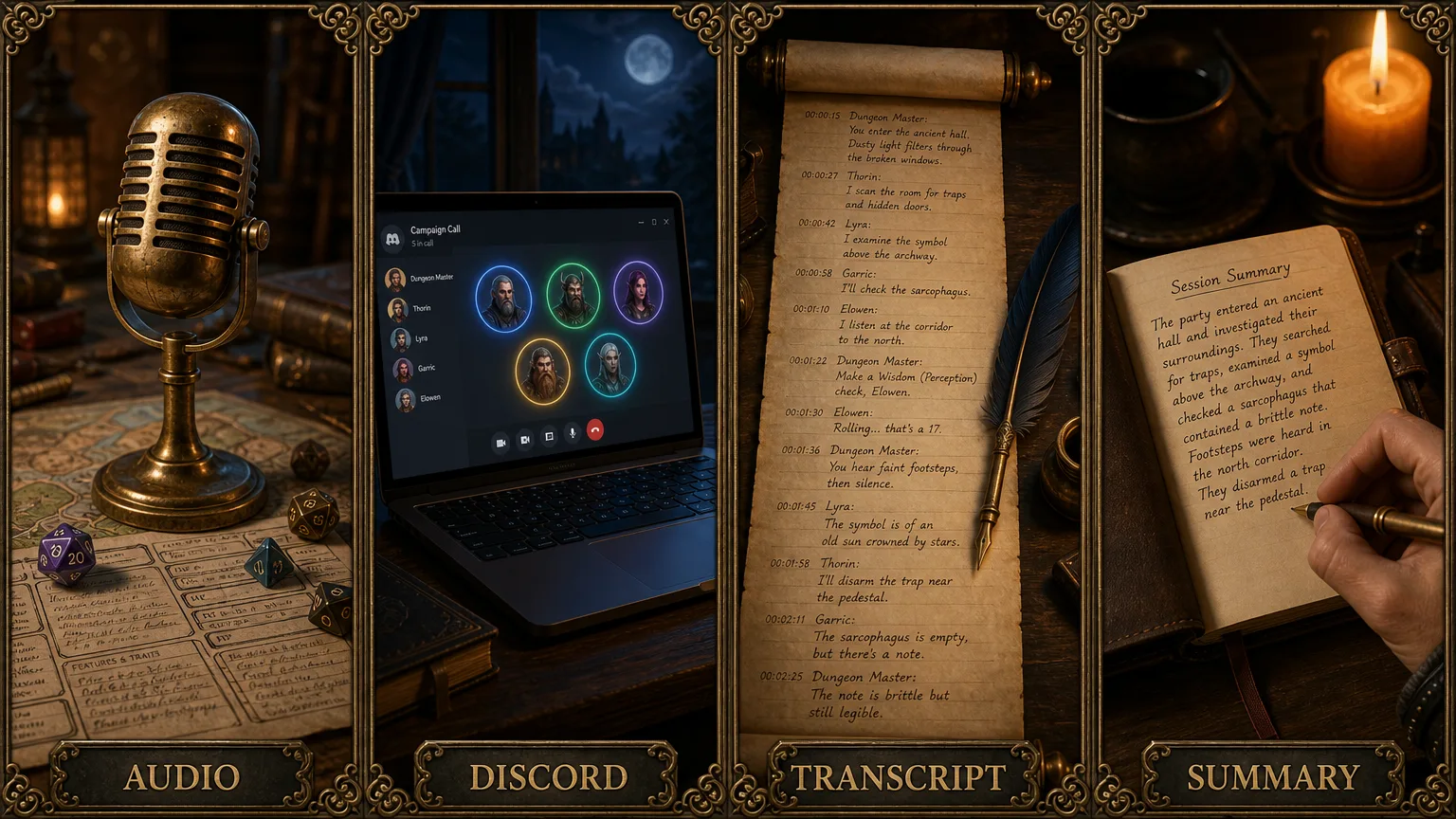
CharGen's Session Notes takes a session in whichever form you have it and produces the structured record: recap, NPCs, locations, items, timeline entries, quotes and combat breakdowns, usually within about five minutes of processing. As of July 2026 there are four ways to get a session in:
| Input mode | What you provide | Good for |
|---|---|---|
| Audio upload | MP3, WAV or M4A, sessions of 6+ hours supported | In-person tables with a phone on the table |
| Discord bot | The bot joins your voice channel: /start, /stop, /summarise | Online tables that already play on Discord |
| Transcript paste | Any written transcript or Discord chat log | Play-by-post games, or recordings you've already transcribed |
| Session summary | A typed summary, 200 to 20,000 characters | Sessions you forgot to record (new, July 2026) |
That fourth mode is the newest and it fixes the most common complaint I heard: "I'd start using this, but sessions 1 to 12 only exist in my head." Since 10 July 2026 you can backfill a missed session by typing a paragraph or a page about it. CharGen builds the rest: the recap, the NPCs, locations, items and factions it mentions, timeline entries, hooks and quest updates. The campaign timeline even spots the gap itself. If it sees sessions 2 through 5 but no session 1, it offers a "Fill in session 1 from a summary" link with the number pre-filled. Summary sessions cost a flat 30 gold on any paid plan, always run at Pro analysis quality, carry a "From DM summary" marker so you can tell them apart from recorded ones, and you can backdate them so they slot into the timeline where they belong. Edit the summary later and the recap regenerates free.
Transcription itself comes in two tiers. Standard does ordinary speech-to-text. Pro, included from the Plus plan up, is trained on TTRPG vocabulary, attributes lines to speakers, and handles 99+ languages. The difference sounds cosmetic until you've read a transcript where every spell name is a homophone accident.
What comes out the other end
The output stopped being a wall of text in May 2026, when the session view was rebuilt around a Living Timeline: your sessions laid out chronologically, each showing its recap, key beats, NPCs introduced, locations visited and combats fought. Individual sessions break out into Plot, Events, Actions, Highlights, Cast, Word Cloud and Threads tabs, and every entity name is a link. The Threads tab is the sleeper hit. It's the "open threads" list from the manual method above, except nobody had to remember to write it.
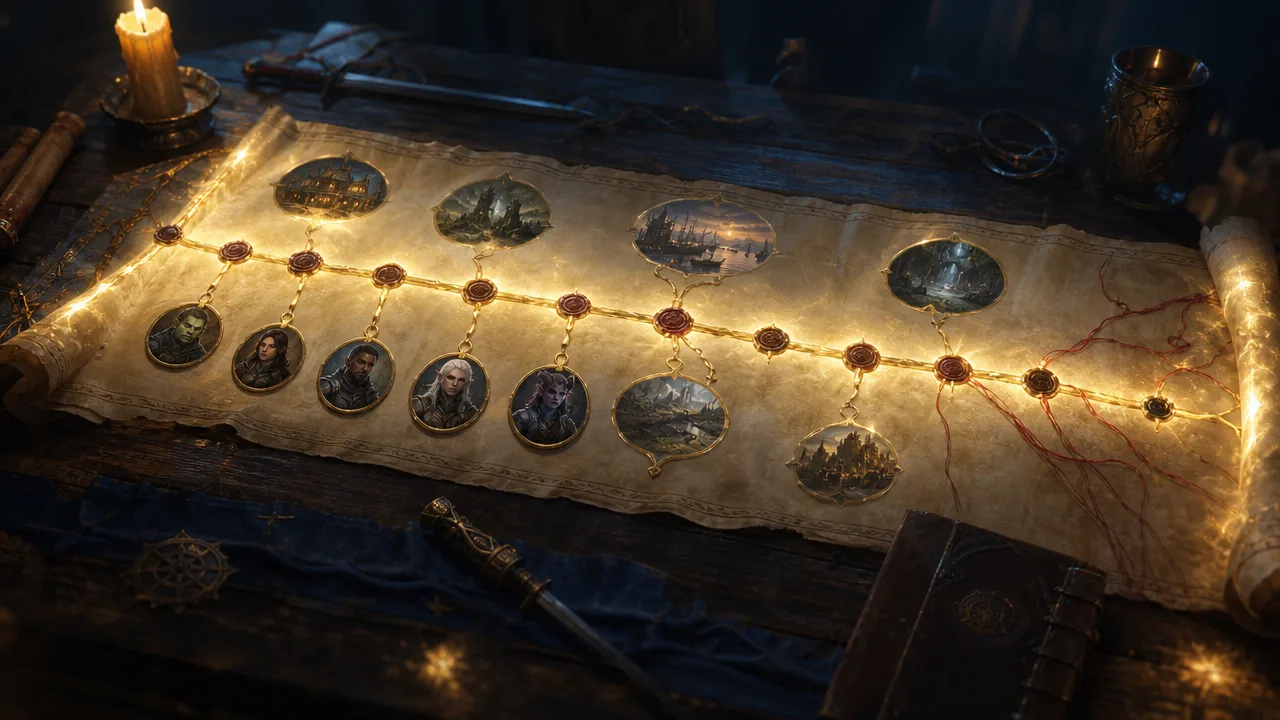
Because the notes are structured data rather than prose, they compound. An NPC who shows up in session 3 and again in session 9 is the same tracked entity with a relationship arc, not two disconnected mentions. That's the real argument for automated notes in a long campaign: cross-session memory that doesn't depend on any human's.
The visual layer got two upgrades this summer. Since 6 July 2026 you can generate an AI scene image for any highlight or key event straight from the recap view for 8 gold, and it uses your party members' portraits as references, so the people in the scene look like your actual party. And every session page has a Storyboard tab that turns the five most memorable beats into a comic-style strip: Elite and Ultimate subscribers get one automatically when a recap finishes, and any tier can generate one for 60 gold, with a choice of landscape, portrait or square.
Notes that feed the rest of your prep
The July 2026 wave of upgrades was mostly about connecting session notes to everything else, which is where they stop being a record and start being a prep engine.
The campaign dashboard gained a Documents tab: paste in your old lore doc or world primer and it produces a summary with key facts plus suggested entities to track, one click each. Generators now accept campaign context, so when you generate an NPC or a settlement, chips show exactly which of your tracked entities and pinned documents ride along with the generation, and the result can be recorded back into the campaign's world graph. Generated quests route into the campaign quest tracker, and session recaps update quest states as you play. As of 21 July 2026, notes, recaps and quests export from workspace folders as a vault zip or as Foundry and Fantasy Grounds modules, so the record isn't locked in.
And if you'd rather talk to your campaign than click through it, CharGen ships 48 MCP tools that plug the whole thing into ChatGPT and Claude. Asking "what do the players know about House Veldrin so far" and getting an answer sourced from your actual sessions is a strange moment the first time. I wrote up how that works in the ChatGPT campaign manager guide.
For where session notes sit in a wider prep kit, the DM tools roundup covers the rest of the stack.
What it costs, honestly
The whole thing runs on CharGen's gold system, and the pricing works out like this in July 2026:
| Plan | Price | Transcription per month |
|---|---|---|
| Free | £0 | roughly 11 hours |
| Plus | £8/mo | 20 hours |
| Elite | £16/mo | 44 hours |
| Ultimate | £32/mo | 100 hours |
Annual billing takes 20% off each. Your first session processes free at Pro quality, which is the honest way to find out whether the output is worth it for your table before paying anything. A weekly table running four-hour sessions uses about 16 to 18 hours a month, so Plus covers most single-campaign groups with a little headroom. Pasted transcripts cost less than audio, since the transcription step is already done.
The free tier's 11-ish hours is real but tight: two or three full sessions a month. It's enough to run a duet game or to trial the workflow properly, not to keep up with a weekly four-hour table.
FAQ: D&D session notes
How do you take good D&D session notes?
Capture six things: events in order, NPCs met with one identifying detail each, promises and debts, loot, open threads, and the hook the session ended on. Three to eight bullets per category beats a transcript. If nobody at the table can spare the attention, record the session and generate the notes instead.
Should the DM or a player take session notes?
Whoever can afford the attention, which is usually not the DM. A player scribe keeps the DM's head up but produces notes limited to what the party noticed, and the system breaks when the scribe misses a week. Recording sidesteps the whole question, which is why long campaigns tend to drift that way.
Is there a free way to auto-generate D&D session notes?
CharGen's free tier covers roughly 11 hours of transcription a month, about two or three full sessions, and the first session is free at Pro quality on any tier. That's a genuine test run rather than a demo. A weekly table will outgrow it and land on the £8/mo Plus plan for 20 hours a month.
Can I add old sessions I never recorded?
Yes, since July 2026. Type a summary of the missed session, 200 to 20,000 characters, and CharGen generates the recap, NPCs, locations, timeline entries and quest updates from it for a flat 30 gold on any paid plan. Backdating slots it into the right place in your campaign timeline, and the session carries a "From DM summary" marker.
What's the difference between Standard and Pro transcription?
Standard is ordinary speech-to-text. Pro, included from Plus up, is trained on TTRPG vocabulary so it hears "Mind Flayer" rather than "mine flare", attributes dialogue to individual speakers, and supports 99+ languages. For anything you'll quote back to players, Pro is the one you want.
Start with next session, backfill later
Don't try to reconstruct twelve sessions before you begin, that's how this project dies on day one. Record next session, or paste its transcript, and let it process. Then backfill the two or three past sessions that actually matter, the ones with promises in them, from short typed summaries at 30 gold each. Within a month you'll have a campaign that remembers itself, open threads listed without anyone maintaining a list, and a notebook you never have to decode again. The fish man, for the record, was owed a boat.