
Best D&D Campaign Manager Tools in 2026: AI Prep Compared
I compare the best D&D campaign manager tools in 2026, from World Anvil and Kanka to CharGen Studio, Obsidian and AI session prep apps.
I keep a campaign manager for one reason: I want to answer a player without opening six tabs. The name of the harbourmaster should not live in a chat message, a spreadsheet and a half-finished note at the same time.
The best D&D campaign manager depends on what you need to remember. A world wiki, a local Markdown vault, an audio recap service and an AI writing room solve different problems. Calling one the winner without naming the job gives bad advice.
I compare these tools against one practical scenario. The party has reached a town after twelve sessions. Four NPCs matter. Two quests are open. One faction changed sides last week. I need a short plan for the next session, a player-safe recap, and a place to keep the new information.
The useful question is not, “Which app has the most features?” It is, “Which tool helps me find the right record when the table is waiting?”
What the best D&D campaign manager must do
I use five checks before I recommend a campaign tool.
| Check | What I look for | Why it matters at the table |
|---|---|---|
| Records | People, places, factions, quests and sessions have clear homes | I can find the answer without guessing the spelling |
| Links | A note can point to the NPC, place or quest it mentions | New details do not disappear inside one long document |
| History | Session changes remain attached to dates or source notes | I can tell what the party knew at the time |
| Boundaries | GM notes and player material have separate visibility | A secret does not leak through a shared page |
| Prep handoff | The tool can turn memory into a usable next-session plan | Notes become table material instead of storage work |
The last check separates a campaign manager from a filing cabinet. Some tools are excellent filing cabinets. That is still useful. A tool that stores everything but gives me no path back to the next game can create its own maintenance job.
A recent D&D campaign-manager discussion on Reddit made the same point in a more practical way. One group used World Anvil, LegendKeeper, Google Sheets, Discord and a notes app together. That is normal. You do not need to replace every tool to improve one weak part of your prep.
Quick comparison of the best D&D campaign managers
| Tool | Best for | Strongest point | Main limit |
|---|---|---|---|
| CharGen Campaign Studio | Connected writing and reviewed AI prep | Notes, sessions, quests, World Codex records and Assistant context in one campaign room | It is a prep workbench, not a VTT |
| World Anvil | A large setting shared with players | Articles, maps, timelines, privacy and presentation controls | More structure means more setup |
| Kanka | A free structured campaign database | Unlimited entries and campaigns on the free tier | You bring your own AI prep workflow |
| LegendKeeper | A clean collaborative wiki | Fast linked pages and free guest access | The owner subscription is ongoing |
| Obsidian | Local-first Markdown notes | Files stay on your device and the core app is free | You design the campaign system yourself |
| Tabletop Arc | Audio to searchable campaign memory | Transcripts, extracted records and evidence timestamps | Audio limits apply on the free tier |
| Archivist | Recaps and party-facing campaign records | Session recaps, compendium entries and handouts | Paid plans limit sessions and campaigns |
The table shows why broad rankings are difficult. World Anvil and Kanka are campaign databases. Obsidian is a file system with a strong writing surface. Tabletop Arc and Archivist begin with session input. CharGen sits between campaign records, generated material and next-session prep.
1. CharGen Campaign Studio: best for connected prep and writing
CharGen Campaign Studio is the tool I would choose when my campaign already contains notes, sessions, quests, threads, World Codex entities and generated art. The route is /campaigns/{campaignId}/studio. The campaign navigator stays on the left. The writing surface sits in the centre. The Campaign Assistant stays beside it.
That layout changes the writing task. I can open a note, search the campaign, inspect a session, and ask a focused question without copying the campaign into a separate chatbot. The current document, selected passage and chosen records become context for the Assistant run.
The writing actions have useful names. Continue drafts the next passage. Describe adds detail to a selection. Complicate introduces pressure from campaign material. Dialogue drafts speech for a known character. A custom question can ask where the party first heard a name or which quest still points to a location.
The important part is the truth boundary. The Assistant labels blocks as Known, Inferred, Proposed or Disputed. Source chips show the session, note, transcript window, entity, quest or relationship behind the answer. Proposed writing exposes Insert response, Replace selection and New note actions. A response does not become canon because the model produced it.
What CharGen does well
- The Studio note uses existing campaign documents and folders. It does not create a second campaign database.
Findreaches notes, sessions, entities, quests and threads from the workbench.- World Codex records stay connected to the campaign instead of becoming copied text.
- The Assistant can use a selected passage rather than receiving the entire note every time.
- Applying a proposed passage changes the draft first. The note still needs its normal save path.
- A reviewed entity or Session Prep idea keeps its own explicit generation quote.
The current UI also includes Deep Prep in the Prep desk. I can add a short focus such as, “Advance House Veyra, give Orlan a difficult choice, and leave room for the party to change course.” The screen shows a 5 Gold quote before the run. The result uses campaign sources and returns a working brief with established position, pressure points, proposed scenes, hooks and contingencies.
Deep Prep stops at the right boundary. Applying the result pre-fills the existing Session Prep builder. It does not create a bundle or start a generator in the background. I still choose the recipe, inspect the generator quote and press the generation control myself.
Where CharGen is weaker
Campaign Studio is not a live tabletop. It does not replace Foundry, Roll20 or D&D Beyond Maps for movement, fog, initiative or token placement. The Assistant also does not decide what your players enjoyed, and it cannot resolve two campaign records that disagree.
Assistant runs have visible Gold quotes. Standard is currently 1 Gold, Campaign-wide is 3 Gold, and Deep Prep is 5 Gold. Applying a reviewed proposal does not add a second Assistant charge, but image, video and Session Prep generation keep their own quote and confirmation steps.
2. World Anvil: best for a large setting shared with players
World Anvil's campaign manager guide covers campaign notes, plots, players, sessions, primers and settings. Its pricing page lists articles, maps, timelines, manuscripts, notebooks, calendars and campaign limits across its Guild tiers. The Master tier currently shows $4.50 per month when billed annually, before VAT.
World Anvil makes sense when the campaign is also a setting site. I would pick it for a long-running homebrew world with public articles, interactive maps, player access rules and a strong presentation layer. The privacy controls matter when the same world has player-safe lore and GM-only secrets.
The cost is the setup. A tool with articles, templates, maps and permission controls asks for more decisions before the next session. That is fine for a world I plan to publish. It is less useful when I need to write one short scene during lunch.
World Anvil is a worldbuilding and campaign platform first. Its AI features should not be the only reason you choose it. Check how quickly you can create a plain session note, find a named NPC, and hide a secret from players.
3. Kanka: best free campaign database
Kanka's current site says its free tier includes unlimited entries and unlimited campaigns. It also supports linked records, player and co-GM permissions, public campaigns and exports. The paid tiers start at $4.99 per month for one active premium campaign, with larger file limits and other presentation options.
Kanka is a strong answer when budget matters and structure matters more than visual polish. I can create separate records for a character, location, organisation, family, timeline or calendar. An @mention in a session log can link back to the record it names.
The trade-off is the AI gap. Kanka gives me the campaign database. I still need to write the next-session plan, run a separate AI prompt, or add another tool for audio transcription. That is not a flaw if I prefer manual control. It is a real difference from an AI session prep tool.
I would start with Kanka for a new group that wants a shared campaign home without a trial clock. I would not choose it because it promises to remove all prep work. The records still need a human owner.
4. LegendKeeper: best clean collaborative wiki
LegendKeeper's current pricing page lists a 14-day free trial, then $9 per month or $90 per year. Players and guests can join a project for free. The owner keeps access to view and export the project if a subscription lapses, but cannot edit or create new content until the subscription returns.
LegendKeeper suits GMs who want a clean shared wiki without a large feature catalogue. The linked-page model is easy to explain to players. The owner can keep building the setting while the group reads the parts they need.
I would choose it for a campaign where browsing and collaboration matter more than automated session extraction. It is not the first tool I would choose for “turn this three-hour recording into a searchable campaign record”. Pair it with a session note workflow if that is your main problem.
The subscription model is also part of the decision. The official page promises export and continued access to your own data, but your editing rights depend on an active plan. That may be a fair exchange for a polished shared wiki. Check it against your budget before a five-year campaign grows inside it.
5. Obsidian: best local-first campaign notes
Obsidian is free without limits for the core app and does not require an account. Its notes are local Markdown files. Sync currently starts at $4 per user per month when billed annually or $5 when billed monthly. Publish is a separate service.
Obsidian is my choice when file ownership, offline access and plain text matter most. I can keep folders for sessions, NPCs, locations, factions and quests. Links between notes are easy to read. A backup is a file operation, not a platform migration project.
The first week takes more work. Obsidian does not know that Nara Venn is an NPC or that The Ash Road is a location until I create a convention, template or plugin workflow. Search is strong, but structure is mine to maintain.
An AI campaign writing assistant can sit beside Obsidian, but it needs a safe way to read the vault and a clear rule for saving changes. I would keep generated text in a draft folder until I review it. That makes the canon boundary visible.
AI session prep tools need a separate comparison
Campaign managers store records. AI session prep tools work from records, notes or recordings to produce something for the next game. They overlap, but the test is different.
Tabletop Arc starts with audio transcription and automated lore extraction. Its current free tier lists 30 audio minutes per month, 10 image credits and 1 GB of storage. It links extracted facts to transcript moments, which is useful when I want to check a claim before I repeat it at the table.
Archivist accepts Discord sessions, audio, transcripts and notes. Its campaign record includes recaps, compendium entries, links between entities, session handouts and a player-facing layer. The current Casual plan shows $10 per month for one campaign and four sessions. That is a clear fit for groups that want a recap and searchable history after every meeting.
CharGen's Session Notes flow takes a different path. I choose File Upload, Audio URL, Transcript Text, Transcript URL or Session Summary. The form shows the campaign, source, analysis tier and Gold estimate before I submit. I can then use the completed session beside Campaign Studio, World Codex and Session Prep.
The consent step is not optional. Recordings contain players who may not want their voices or private table talk stored. The current CharGen tutorial flow tells users to process only material they own or have permission to use, and to get informed consent from recorded speakers. I would apply that rule to every audio tool in this category.
Choose by the campaign you actually run
| Your campaign looks like this | Start here | Why |
|---|---|---|
| A published homebrew world with player pages | World Anvil | Maps, articles and visibility controls support a public setting |
| A budget group that needs linked records | Kanka | The free tier has unlimited entries and campaigns |
| A private campaign with local files | Obsidian | Your notes remain plain Markdown on your device |
| A clean shared wiki for players | LegendKeeper | Guests can join without their own owner subscription |
| A campaign that needs audio evidence | Tabletop Arc or Archivist | Both connect session input to searchable campaign memory |
| A campaign with notes, generated assets and reviewed AI prep | CharGen Campaign Studio | The writing room connects records to proposed work and explicit handoffs |
I would not select a tool from its generator count. Count the records you need to find at the table. Count the secrets that need separate visibility. Count the steps between last week's recap and next week's playable material.
My 25-minute campaign manager workflow
I use a short loop for a normal weekly session. The numbers are a target, not a promise that every campaign fits in half an hour.
| Time | Action | What I keep |
|---|---|---|
| 0 to 5 minutes | Read the latest recap and write one sentence for the next session | The current party position |
| 5 to 9 minutes | Find the active NPCs, quests, threads and location | A small source set |
| 9 to 14 minutes | Ask for a focused prep brief or draft one scene | Proposed material with a clear purpose |
| 14 to 19 minutes | Check facts against the source records | Corrections before the table sees them |
| 19 to 23 minutes | Make the NPC, encounter, map or handout I really need | One usable table asset |
| 23 to 25 minutes | Write the player-safe recap or next-step note | A clean handoff after the session |
In CharGen, that means opening Campaign Studio, checking Find, reading the latest session, and using Deep Prep only when the next session needs more than one scene. I can move the approved brief into Session Prep, create a quest or NPC in World Codex, and generate supporting art from Generate.
The review step is where I spend the time. I check whether the proposed faction still exists, whether the NPC was present, and whether the party already solved the problem. A fluent paragraph can still be wrong. A campaign manager should make that error easy to spot.
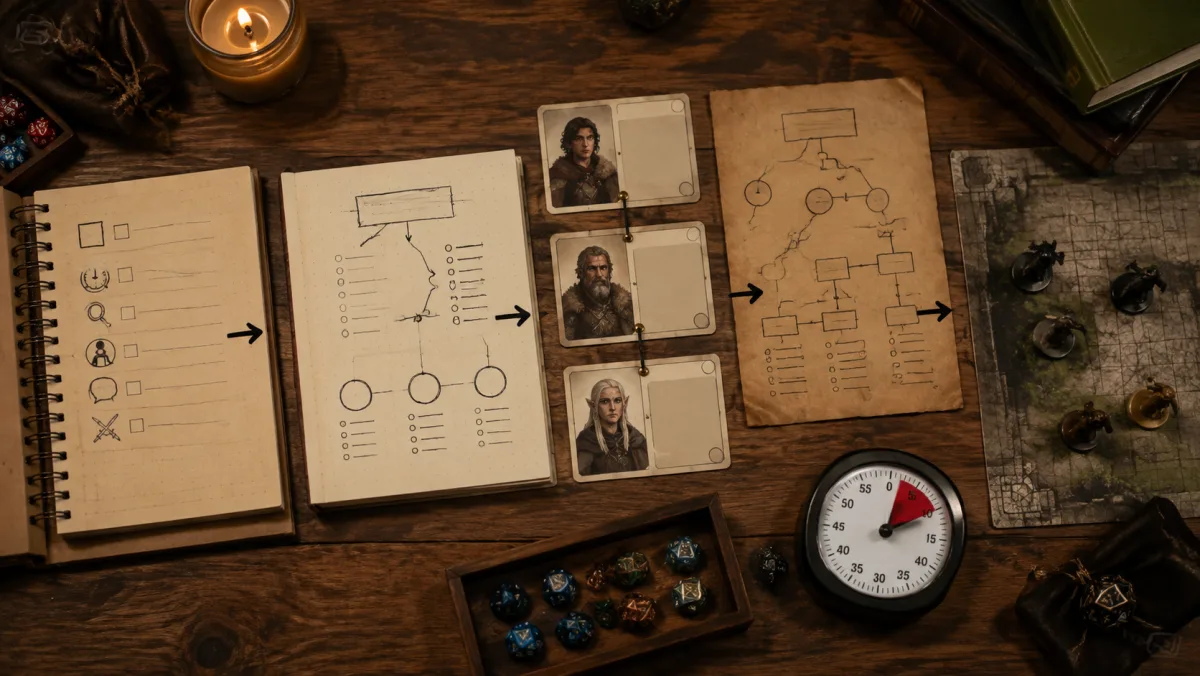
How to switch without moving your whole campaign
Do not import five years of notes before you know how you will use the tool. Pick one upcoming session and run a small test.
- Choose one current location, one NPC and one open quest.
- Add the last session recap or a short written summary.
- Ask the tool to find one fact and one unresolved thread.
- Write the next scene from your own notes.
- Compare the time, search result and review effort with your current method.
The test should include one correction. Change an NPC's goal, mark a quest complete, or add a new location. Then search again. A campaign manager that only looks good with static lore has not passed the real test.
Check export before you commit. Kanka and LegendKeeper publish export information. Obsidian starts with files you already own. For AI tools, read the privacy, deletion and recording terms. A campaign archive should not become difficult to leave.
FAQ
What is the best D&D campaign manager in 2026?
There is no single best choice for every table. World Anvil suits a public setting with maps and player access. Kanka gives a generous free structured database. Obsidian suits local Markdown notes. LegendKeeper suits a clean shared wiki. Tabletop Arc and Archivist suit audio-led campaign memory. CharGen Campaign Studio suits connected writing, campaign records and reviewed AI session prep.
What is the best free D&D campaign manager?
Kanka is the clearest free database option because its current site lists unlimited entries and unlimited campaigns on the free tier. Obsidian is free for local notes. CharGen also lets you start connected campaign and generator workflows without a paid subscription, but Assistant and generation quotes still depend on the action and account.
What is an AI session prep tool for D&D?
It is a tool that uses campaign records, written notes, transcripts or audio to prepare material for the next session. Some tools focus on transcription and extraction. Others focus on drafting scenes, hooks and prep briefs. Keep generated ideas separate from established campaign facts until you review them.
Is a D&D campaign manager the same as a VTT?
No. A campaign manager stores and retrieves campaign information. A virtual tabletop runs the live map, tokens, movement, vision and combat. You can use a campaign manager before the session and a VTT during it.
Can I keep my D&D campaign notes private?
Yes, but check the exact settings. Look for private-by-default campaigns, GM and player permissions, data export, deletion controls, source retention and recording consent. Do not upload player audio or private table talk without permission.
My recommendation
Start with the bottleneck you feel every week. Pick Kanka or Obsidian if your records are scattered. Pick World Anvil or LegendKeeper if player access and presentation matter. Pick Tabletop Arc or Archivist if audio becomes useful after the session. Pick CharGen Campaign Studio if your notes, session history, generated assets and next-session prep need to stay close together.
For my own workflow, the smallest useful test is one note, one NPC, one open quest and one reviewed proposal. Run that before you migrate anything. The result will tell you more than a feature list.
Open Campaign StudioFrequently asked questions
- What is the best D&D campaign manager in 2026?
- The best D&D campaign manager depends on the job. Choose World Anvil for a published setting, Kanka for a generous free database, Obsidian for local Markdown files, LegendKeeper for a clean shared wiki, Tabletop Arc or Archivist for audio-to-canon workflows, and CharGen Campaign Studio for connected writing, campaign records and reviewed AI session prep.
- What is the best free D&D campaign manager?
- Kanka offers unlimited entries and campaigns on its free tier. Obsidian is free for local notes, while CharGen lets you start campaign material and many generators without a paid subscription. Check each tool's current limits before moving a whole campaign.
- What is an AI session prep tool for D&D?
- An AI session prep tool uses campaign notes, session records or audio to help prepare the next game. Some tools transcribe and extract events. Others draft scenes and hooks from records. Review every result before it becomes campaign canon.
- Is a D&D campaign manager the same as a virtual tabletop?
- No. A campaign manager stores notes, entities, quests and session history. A virtual tabletop runs the live table with maps, tokens, movement and combat controls. Many groups use both.
- Can I keep D&D campaign notes private?
- Yes, but privacy controls differ. Check private-by-default settings, player permissions, exports, recording consent and public-page behaviour before uploading sensitive campaign material.