Import your NPCs, maps and recaps into Foundry VTT
You made the campaign in CharGen. The CharGen module puts it in your Foundry world: NPCs as actors with their stats, Battlemap Maker maps as scenes with walls, doors and lights, and session recaps your players can read. You stop copying stat blocks and drawing walls by hand.
Comes with CharGen Plus and above. From £9.99 a month. Importing costs no Gold.
For Foundry v13 and v14. Actors with stats for D&D 5e and Savage Worlds; other systems get journal entries.
Pick what to bring into Foundry
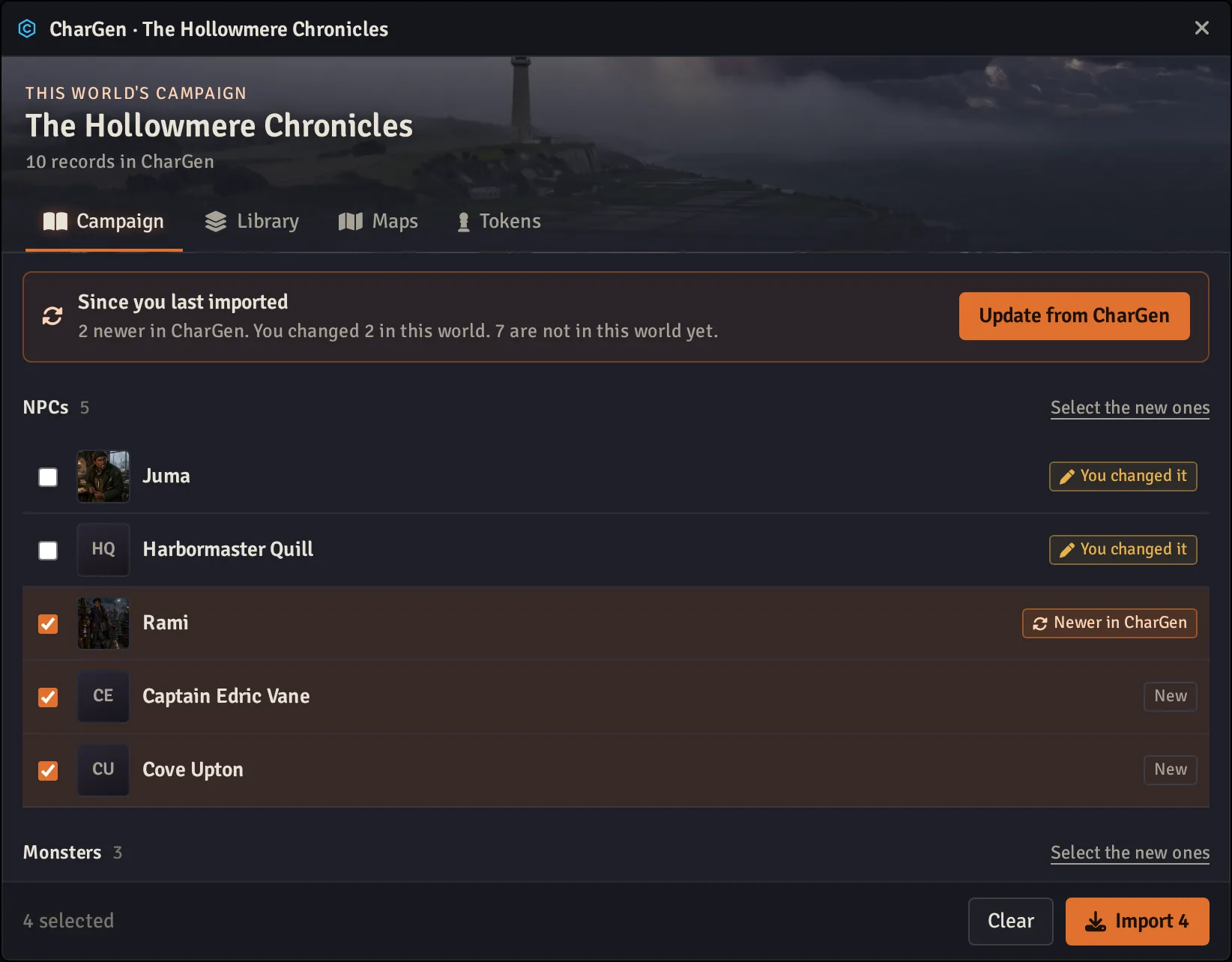
A scene with walls, doors and lightsMaps tab
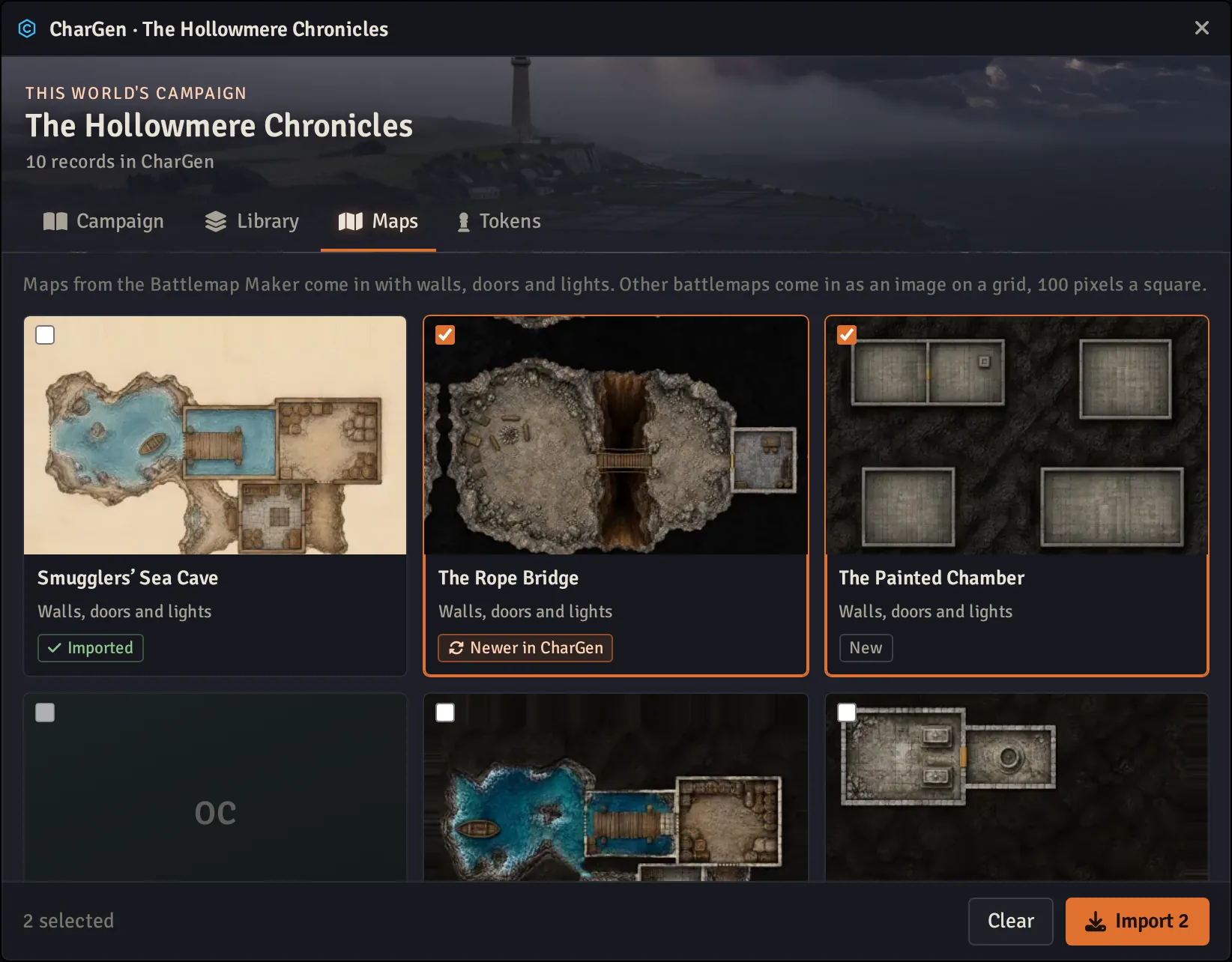
The CharGen module's window, with a real campaign. Install the module, connect your world with a code, then pick what to bring in.
Connect your Foundry world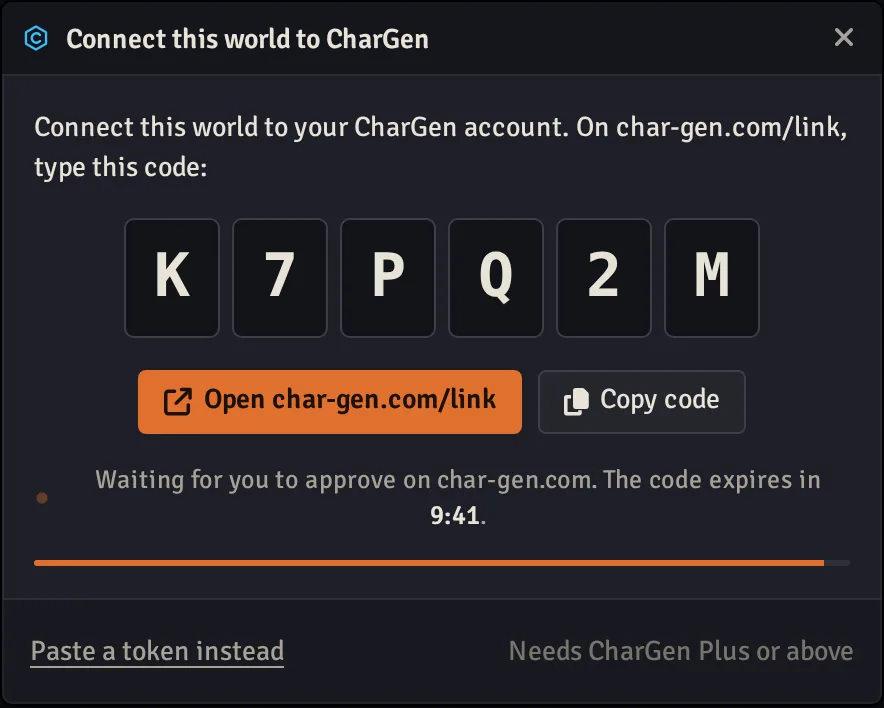
Connect with a code
Install the module from its manifest URL. Foundry shows a 6-character code: type it at char-gen.com/link and press Approve.
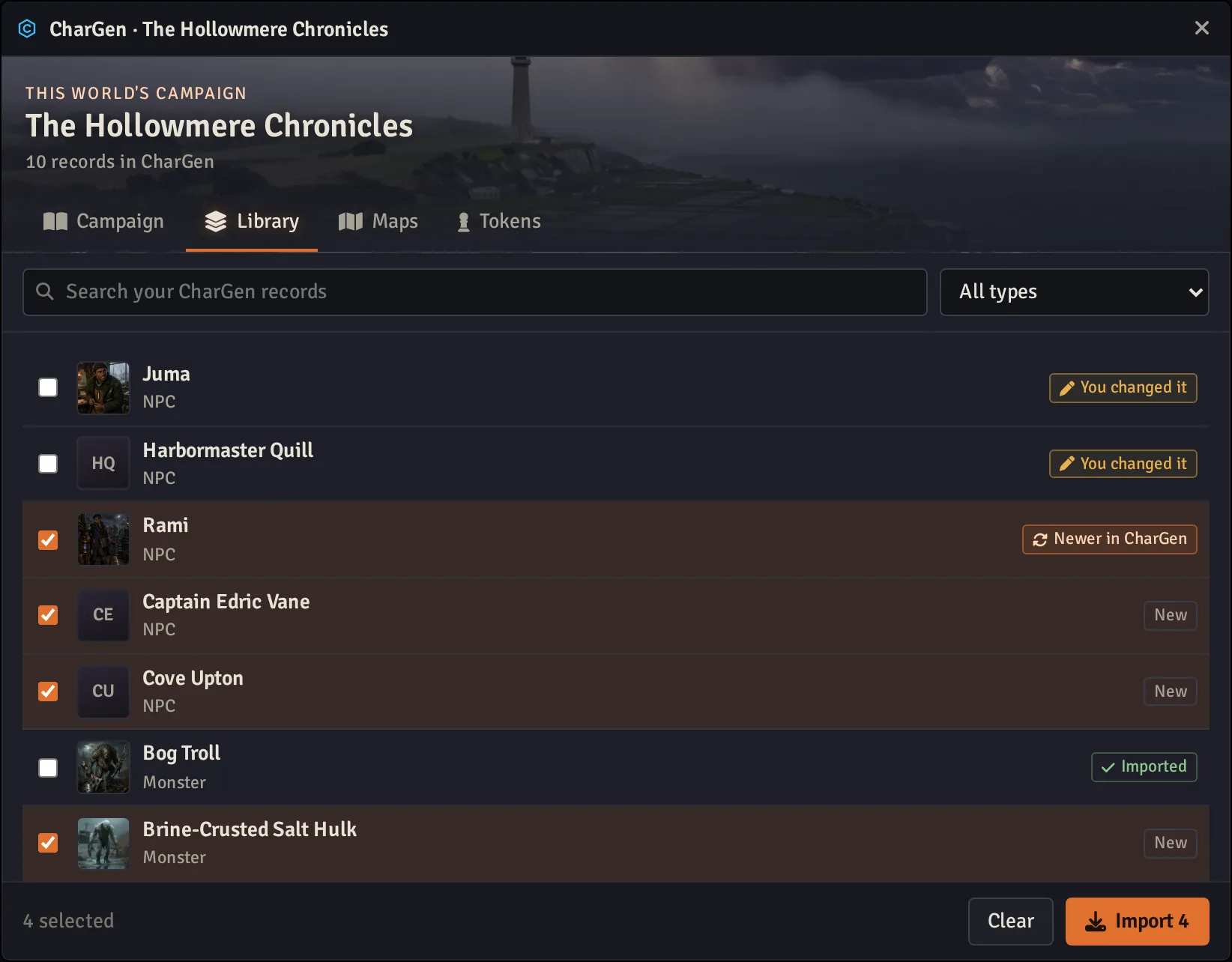
Tick what you want
Search every record you made in CharGen, filter by type, and import the ones you tick.
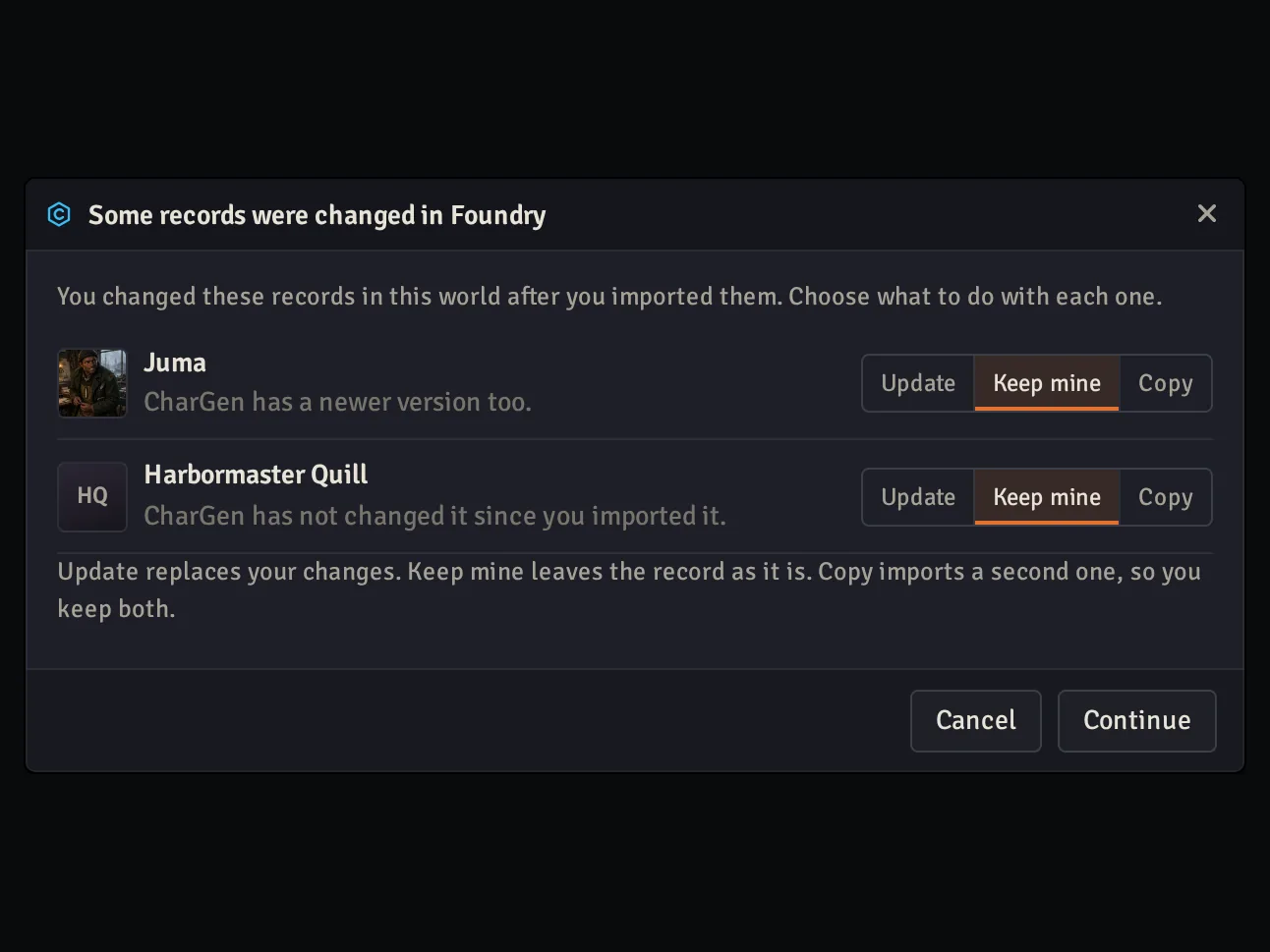
Your edits stay yours
Changed an NPC in Foundry? Before an update, the module asks: Update, Keep mine or Copy. Keep mine is the default.
A Foundry VTT module for your D&D campaign
Copying an NPC into Foundry by hand takes longer than making it did. The module brings the campaign in: NPCs and monsters as actors with their stats, items as items, and places, factions and the other records as journal entries with their pictures.
Each record shows New, Imported, Newer in CharGen or You changed it, so you see at once what is not in your world yet. Update from CharGen brings in what changed since your last import, and the links between records come too: an NPC shows the faction it belongs to, and the link opens that faction in your world.
Battle maps arrive as scenes with walls
Walling a map in Foundry can take longer than the fight on it. Maps from the Battlemap Maker come in as scenes with their walls, doors and lights already in place.
Your other battle maps come in as a picture on a grid, 100 pixels a square. When a Maker map updates, the tokens, notes and drawings you put on the scene stay where they are.
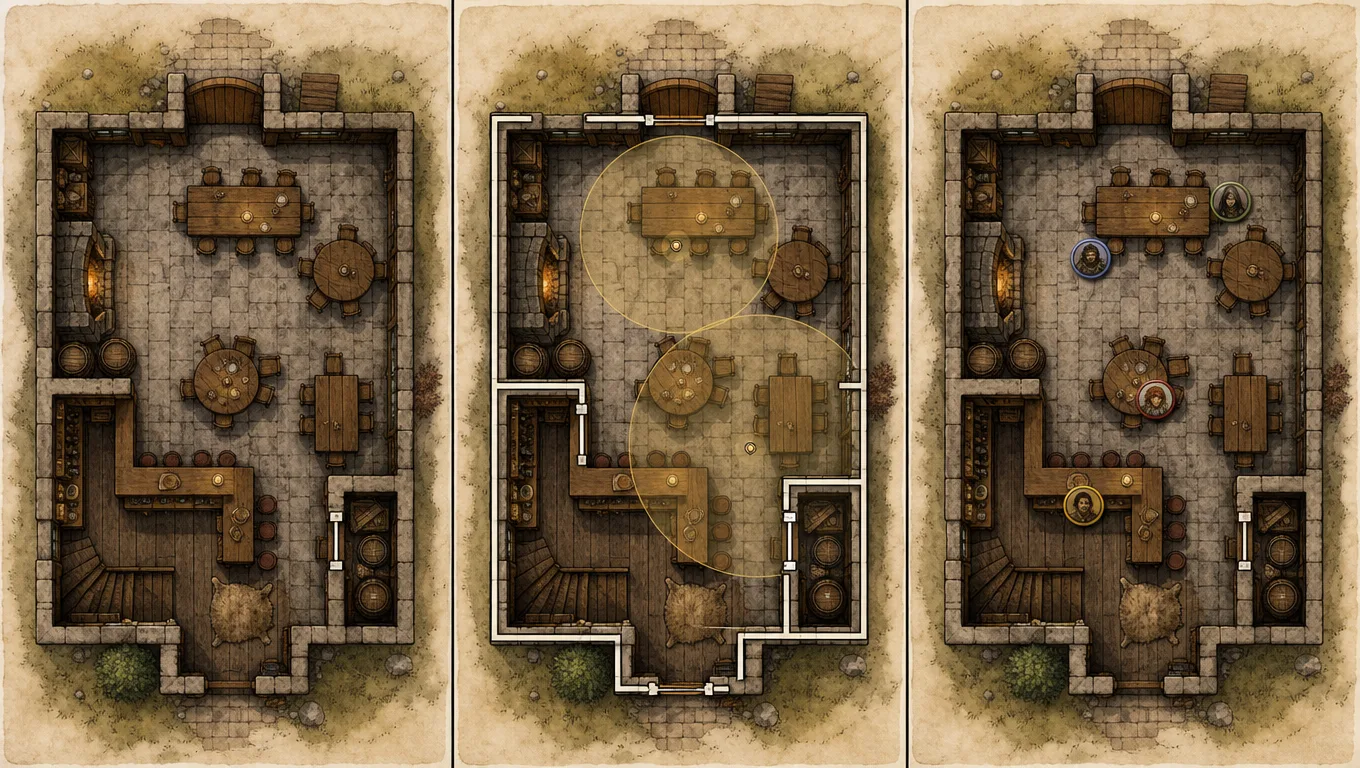 A Battlemap Maker map in Foundry
Session notes your players can read in Foundry
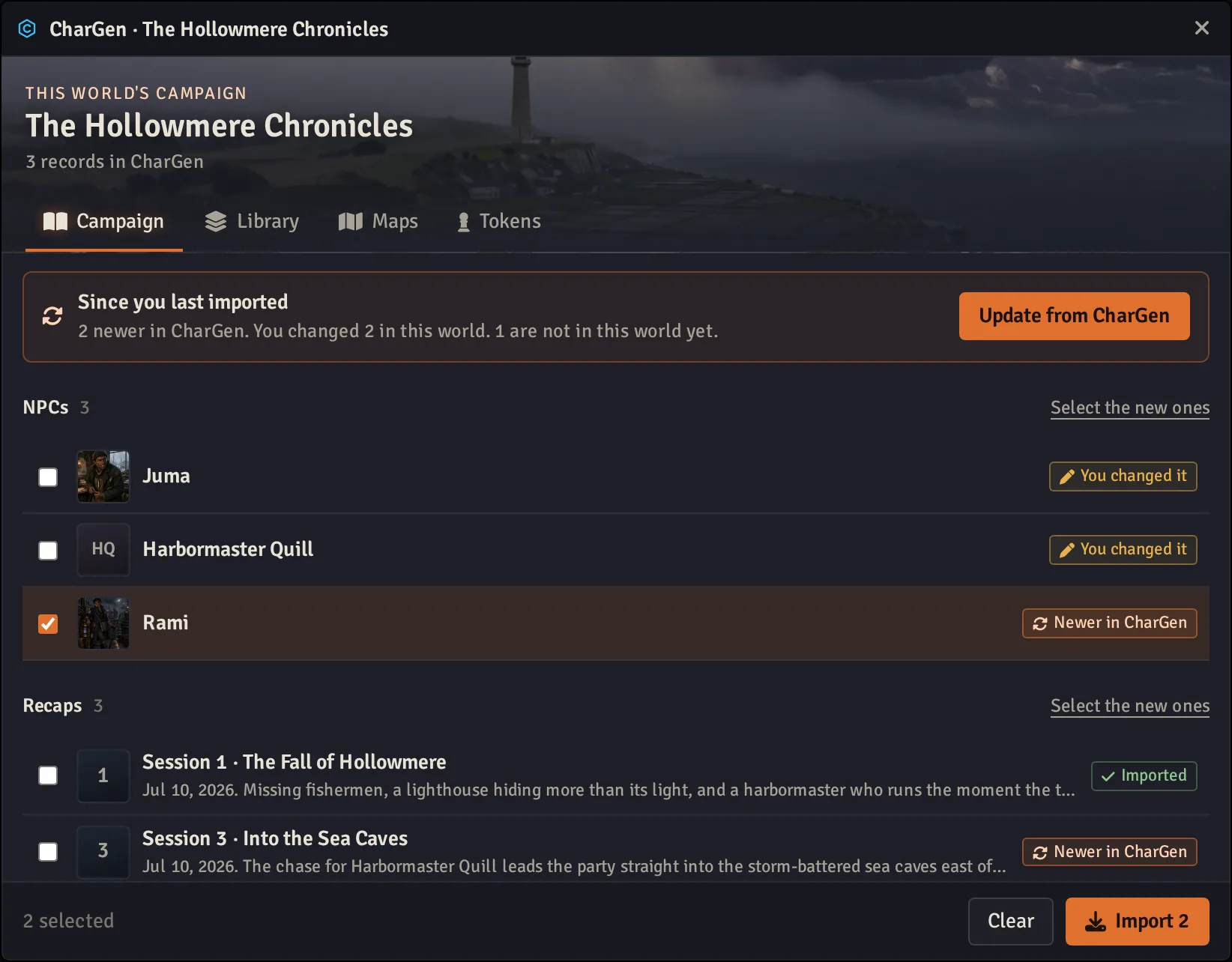
Last session's notes are in one place and your players ask in another. Each recap comes in as one journal entry with two pages: For players, the summary without spoilers, and For the GM, the full summary and your notes.
Players can read their page and cannot see yours. Players' real names are not on the page they read, the same as on char-gen.com. The Campaign tab lists one row for each session, with its date and first line.
Made with it
A tavern with walls and lightsFoundry scene
Maker maps, ready to importMaps tab
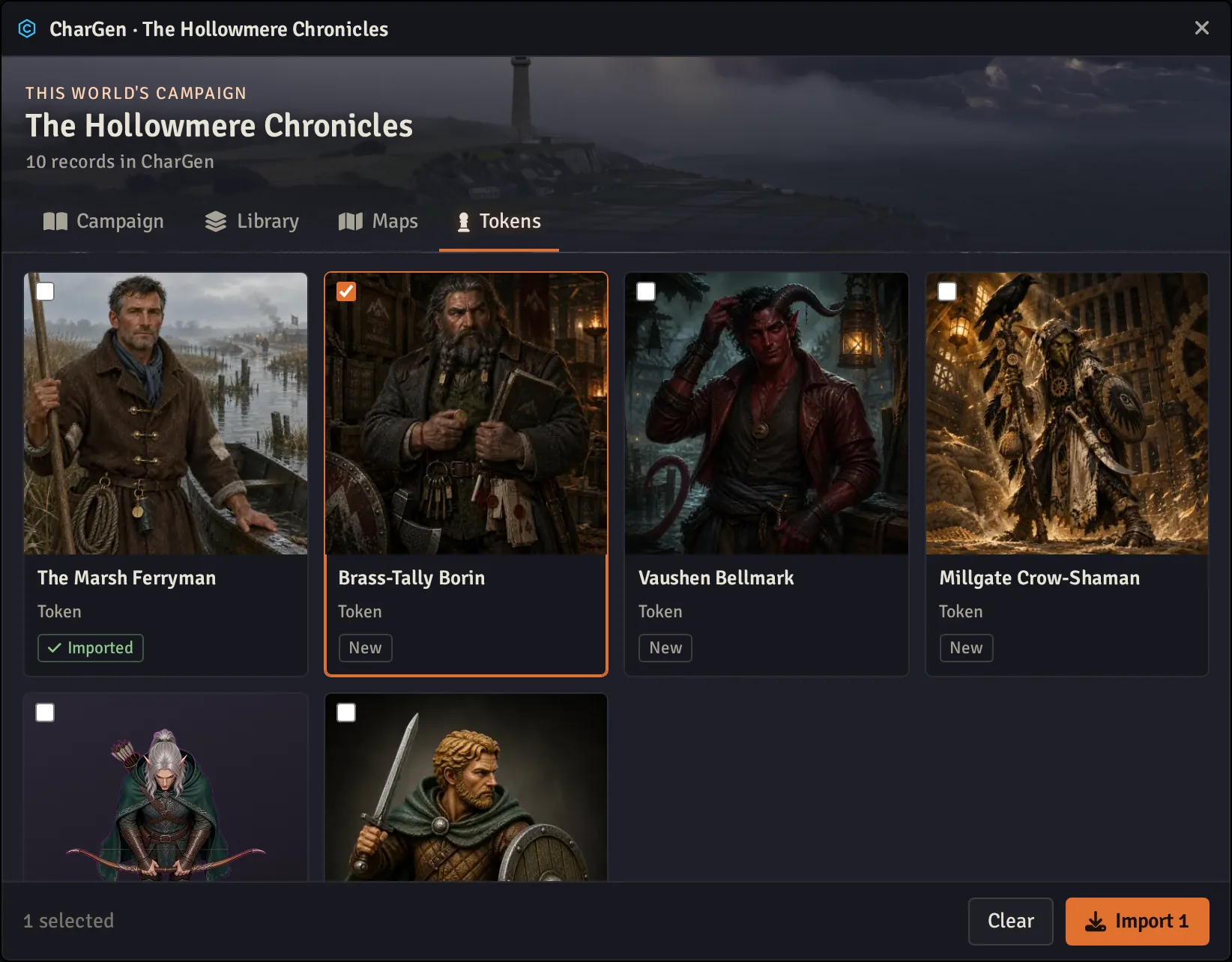
Tokens as actorsTokens tab
Recaps for the tableRecaps
What it costs
- The CharGen module
- From £9.99 a month
- Comes with Plus and above, checked on every import.
- Importing records, maps and tokens
- Free
- No Gold for an import or an update.
- Recaps and links
- Free
- Recaps come in as journals; links between records come with them.
- Making an NPC, monster or place
- Free
- Every text generator in CharGen is free.
- Painting a Battlemap Maker map
- From 2 Gold
- Drawing the plan and the Foundry scene file are free.
- Pictures in your world
- Free
- Copied into the world, so they work when CharGen is closed.
Importing never costs Gold. You pay Gold only to make things in CharGen, and you see each price before you press.
Questions
It brings what you made in CharGen into a Foundry world: NPCs and monsters as actors with stats, items, places and factions as journal entries, Battlemap Maker maps as scenes with walls, doors and lights, tokens as actors, and session recaps as journals.
Foundry v13 and v14.
NPCs and monsters come in as actors with their stats for D&D 5e and Savage Worlds. In a world with another system, they come in as journal entries with their stat text.
On char-gen.com, open Settings and then Dice and VTT, and copy the manifest URL under Your Foundry worlds. In Foundry, open Add-on Modules, click Install Module, paste the URL into Manifest URL and click Install. Then turn on CharGen in your world.
Click the CharGen button in the Actors or Journal sidebar. Foundry shows a 6-character code. Type it at char-gen.com/link and click Approve. Approve only a code that you see in your own Foundry.
The module comes with CharGen Plus and above, from £9.99 a month. Importing and updating cost no Gold. You pay Gold only to make things in CharGen, such as painting a map.
Maps from the Battlemap Maker come in as scenes with their walls, doors and lights. Other battle maps come in as a picture on a grid, 100 pixels a square.
Before an update, the module asks about each document you changed: Update, Keep mine or Copy. Keep mine is the default, so you do not lose your changes. Copy imports a second one, so you keep both.
Yes. Each recap is one journal entry with two pages. Players can read For players, the summary without spoilers. For the GM, with the full summary and your notes, is hidden from them. Players' real names are not on the page they read.
Yes. An NPC shows the faction it belongs to, and the faction lists the NPC. A link opens the other record in your world if you imported it, or on char-gen.com if you did not.
Yes. Pictures are copied into your world. To link to the CharGen pictures instead, change the module's settings.
Yes. Your tokens from the Token Maker, and your animated tokens, come in as actors. Drag one onto a scene to use it.
Remove the world under Your Foundry worlds in your CharGen settings. What you imported stays in Foundry.
Bring your campaign into Foundry
Comes with Plus and above. Importing costs no Gold.
Connect your Foundry world