
AI D&D Tutorials: Learn CharGen Workflows in 2026
AI D&D tutorials from CharGen show how to create, review and connect images, NPCs, session notes and campaign knowledge in practical 2026 workflows.
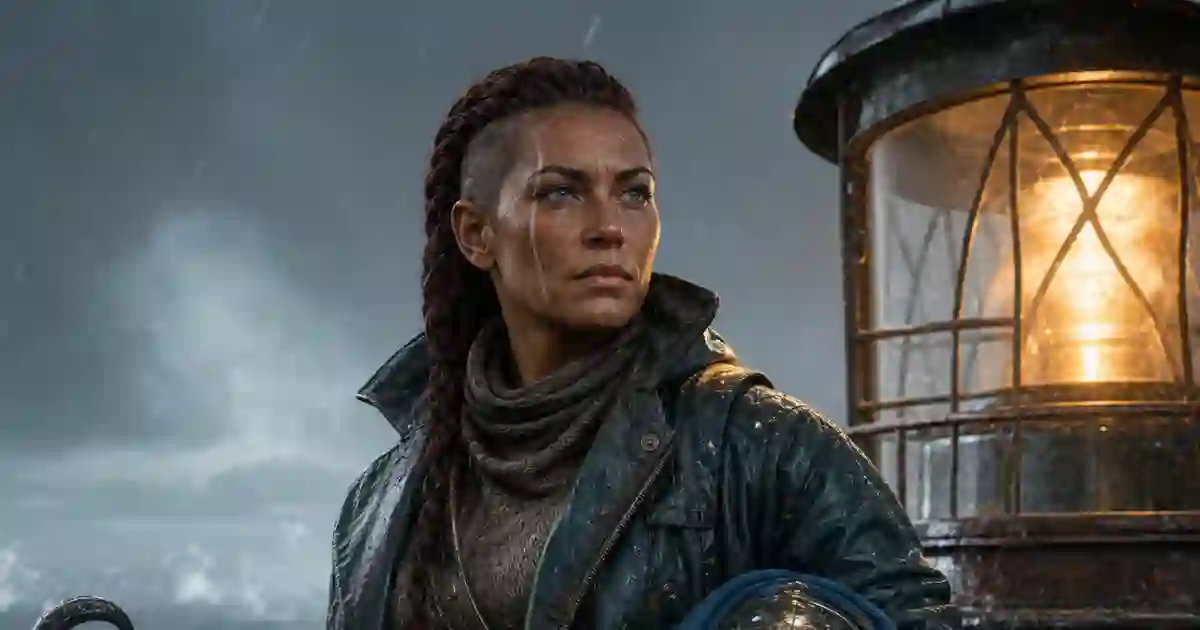
I used to lose more time finding my prep than doing it. A character portrait sat in one folder, an NPC idea lived in a chat, and the session recap waited in a note I could not find. The next game still happened. My preparation felt harder than it needed to be.
That is the problem I wanted these AI D&D tutorials to solve. CharGen's Tutorial Academy is a public set of written, screenshot-led lessons for the work I actually do before a game. It shows where to click, what a control changes, what saves to a campaign, and when I need to check the result myself.
The public Academy currently lists 79 published lessons across 12 collections. They cover image creation, image editing, video, audio, the Media Centre, Workshop generators, session records, and campaign knowledge. The lessons are grouped under Studio, Workshop, and Session Notes on the Academy home page, so I can choose a route by task instead of guessing which feature name matches my problem.
I do not see the Academy as a replacement for the D&D rules, a Dungeon Master guide, or a good session plan. It teaches the CharGen part of the job. That boundary makes it more useful. I can check a rule in an official source, then use a product lesson to create the monster, keep the artwork consistent, and store the session result in the right campaign.
How these AI D&D tutorials are organised
The Academy has a simple home page, but the content behind it is not one long beginner course. It is a set of focused lessons with clear collection names, levels, reading times, screenshots, and review dates. That format suits a working Dungeon Master. I can read one lesson during prep, complete the action, and return later for the next task.
Here is the current collection map:
| Area | Collections | Published lessons | Best starting job |
|---|---|---|---|
| Studio | Start in Studio; Image Studio Foundations; Image Editing and Restoration; Video Studio; Audio Studio; Media Centre; Specialist Studio Workflows | 33 | make or revise visual and audio assets |
| Session Notes | Session Notes | 11 | turn audio, transcripts, or summaries into a usable recap |
| Campaign knowledge | Campaign Knowledge | 3 | curate documents, canon, links, and campaign memory |
| Workshop | Workshop Foundations; Workshop Generator Handbook; Workshop Production Techniques | 32 | create connected NPCs, locations, threats, and homebrew |
The Academy home page also shows the complete Workshop production pipeline as its featured advanced lesson. That lesson is 18 minutes and was reviewed on 11 August 2026. The time estimate matters. It tells me whether I am opening a quick reference or setting aside time for a full workflow.
The collection counts add up to 79 published lessons. The registry also contains entries that are not published, so I would not call every planned or blocked entry a public lesson. That small distinction is important when a tutorial index is changing quickly.
Choose a tutorial by the job in front of you
Most D&D campaign tutorials start with a feature list. I find a task list more useful. When I search for a D&D session prep tutorial, I want the shortest route to the next finished task. Start with the job you need to finish tonight.
I need one usable image
Read Studio Quick Start: Make, Review and Save Your First Image. It is a beginner lesson with an eight-minute reading time. The flow is clear: open Studio, choose the content type, fill the main form, submit the generation, review the result, and save the asset.
The lesson is useful because it does not stop at the prompt. A generated image is not ready just because it looks good in a result card. I need to know where it is saved, how I return to it, and what I can do next. That last step might be an edit, a token, a download, or a new image variation.
For a first test, I would make a character with three visible details: a scar across the left eyebrow, a chipped brass pauldron, and a blue scarf tied at the throat. Specific details give me something to inspect. If the scar disappears or the pauldron changes sides, I have learned more than I would from a vague prompt about an interesting adventurer.
My images look inconsistent
Read Write Image Prompts You Can Debug. It teaches a better habit than adding adjectives until the prompt becomes a small novel. I write the subject, action, setting, camera or framing, lighting, and details that must stay visible. Then I change one part and compare the result.
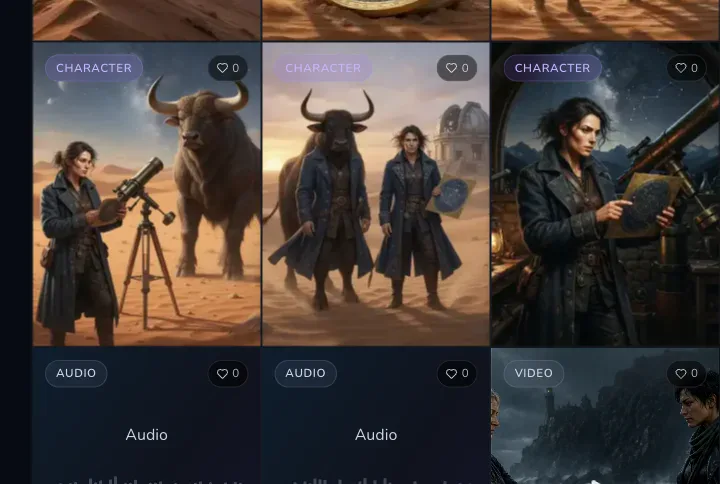
Suppose I need three portraits for a river crew. I would keep the visual anchors stable, such as the storm-grey palette, wet wool coats, and brass ferry tokens. I would change the face, age, role, and expression. The aim is not identical artwork. The aim is a group that looks like it belongs to the same place.
The Academy also includes lessons for Quick Edit, inpainting, outpainting, background replacement, face fixes, upscaling, cropping, and format changes. I would read Quick Edit: Change an Image in Plain Language before I try to regenerate an image that is almost right. An edit can preserve useful parts of a result. A new generation can discard them.
I need a token for a VTT
Read Make a VTT Token from Any Portrait. The lesson explains the route from a portrait to a token, including the positioning step and export. That is a small workflow, but it solves a common handoff problem. A portrait that works in a blog or NPC card does not automatically work as a readable token at a crowded table.
I normally check the face, silhouette, border space, and contrast at the size I will use in Foundry or Roll20. If the character holds a long staff, I check that the staff does not vanish against the frame. If the token is for a recurring NPC, I keep the same portrait rather than making a new token from a new generation.
I need to prep a connected location
Start with Choose the Right Workshop Generator, then continue to Complete Workshop Production Pipeline. The first lesson helps match the job to a generator. The second shows the wider sequence from brief to result, edit, relationship, and export.
The Workshop route is best when the result needs to connect to a campaign. I can generate a tavern, then create its owner, a local faction, a quest, and a related encounter. I do not need every item before I play. I need enough linked material to answer the next player question without starting from a blank page.
I need to turn a game into notes
Read Complete Session Notes Walkthrough first. It is an 18-minute beginner lesson. It covers the source choice, processing, recap, transcript, media, links, and export steps in one pass.
If I already know the source, I can choose a shorter lesson. Create Session Notes from Audio covers an audio recording. Create from a Transcript or Written Summary covers text. The distinction matters because a transcript and a written summary do not give the system the same raw material.
A 30-minute starter route for new users
When somebody asks me where to start with CharGen, I give them a short route. It demonstrates the core ideas without requiring a complete campaign.
- Open Studio Quick Start and make one character portrait.
- Read Write Image Prompts You Can Debug, then revise one detail rather than changing the whole prompt.
- Use Quick Edit to change the background or one item of clothing.
- Convert the approved portrait with Make a VTT Token.
- Open CharGen's image generator and make one second portrait with the same visual anchors.
The route teaches a useful loop: make, inspect, edit, reuse, and save. It also gives me a clear stopping point. I do not need to test every image model, every export option, and every content type on the first day.
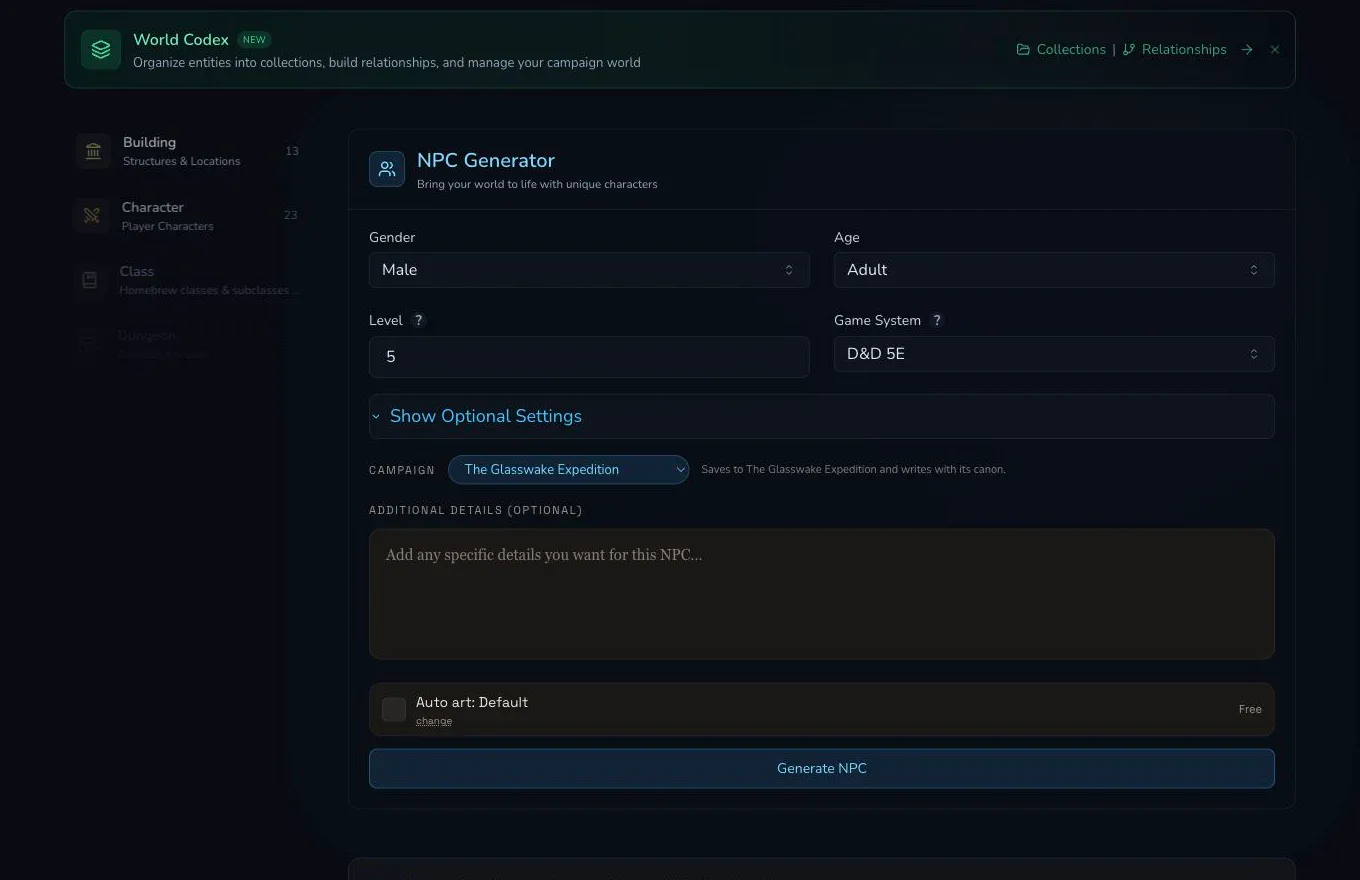
If I have more time, I replace step five with Workshop. I create a small place, one NPC, and one problem. The goal is to see how campaign selection and optional details affect the result. I would use fictional test material at first, not private player information.
How the Workshop tutorials fit together
The Workshop section contains 32 published lessons. Three cover the foundations, 22 cover individual generators, and seven cover production techniques. That structure is better than one giant tour because the right lesson depends on the entity I need.
The generator handbook includes characters, NPCs, monsters, buildings, dungeons, encounters, factions, hazards, loot, magic items, pantheons, poetry and lore, puzzles, quests, regions, settlements, shops, species, spellbooks, taverns, and worlds. That gives the Academy a practical place among D&D worldbuilding tutorials. I would not create all of those for a single session. I would choose the smallest useful chain.
For a lighthouse mystery, my chain might be:
| Prep need | Workshop lesson | What I keep |
|---|---|---|
| the place | Generate a Building | the lighthouse layout, purpose, and current problem |
| a person | Generate an NPC | the keeper's goal, fear, and useful clue |
| a pressure group | Generate a Faction | public story, private goal, and internal conflict |
| a threat | Generate a Monster or Encounter | the danger and the reason it arrives now |
| a reward | Generate Loot or a Magic Item | one object that changes the next decision |
The production techniques then answer the questions that appear after generation. How do I edit and save an entity? What does reroll or regenerate change? How do I manage artwork and media? How do I link or generate a related entity? How do I add campaign context? How do I share, export, and organise the final result?
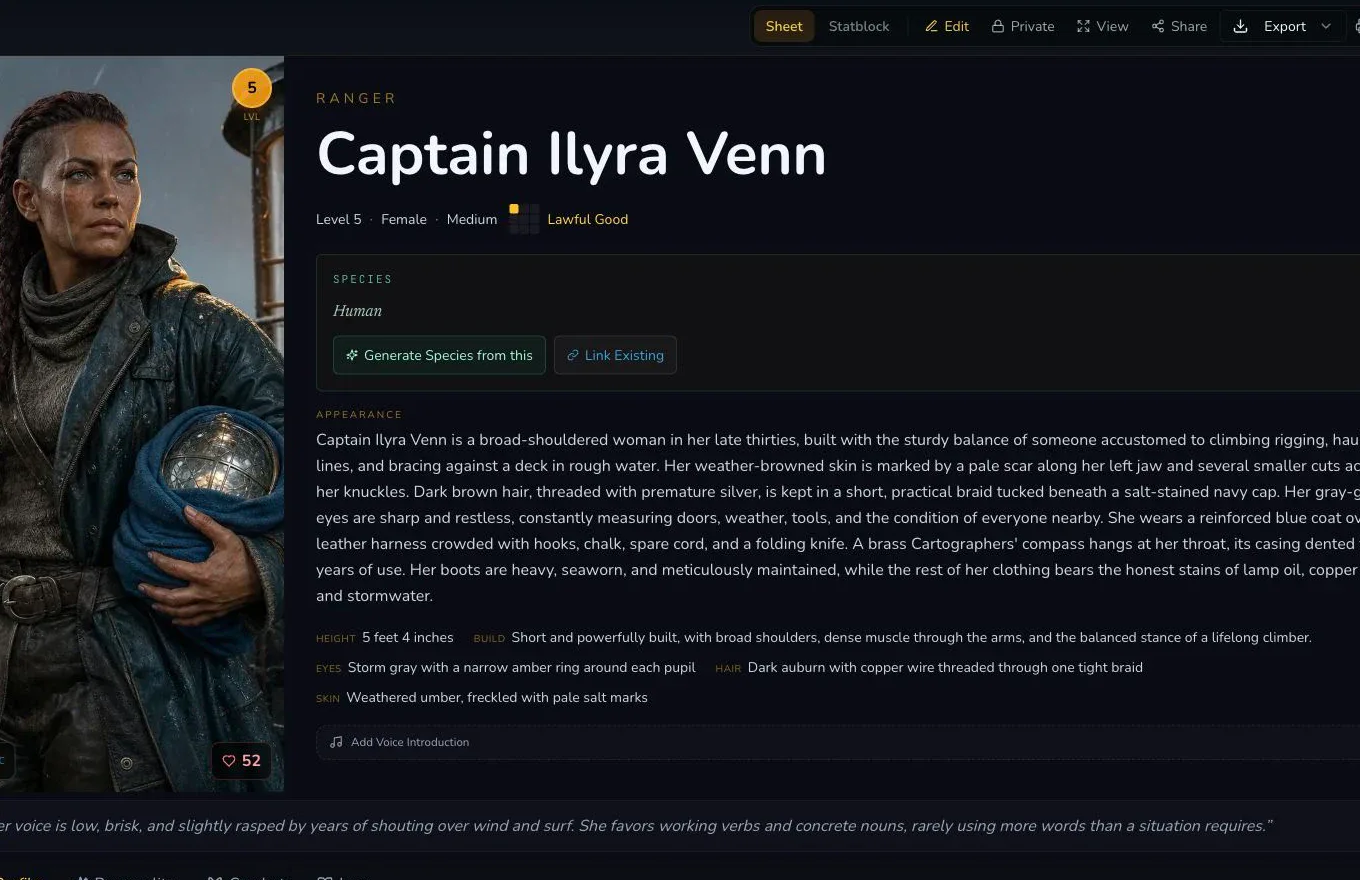
The screenshot above is from Session Notes rather than Workshop, but the same review habit applies. I check the result before I treat it as campaign truth. Generated material can contain a useful name and a poor motivation. It can produce a strong hook with a detail that conflicts with the setting. Save the parts that help, edit the rest, and keep the decision with the person running the table.
Session Notes and campaign knowledge are different jobs
The Session Notes collection has 11 published lessons. They cover source choice, audio, transcripts, processing recovery, recap correction, transcript search, entity links, covers, media, sharing, export, the session library, and the campaign timeline.
That list tells me something about the workflow. A recap is not the whole product. I need to check the source, follow processing, correct names and facts, search the transcript, link entities, and decide what should be shared. The Read and Correct a Session Recap lesson is especially important for this reason. I would never treat an unreviewed generated summary as the final record of a game.
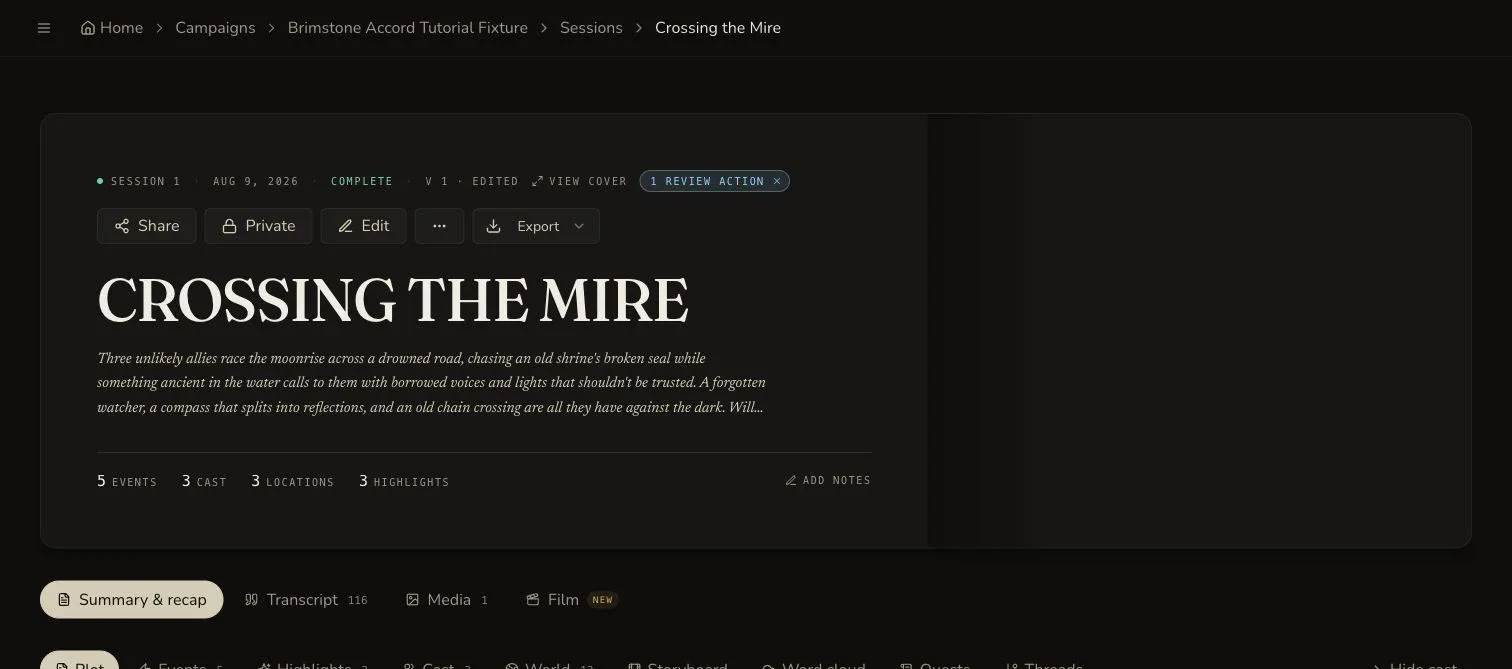
The three Campaign Knowledge lessons go one step further. They cover campaign documents, workspace organisation and World Codex links, then canon curation. I think of the split like this:
- Session Notes answer, “What happened in this session?”
- Campaign Knowledge answers, “What do we now believe is true about the campaign?”
That separation prevents every generated sentence from becoming permanent canon. A player theory can stay in a recap as a theory. A confirmed location can move into campaign knowledge after somebody checks it. The workflow supports a cleaner decision than copying every recap into one growing document.
Use CharGen's session summary workflow when you need the recap itself. Use the Academy lessons on documents, links, and canon when you need a durable reference for future generation.
What a reviewed lesson gives you
The useful part of a product tutorial is not the screenshot alone. A screenshot shows what the page looked like during review. The surrounding notes explain what the control means and what the result proves.
I look for five details in each lesson:
- The level. Beginner, intermediate, or advanced tells me how much product knowledge the lesson assumes.
- The reading time. Eight minutes and 18 minutes are different commitments during prep.
- The exact control. A lesson should name the form, selector, button, tab, or menu that I need.
- The persistence boundary. I need to know whether an action only changes the current view or saves to a campaign.
- The review date. Product surfaces change. A date gives me a reason to check an older lesson before relying on it.
The Academy is strongest when it makes those boundaries explicit. “Click Generate” is not enough. I want to know which generator I opened, which campaign I selected, what optional details I added, and where the saved result appears.
That approach also keeps the tutorials honest. They explain the current CharGen workflow. They do not promise that an AI result will be correct without review, or that a generated NPC will understand my campaign without context. Those are still my responsibilities.
Use official rules sources for rules questions
The Academy teaches product use, not encounter maths or edition rules. For a 2024 D&D rules question, I would check the official D&D Beyond 2024 Dungeon Master's Guide tools first. The official source gives the rules baseline. CharGen can then help me make the monster, map, token, or campaign note that supports the session.
That distinction prevents a common mistake. An AI tool can produce a convincing ability name that does not match the rules at my table. I can use it for an idea, but I still check the stat block, action, spell, or item against the source my group uses.
There are other good ways to learn campaign organisation. World Anvil's beginner tutorials teach its own worldbuilding system through written and video lessons. I would use that material when I want to learn World Anvil. I would use CharGen's Academy when I need the exact CharGen workflow for Studio, Workshop, or Session Notes.
What I would read first
My recommendation depends on the next session, not on how many AI features I can list.
| Your next task | Read this first | Then try |
|---|---|---|
| Make one image | Studio Quick Start | Write Image Prompts You Can Debug |
| Keep a visual style | Write Image Prompts You Can Debug | Quick Edit |
| Build an NPC or location | Choose the Right Workshop Generator | Complete Workshop Production Pipeline |
| Prepare a token | Make a VTT Token from Any Portrait | Create a Transparent Animated VTT Token |
| Record a session | Choose the Right Session Notes Source | Complete Session Notes Walkthrough |
| Keep campaign canon | Build Campaign Documents | Curate Campaign Memory with Canon |
I would read one lesson, perform one task, and stop. That gives me feedback about the product and my own prep habits. It is the useful role of AI tools for Dungeon Masters, a shorter route from an idea to something I can check at the table. Reading twelve lessons without making anything is still procrastination, even if the screenshots are very nice.
Open the CharGen Tutorial AcademyFrequently asked questions
- What are AI D&D tutorials?
- AI D&D tutorials explain how to use AI tools for practical tabletop work, such as making character art, preparing NPCs, writing session notes, and organising campaign material. CharGen's Tutorial Academy focuses on reviewed workflows inside its Studio, Workshop, and Session Notes areas.
- How many CharGen Tutorial Academy lessons are published?
- The public Academy currently lists 79 published lessons across 12 collections. The lessons cover Studio, Workshop, Session Notes, and campaign knowledge workflows.
- Where should a new CharGen user start?
- Start with Studio Quick Start: Make, Review and Save Your First Image. Then read Write Image Prompts You Can Debug or choose the complete Workshop or Session Notes walkthroughs, based on the job you need to do.
- Does CharGen Tutorial Academy teach D&D rules?
- No. It teaches CharGen product workflows for D&D preparation. Use official D&D rules sources for rules questions, then use the Academy to learn how to create and organise campaign material in CharGen.
- Are the CharGen tutorials videos?
- The public Academy is a written, screenshot-led collection with lesson levels, reading times, and review dates. It is designed for practical product guidance rather than a video course.